2017年10月7日星期六

Xhorse VVDI2 procedure for golf 6 all keys lost, service mode?

Topic: With Xhorse VVDI2 Programmer, what is the procedure for golf 6 all keys lost? service mode? what are steps?
I would like to do like this:  
-----On Kessy system you have to have Kessy Key brand new or Buy form Dealer.
If you use used key and chnage transponder car will start only if you put key close to coil ( where is normaly igntion tumbler is)
Remove dash , Read eeprom with programmer and save originla file.
Do service mode , I do this manual way, open originla file in Hex Editor add at line 1420 and 1430 all FFFFFFF.
This way you do not loose VIN and ABS stay same .
Write molded file back to cluster and put cluster in car.
On Kessy car you need to bridge at OBD pin 1 and 16 to get Ignition On.I would make with little switch because you will need to give ignition On/OFF when learn keys. Connect to cluster and read Sec. block. After susses , you need to write original eeprom to cluster.
VERY IMPORTANT : Do not EXIT any function till all is done.
If you have key form dealer then you can learn it right a way ,If you have New Kessy key then you need to read Immo block again , then make a dealer key .
After this press button ADD KEY. Then choose second option Learn Key with security code and follow instruction.. If you want to learn only 1 key you will see 0-1 then 1-1 .
At it end before you press OK on pop up message you need to turn ignition Off/On After THAT you see 1-1, then press OK on Pop up message and wait till 1-1 goes away. All keys are learn successful.
-----Other way if you have only Used key with new ID48 ,:
Remove dash , Read eeprom with programmer and save originla file.
Do service mode , I do this manual way, open originla file in Hex Editor add at line 1420 and 1430 all FFFFFFF.
This way you do not loose VIN and ABS stay same .
Write molded file back to cluster and put cluster in car.
On Kessy car you need to bridge at OBD pin 1 and 16 to get Ignition On.I would make with little switch because you will need to give ignition On/OF when learn keys. Connect to cluster and read Sec. block. After susses , you need to write original eeprom to cluster.
VERY IMPORTANT : Do not EXIT any function till all is done.
Then read Immo block again ,
Make a dealer key first . After that press ADD KEY , then use frist option add key direct to immo block . After all done reset cluster ,remove bridge on OBD pin 1 and 16 . Put key close to Immo coil and start car.
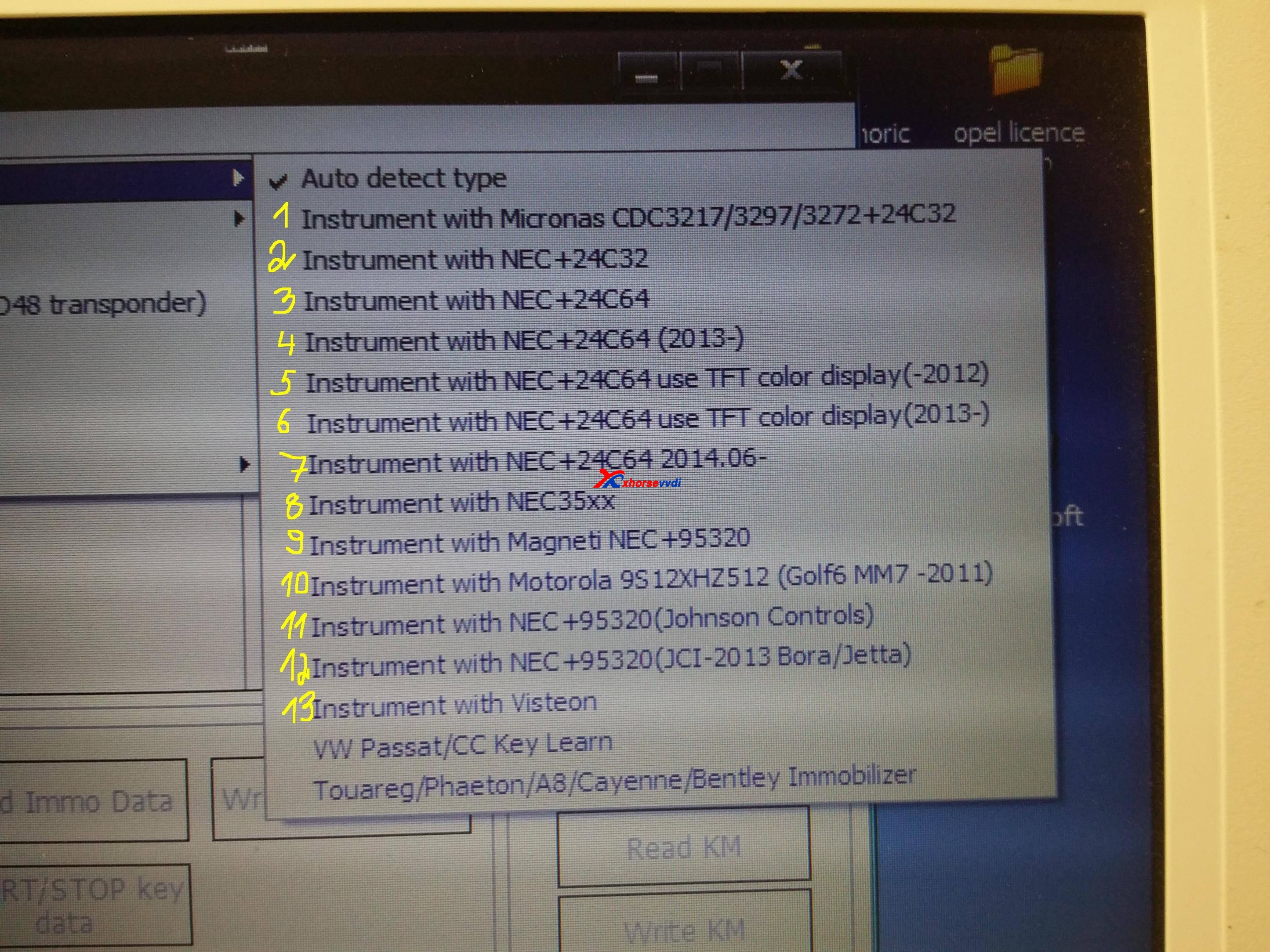
If you have further question like:so service mode only needed for c32 c64 clusters? Please look at photo which numbers need do service mode to do all keys lost
I would like to do like this:
From 1 to 7. when you have all key lost .
#1 is cars with Micronas dash and for Service mode use VVDI and it needs in most cars made 2007 and up, Before that all key lost will work direct OBD.
#2 it is different service mode that I gave solution is other post
#3 to 7 my solution works in all of them.
Service mode only need if ALL KEy LOST, otherwise read IMMO data and make a KEy LEARn via IMMO DATA FILE
if you confuse what cluster choice, post cluster p/n and manufacture date.
Many thanks to @yugo45 from DK forum.
VVDI2 Source: http://www.xhorsevvdi.com/wholesale/vvdi2-key-programmer.html

2017年9月29日星期五

Free Download VVDI2 V4.7.0 software

VVDI2 V4.7.0 software:
https://mega.nz/#!zwYHFLwZ!7dJQAZObu84PNYO6OMhgso-GV-tXHe2T2C8Ln2CkIAs 
2017-09-29
*** Require firmware V4.7.0


===== VAG V4.7.0 =====
1. Improvement for new NEC+24C64 dashboard after 2014.06, support new VDO dashboard. Now we support following cars:
VW T5 2014.06-2016
VW T6 2015.06-2017
VW Sharan 2014.06-
VW Passat 2014.06-2016
VW Caddy 2014.06-2017
VW Jetta 2014.06-2016
VW Scirocco 2014.06-
VW Tiguan 2014.06-
VW Touran 2014.06-
VW EOS 2014.06-
VW CC 2014.06-2016
VW Golf 2014.06-
VW Amarok 2014.06-
Skoda Yeti 2014.06-
Seat Alhambra 2014.06-
Audi A1 2014.06-
Audi Q3 2014.0
6-
2. Bugfix

===== BMW V4.7.0 =====
1. Bugfix

===== Porsche V4.7.0 =====
1. Bugfix

===== PSA V4.7.0 =====
1. Bugfix

===== Transponder Programmer V4.7.0 =====
1. Bugfix

===== J2534 V4.7.0 =====
1. Bugfix

===== Online Upate Tool V4.7.0 =====
1. Bugfix

===== Quick Start V4.7.0 =====
1. Bugfix

2017年9月28日星期四

How to use VVDI Prog Unlock BMW F Series PCF7953 Remote Key?

VVDI Prog support to unlock remote key,and here we will add BMW F Series PCF7953 remote key as example.VVDI Prog will need to use PCF79XX adapter,you can check our bundle package VVDI Prog Plus PCF79XX adapter,and VVDI Prog new adapters like EWS3,M35080/D80,EEPROM Clip adapter are all OK now.
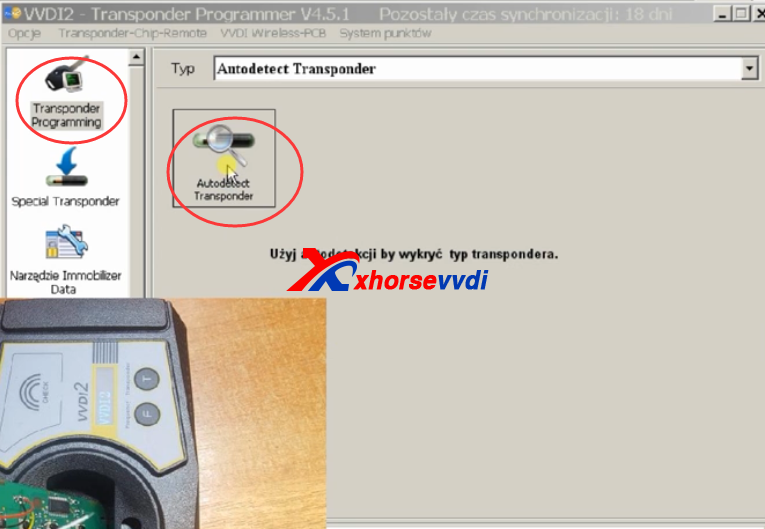
1.VVDI Prog and VVDI2 connected with key chip.Use VVDI2 transponder programming software to detect transponder.
vvdi prog and vvdi2
Auto detect.
vvdi prog unlock
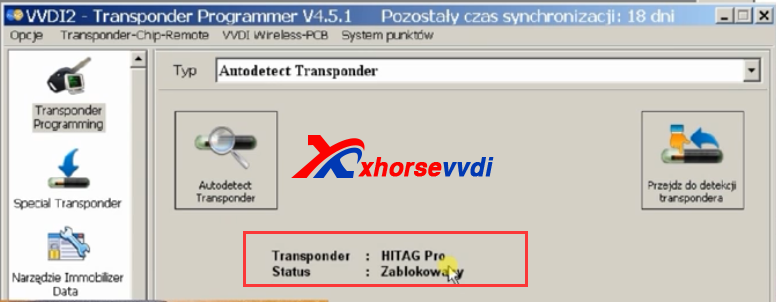
2.After VVDI2 detect,it shows blocked status.
vvdi prog
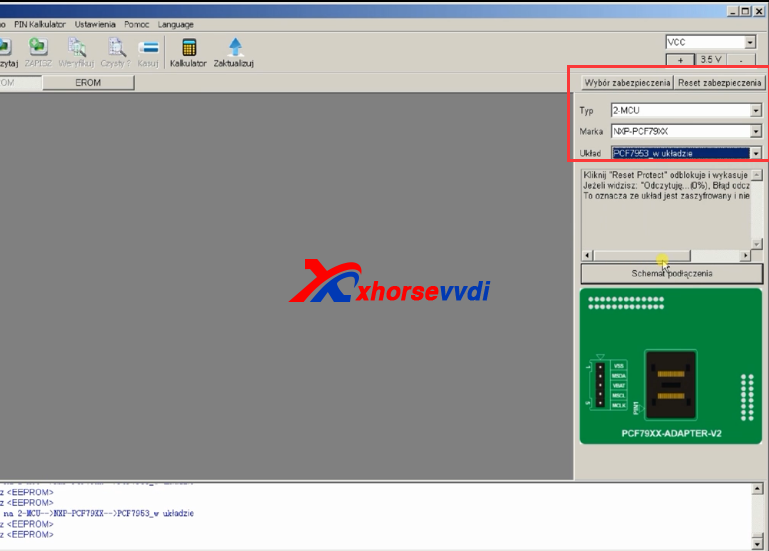
3.Start VVDI Prog software,choose detailed type,check connection diagram.
vvdi prog unlock
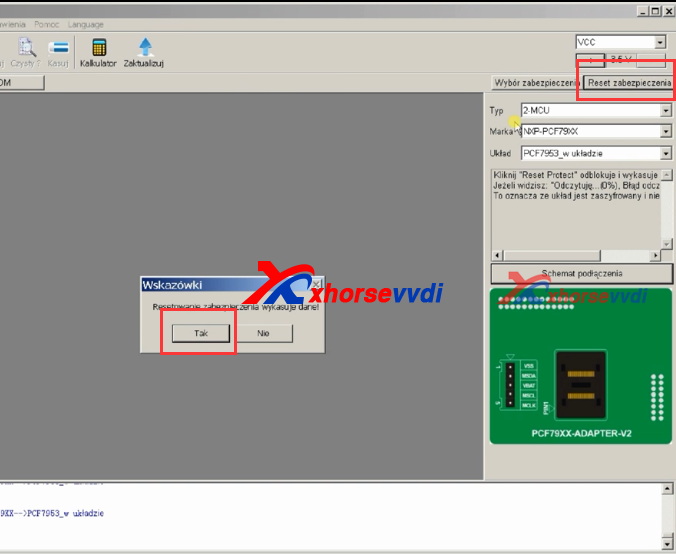
4.Click "Reset Security",press Yes to continue.
vvdi prog bmw unlock
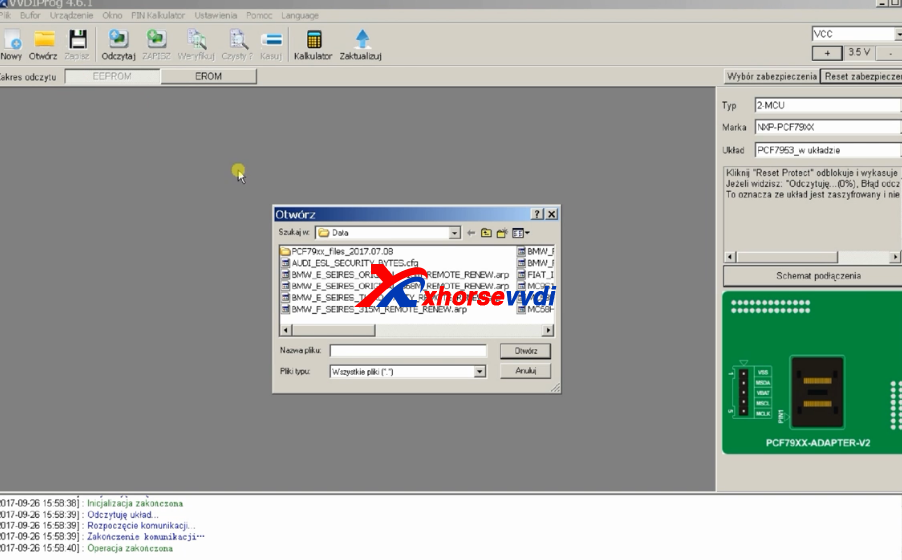
5.Open the EEPROM dump file.
vvdi prog renew
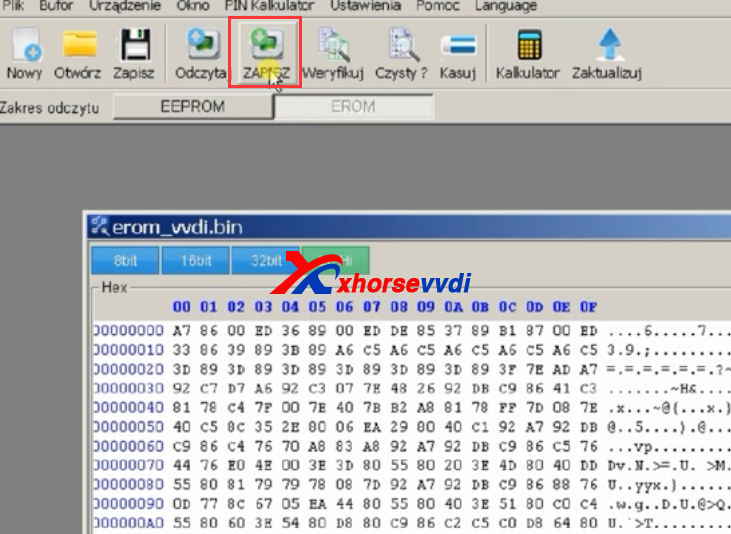
6.Switch to PROM part,and click save,yes to continue.
vvdi prog
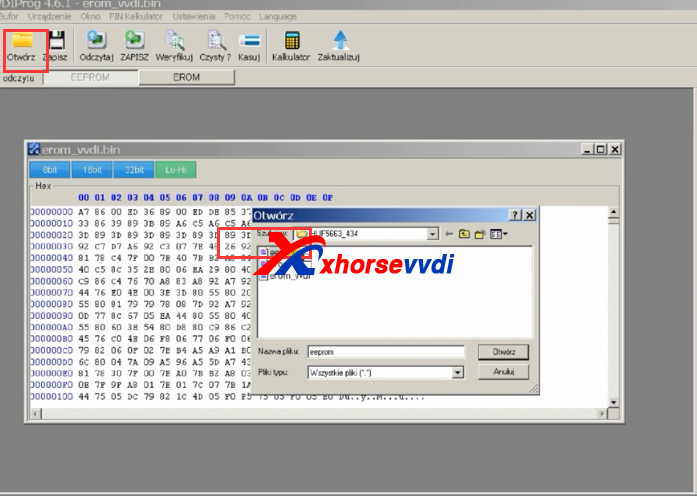
7.Back to EEPROM Part,and open eeprom file.Save it.
vvdi prog bmw renew
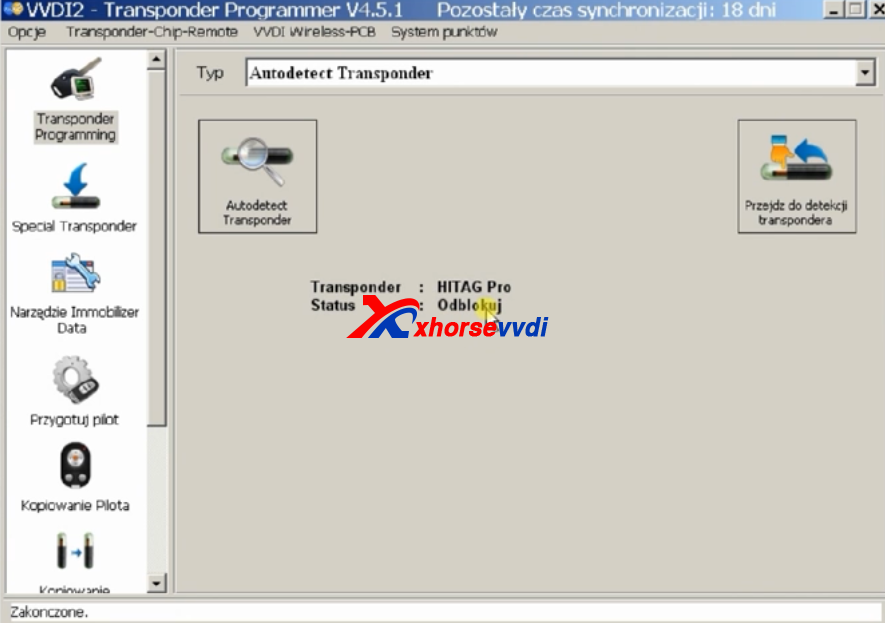
8.Use VVDI2 transponder programming software check again,it is unblock status.
vvdi prog bmw renew 
How to use VVDI Prog Unlock BMW F Series PCF7953 Remote Key?

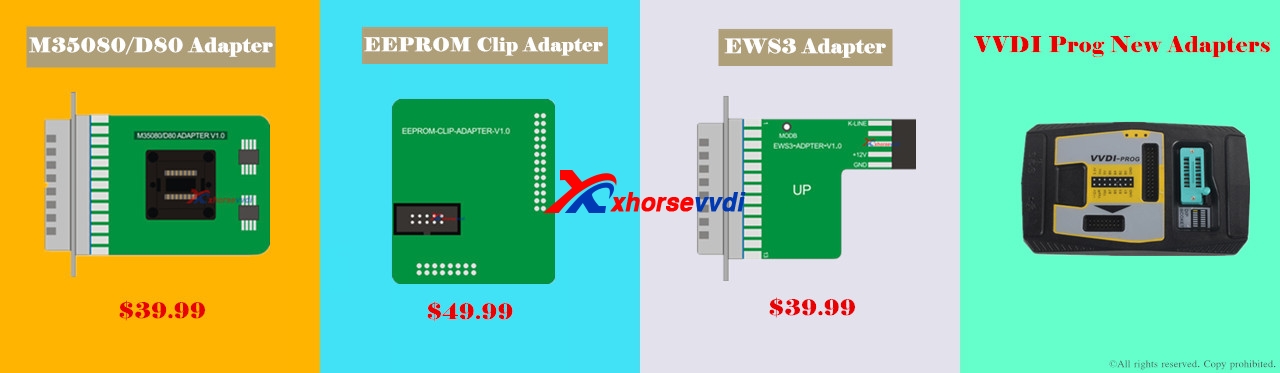
New arrival! VVDI Pro M35080/D80 Adapter, EEPROM clip adapter, EWS3 adapter

New arrival!
Xhorse VVDI Pro M35080/D80 Adapter, $39.99 free shipping
Xhorse VVDI Pro EEPROM clip adapter, $49.99 free shipping
Xhorse VVDI Pro EWS3 adapter, $39.99 free shipping

With the 3 pieces of new adapters, What you can do?
Here we go one by one.
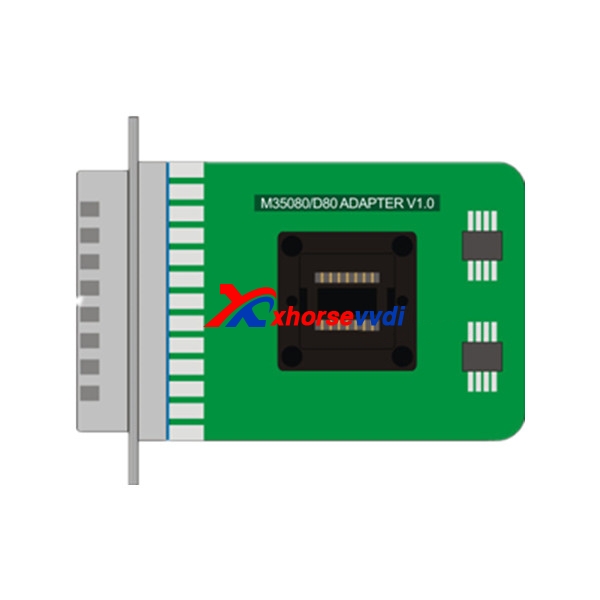
  1. VVDI Pro M35080/D80 Adapter functions:
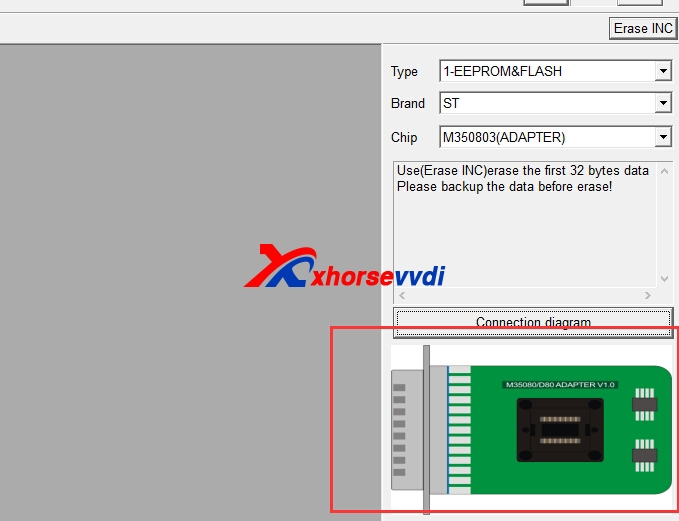
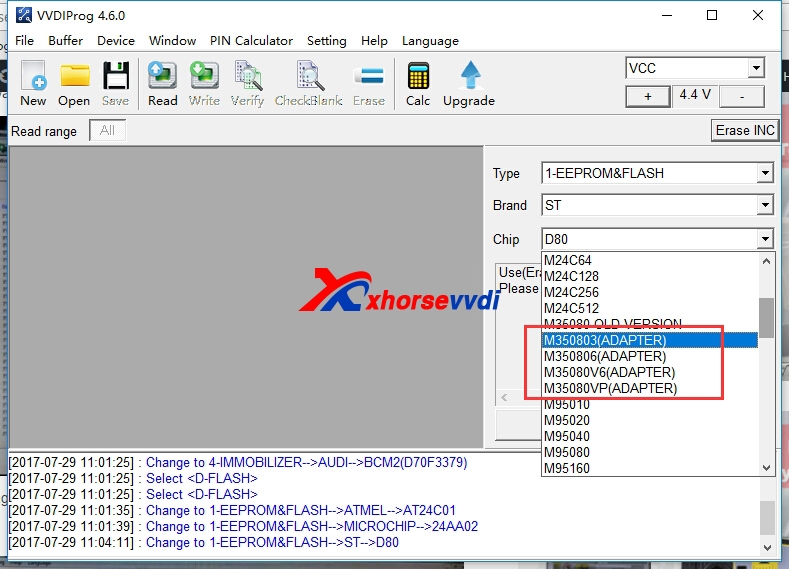
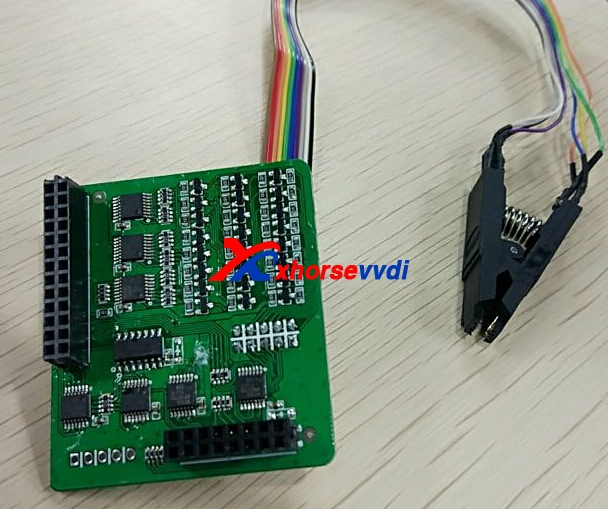
With M35080/D80 Adapter, your VVDI Pro V4.6.0 can perform function D80, D160, M350803, M350806, M35080V6,M35080VP options in <1-EEPROM&FLASH. Without this adapter, these function won't work.
Attach M35080/D80 Adapter picture and VVDI Pro V4.6.0  options:


  1. VVDI Pro EEPROM clip adapter functions:
Only with EEPROM clip adapter, can VVDI Pro v4.6.1 perform these functions:
Add AT24C01(CLIP),AT24C02(CLIP), AT24C04(CLIP), AT24C08(CLIP), AT24C16(CLIP), AT24C32(CLIP), AT24C64(CLIP), AT24C128(CLIP), AT24C256(CLIP),AT24C512(CLIP), AT24C1024(CLIP), AT25010(CLIP), AT25020(CLIP), AT25040(CLIP), AT25080(CLIP), AT25160(CLIP), AT25320(CLIP), AT25640(CLIP), AT25128(CLIP),AT25256(CLIP), AT25512(CLIP), AT93C06[A](CLIP), AT93C46[A](CLIP), AT93C56[A](CLIP), AT93C57[A](CLIP), AT93C66[A](CLIP), AT93C76[A](CLIP),AT93C86[A](CLIP) options in <1-EEPROM&FLASH>-> (Need EEPROM CLIP ADAPTER)
+ Add CAT24C/W01(CLIP), CAT24C/W02(CLIP), CAT24C/W04(CLIP), CAT24C/W08(CLIP), CAT24C/W16(CLIP), CAT24C/W32(CLIP), CAT24C/W64(CLIP), CAT25C128(CLIP),CAT25C256(CLIP), CAT93C46[A](CLIP), CAT93C56[A](CLIP), CAT93C57[A](CLIP), CAT93C66[A](CLIP), CAT93C76[A](CLIP), CAT93C86[A](CLIP) options in<1-EEPROM&FLASH>-> (Need EEPROM CLIP ADAPTER)
+ Add XL[S]24C01(CLIP), XL[S]24C02(CLIP), XL[S]24C04(CLIP), XL[S]24C08(CLIP), XL[S]24C16(CLIP), XL[S]93C/LC06(CLIP), XL[S]93C/LC46(CLIP), XL[S]93C/LC56(CLIP),XL[S]93C/LC66(CLIP) options in <1-EEPROM&FLASH>-> (Need EEPROM CLIP ADAPTER)
+ Add FM24C02(CLIP), FM24C03(CLIP), FM24C04(CLIP), FM24C08(CLIP), FM24C09(CLIP), FM24C16(CLIP), FM24C17(CLIP), FM93CS06(CLIP), FM93CS46(CLIP), FM93CS56(CLIP),FM93CS66(CLIP),
NM24C02(CLIP), NM24C03(CLIP), NM24C04(CLIP), NM24C05(CLIP), NM24C08(CLIP), NM24C09(CLIP), NM24C16(CLIP), NM24C17(CLIP), NM24U17(CLIP),NM24C32(CLIP), NM24C65(CLIP), NM93C06(CLIP),
NM93C46(CLIP), NM93C56(CLIP), NM93C66(CLIP), NM93C86(CLIP), NM93CS06(CLIP), NM93CS46(CLIP), NM93CS56(CLIP),NM93CS66(CLIP) options in <1-EEPROM&FLASH>-> (Need EEPROM CLIP ADAPTER)
+ Add 24AA02(CLIP), 24AA04(CLIP), 24AA08(CLIP), 24AA16(CLIP), 24AA164(CLIP), 24AA32(CLIP), 24AA128(CLIP), 24AA256(CLIP), 24C02(CLIP), 24C04(CLIP), 24C32(CLIP),24LC02(CLIP), 24LC04(CLIP),
24LC08(CLIP), 24LC16(CLIP), 24LC164(CLIP), 24LC32(CLIP), 24LC64(CLIP), 24LC65(CLIP), 24LC128(CLIP), 24LC256(CLIP),93C/LC/AA46A(CLIP), 93C/LC/AA56A(CLIP), 93C/LC/AA66A(CLIP), 93C/LC/AA76A(CLIP), 93C/LC/AA86A(CLIP), 93C/LC/AA46B(CLIP), 93C/LC/AA56B(CLIP), 93C/LC/AA66B(CLIP),93C/LC/AA76B(CLIP), 93C/LC/AA86B(CLIP), 93C/LC/AA46C(CLIP), 93C/LC/AA56C(CLIP), 93C/LC/AA66C(CLIP), 93C/LC/AA76C(CLIP), 93C/LC/AA86C(CLIP) options in<1-EEPROM&FLASH>-> (Need EEPROM CLIP ADAPTER)
+ Add M24C01(CLIP), M24C02(CLIP), M24C04(CLIP), M24C08(CLIP), M24C16(CLIP), M24C32(CLIP), M24C64(CLIP), M24C128(CLIP), M24C256(CLIP), M24C512(CLIP),M93C06(CLIP),M93C46(CLIP),
M93C56(CLIP), M93C66(CLIP), M93C76(CLIP), M93C86(CLIP), M95010(CLIP), M95020(CLIP), M95040(CLIP), M95080(CLIP), M95160(CLIP), M95320(CLIP), M95640(CLIP),M95128(CLIP), M95256(CLIP),
M95512(CLIP), ST24C01(CLIP), ST24C02(CLIP), ST24C04(CLIP), ST24C08(CLIP), ST24C16(CLIP), ST24E16(CLIP), ST24E32(CLIP), ST24W02(CLIP),ST24W04(CLIP), ST24W08(CLIP), ST24W16(CLIP), ST25C01(CLIP), ST25C02(CLIP), ST25C04(CLIP), ST25C08(CLIP), ST25C16(CLIP), ST25E16(CLIP), ST25E32(CLIP), ST93CS56(CLIP),ST93CS57(CLIP), ST93CS66(CLIP), ST93CS67(CLIP), ST93CS47(CLIP),
ST93CS46(CLIP) options in <1-EEPROM&FLASH>-> (Need EEPROM CLIP ADAPTER)
+ Add X24C01(CLIP), X5043(CLIP), X5045(CLIP) options in <1-EEPROM&FLASH>->(Need EEPROM CLIP ADAPTER)
Attach EEPROM CLIP ADAPTER picture:

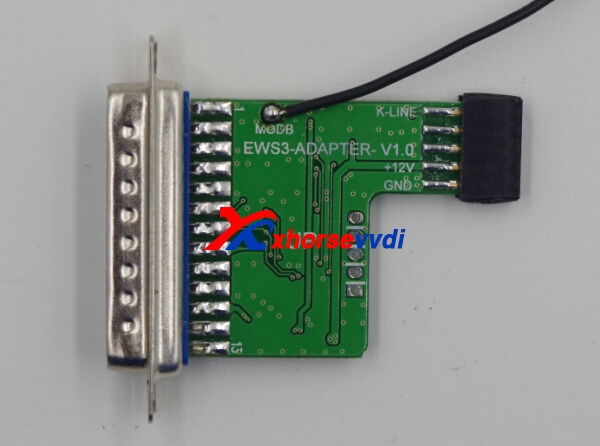
  1. VVDI Pro EWS3 adapter Functions
Only with EWS3 adapter, can Xhorse VVDI Pro adapter can perform EWS3-KLINE(0D46J) option in <4-IMMOBILIZER>.
Attach EWS3 adapter pictures:


 New arrival! VVDI Pro M35080/D80 Adapter, EEPROM clip adapter, EWS3 adapter

2017年9月26日星期二

How to use VVDI2 and VVDI PROG Adapter Program BMW BDC All Key Lost

VVDI2 BMW FEM/BDC system function released and available now.And this blog is about VVDI2 and VVDI Prog adapter to program BMW BDC all key lost.VVDI Prog adapter,will release soon.
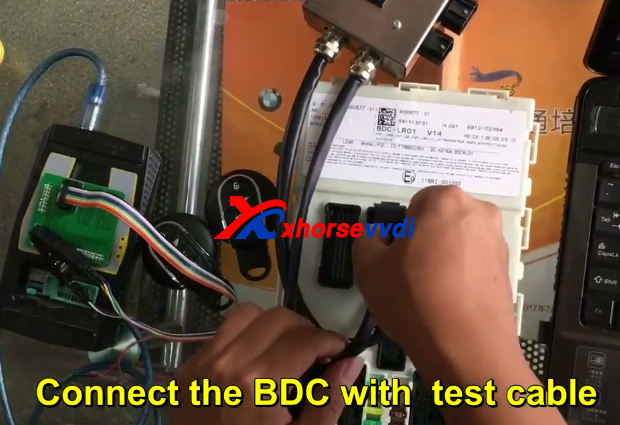
1.Connect the BDC with test cable.
vvdi2 bmw bdc
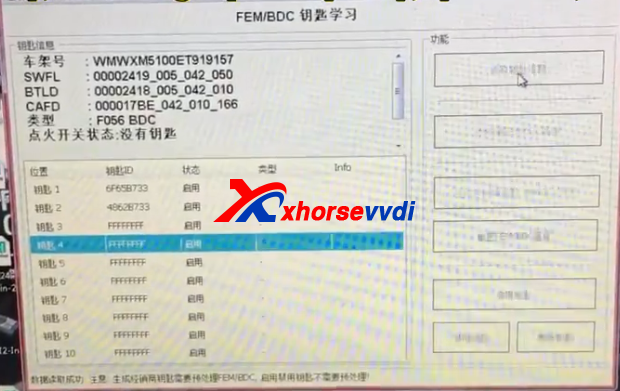
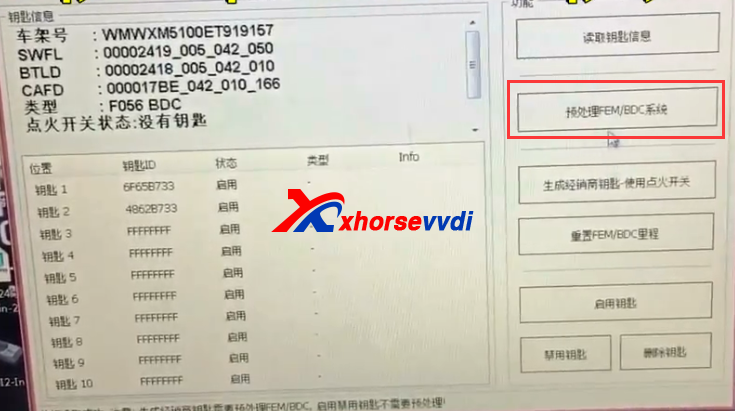
2.Use VVDI2 FEM software to read key information.
vvdi2 bdc
3.Then go to the processing option Read and save the encoding file.
vvdi2 bmw fem
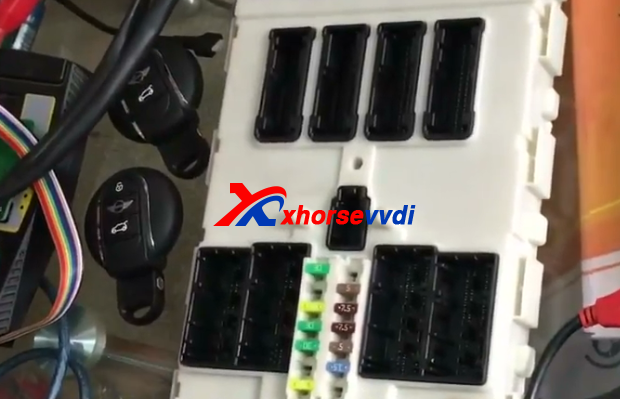
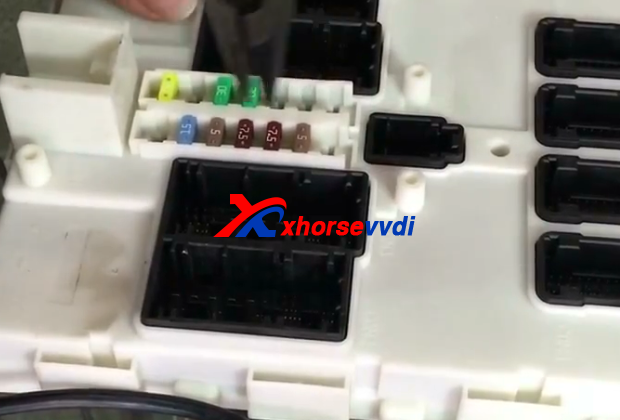
4.Prepare to open the BDC.
vvdi2 bdc
vvdi2 bdc
5.Take photos before decomposition and record the location of fuse.
vvdi2
6.Break download the BDC.
vvdi2 bmw fem
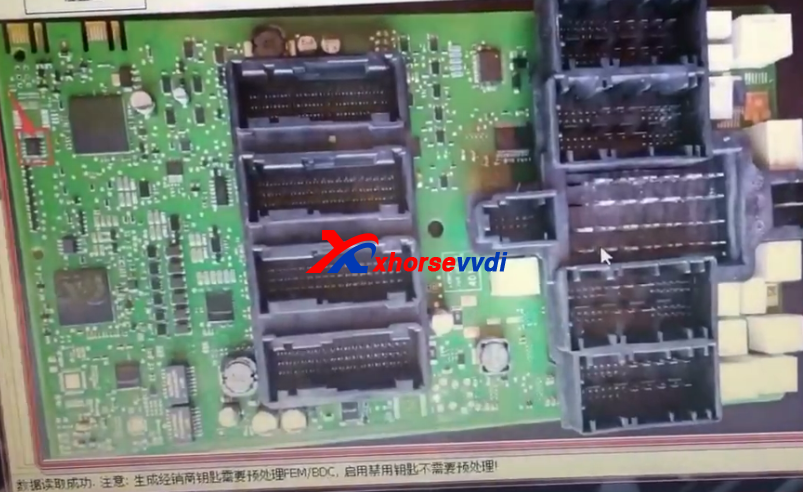
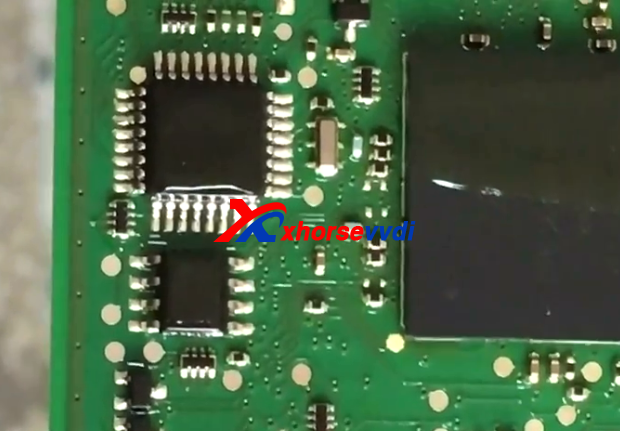
7.Clean IC with special solvent and blade.
vvdi2
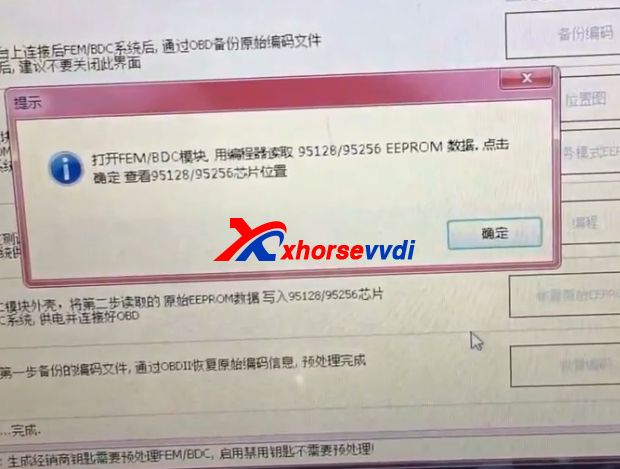
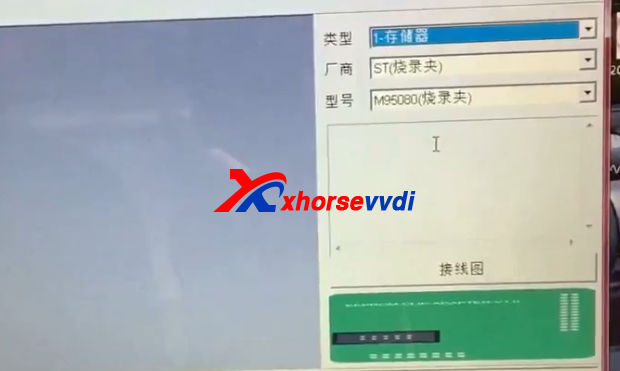
8.Connect VVDI Prog adapter to read data.VVDI Prog read M95256 data,if fail,please try again and again.Read data and save data,verify the data is read correctly.
vvdi2
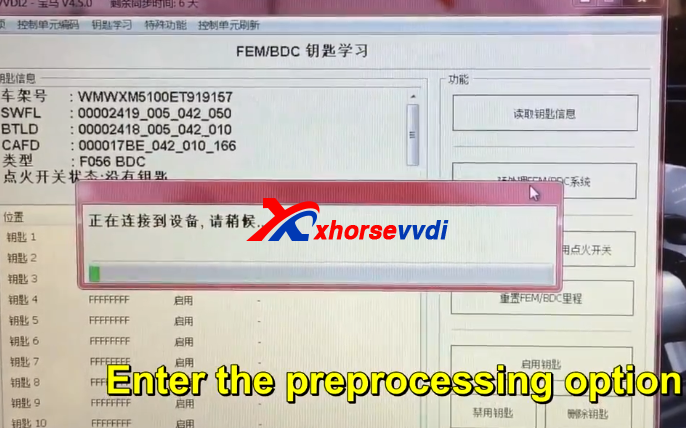
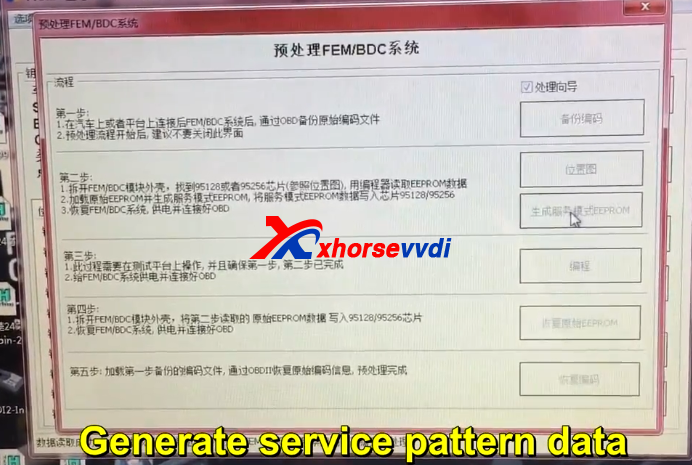
9.Enter the preprocessing option.Generate service pattern data.
vvdi2 bmw fem vvdi2 bmw fem
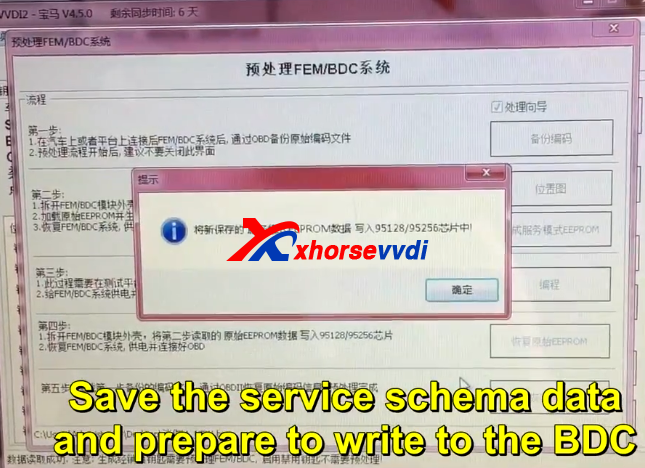
10.Save the service schema data and prepare to write to the BDC.
vvdi2
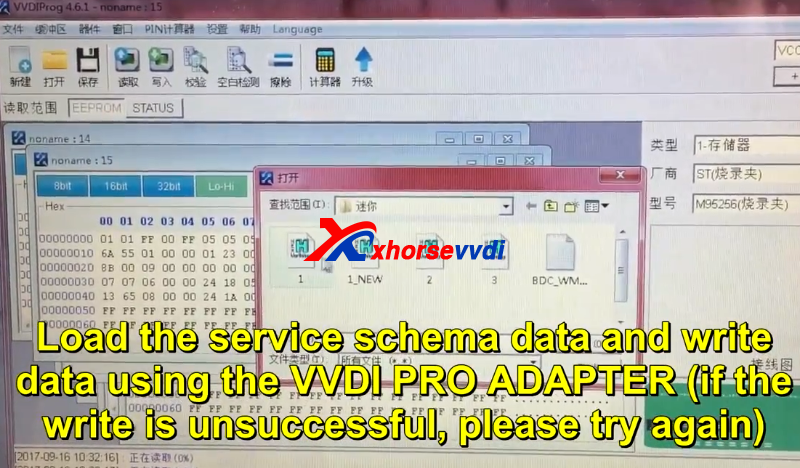
11.Load the service scheme data and write data using the vvdi prog adapter(If the write is unsuccessful,please try again)
vvdi2
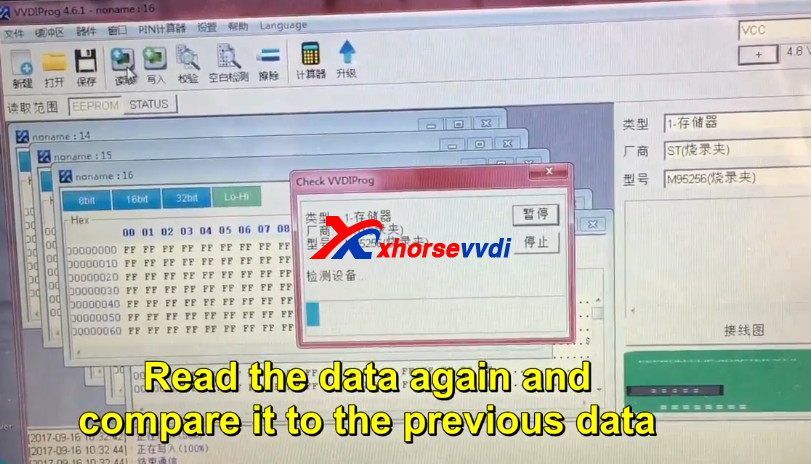
12.VVDI Prog read the data again and compare it to the previous data.
If the data is consistent,there is NO problem writing the data,and you cam prepare for next step.

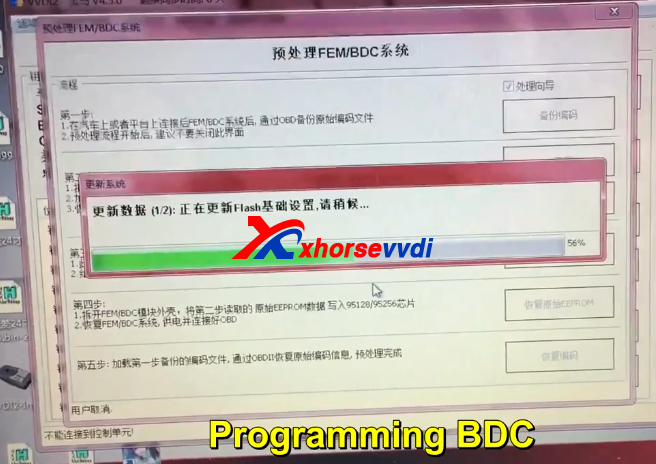
13.Connect with VVDI2,programming BDC.
VVDI BMW
14.VVDI Prog read the data again and compare it to the previous data.Same step as step 12.
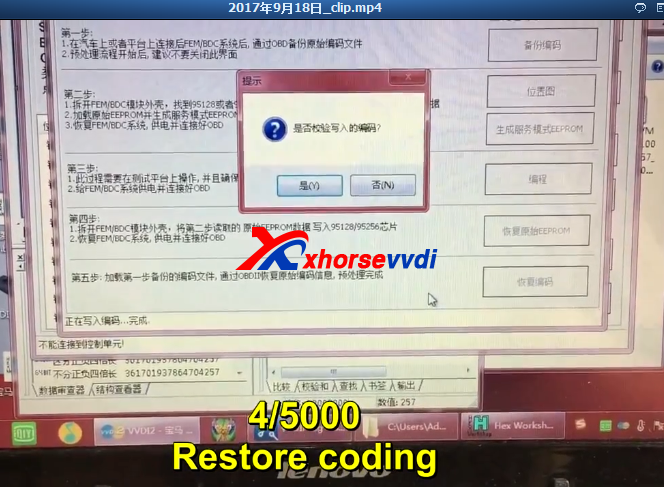
15.Restore coding.
vvdi2 bmw fem
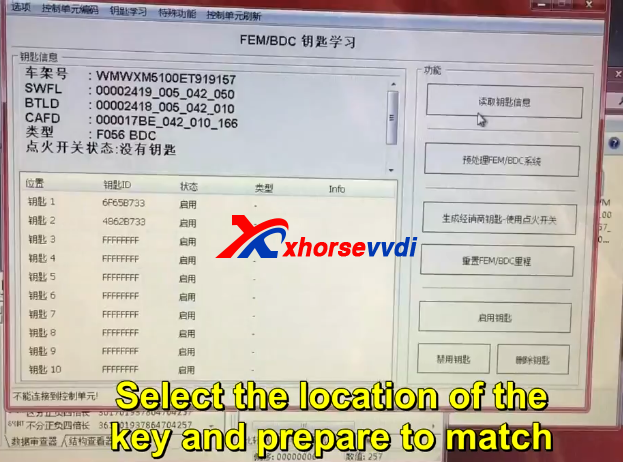
16.Restore successfully.And then prepare match key.
Select the location of the key and prepare to match.
vvdi2 bmw fem all key lost
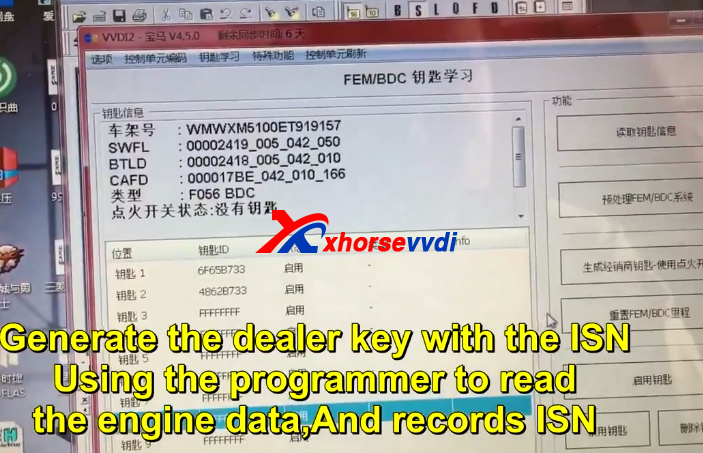
17.Using the programmer to read the engine and record ISN.
vvdi2
18.Generate the dealer key with the ISN.


 original:How to use VVDI2 and VVDI PROG Adapter Program BMW BDC All Key Lost

2017年9月22日星期五

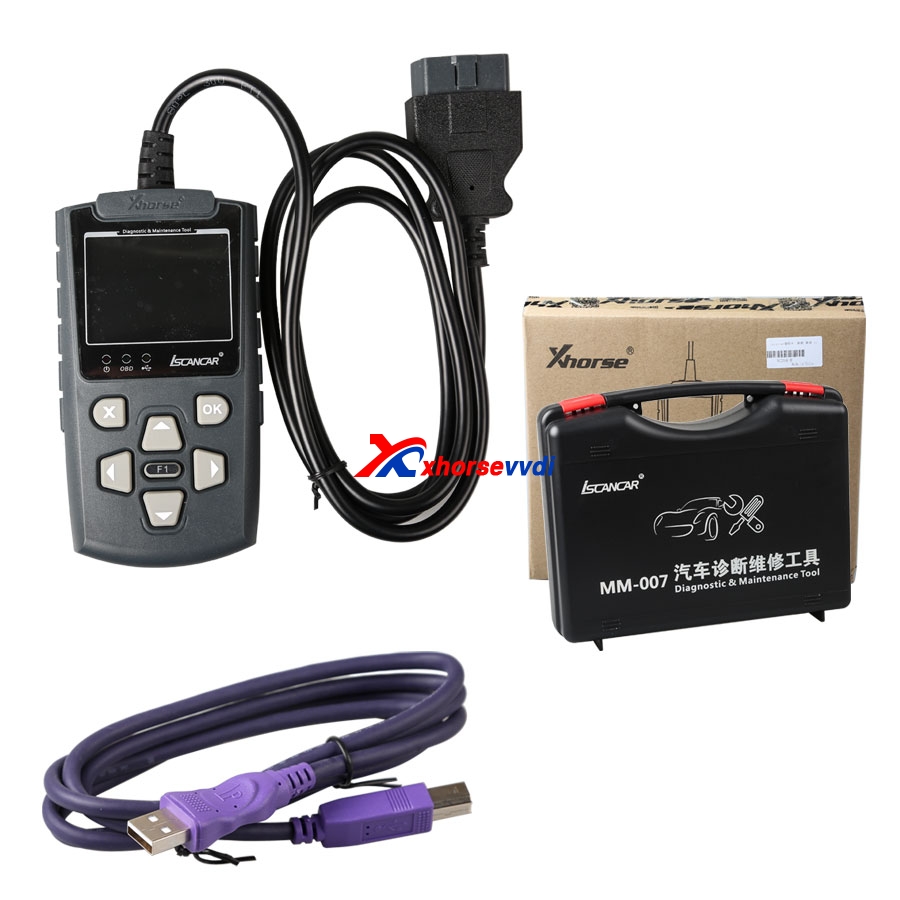
How to use Iscancar VAG MM-007 Change 4th IMMO UDS Instrument?

Iscancar VAG MM-007 English/Chinese version is in stock now.And MM-007 can support controller diagnostic, such as basic setting, channel adaption, read DTC, clear DTC, system login .etc
VAG MM-007
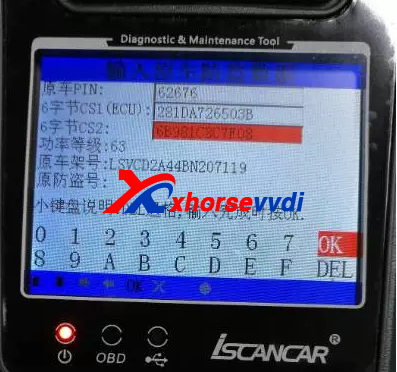
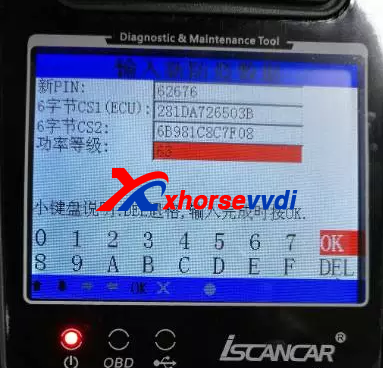
1.Firstly,it will request PIN and CS information to input into new instrument, you can get it via Iscancar VAG MM-007 to read by OBD from the engine or IMMO system to read.
xhorse vag mm-007
2.Enter the new PIN, CS1 (6 bytes CS in the engine), CS2 (another 6 bytes CS), in general,the IMMO system will display all the data, power level (the value in IMMO and the engine system needs to the same).

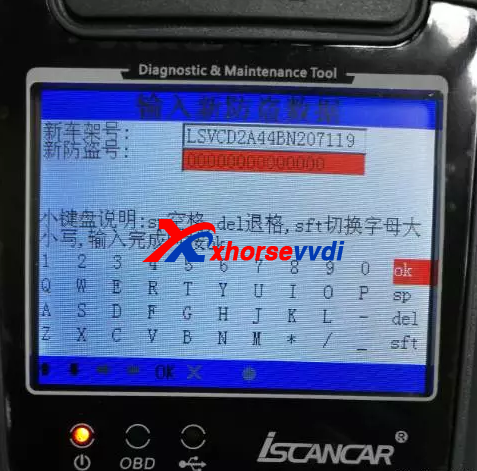
3.Enter new VIN and IMMO code.
Xhorse Iscancar VAG MM-007
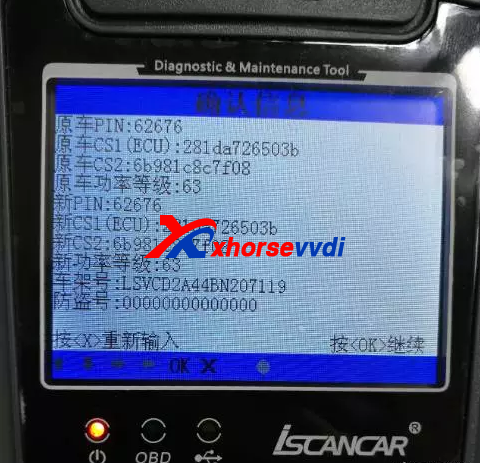
4.Confirm the data is right or not.

5.If all the data is right,the dashboard will display new information for PIN,CS,VIN.etc.
6. Instrument matching is completed, the dashboard will display 0-0, then need to learn the key and synchronous engine, you can complete it with VAG MM-007 too.

2017年9月19日星期二

How to use VVDI MB Tool Renew Benz X164 CR4 ECU?

VVDI MB BGA Tool can do Benz ECU/Gearbox renew function.And in previous,we display renew gearbox,now here is some photos to display VVDI MB Tool Renew Benz X164 CR4 ECU.
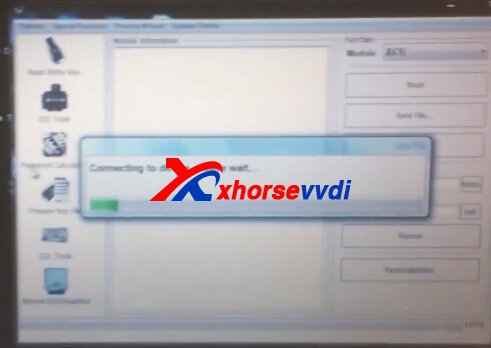
1.Connect VVDI Benz with ECU and computer.
vvdi benz ecu renew
vvdi benz ecu renew
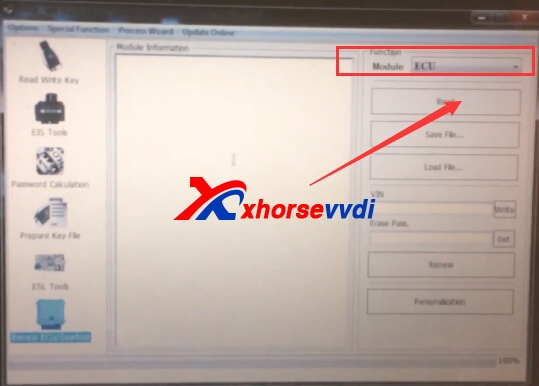
2.Choose ECU,and then click "Read"
vvdi benz ecu renew vvdi benz ecu renew
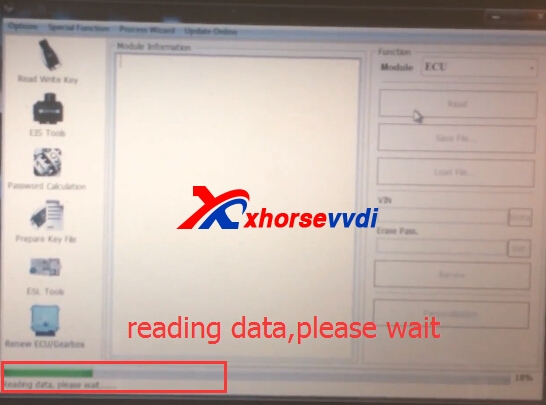
Reading data processing,please wait.
vvdi benz ecu renew
3.Read successfully.Get Erase password,then renew.
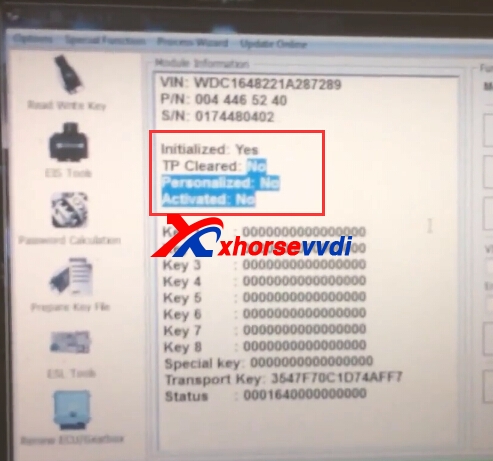
4.After renew,read ECU again,it shows information like following:
Initialized: Yes
TP cleared: NO
Personalized: No
Activated: No
vvdi benz ecu renew
Some customers may ask the VVDI MB Tool ECU/Gearbox support list,it does not have specific one,you can choose ECU connect test to read,if can be read,it will be supported.

 original:How to use VVDI MB Tool Renew Benz X164 CR4 ECU?