2017年7月20日星期四

(Real pictures) VVDI KEY TOOL program Audi A6 remote 315MHz

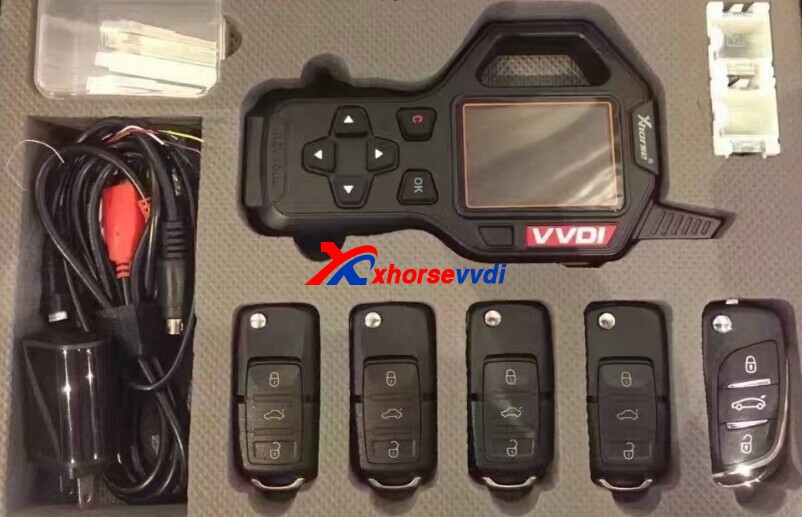
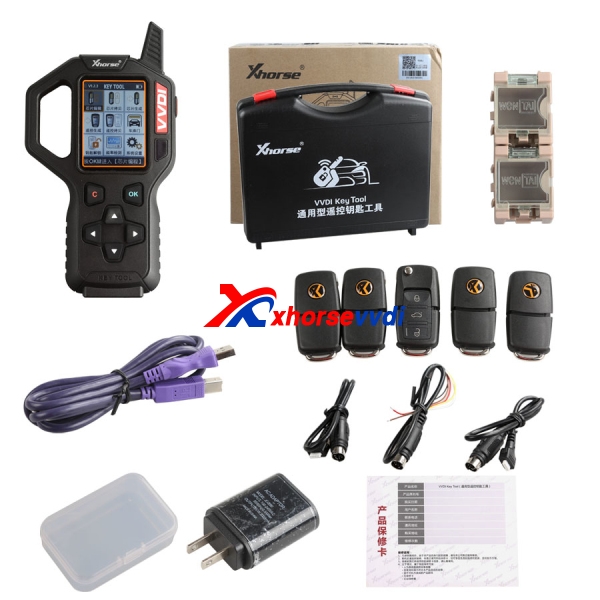
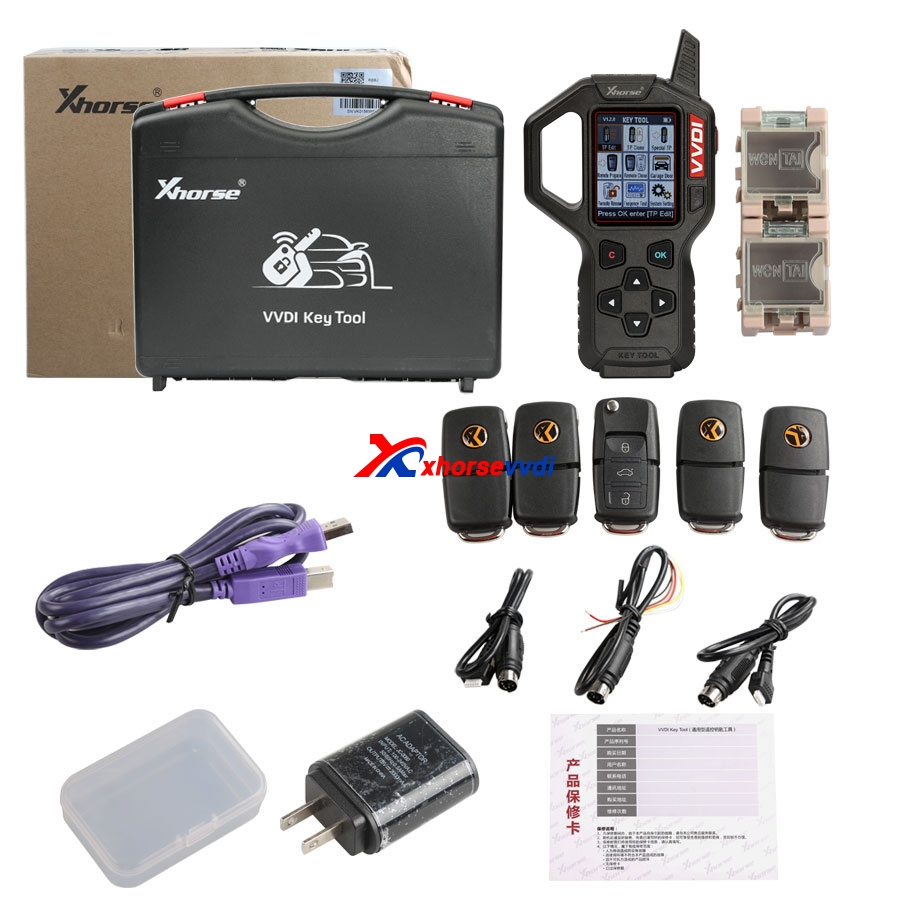
Good news for sharing! Xhorse VVDI KEY TOOL only $250 is soon available at xhorsevvdi.com! Below are real pictures about VVDI Key Tool program 2002-2004 Audi A6 remote 315MHz!
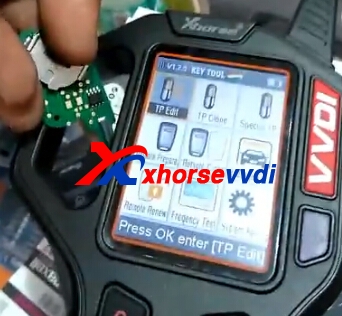
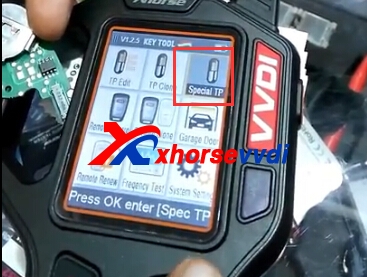
Check VVDI key tool main menu and functions:
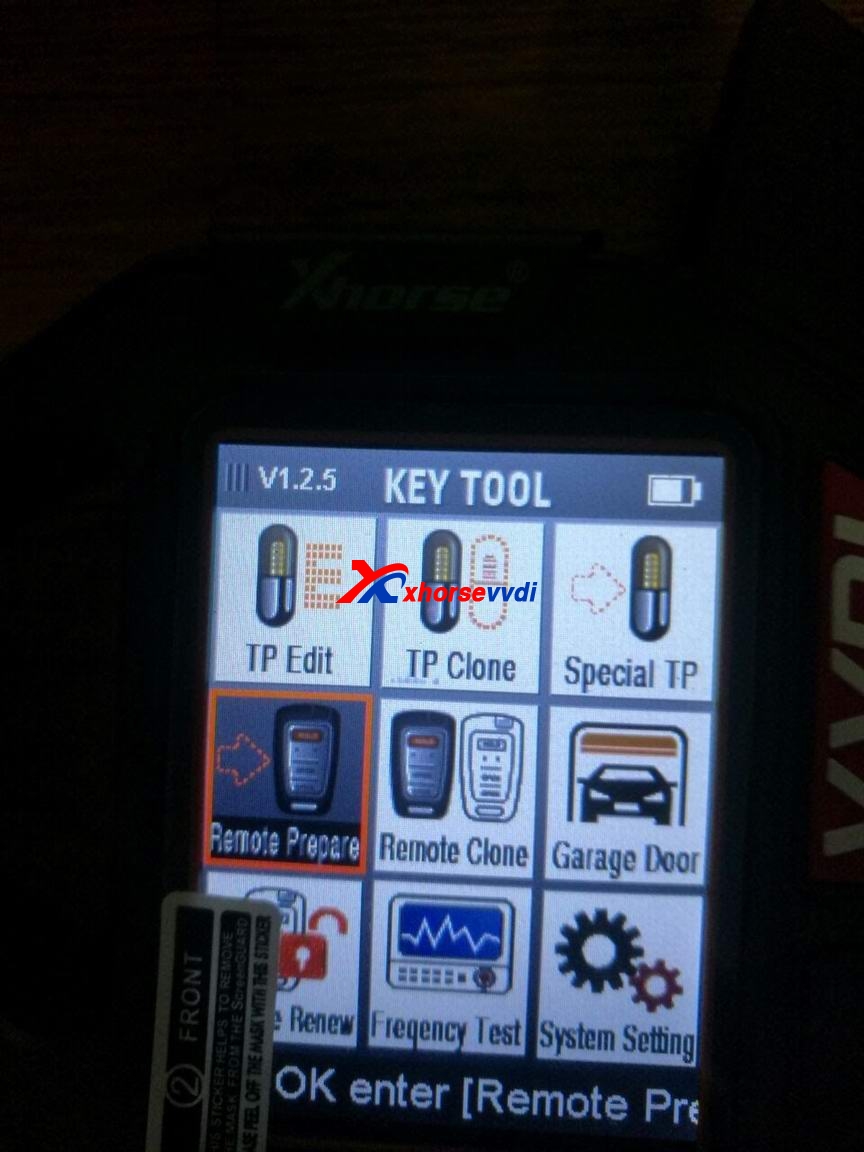
TP Edit (edit transponder), TP Clone (clone transponder), Special TP, Remote Prepare (generate remote), Remote Clone, Frequency Test, Garage Door (generate garage door remote controller), unlock smart card etc.

VVDI Key Tool makes Audi A6 2002-2004 remote 315MHz pictures:
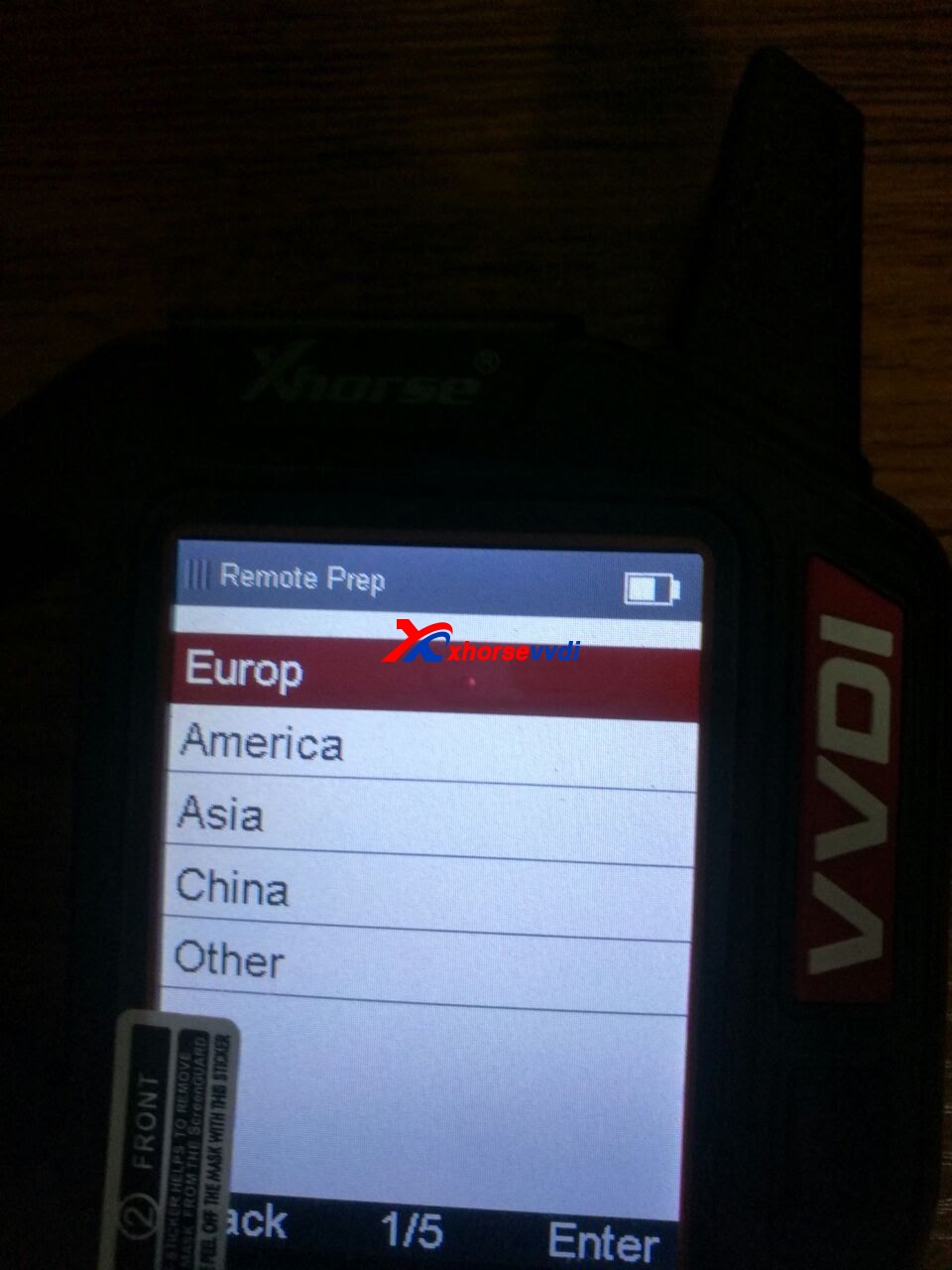
Choose “Remote Prepare” function on main menu.
Choose car region “Europ”.

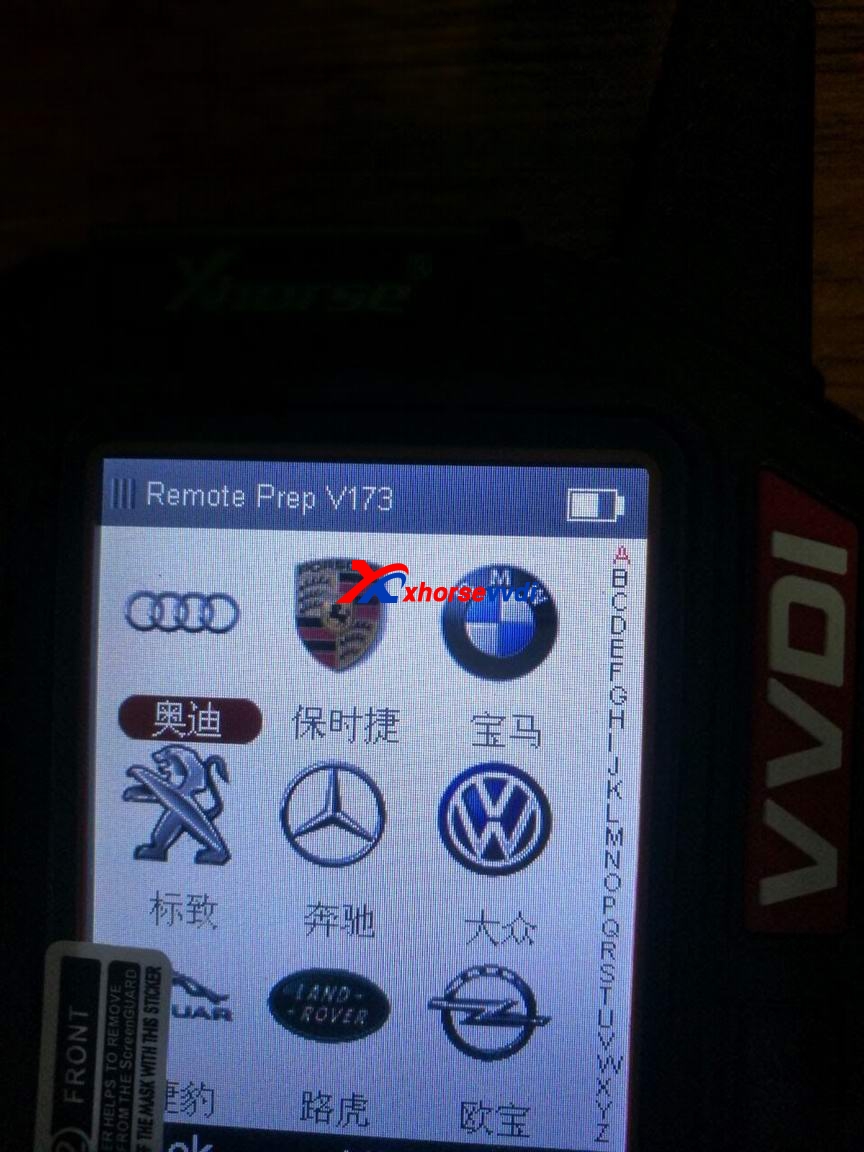
Select car brand “Audi”.

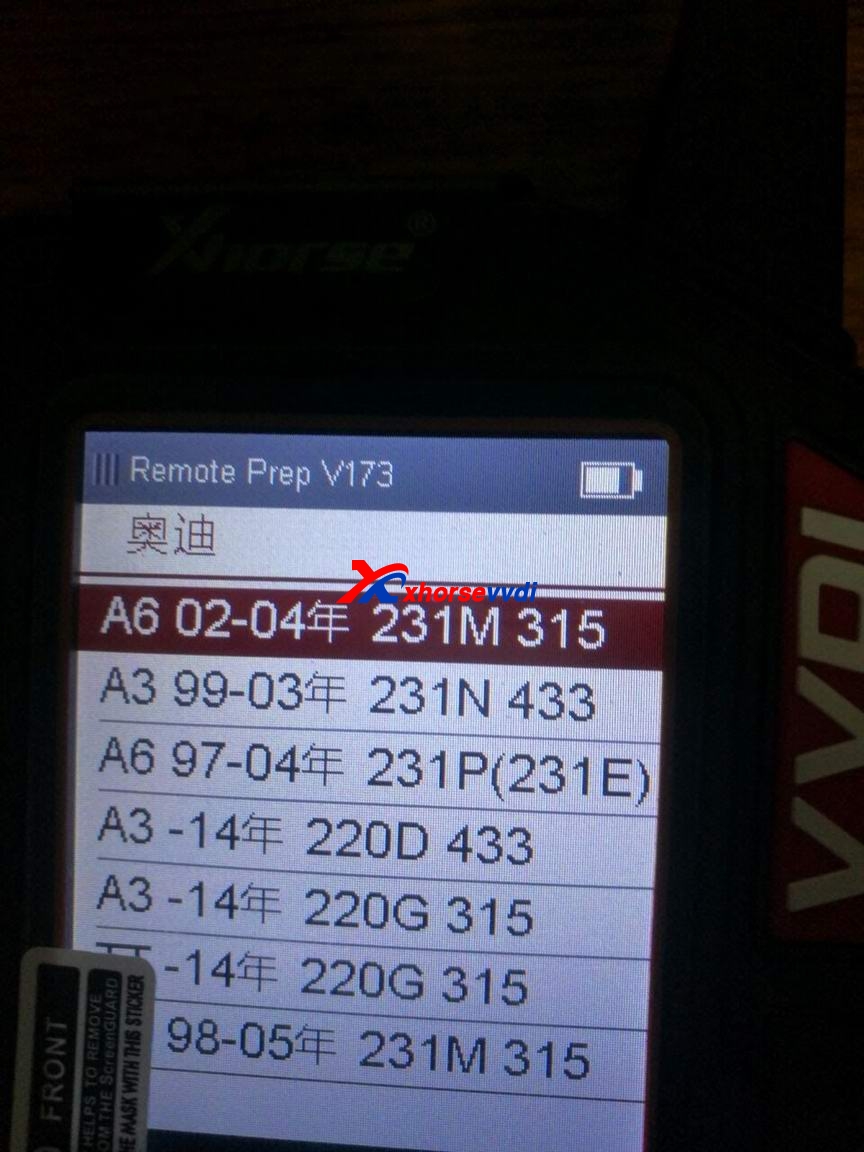
Select car model and make year “A6 02-04 231M 315”.

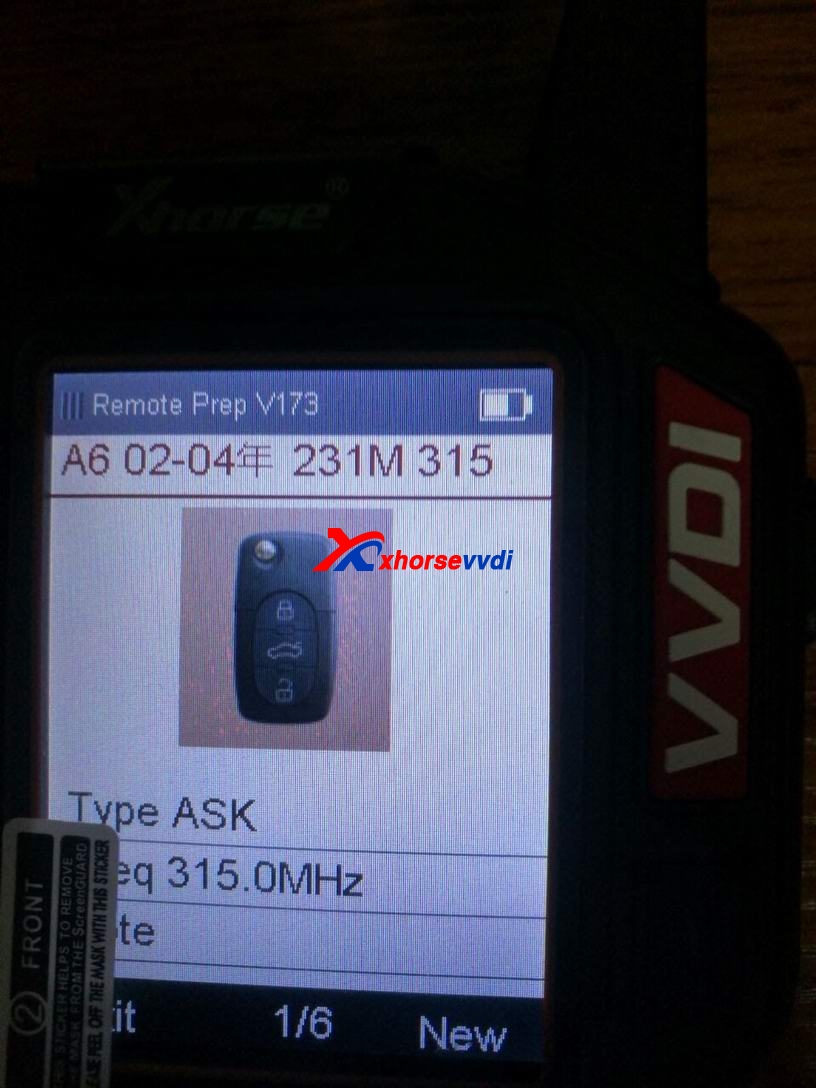
You can see the remote key photo and start to program remote key!

Some people recently complained about VVDI Key Tool is still preorder and unavailable. VVDI Key Tool English version has not got all menu instructions in English. But Xhorse is working on it!
Complaints are totally understandable but a good tool is worth to wait, right?
VVDI Key Tool trusted resource here:
http://www.xhorsevvdi.com/wholesale/xhorse-vvdi-key-tool.html
Get VVDI Key Tool latest news here:
http://blog.xhorsevvdi.com/

Relate product:
New arrive VVDI Key Tool Adapters, can renew different kind of used original remote key
vvdi key tool

How to use VVDI Key Tool to Generate 46 Transponder

Xhorse VVDI Key Tool is with key cloning,remote generate,remote copy,unlock used remotes,generate transponder functions available.And VVDI Key Tool is with affordable price and powerful function.Now we take generate 46 transponder as an example.
vvdi key tool
How to use Xhorse VVDI Key Tool to Generate 46 Transponder
1.Put the original key into the coil.
vvdi key tool
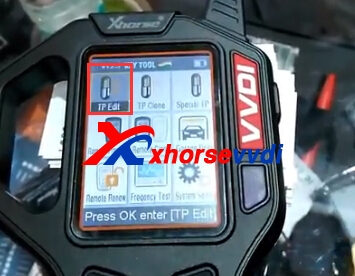
2.Read the chip.Choose "TP Edit" on the menu.And press "Read".
vvdi key tool
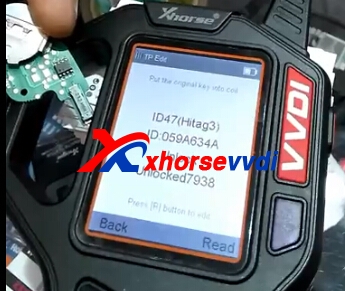
3.Then it shows the chip information: ID47(Hitag3) and ID information,Unlock 7938.etc
vvdi key tool
4.Click "Special TP" on the menu.
xhorse vvdi key tool
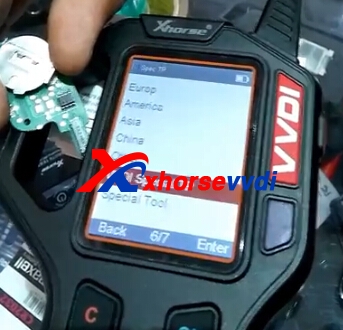
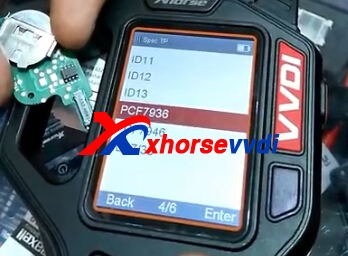
5.Then choose "VVDI Special TP",and "PCF7936".Press "Enter".
vvdi key tool
vvdi key tool
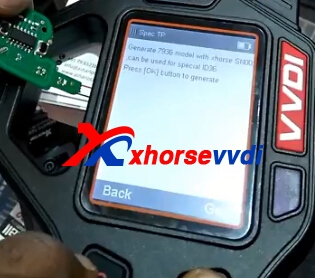
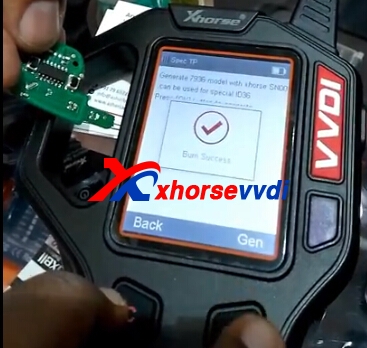
6.Click "Gen".Then success.
vvdi key toolvvdi key tool
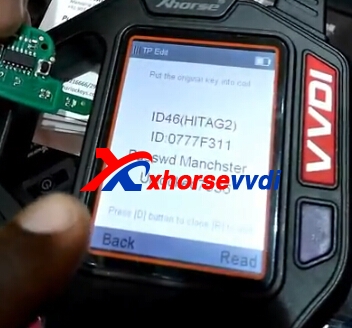
7.Go back,and "TP Edit" click read again,it shows like following:ID46(HITAG2)
vvdi key tool generate
Relate product:
New arrive VVDI Key Tool Adapters, can renew different kind of used original remote key
vvdi key tool

2017年7月19日星期三

VVDI2+VVDI Prog BMW: OBD√IMMO√ Mileage√

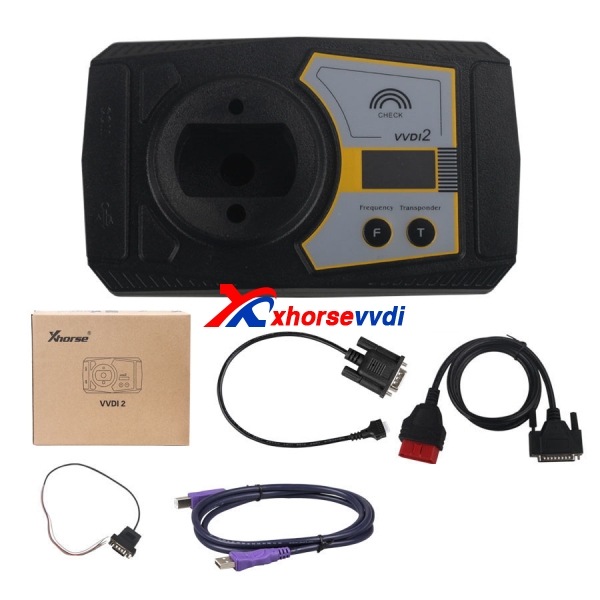
This is for your information: What can you do on BMW cars with Xhorse VVDI2 commander and VVDI Prog programmer.

VVDI2 BMW:
Read/Write EWS, Read CAS information, Read/Write CAS EEPROM,
Read/Write KM stored in CAS, synchronization DME with CAS, synchronization CAS with
ELV, Key Learn(immo), File Make Key, Unlock Key, File Change KM, CAS Repair etc
OBD Flash ISTA version only need 10 minutes. (No extra power. No backup CAS
EEPROM and FLASH)
OBD Function
Support CANBUS100, CANBUS500 and KWP protocol.
 Diagnostic CAS information
 Key Learn
1) Get Key Info
2) Write Key Info
3) Prepare dealer key with programmer (Support CAS1, CAS2, CAS3,
CAS3+, ISTAP)
4) Prepare dealer key with ignition switch (Support CAS1, CAS2, CAS3,
CAS3+, ISTAP)
5) Program Key info
6) Enable/Disable Key (Support CAS1, CAS3, CAS3, CAS3+, CAS4,
CAS4+)
7) Clear DTC/Shadow
 Read/Write CAS EEPROM
 Change KM stored in CAS
 Read/Write synchronization codes stored in CAS
 Synch DME – CAS
 Synch CAS – ELV
 Read/Write EWS EEPROM

File Make Key
Support following types:
 EWS1
 EWS2
 EWS3 EWS4
 CAS1(0K50E)
 CAS2(2K79X)
 CAS3(0L01Y)
 CAS3+(0L15Y/0M23S): Support encrypt version and ISTAP version
 CAS4 (F - Series 1L15Y)
 CAS4 (F - Series 5M48H): Support CAS4 encrypt version

File Change KM
Support following types:
 EWS3
 EWS4
 CAS1(0K50E)
 CAS2(2K79X)
 CAS3(0L01Y)
 CAS3+(0L15Y/0M23S)
 CAS4 (1L15Y)
 CAS4 (5M48H)
 M35080(E – Series cluster)
 F - Series cluster
Unlock key
Support unlock key for CAS1/CAS2/CAS3/CAS3+ prepared by VVDI2
CAS Repair
 CAS1 Repair (OBDII)
 ISTAP Repair (OBDII)
VVDI PROG BMW:
Read &Write lots of chips, include MC9S08 series, MC68HC(9)12 series, MC9S12 series, V850 series, H8X series, R8C series, PCF79XX series and most eeprom chips etc . 
Verify chip data, check blank 
Compare data file
R&W BMW N20, N55 ECU ( show ISN directly ) 
R&W MC9S12XE series chips (5M48H/1N35H/2M53J/3M25J etc.) 
Renew PCF79XX remote, currently support BMW E/F series 
Provides lots of connection diagram
ECU
MFRS TYPE SUPPORT REMARK
BMW E SERIES
MEVD17(N55) 
MEVD1724(N20) 
MEVD1726(N55) 
MEVD1729(N20) 
BMW F SERIES
MEVD172(N55) 
MEVD1724(N20) 
MEVD1725(N13) 
MEVD1726(N55) 
MEVD1728(N63/S63) 
MEVD1729(N20) 
MEVD172G(N55) 
MEVD172P(N20) 
MEVD172S(N55) 
IMMOBILIZER
BMW
EWS4.X 
CAS2  (2K79X/0L01Y)
CAS3  (2K79X/0L01Y)
CAS3+  (0L15Y/0M23S)
CAS4  (1L15Y)
CAS4  (5M48H/1N35H)
REMOTE
MFRS TYPE SUPPORT REMARK
BMW E SERIES
ORIGINAL 315  PCF79XX adapterrequired
ORIGINAL 868   PCF79XX adapter required
THIRD PARTY   PCF79XX adapter required
BMW F SERIES
315 REMOTE   PCF79XX adapter required
433 REMOTE   PCF79XX adapter required
868 REMOTE   PCF79XX adapter required
OTHER
BMW FRM  (XEQ384)
VVDI Prog Wiring Diagram: BMW CAS2 CAS3 CAS4 EWS4
CAS2-V1 2K79X/0L01Y
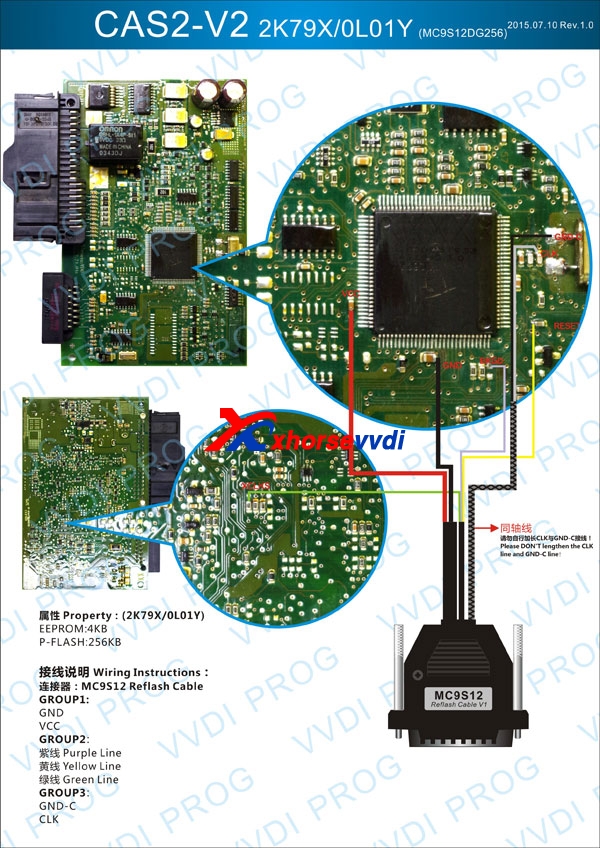
CAS2-V2 2K79X/0L01Y
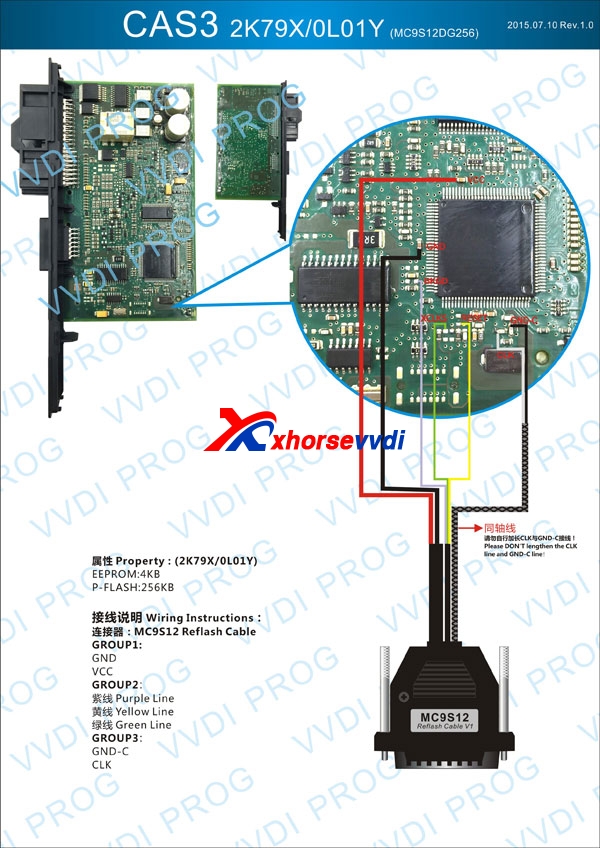
CAS3 0L15Y/0M23S
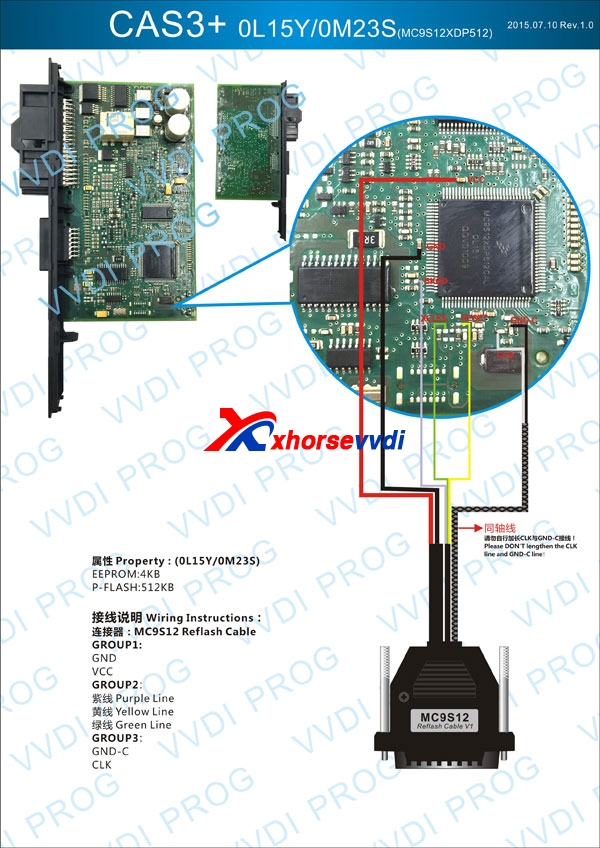
CAS3+ 0L15Y/0M23S
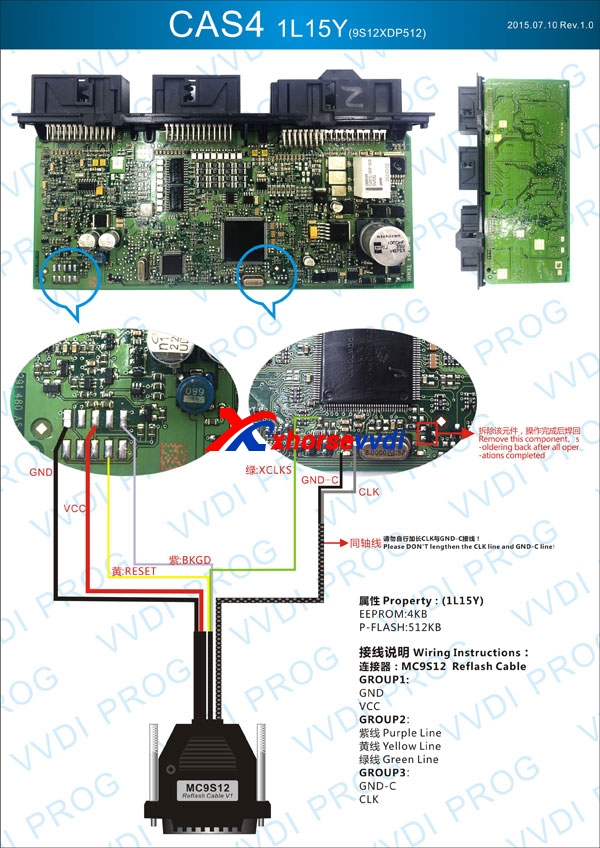
CAS4 1L15Y
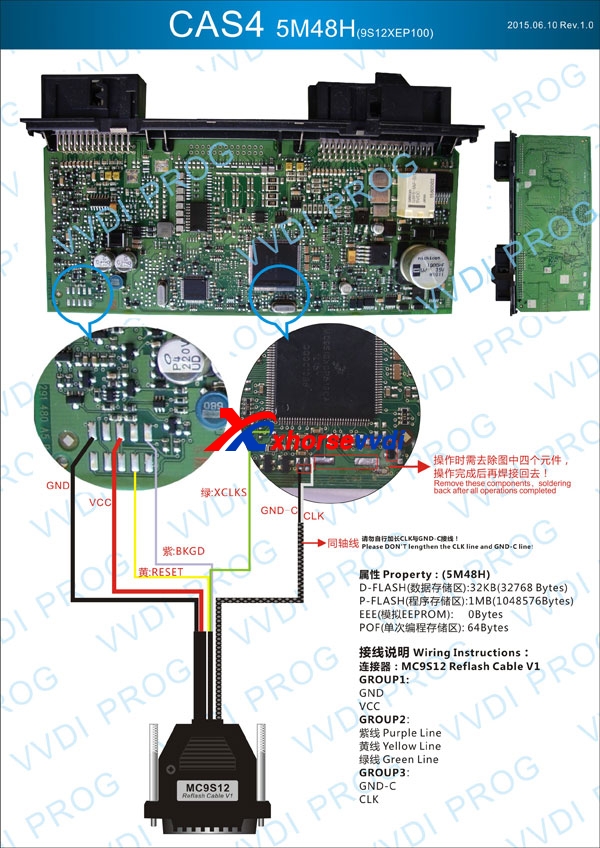
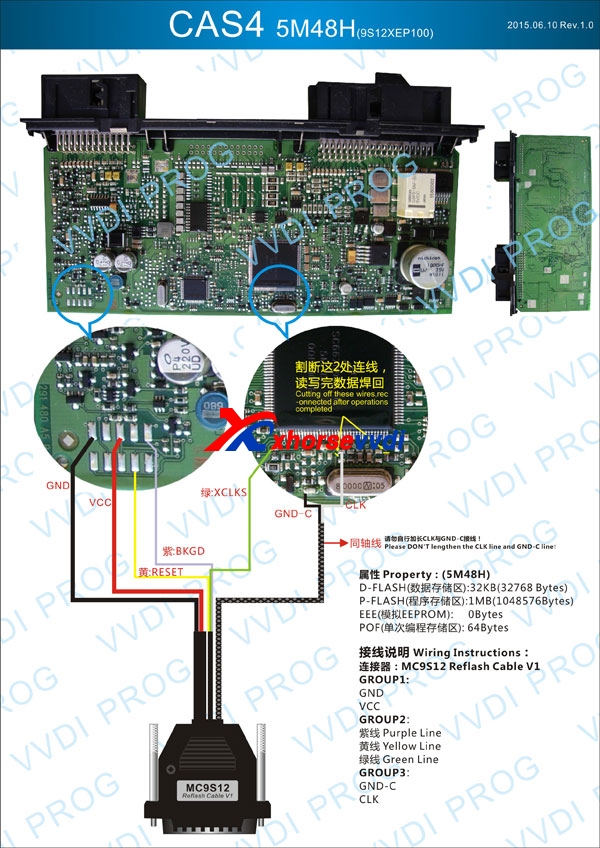
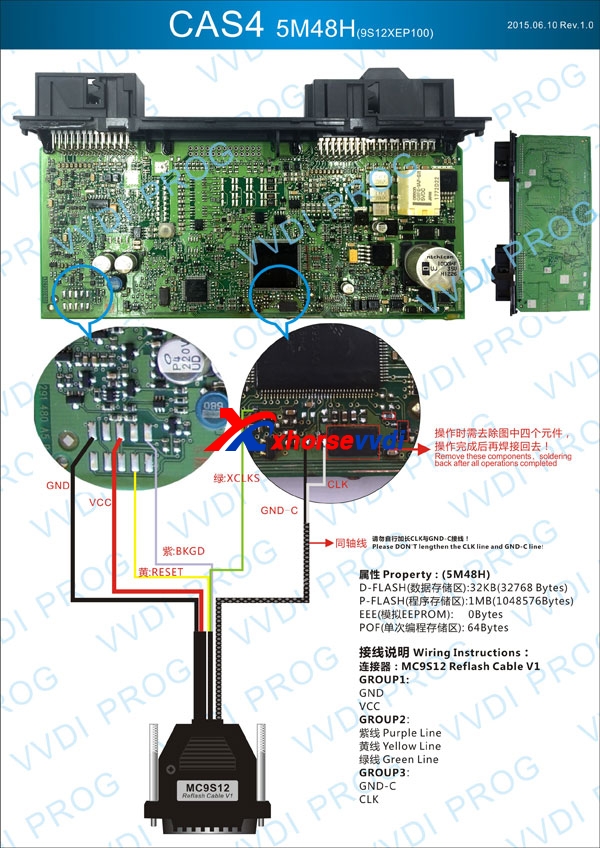
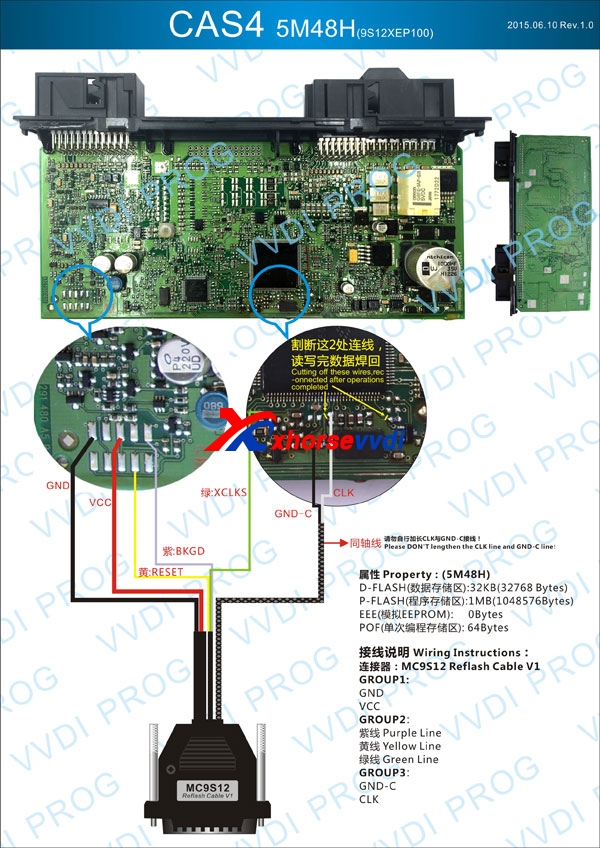
CAS4 5M48H
BMW EWS4.X xL86D/0M89C
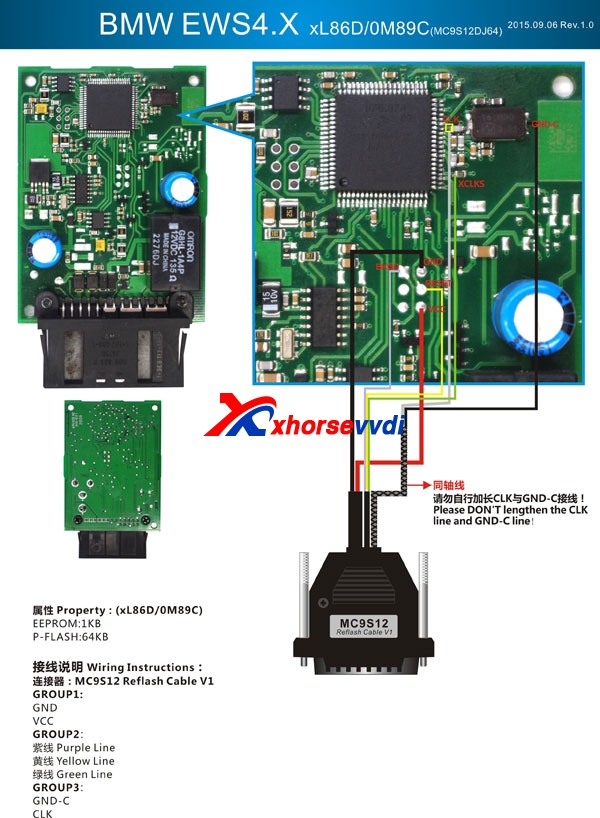
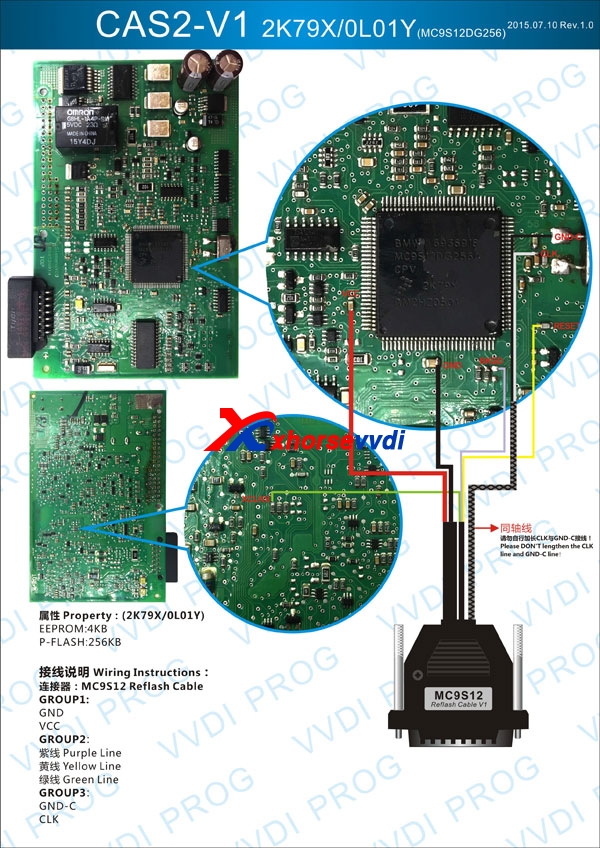
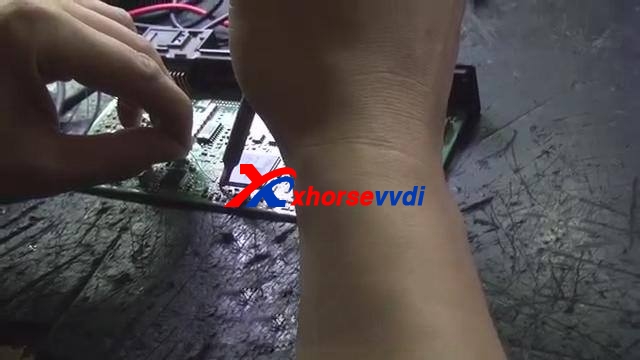
Case: VVDIProg read/write CAS4 5M48H
5M48H R/W process:
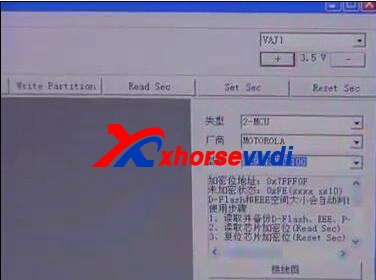
Open VVDI Prog software, select type, manufacture and model as MC9S12XEP100)
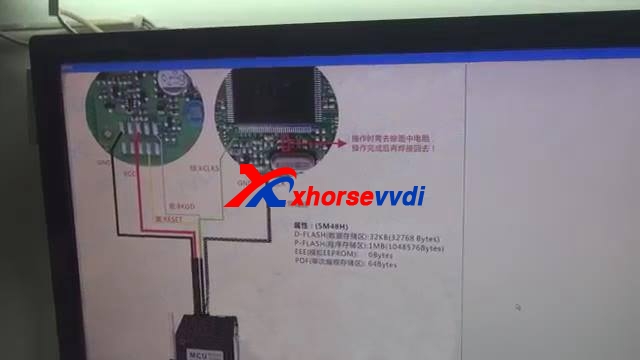
Click "Wiring Diagram"
Maximize wiring diagram: right click and select "zoom window", then pull down window.
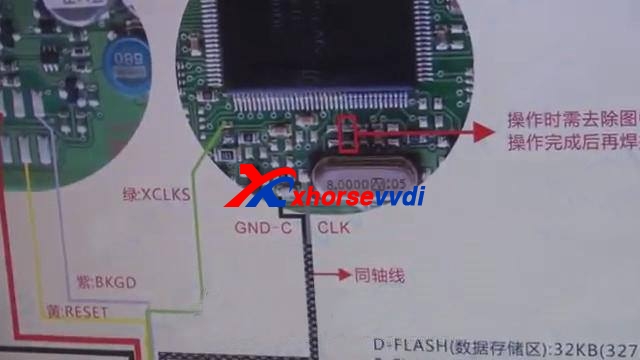
Follow the wiring diagram to connect CAS to the VVDI Programmer.
Start to connect the cable.
The left zone is done, next is to do the right zone.
In this wiring diagram, it only need to remove one 0 ohm resistor to read out data, but one CAS ECU structure is different another one, some needs remove more electronic parts; we will show how to do in the other videos.
Next is to remove this 0 ohm resistor.
Wiring is done, 0 ohm resistor is removed
Plug adapter into VVDI Pro.
Close wiring diagram.
Select "New" – " Read"
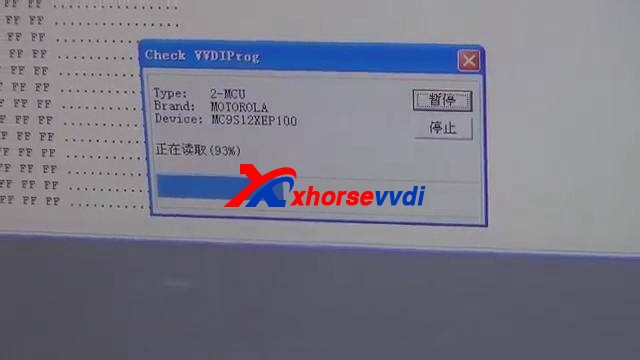
You see it is reading data very fast.
Reading data successfully, click "Save"
Next is to check data.
Open the data, drag the mouse to check, okay, data is all read out, close it.
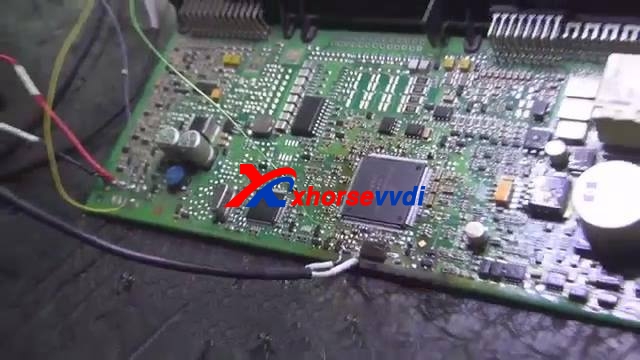
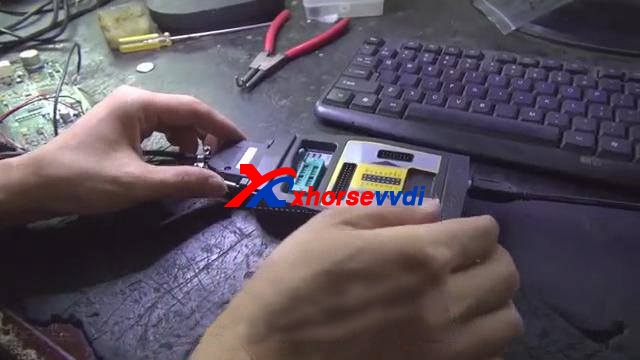
Attach photos of the reading procedure
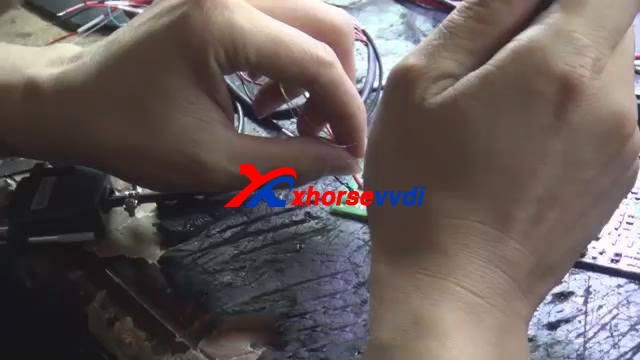
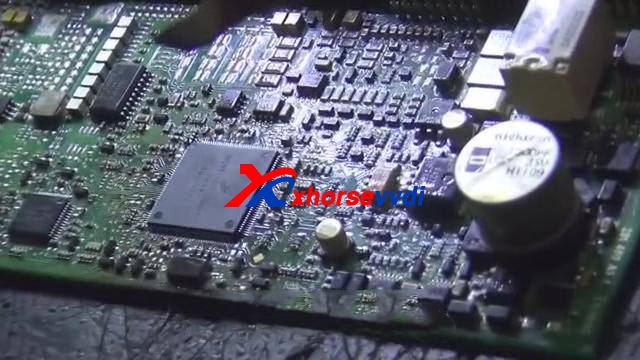
Enjoy!
2017年7月18日星期二

How to Solve VVDI MB Tool Communication with Server Failed Error

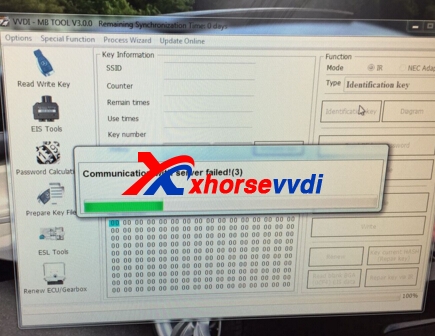
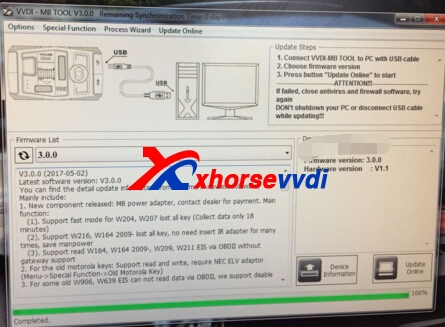
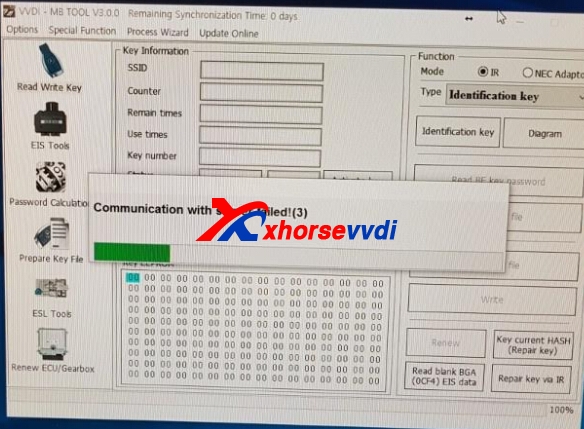
VVDI MB Tool software and firmware both support update online.Recently,we received feedback that when tried to use VVDI MB Tool,it got error "Communication with Server Failed !(3)",and VVDI Benz software and firmware is already the newest version,how can solve the problem?
How to Solve VVDI MB BGA Tool Communication with Server Failed Error
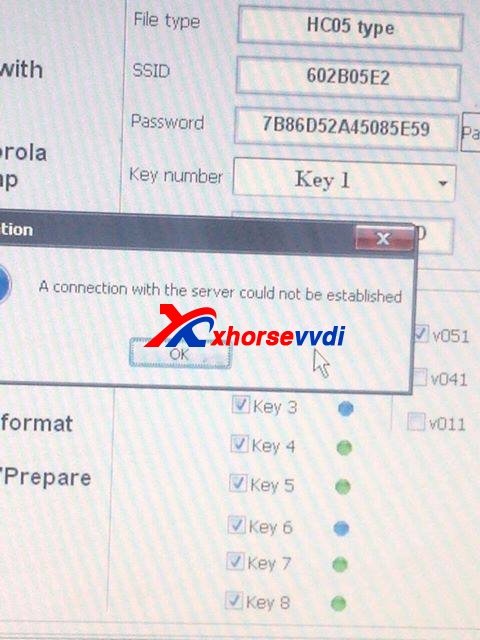
Here is the error pics:
vvdi benz server error vvdi mb tool server vvdi mb tool server
Or you may also get error like following this one:
vvdi benz server error
Please do not worry. VVDI MB Tool Server update which happened 11:00 PM China time, server was updated successfully all OK.Please try later time.Thanks.
If tried later time still not OK,please contact us online:Email: sales@xhorsevvdi.com Skype: xhorsevvdi.com

VVDI MB BGA Tool Program Benz W209 Key Test OK

VVDI MB Tool support A169, W209, W211 via OBD/IR way.And if you want to remove EIS from car,you can also use with  Mercedes A164 W164 Gateway Adapter for VVDI MB BGA TOOL Newly Add W209 W211,or we have EIS/ELV Test Line total 12 cables one.But both of these two cables,please sign in XhorseVVDI.com website to check.
VVDI MB BGA Tool Program Benz W209 Key Test OK,here is some photos about VVDI Benz Program W209.
vvdi mb program w209 vvdi mb w209
vvdi benz w209
VVDI MB BGA Tool Benz Key Programmer Feedback
I try to collect list of OK and K.O. experiences with IR pass reading with VVDI BGA TOOL
W210: EIS/EZS A208.545.01.08 - MCU ??? -read PSW IR - not successful
W210: EIS/EZS A210.545.02.08 - MCU 1D69J - read PSW IR - not successful
W210: EIS/EZS A210.545.03.08 - MCU 1D69J - read PSW IR - not successful
W210: EIS/EZS A210.545.00.08 - MCU 0D69J - read PSW IR - not successful
W215: EIS/EZS A215.545.00.08 - MCU 0D69J - read PSW IR - not successful
W215: EIS/EZS A215.545.08.08 - MCU 1L85D - read PSW IR - not successful
W203: EIS/EZS A203.545.05.08 - MCU ??? - read PSW IR - OK
W203: EIS/EZS A203.545.05.08 - MCU 1J35D - read PSW - OK
W203: EIS/EZS A209.545.09.08 - MCU 1L85D - read PSW IR - not successful
W220: EIS/EZS A215.545.02.08 - MCU ??? - read PSW IR - OK
W220:EIS/EZS A215.545.00.08 - MCU 1D69J read PSW IR - not successfulW639: EIS/EZS A639.545.05.08 - MCU 2x 1L02Y - read PSW IR - not successful
W639: EIS/EZS A639.545.09.08 - MCU 0L01Y - read PSW IR/OBD - not successful
I Can guarantee it will not read ANY WITH HC05
1D69J/0D69J cannot be read by IR alone - A calculation with kline is possible.
read a w203 A203.545.05.08 with mask 1J35d password ok
W203 IES 203 545 05 08 read PSW IR OK
W 220 IES 215 545 02 08 read PSW IR – OK
Only support parts of HC05, HC08 motorola eis(K line),if cannot support will show error, need to remove eis get eeprom.
we have tested W215 ok, but not means all W215 can support.in fact only support parts of this type.
please refer to change W204 esl steps:
ESL:Clear TP, Renew ESL(need erase password)
EIS:Renew EIS(need password & erase password)
Write EIS data back,then Personalize W204ESL
Welcome more feedback about VVDI Benz key programmer,please feel free to contact us.

2017年7月8日星期六

How to Solve VVDI Key Tool Update Unknown Error?

VVDI Key Tool support update online freely.And VVDI Key Tool has 3 version:English/Chinese language one,and specific Indian one.Their update tool software can not mixed to use,as well as wireless remote key.XhorseVVDI only with English one,if your VVDI Key Tool is not English,not buy the English xhorse wireless key.
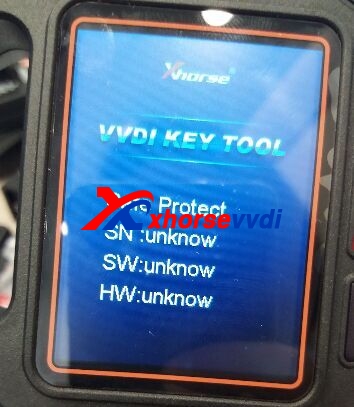
And some customer may use update tool (KeyTOOL Update 2.1.9HK.exe) to update your Xhorse VVDI Key Tool machine,but got SN, SW, HW (serial number, hardware, software) unknown error,just like following pic shows:
vvdi key tool unknown error
1.Please confirm your VVDI Key Tool language.If yours is Chinese one,the update tool will not help you translate Chinese to fully English one.As we received feedback that bought English one,but half Chinese,Half English,it is that you get Chinese version,switch to English,not real English version.
2.Use this Update Tool software(KeyTool Update v2.1.9Eng.exe):
3.If still Unknown Error,click Fix.Then try again.
vvdi key tool update fix
4.If your VVDI Key Tool is already V1.2.8 Version,please do not update it now,wait for newer update is OK.
vvdi key tool
www.xhorsevvdi.com all rights reserved, Original Article url:How to Solve VVDI Key Tool Update Unknown Error?

2017年7月2日星期日

VVDI2 tested OK for VAG BMW PSA key programming by OBD?

Which tool to program VAG BMW PSA key by OBD also when all key lost? I heard VVDI2 OK. Work all as stated? Anyone tested it?
Yes, some people can confirm that! You can check their opinions as below:
(Answer for below question is given by VVDI2 user and experienced professional)
Q: I would like to know which tool can program new key VAG? Some all lost key, some I have 1 key.
Audi A3-A4-A5-A6-A7-A8 2010-2016
Audi S3-S4-S5-S6-S7-S8 2010-2016
Audi RS5-RS7 2010-2016
Audi Q3-Q5 2010-2016
Audi SQ5 2010-2016
VW 2010-2016
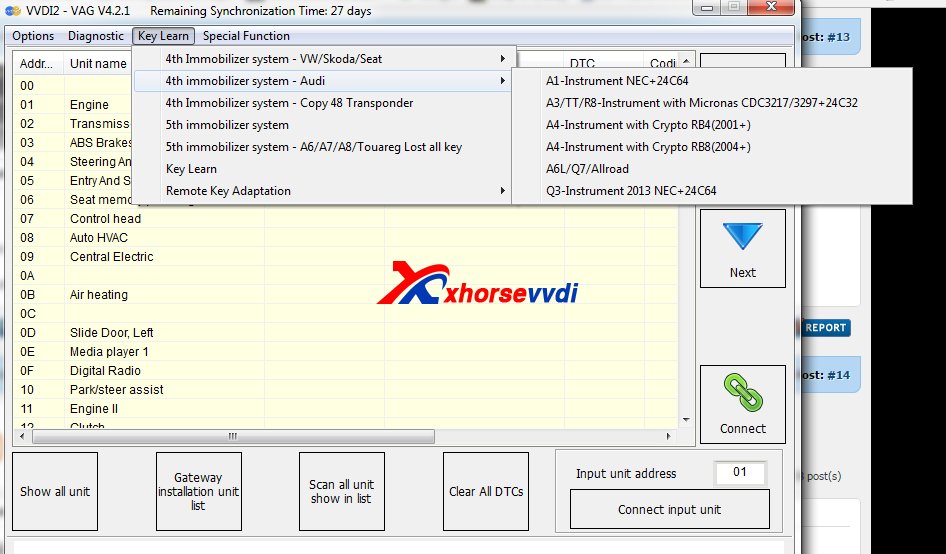
A: VVDI2 can do key programming for Audi also new options for all key lost are available now for Audi A6,A7,A8. xhorse vvdi 2 commander key programmer support VAG 4th and 5th IMMO and includes BMW ,PSA,VAG and key programmer. Work very well also can read PIN and program key for PSA . Note: the update is FREE and monthly!!! Now latest VVDI V4.2.1
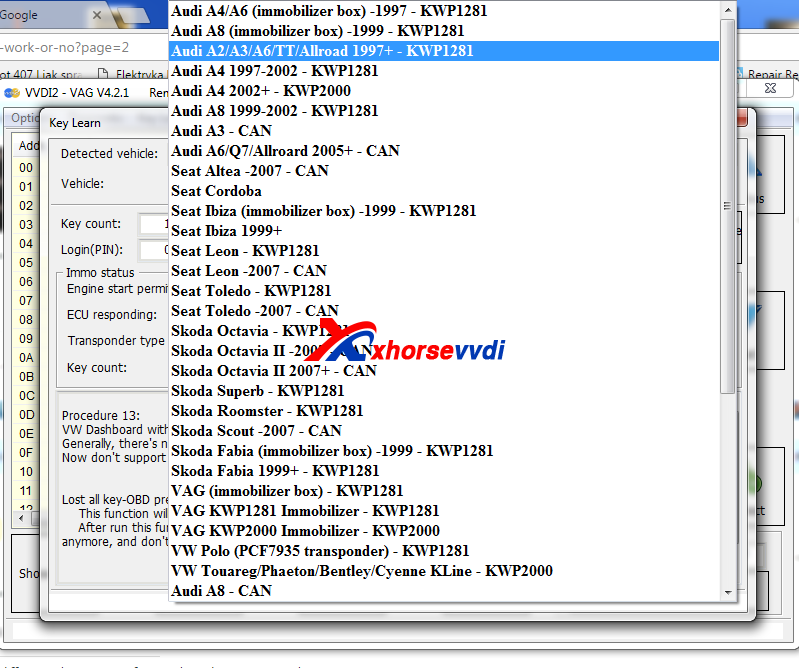
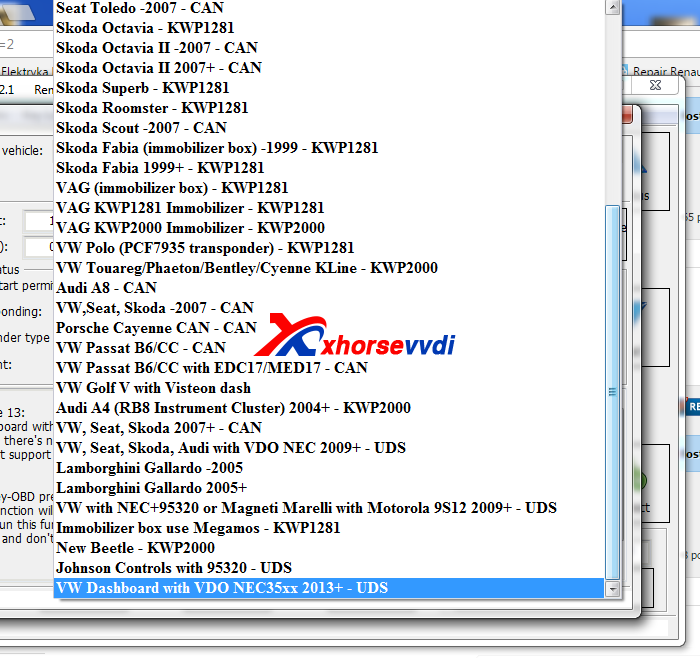
VVDI2 VAG VW, Audi, Seat, Skoda car list and protocols:
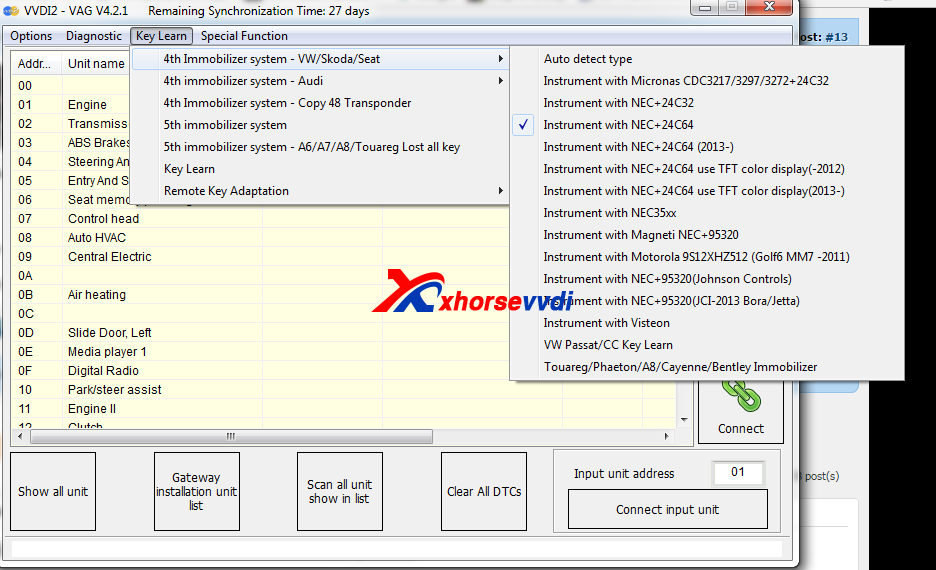
VVDI2 VW 4th IMMO:
VVDI2 Audi 4th IMMO:
Update: Newly found VVDI2 FULL lower price €1901/ $2045 here: