2017年9月18日星期一

How to use VVDI MB BGA tool change EIS For MB 207 all key lost

About Mercedes Benz 207 all key lost, you need to change EIS
Tools you should buy - VVDI MB BGA TOOL:
Support all key lost
Mainly used for key reading and writing,EIS tools,password calculation,key file preparing,ESL tools,ECU/Gearbox renew and many special functions
support renew EIS and ELV,support write EIS and ELV
More Detail functions:
http://www.xhorsevvdi.com/wholesale/xhorse-vvdi-benz-vvdi-mb-bga-tool.html
Steps?
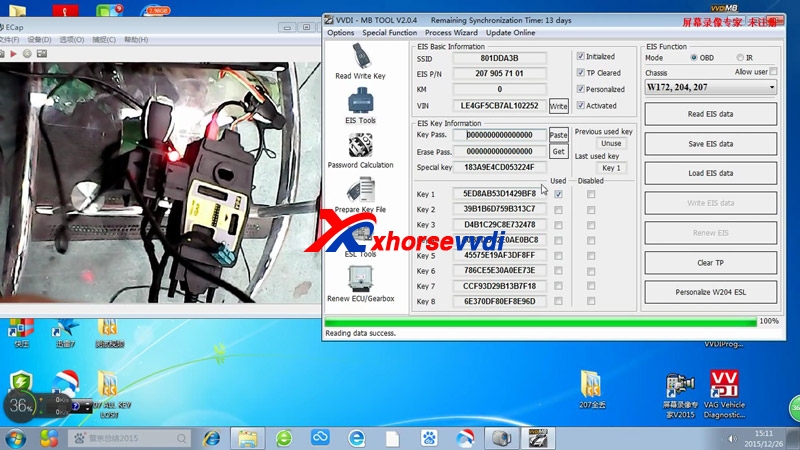
Firstly, we need to read EIS old data.
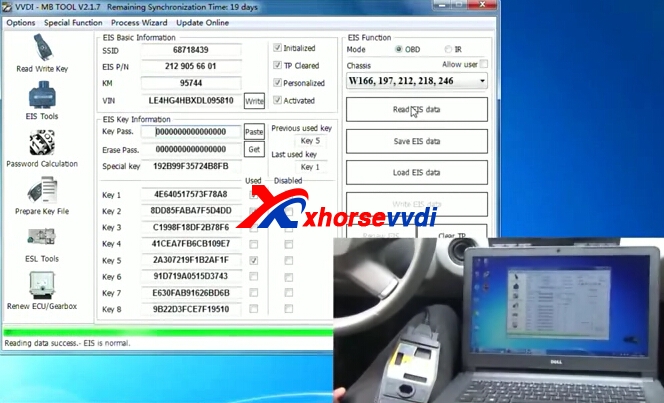
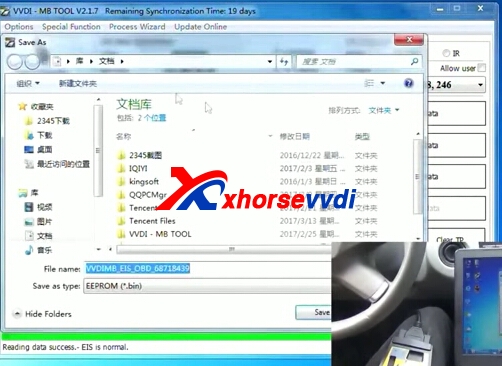
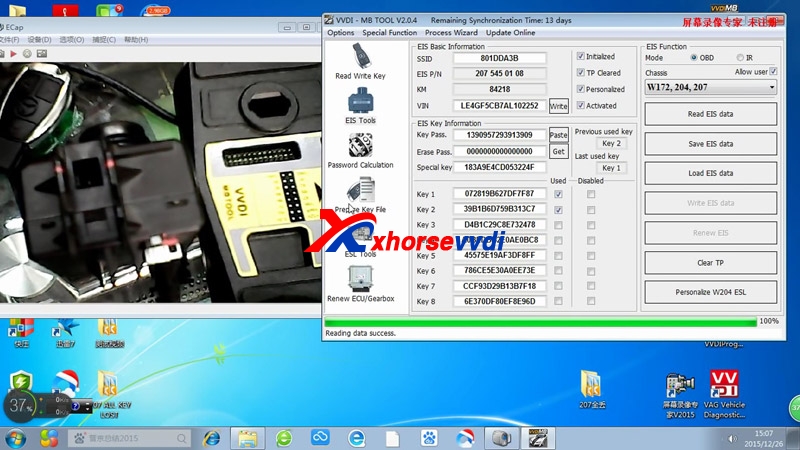
  1. Click "Read EIS data", tick off "allow user", then enter Key pass, then click "Save EIS data" to the "207 all key lost" folder, follow the prompt to finish the following procedure.

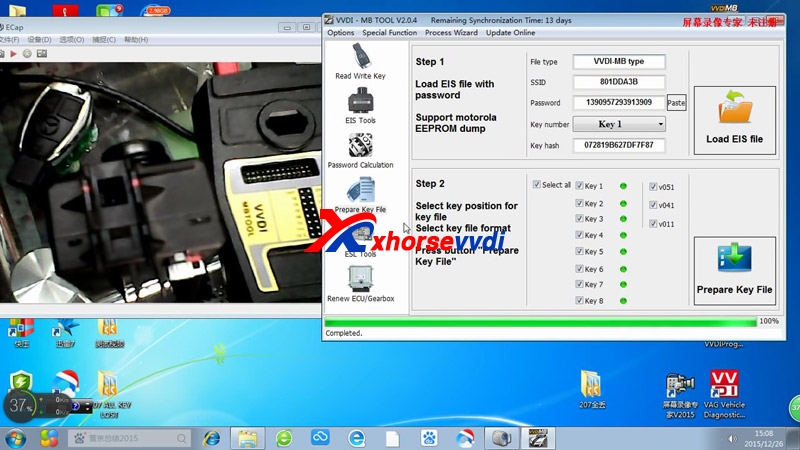
  1. Prepare key file. Click "Load EIS file" then "Prepare Key File"

  1. Make new key.
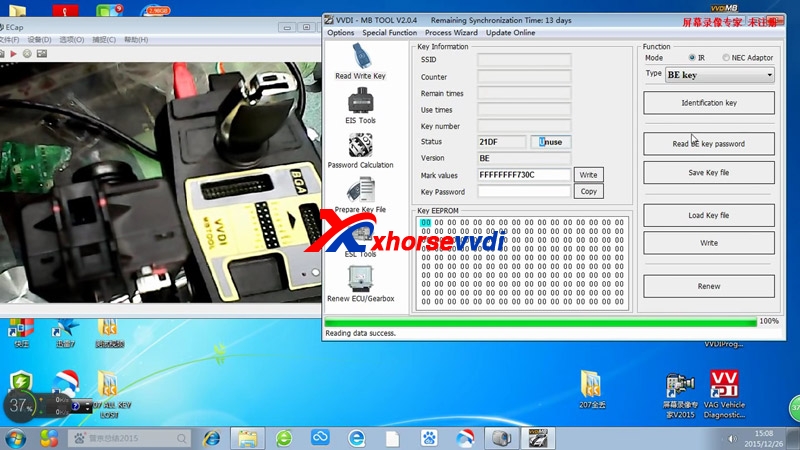
1) Click "Read Write Key" and insert key into EIS;
2) Click "Identification key", reading data success and you will see key is unuse, it is a new key.
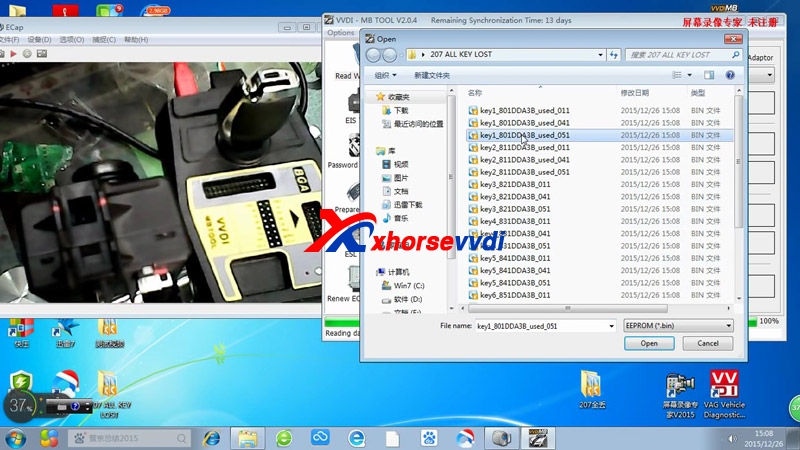
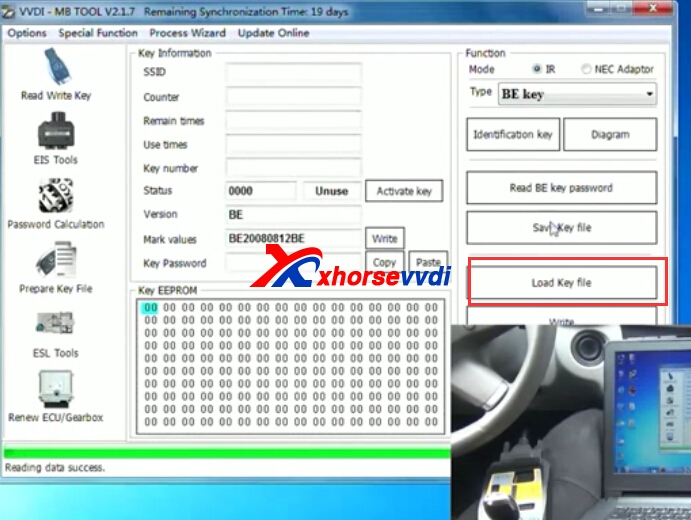
3) Click "Load key file" and select "Key1_801DDA38_used_015" to open.
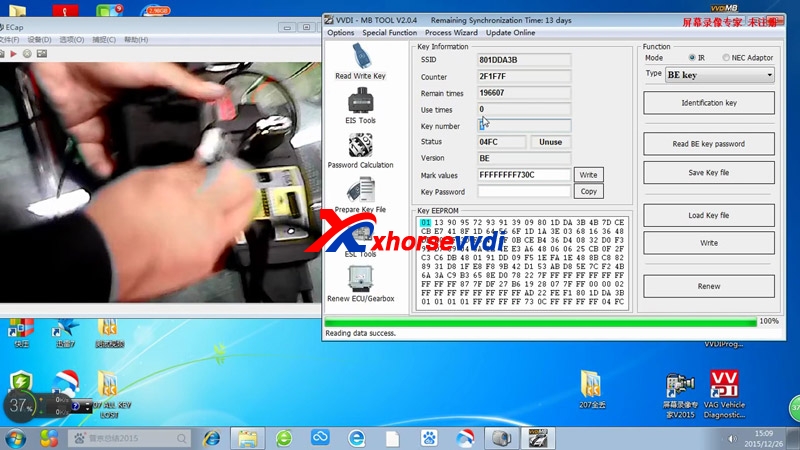
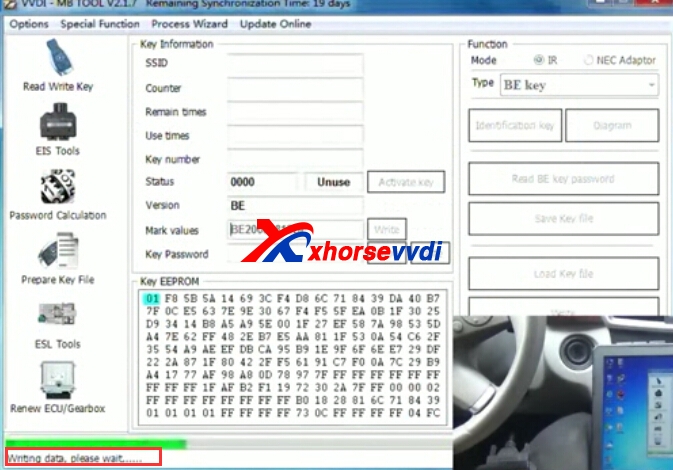
4) Click "Write". Writing success and click "Identification key"

5) Change EIS.

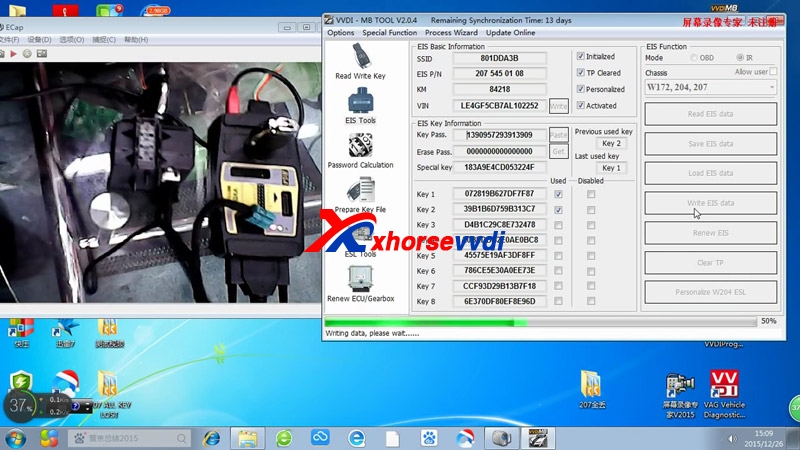
6) Click "Read EIS data", you will see the key1-key8 is new. Then click "Load EIS data"

7) Choose EIS VIN again and click "Write", click "Read EIS data" and remove the tick before "Activated", then insert new key into the EIS.

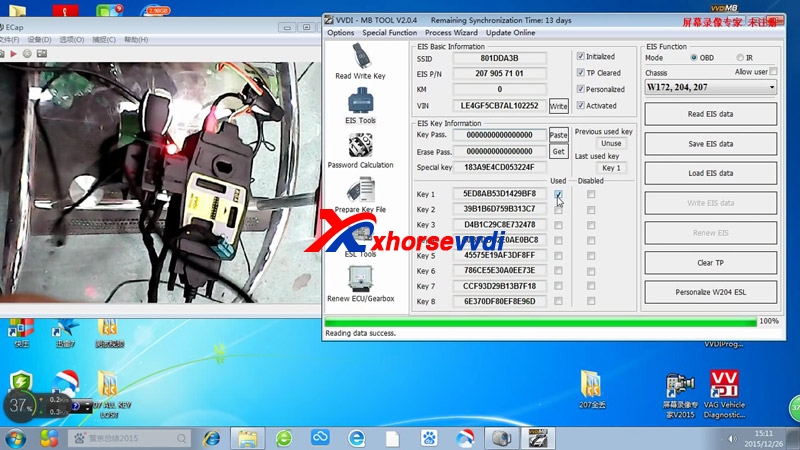
8) Click "Read EIS data", meanwhile tick off "Activated", you will see Key 1 is used.
Okay, the Xhorse VVDI BGA tool changes EIS successfully.

2017年9月12日星期二

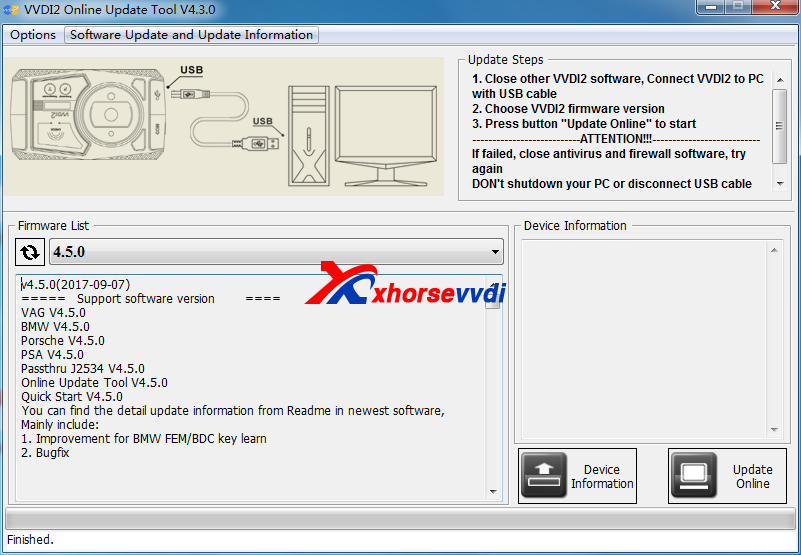
Free Download V4.5.0 VVDI2 Key Programmer Software (2017-09-08)

V4.5.0 VVDI2 Full software update is OK Sep 8th,some customers gave feedback that link is not OK to download,you can check on vvdi2 older version to get newest version,or you can download from the link we offer now,tested OK to download.
vvdi2 update vvdi2 update
1.Free Download V4.5.0 VVDI2 Key Programmer Software (2017-09-08)
https://mega.nz/#!q1RmQDwA!Kj_eZqe-IWxsGMnQF7Dc5mw5TKKFXPC132SNxXoa27w
2.V4.5.0 VVDI2 Update Information(2017-09-08)
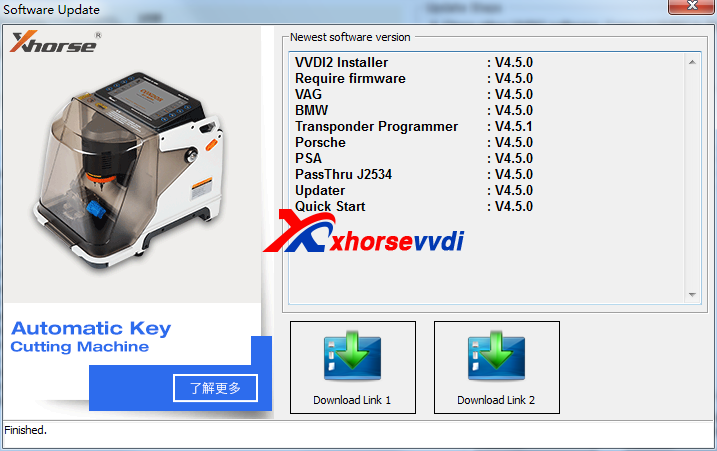
Require firmware V4.5.0
Note:
1. All customer should update the software to V4.5.1, use the latest software to synchronize your device
2. Update firmware v4.5.1 require the latest online update tool v4.5.0 version
3. Please download latest install software first then update firmware
BMW V4.5.0
1. Improvement for BMW FEM/BDC key learn
2. Bugfix
Transponder Programmer V4.5.1
1. Add online points system(Menu->Points System->Online points system)
2. Bugfix

2017年9月9日星期六

How to use VVDI MB Program Benz 2013 E260 All Key Lost

VVDI MB BGA Tool Benz key programmer,support All Key Lost:w204, w207,W166, W246, W212, W212(old),some W216, W164 2009- future will add more.And now we display detailed steps VVDI Benz 2013 E260 All Key Lost.
1.Read EIS data,and save the data it reads out.
vvdi benz all key lost
vvdi mb tool
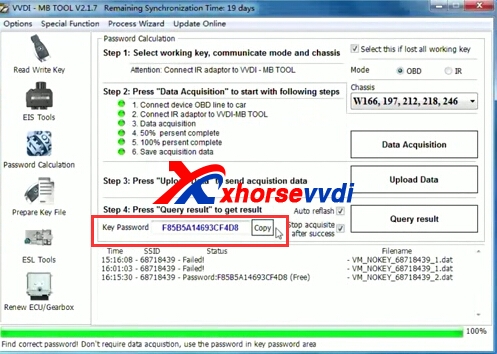
2.Get "Key Password".
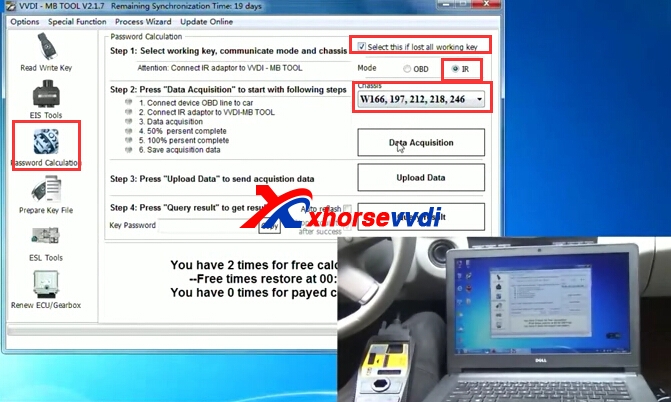
Password Calculation.Choose IR model,and choose detailed chassis.
vvdi mb bga tool
Connect device OBD line to car.
Connect IR adapter to VVDI MB Tool.
Data Acquisition.
Save acquisition.
vvdi mb
vvdi benz
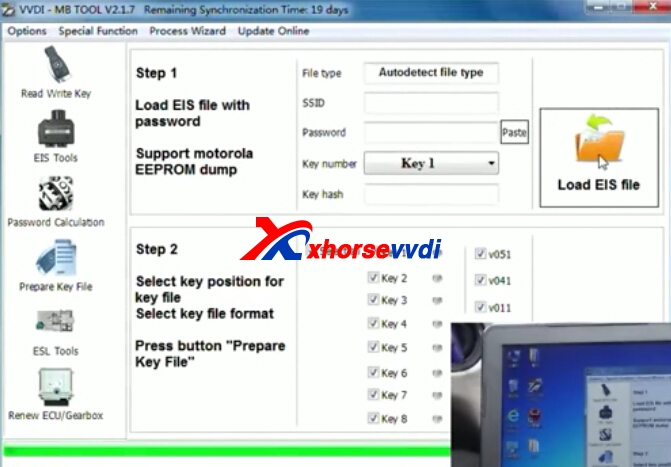
3.Prepare Key File.
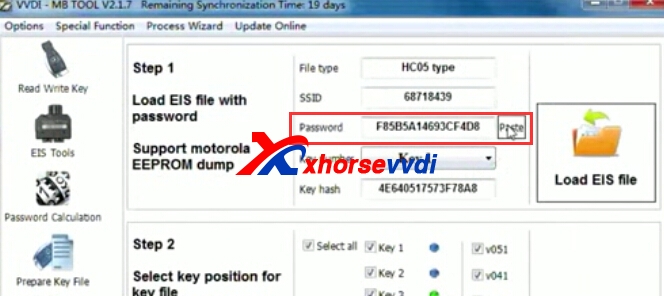
Copy the key password from Step2.
And click "Prepare key file",then "Load EIS File" from step1 saved.
vvdi benz e260
Paste key password,and choose Key number.Waiting the prepare key file process.
vvdi mb bga tool
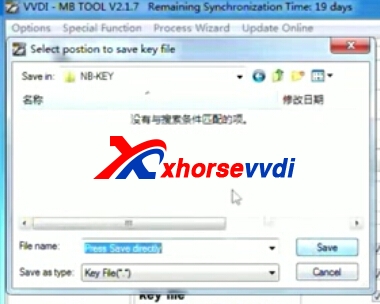
Save key file.

4.Write key.
Load Key File.After load key file,click write.
vvdi benz
vvdi benz

2017年9月6日星期三

VVDI Prog Read BMW CAS2 2k79x Test OK

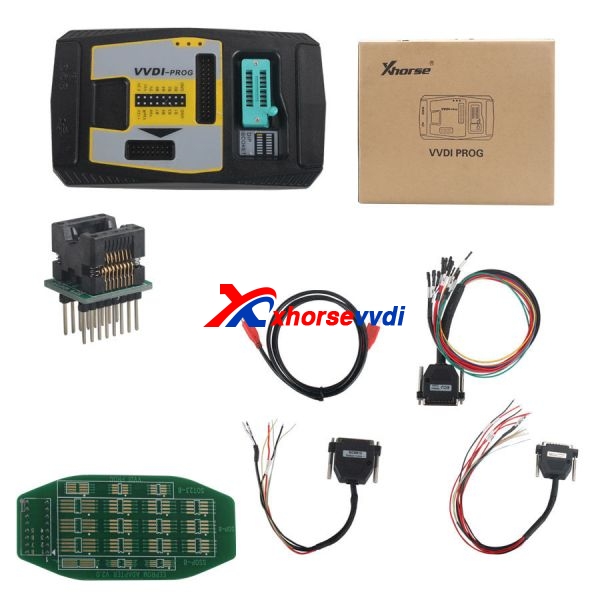
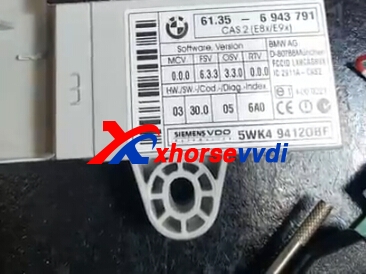
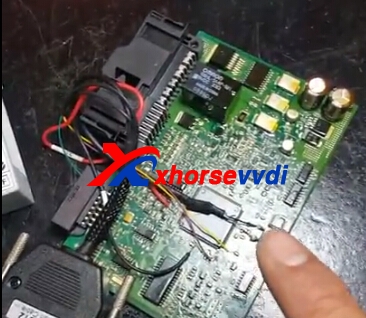
VVDI Prog Programmer support BMW CAS2,CAS3,CAS4.Here is some simple steps about Read BMW CAS2 2k79x.VVDI Prog operation is easy,but you need do the soldering depend on connection diagram.
vvdi prog
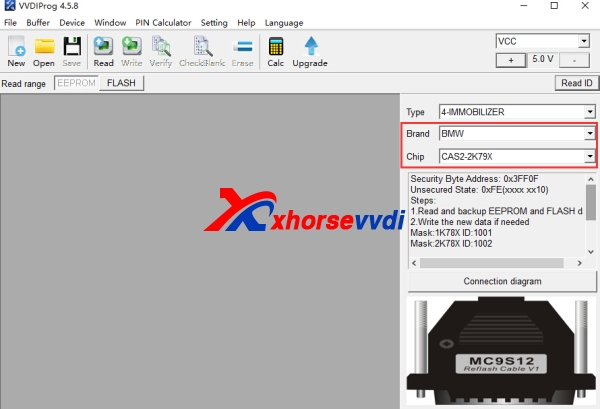
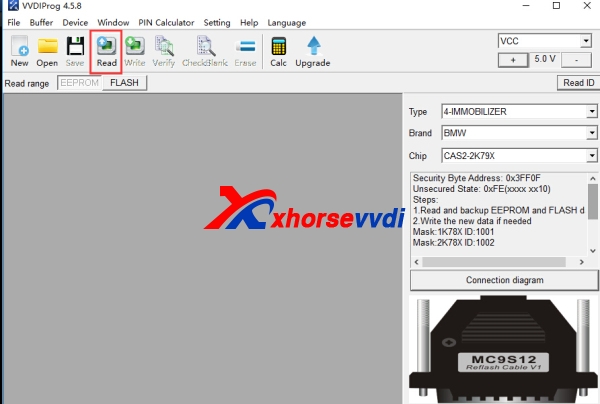
1.Start VVDI Prog software,and choose detailed type.
ECU type.
vvdi prog bmw cas2
vvdi prog bmw
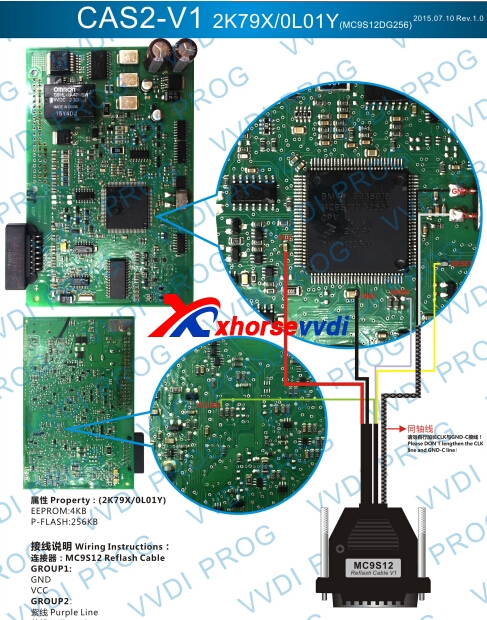
2.Check connection diagram.
vvdi prog


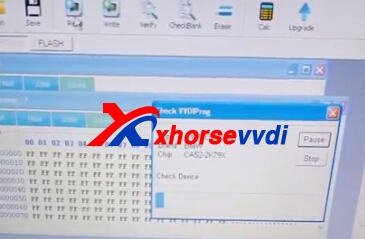
3.Read data via vvdi prog,after read successfully.Then save the data.
vvdi prog bmw
vvdi prog cas2

2017年9月3日星期日

Free Download V4.6.1 VVDI PROG Software (2017.08.30)

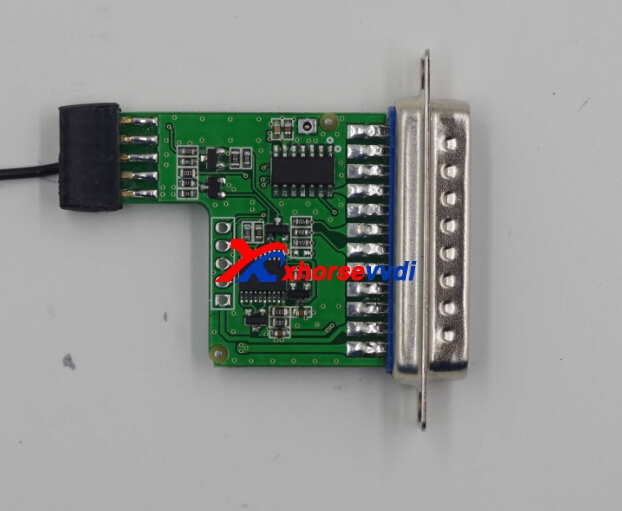
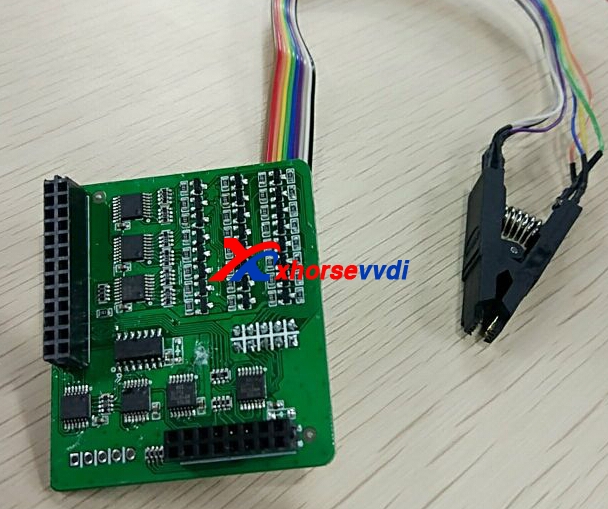
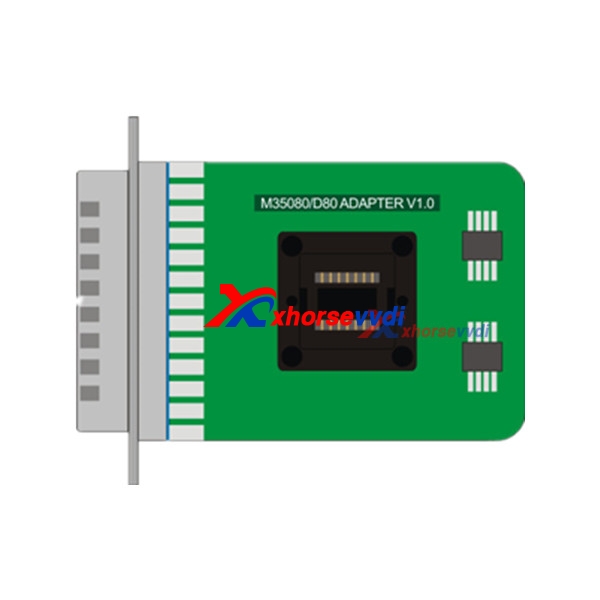
VVDI PROG V4.6.1 is released on Aug 30th,and it adds 3 adapters which are need to buy separately.You can check VVDI PROG EWS3 adapter,EEPROM CLIP ADAPTER,VVDI PROG D80/M350803 adapters.
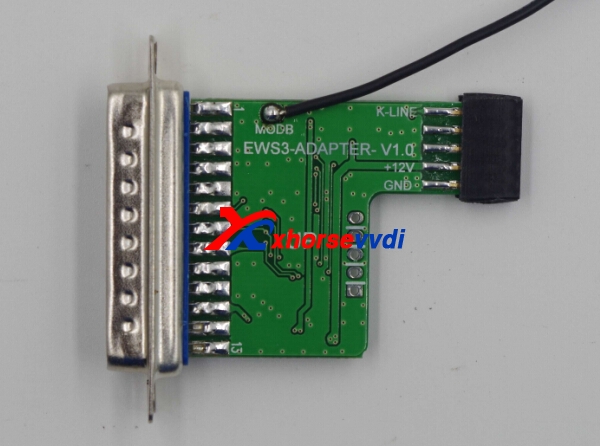
vvdi prog ews3 adapter vvdi prog ews3 adapter

vvdi prog m35080/d80 adapter
1.Free Download V4.6.1 VVDI PROG software:
https://mega.nz/#!jxBFTCwb!jsFwimypcOIkrKhEheg8H3xmYutUspvtAxtK37exgy4
Password:123456
Notes: about eeprom clip adapter
(NO need soldering) or EWS 3 adapter,please contact dealer for help.
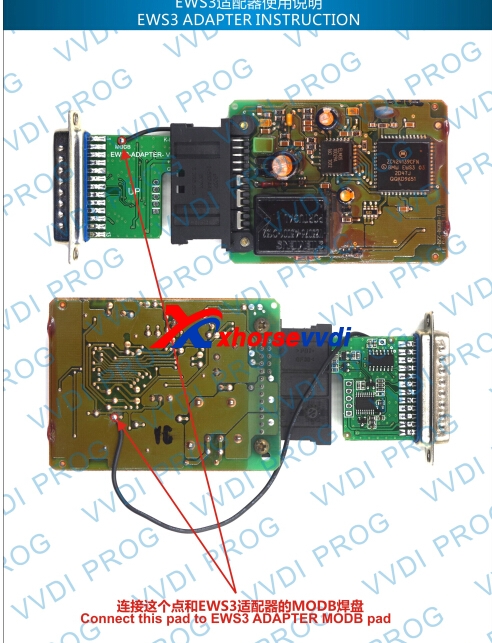
vvdi prog ews3 adapter
2.VVDI PROG V4.6.1 update information:
v4.6.1 (2017-08-30)
* This version DON't need update firmware
* Fix some bugs
+ Add VVDI PROG USER MUNUAL 4.6.1version in Doc folder
* Fix MC9S12XS/MC9S12XHY series PFLASH write error problem
* Fix SRS-VW52-V1 diagram
+ Add AT24C01(CLIP),AT24C02(CLIP), AT24C04(CLIP), AT24C08(CLIP), AT24C16(CLIP), AT24C32(CLIP), AT24C64(CLIP), AT24C128(CLIP), AT24C256(CLIP),
AT24C512(CLIP), AT24C1024(CLIP), AT25010(CLIP), AT25020(CLIP), AT25040(CLIP), AT25080(CLIP), AT25160(CLIP), AT25320(CLIP), AT25640(CLIP), AT25128(CLIP),
AT25256(CLIP), AT25512(CLIP), AT93C06[A](CLIP), AT93C46[A](CLIP), AT93C56[A](CLIP), AT93C57[A](CLIP), AT93C66[A](CLIP), AT93C76[A](CLIP),
AT93C86[A](CLIP) options in <1-EEPROM&FLASH>-><atmel(clip)> (Need EEPROM CLIP ADAPTER)
+ Add CAT24C/W01(CLIP), CAT24C/W02(CLIP), CAT24C/W04(CLIP), CAT24C/W08(CLIP), CAT24C/W16(CLIP), CAT24C/W32(CLIP), CAT24C/W64(CLIP), CAT25C128(CLIP),CAT25C256(CLIP), CAT93C46[A](CLIP), CAT93C56[A](CLIP), CAT93C57[A](CLIP), CAT93C66[A](CLIP), CAT93C76[A](CLIP), CAT93C86[A](CLIP) options in<1-EEPROM&FLASH>-><catalyst(clip)> (Need EEPROM CLIP ADAPTER)
+ Add XL[S]24C01(CLIP), XL[S]24C02(CLIP), XL[S]24C04(CLIP), XL[S]24C08(CLIP), XL[S]24C16(CLIP), XL[S]93C/LC06(CLIP), XL[S]93C/LC46(CLIP), XL[S]93C/LC56(CLIP),
XL[S]93C/LC66(CLIP) options in <1-EEPROM&FLASH>-><exel(clip)> (Need EEPROM CLIP ADAPTER)
+ Add FM24C02(CLIP), FM24C03(CLIP), FM24C04(CLIP), FM24C08(CLIP), FM24C09(CLIP), FM24C16(CLIP), FM24C17(CLIP), FM93CS06(CLIP), FM93CS46(CLIP), FM93CS56(CLIP),FM93CS66(CLIP), NM24C02(CLIP), NM24C03(CLIP), NM24C04(CLIP), NM24C05(CLIP), NM24C08(CLIP), NM24C09(CLIP), NM24C16(CLIP), NM24C17(CLIP), NM24U17(CLIP),NM24C32(CLIP), NM24C65(CLIP), NM93C06(CLIP), NM93C46(CLIP), NM93C56(CLIP), NM93C66(CLIP), NM93C86(CLIP), NM93CS06(CLIP), NM93CS46(CLIP), NM93CS56(CLIP),NM93CS66(CLIP) options in <1-EEPROM&FLASH>-><fairchild(clip)> (Need EEPROM CLIP ADAPTER)
+ Add 24AA02(CLIP), 24AA04(CLIP), 24AA08(CLIP), 24AA16(CLIP), 24AA164(CLIP), 24AA32(CLIP), 24AA128(CLIP), 24AA256(CLIP), 24C02(CLIP), 24C04(CLIP), 24C32(CLIP),24LC02(CLIP), 24LC04(CLIP), 24LC08(CLIP), 24LC16(CLIP), 24LC164(CLIP), 24LC32(CLIP), 24LC64(CLIP), 24LC65(CLIP), 24LC128(CLIP), 24LC256(CLIP),
93C/LC/AA46A(CLIP), 93C/LC/AA56A(CLIP), 93C/LC/AA66A(CLIP), 93C/LC/AA76A(CLIP), 93C/LC/AA86A(CLIP), 93C/LC/AA46B(CLIP), 93C/LC/AA56B(CLIP), 93C/LC/AA66B(CLIP),93C/LC/AA76B(CLIP), 93C/LC/AA86B(CLIP), 93C/LC/AA46C(CLIP), 93C/LC/AA56C(CLIP), 93C/LC/AA66C(CLIP), 93C/LC/AA76C(CLIP), 93C/LC/AA86C(CLIP) options in<1-EEPROM&FLASH>-><microchip(clip)> (Need EEPROM CLIP ADAPTER)
+ Add M24C01(CLIP), M24C02(CLIP), M24C04(CLIP), M24C08(CLIP), M24C16(CLIP), M24C32(CLIP), M24C64(CLIP), M24C128(CLIP), M24C256(CLIP), M24C512(CLIP),M93C06(CLIP),M93C46(CLIP), M93C56(CLIP), M93C66(CLIP), M93C76(CLIP), M93C86(CLIP), M95010(CLIP), M95020(CLIP), M95040(CLIP), M95080(CLIP), M95160(CLIP), M95320(CLIP), M95640(CLIP),M95128(CLIP), M95256(CLIP), M95512(CLIP), ST24C01(CLIP), ST24C02(CLIP), ST24C04(CLIP), ST24C08(CLIP), ST24C16(CLIP), ST24E16(CLIP), ST24E32(CLIP), ST24W02(CLIP),ST24W04(CLIP), ST24W08(CLIP), ST24W16(CLIP), ST25C01(CLIP), ST25C02(CLIP), ST25C04(CLIP), ST25C08(CLIP), ST25C16(CLIP), ST25E16(CLIP), ST25E32(CLIP), ST93CS56(CLIP),ST93CS57(CLIP), ST93CS66(CLIP), ST93CS67(CLIP), ST93CS47(CLIP), ST93CS46(CLIP) options in <1-EEPROM&FLASH>-><st(clip)> (Need EEPROM CLIP ADAPTER)
+ Add X24C01(CLIP), X5043(CLIP), X5045(CLIP) options in <1-EEPROM&FLASH>-><st(clip)>(Need EEPROM CLIP ADAPTER)
+ Add ME7.4.5-FLASH-ST10F275, ME7.4.5-EEPROM-95320 options in <3-ECU>->
+ Add BCM2(D70F3380) option in <4-IMMOBILIZER>->
+ Add EWS3-KLINE(0D46J) option in <4-IMMOBILIZER>-> (Need EWS3 ADAPTER)
+ Add BCM-XEP100(2009--) option in <4-IMMOBILIZER>->
+ Add LAGUNA-UCT(2006) option in <4-IMMOBILIZER>->
+ Add BCM2(D70F3380) option in <4-IMMOBILIZER>->
+ Add BJ40-DASHBORAD, E150-DASHBORAD(2014), EX200-BCM(2016) options in <5-DASHBORAD>->
+ Add EQ-DASHBOARD(2017) option in <5-DASHBORAD>-> </st(clip)></st(clip)></microchip(clip)></fairchild(clip)></exel(clip)></catalyst(clip)></atmel(clip)>
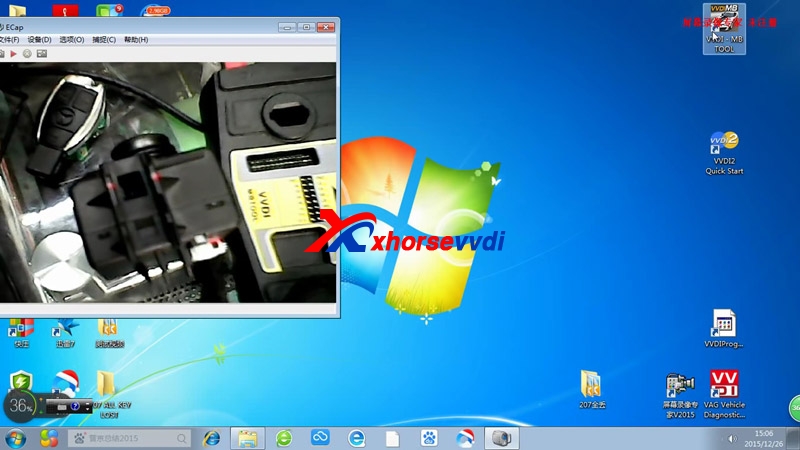
VVDI Prog read Volvo V50 9S12DG256 0L01Y

Thread: vvdi prog is able to read volvo v50 keyless entry module? Chip is 9s12dg256 0L01Y
Yes. The 9s12dg256 chip is listed. And 0L01Y is the same MCU as in Benz EZS/EIS units....W906 for example...try this
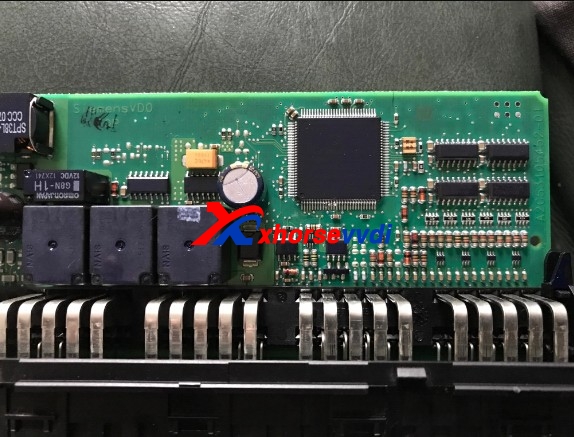
volvo v50 keyless entry module:

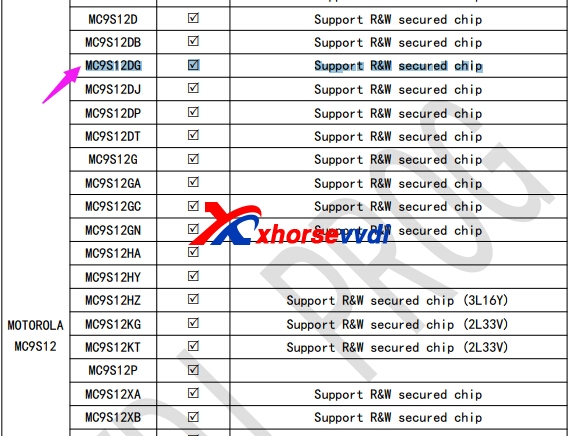
Chip 9s12dg256 on the vvdi prog list:

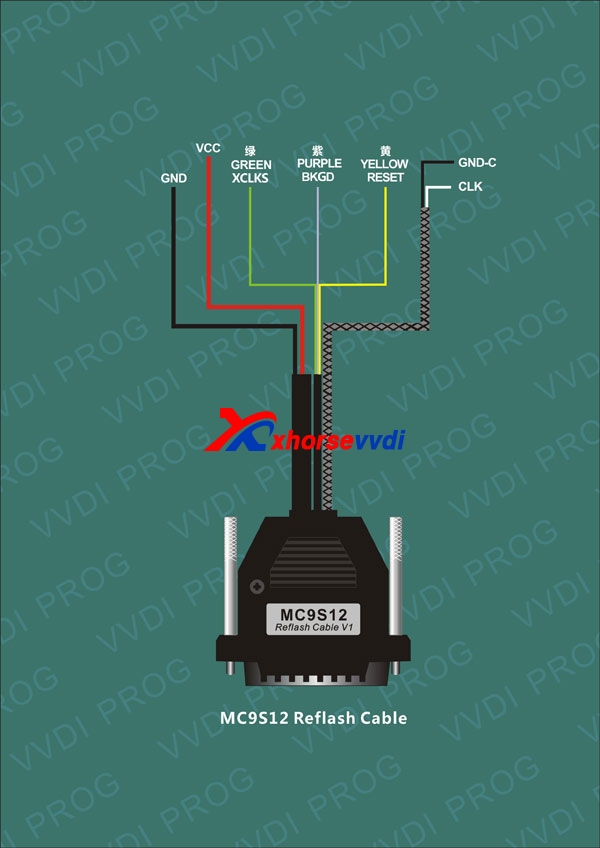
MC9S12 Reflash Cable you shoul have to work with VVDI Prog:
It’s aimed to Read & Write MC9S08, MC9S12 series chips
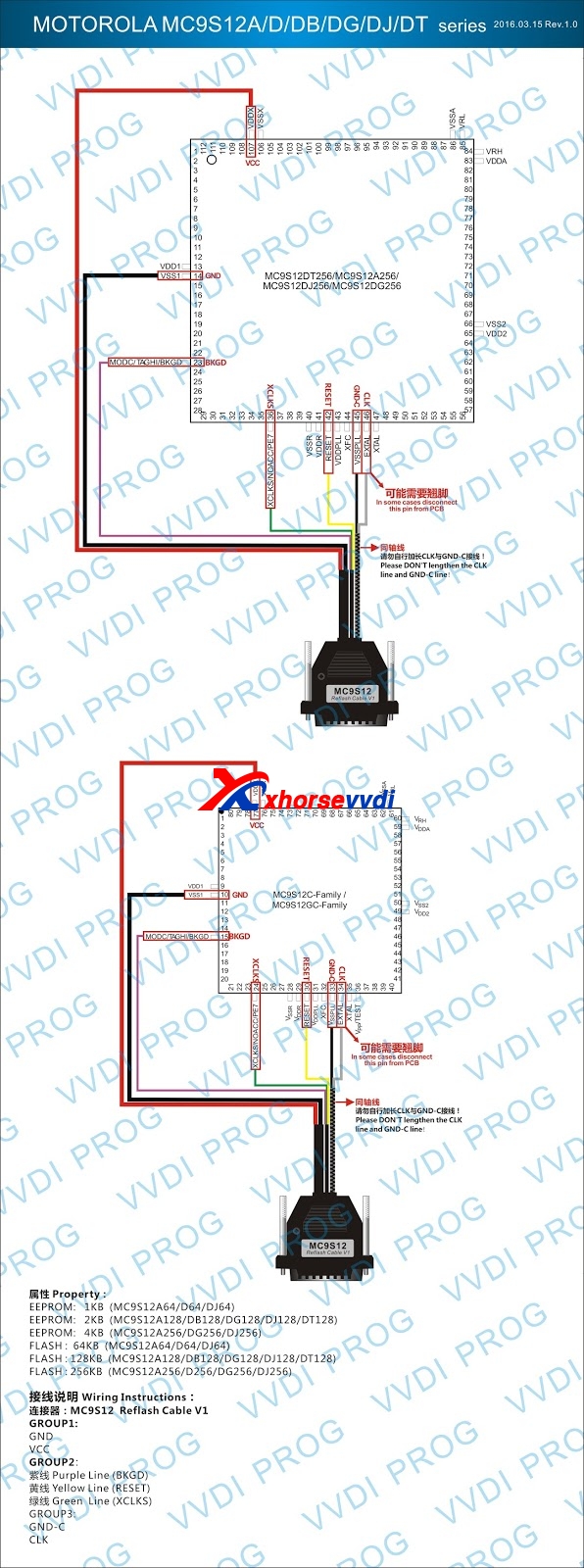
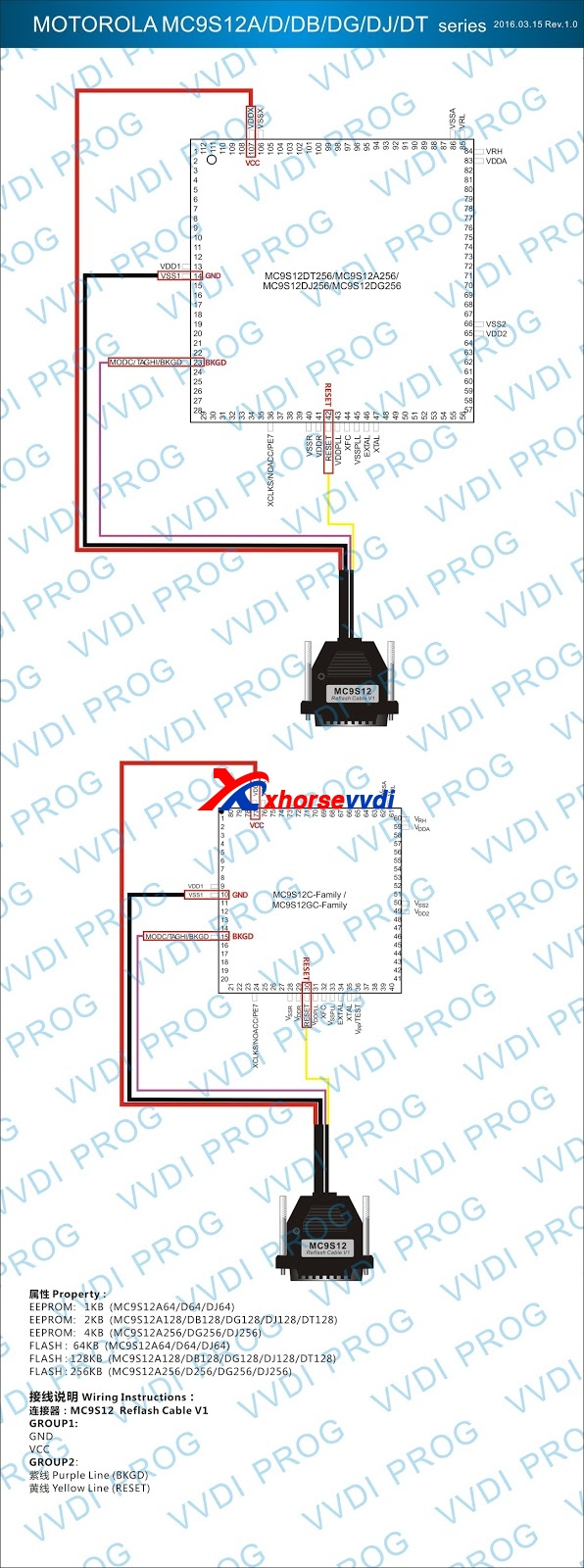
Solder the line on pin of chips before reading & writing chips

Notes:
(1) Please check all connection lines, ensure correct and reliable
connection
(2) Please Don’t lengthen CLK and GND-C line, maybe lead to read data failure

Motorola mc9s12dg256 secured chip wiring diagram:

Motorola mc9s12dg256 unsecured chip wiring diagram:

Xhorse Vvdi prog read Volvo 0L01Y: (same as MB EIS 0L01Y)
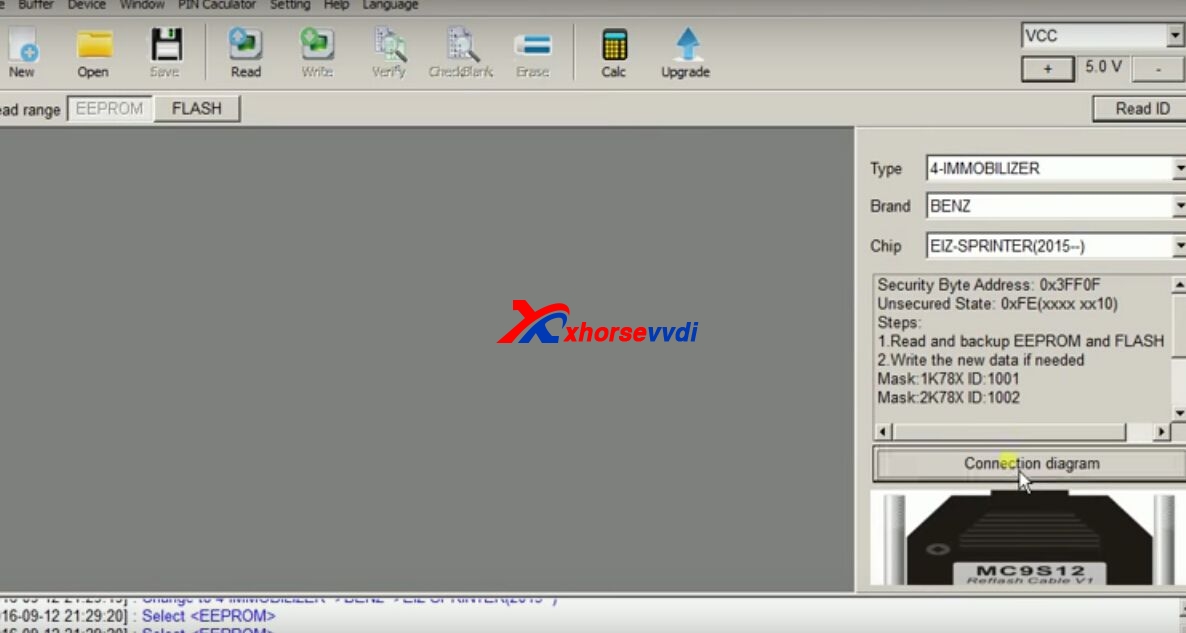
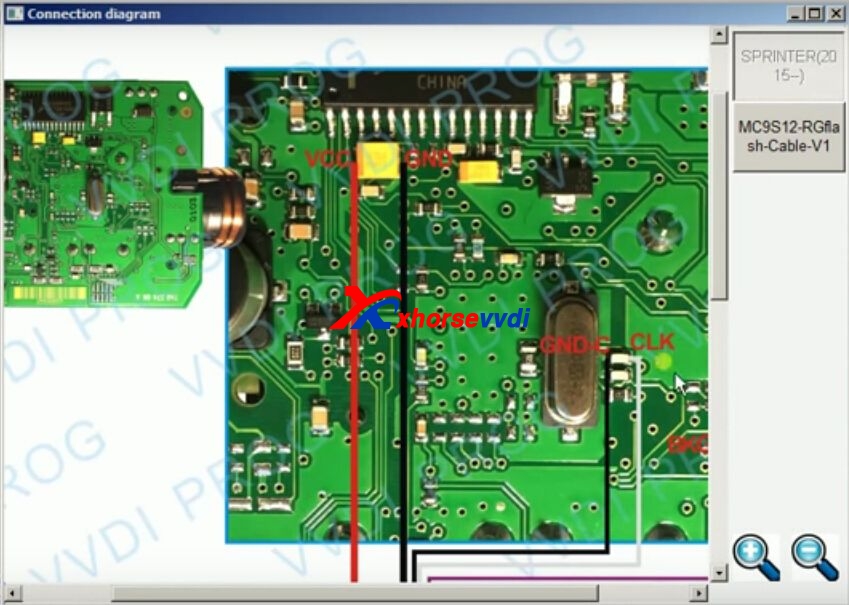
Step1. Open VVDI PROG software. Choose “Type”, “Brand” and “Chip” then Click on “Connection diagram”.

You can see the wiring diagram of EIS 0L01Y

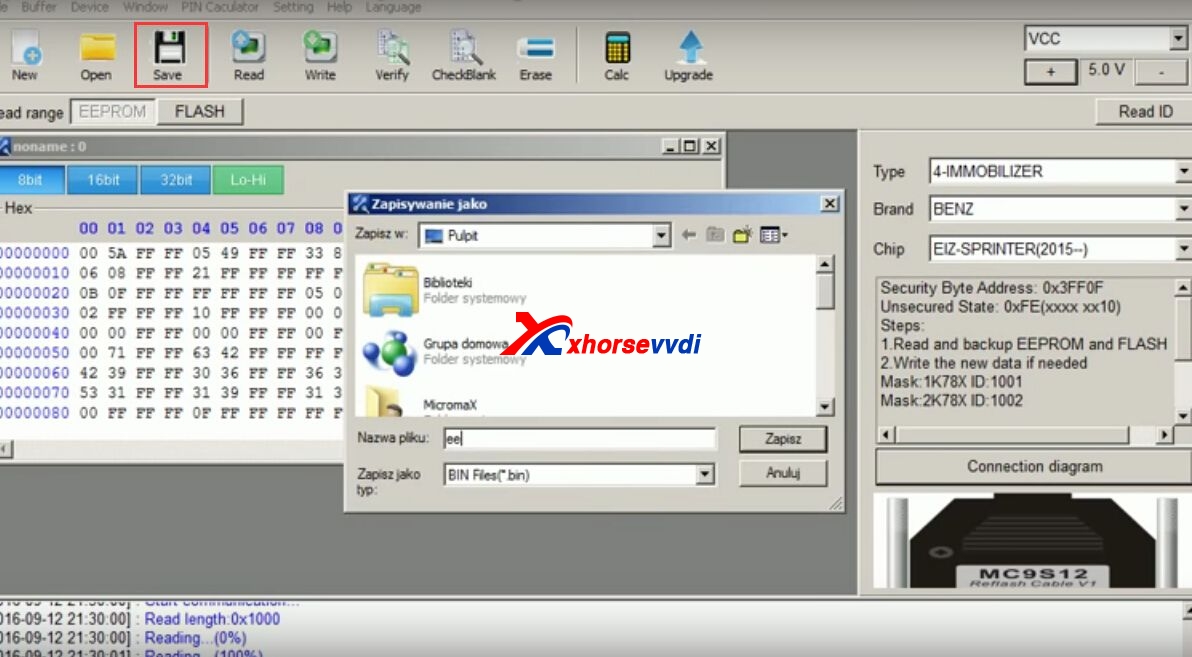
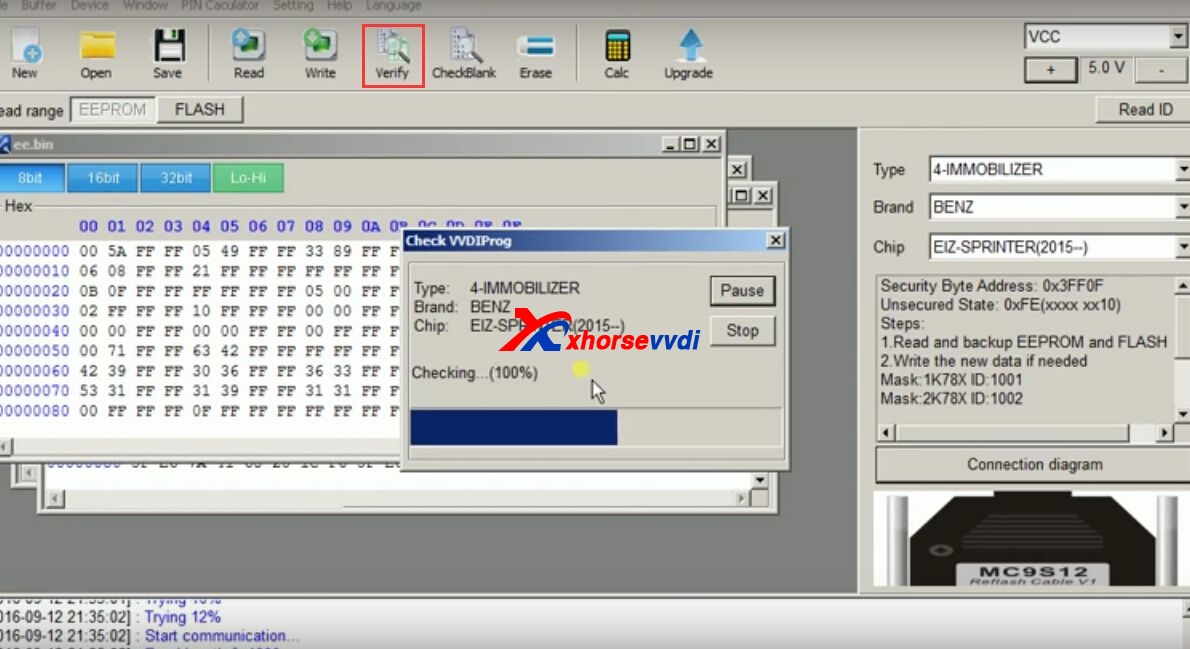
Step2. Click on “Read ID” then “Read”. VVDI PROG read Mercedes W906 EIS 0L01Y OK!

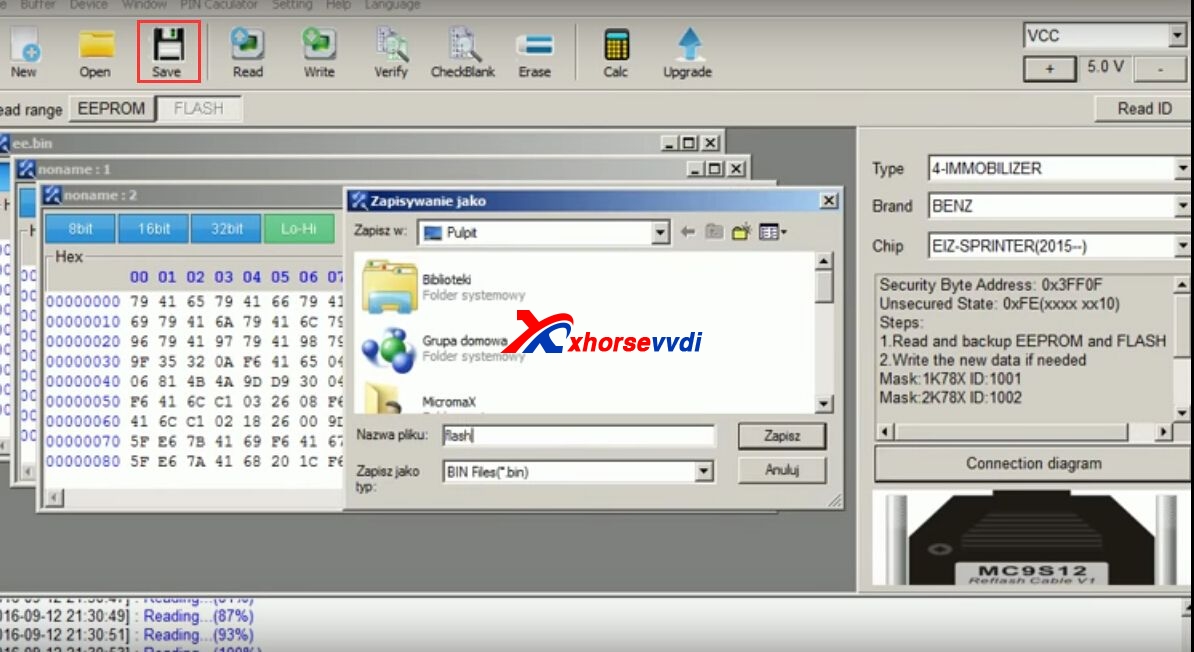
Click on “Save” and name the file “ee”.

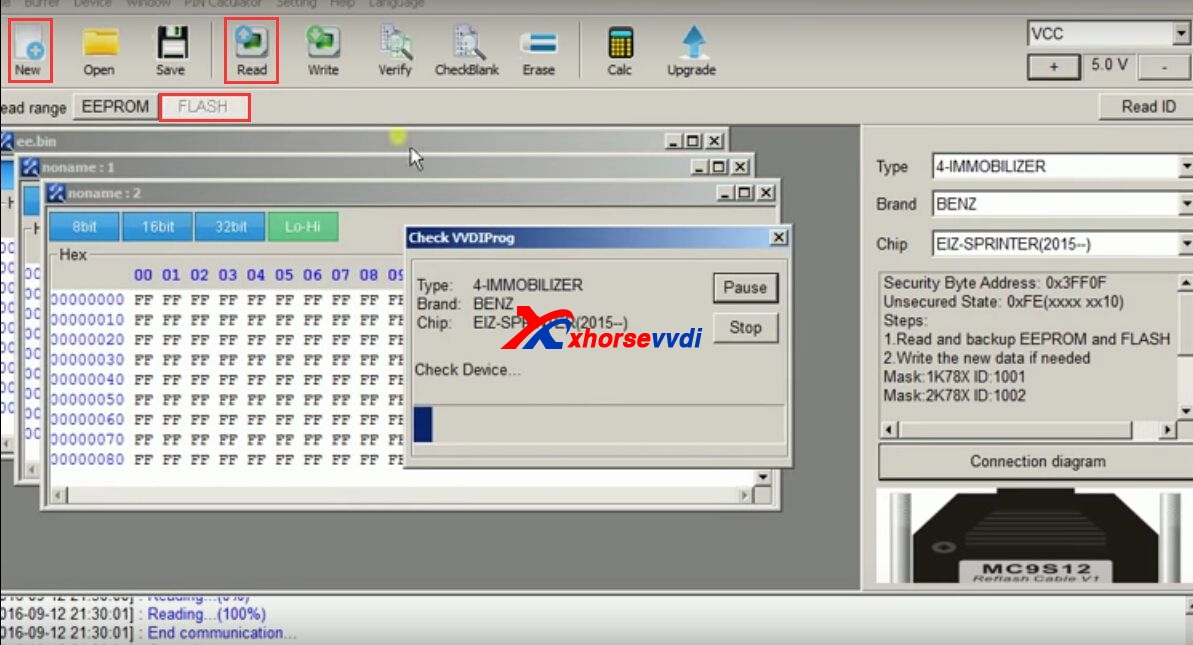
Step3. Click on “Flash” then “New” then “Read”.

Click “Save” and name the file “flash”.

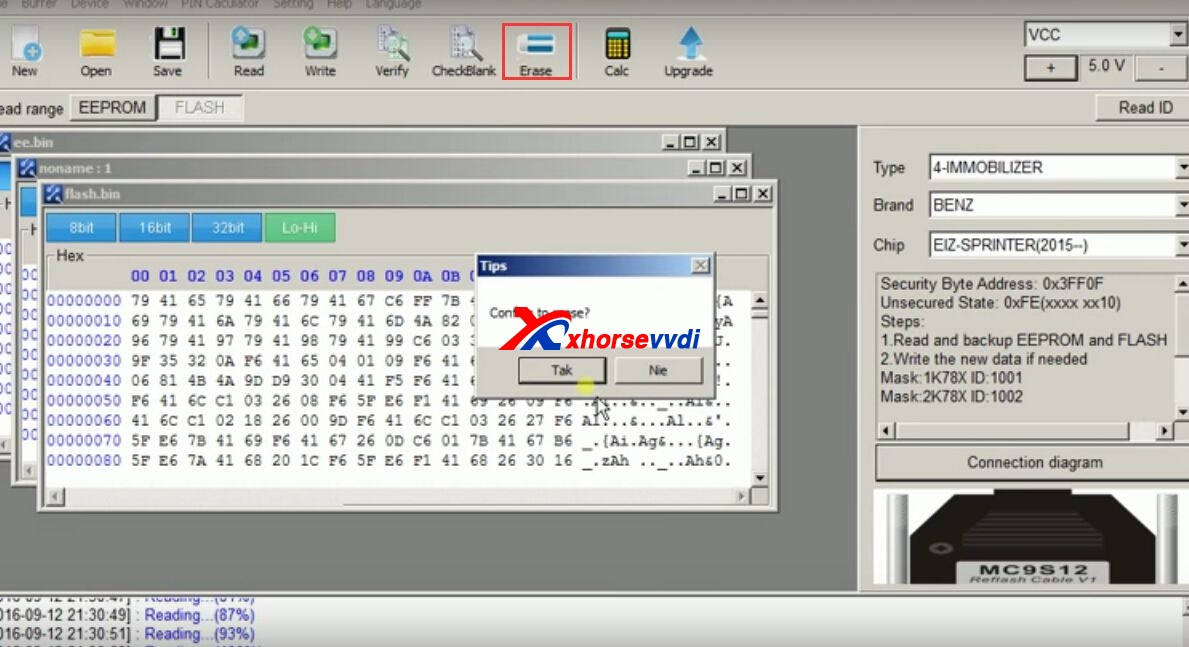
Step4. Click on “Erase” and “Yes” to confirm that.

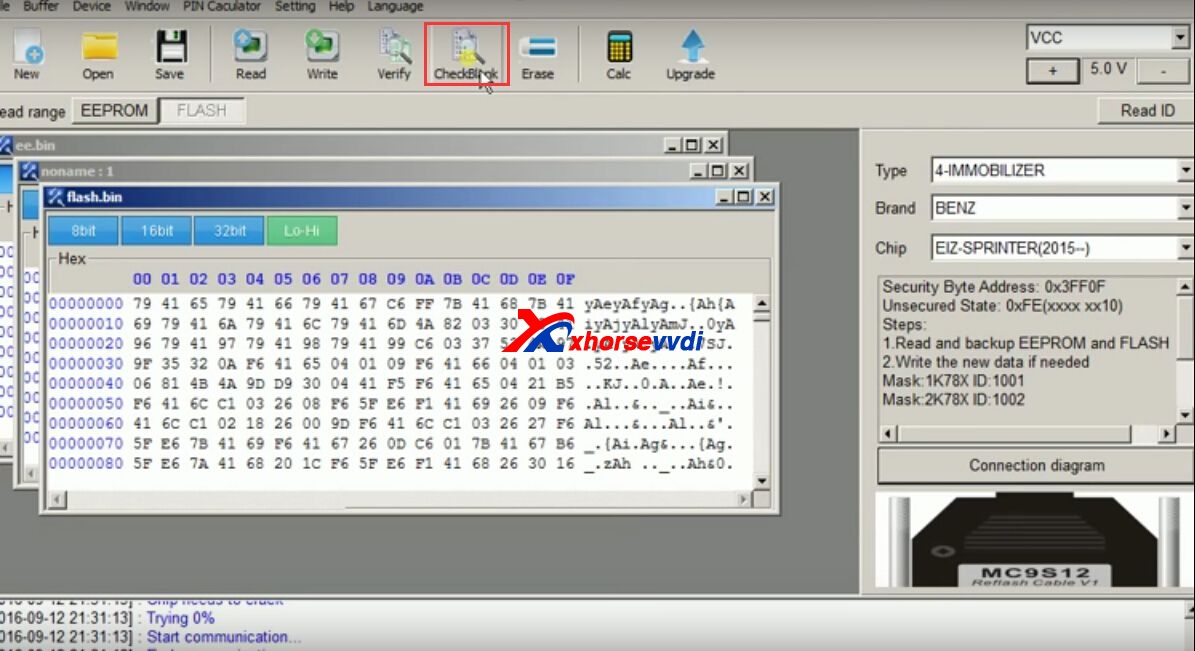
After that, Click on “Check Blank”.

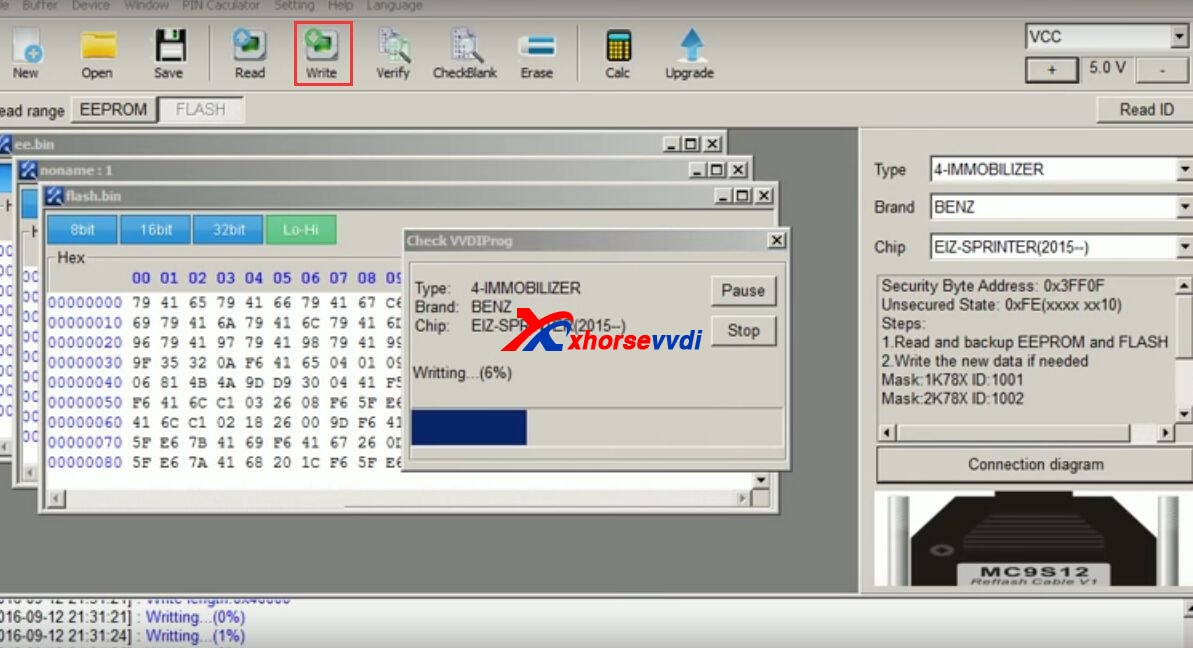
Step5. Click on “Write” and “Yes” to confirm that.

wait about 3 minutes and Xhorse VVDI PROG write Mercedes W906 Sprinter EIS 0L01Y successfully!

Click “Verify” as the last step to check and things done!