2017年8月8日星期二

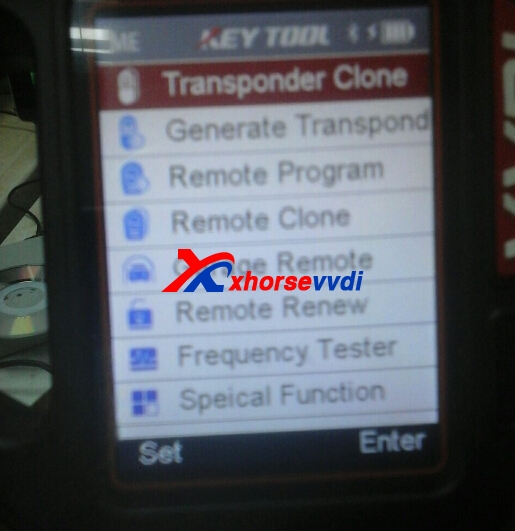
VVDI KEY TOOL GENERATE TRANSPONDER SUPPORT LIST

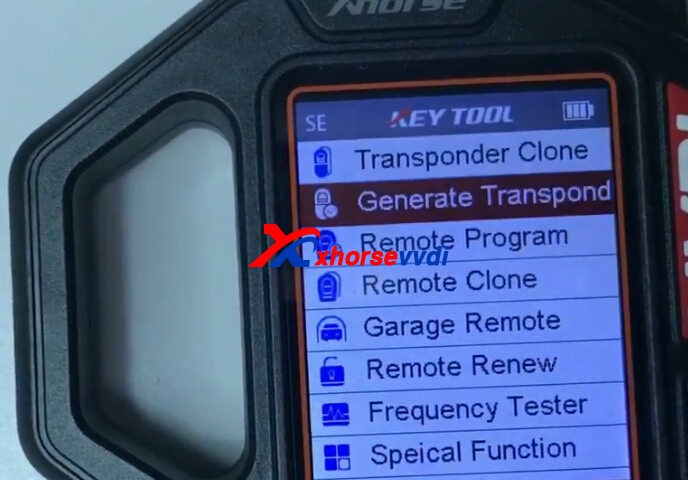
V2.0.2 VVDI Key Tool is newest version,you can use V2.3.9 update tool software to update your VVDI Key Tool.And here XhorseVVDI display VVDI Key Tool Generate Transponder function car brands support list.
vvdi key tool generate transponder
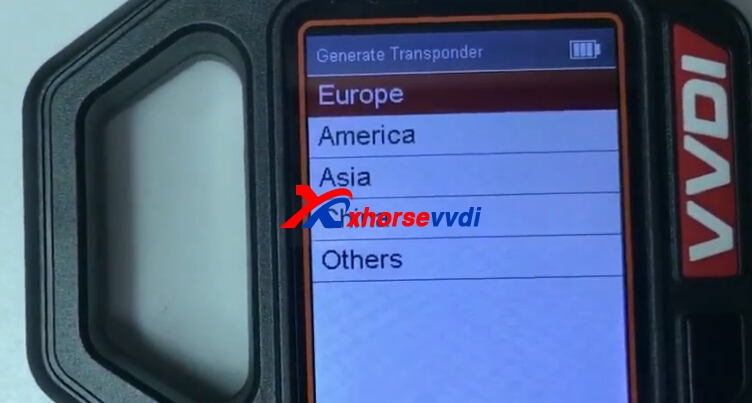
1.VVDI Key Tool Generate Transponder:Europe,America,Asia,China,Others.
vvdi key tool
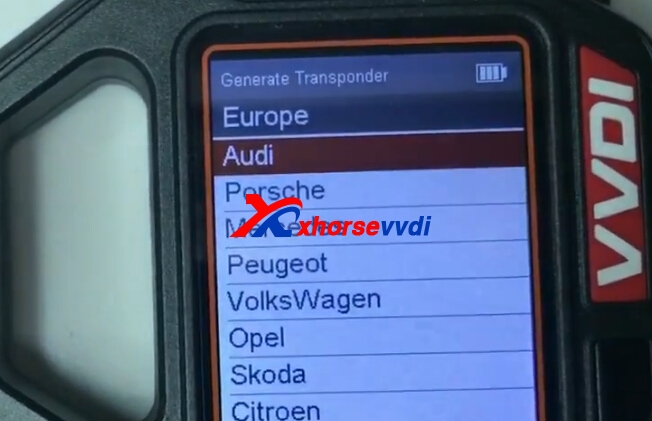
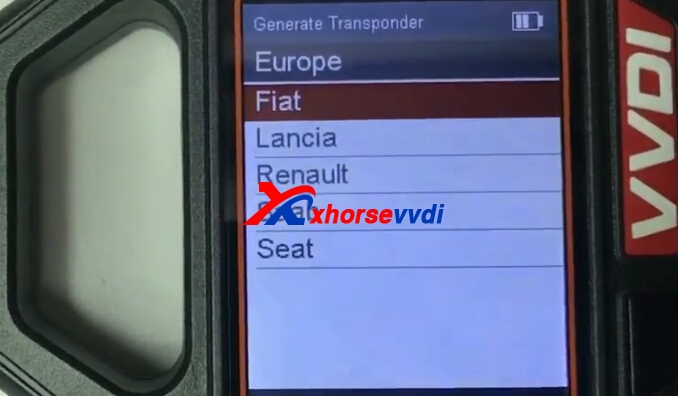
2.VVDI Key Tool Generate Transponder Europe car brand:
Audi,Porsche,Benz,Peugeot,VW,Opel,Skoda,Citroen,Fiat,Lancia,Renault,SAAB,Seat.
vvdi key tool
vvdi key tool generate transponder
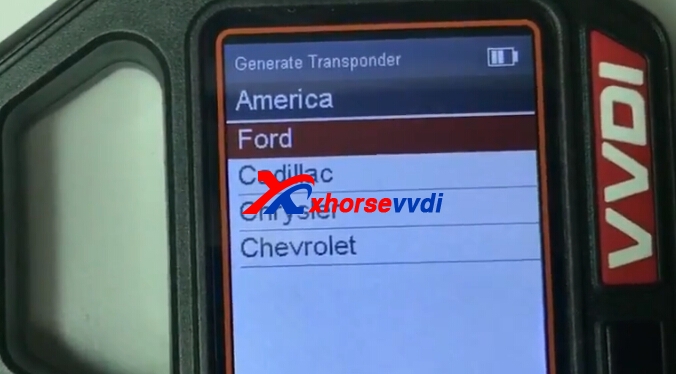
3.America:Ford,Cadillac,Chrysler,Chevrolet
vvdi key tool ford
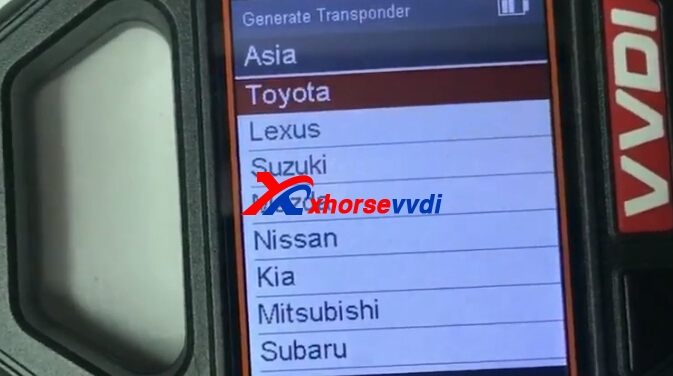
4.VVDI Key Tool Generate Transponder Asia List:Toyota,Suzuki,Lexus,Mazda,Kia,Mitsubishi,Subaru.
vvdi key tool
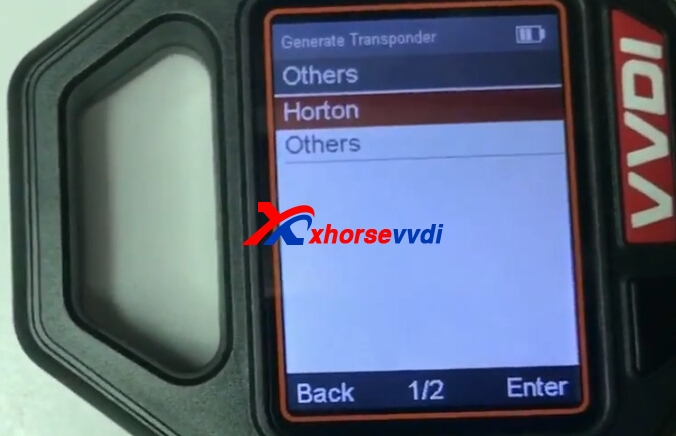
5.Others
vvdi key tool
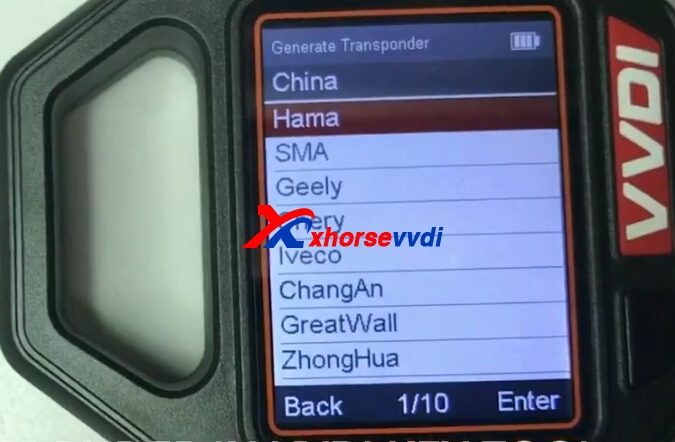
6.China
vvdi key tool

2017年8月7日星期一

Condor XC-MINI Cut Citroen NE72 Key by Bitting Way

xhorse condor xc mini Key Cutting Machine cut by bitting way,here is blog about Citroen NE72 cut by Condor mini key cutting machine.
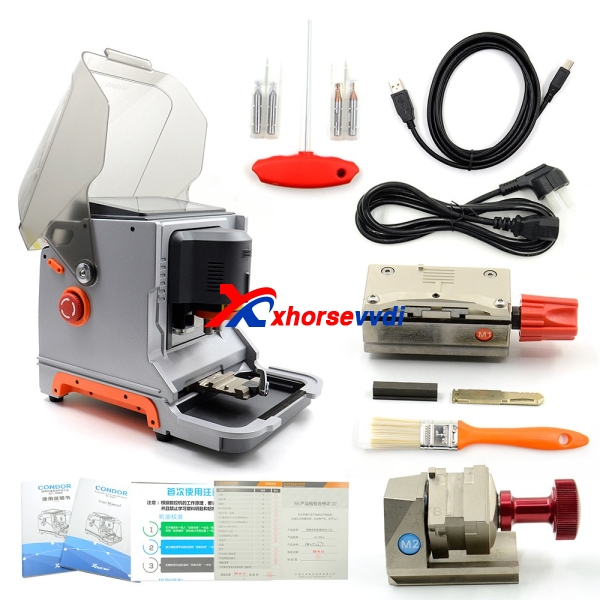
condor mini full package
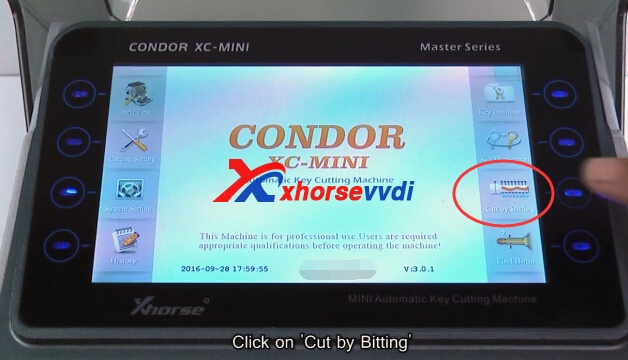
1.Start Condor xc-mini key cutting machine,choose "cut by bitting".
mini condor
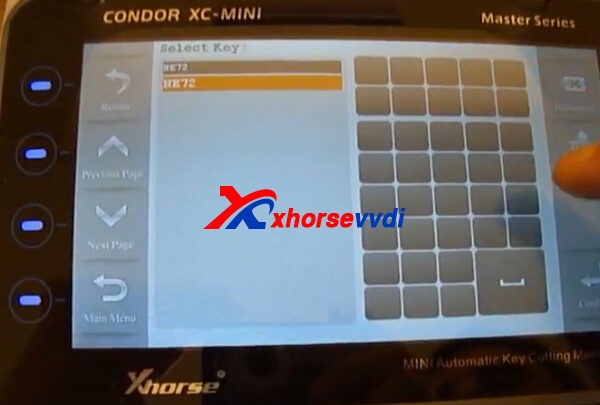
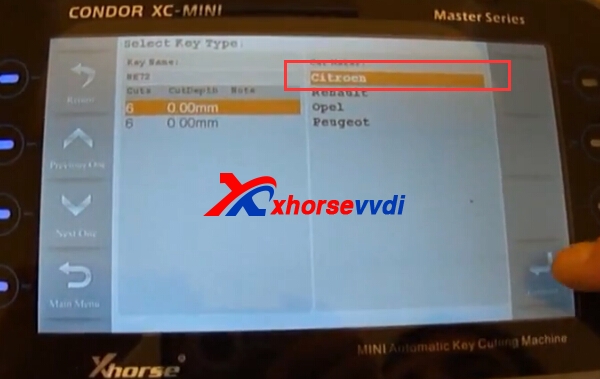
2.Choose NE72 number,then click Citroen car brand.Confirm.
iKeycutter CONDOR XC-MINI
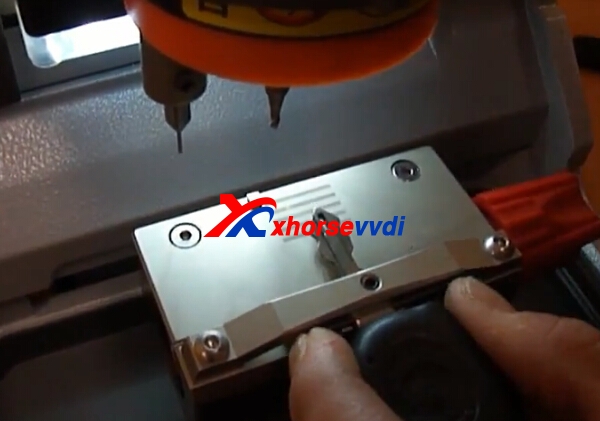
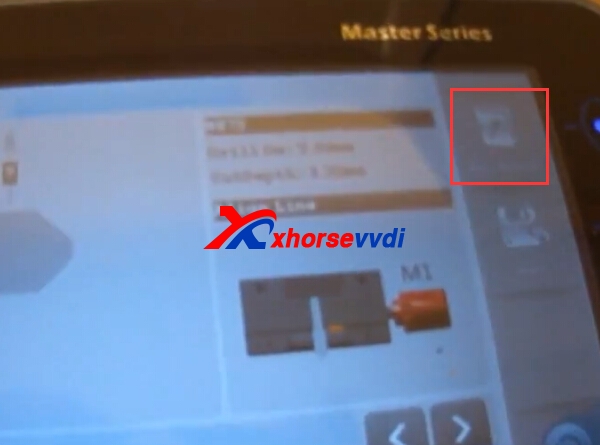
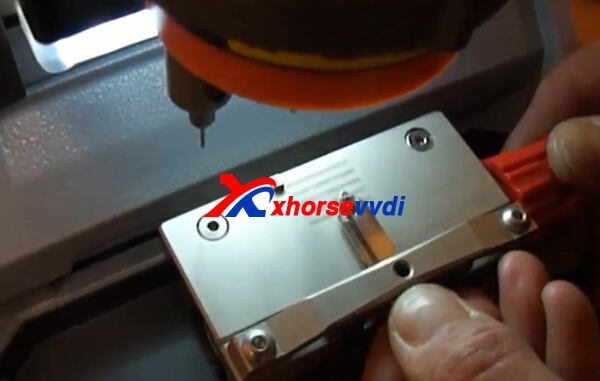
3.It shows M1 fixture.And put original key on the clamp,tighten it,click "key decode".
iKeycutter CONDOR XC-MINI
4.Start decode process.
condor mini  condor key cutting
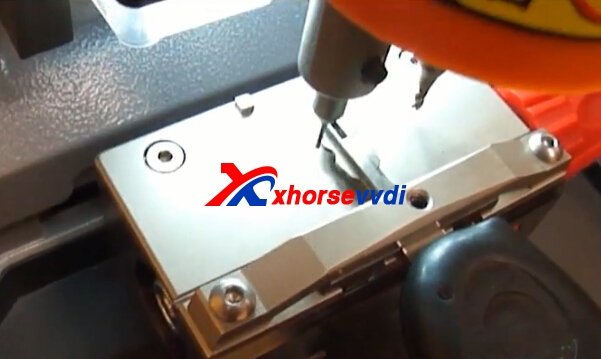
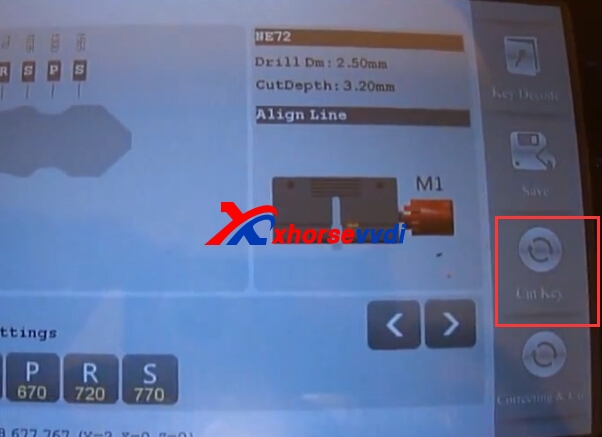
5.After decode process,put new key blade,press "cut key"
condor xc-mini citroen
mini condor
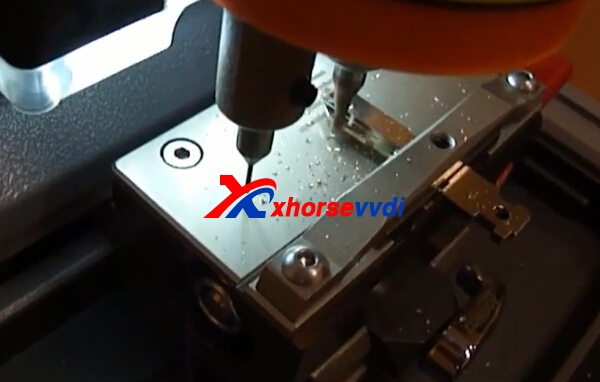
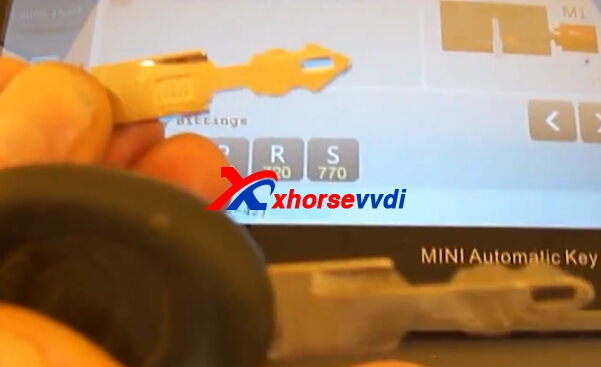
6.Cut key.Successfully.
condor xc-mini condor xc-mini

2017年8月3日星期四

How to use Condor XC-MINI Cut Citroen SIX3 Key with M3 Clamp?

CONDOR XC-MINI Master Series Automatic Key Cutting Machine newest version is V4.0.1.And condor mini package standardly include 2 clamps M1/M2.Here we will introduce how to cut Citroen SIX3 Key with M3 Clamp.Xhorse M3 fixture needs to buy separately.
CONDOR XC-MINI Citroen
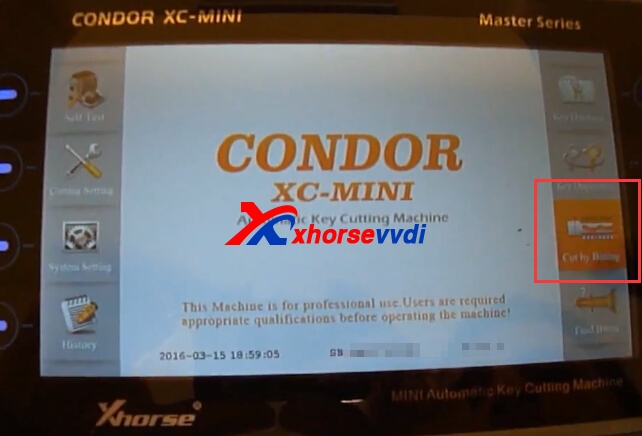
1.Condor XC-MINI power on,choose “Cut by bitting”.
citroen mini condor
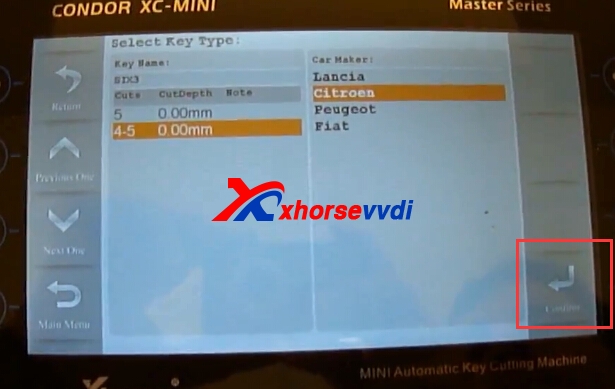
2.Choose SIX3 mode.Then press “Confirm”.
condor xc-mini
3.Choose the detailed Citroen cut depth.Then confirm to continue.
condor xc-mini
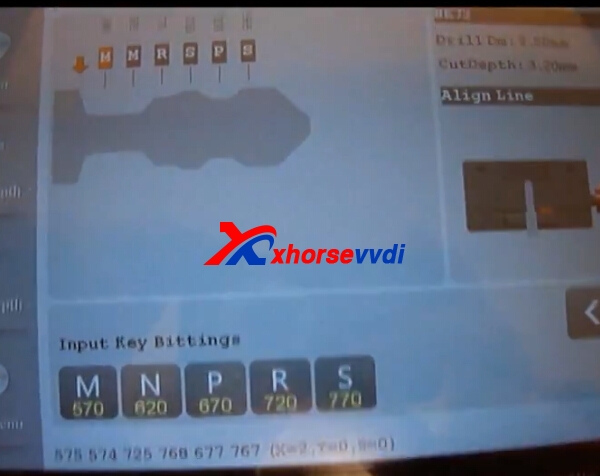
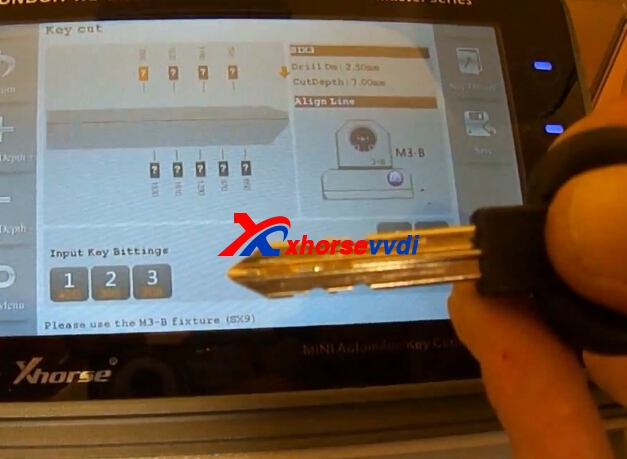
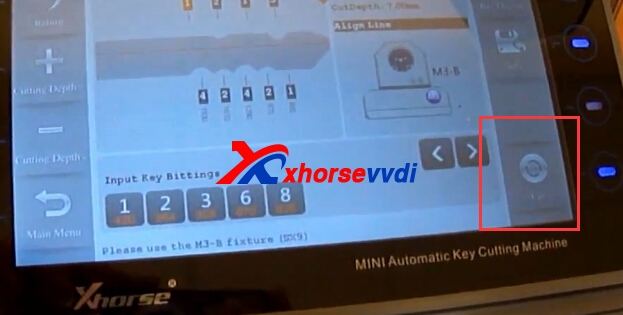
4.It shows use M3 fixture.Please input the key bittings.
CONDOR XC-MINI Citroen
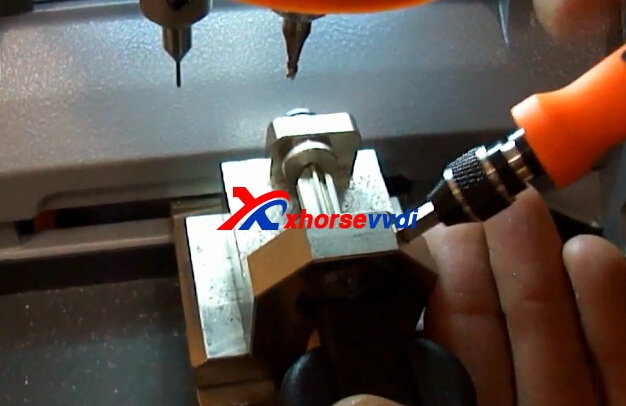
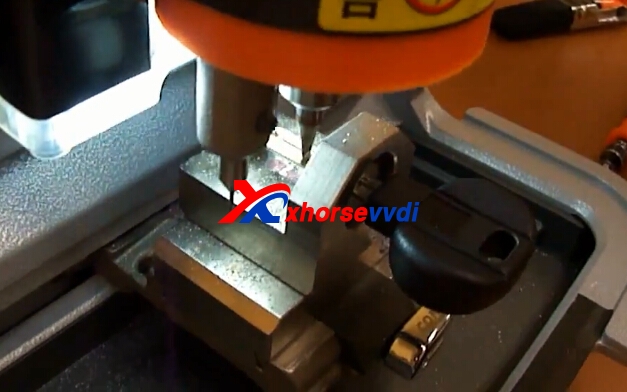
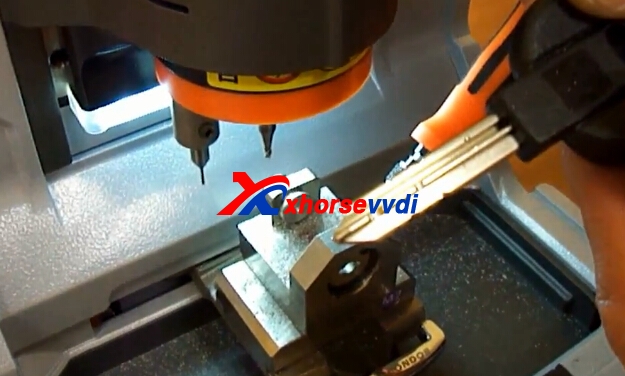
5.Put M3 clamp,and new key blade,tighten it.
xhorse mini condor
6.Click “cut” to start cutting Citroen SIX3 key blade.
condor xc-mini
condor xc-mini
7.One side cut finished,please cut another side.
8.Mini Condor Cutting process finished.
mini condor key cutting

Xhorse VVDI Prog M35080 D80 Adapter V1.0 New Arrival

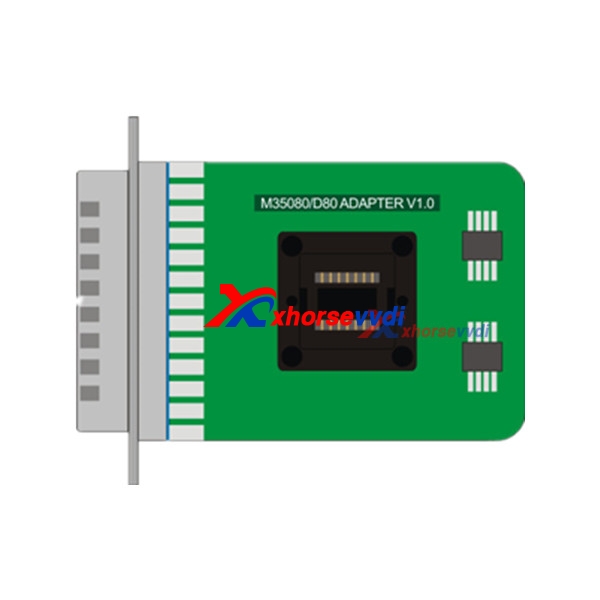
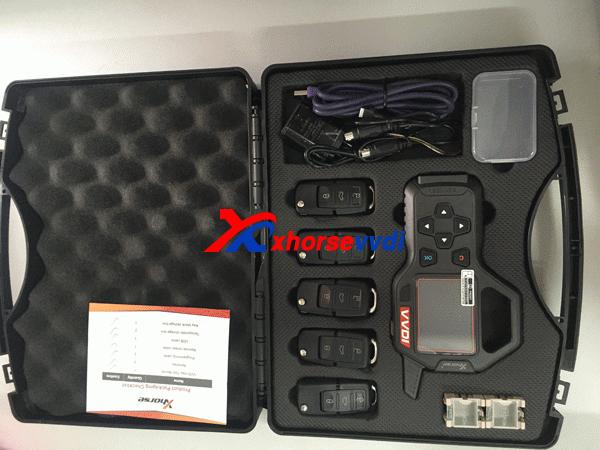
VVDI Prog Programmer newest software is V4.6.0,it adds new function. Meanwhile, Xhorse adds one new M35080/D80 Adapter works with VVDI Prog programmer,it needs to buy separately,will come soon!
vvdi prog m35080/d80 adapter
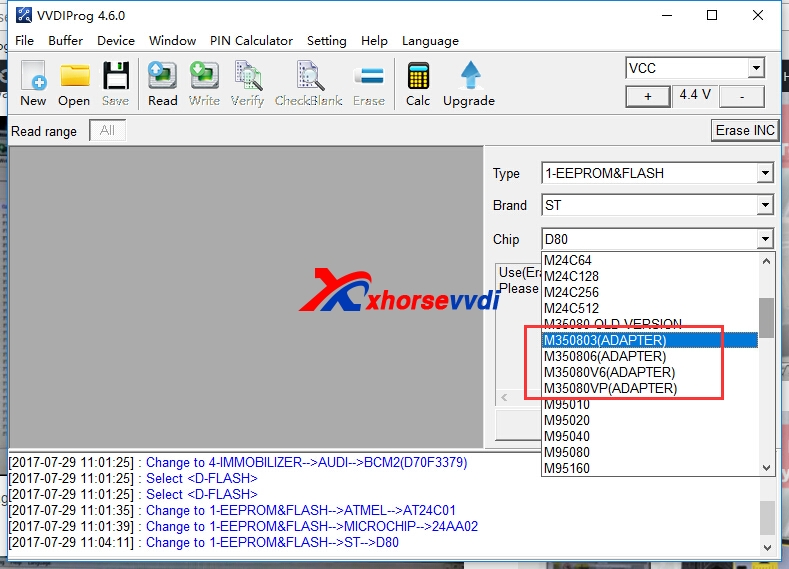
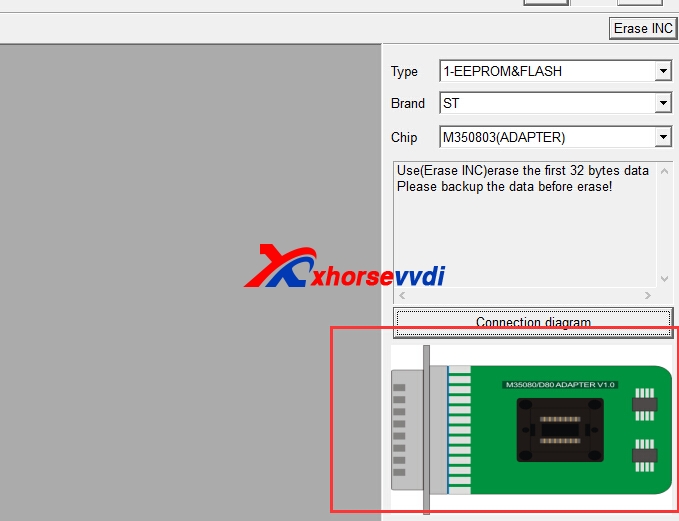
V4.6.0 VVDI Prog update,it adds D80(ADAPTER), D160(ADAPTER), M350803(ADAPTER), M350806(ADAPTER), M35080V6(ADAPTER),M35080VP(ADAPTER) options in <1-EEPROM&FLASH>->(Need M35080/D80 ADAPTER),these needs to work with M35080/D80 Adapter.
You can check the M35080 and D80 type in V4.6.0 VVDI Prog software,it asks for adapter
vvdi prog d80 adaptervvdi prog d80 adapter
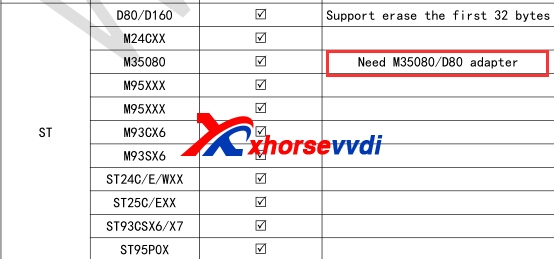
V4.6.0 user manual also display VVDI Prog M35080/D80 Adapter
vvdi prog d80 adapter
If will come in stock soon,if you need,you can leave message with your email,we will inform when it is in stock.Thanks very much.Our Email: sales@xhorsevvdi.com  Skype: xhorsevvdi.com

2017年7月30日星期日

What is difference of VVDI Key Tool ME and US Version?

V2.0.2 VVDI Key Tool update info marks out "This update only for Middle-East, North American, India English version(me,me-en,na,na-en,in,in-en). Other languages will be released on next week".You may be confused what is the difference of various English version?
vvdi key tool
1.What is difference of Xhorse VVDI Key Tool ME and US Version?
If you VVDI Key Tool is not newest version,and it is  Europe, Southeast Asia,Middle-East, North American, India English version,you can use update tool software to get latest version.And if after update,still some not support,it is the present version not support,do not worry,vvdi key tool will keep updating,you can send us feedback.
vvdi key tool
2.How to check VVDI Key Tool language?
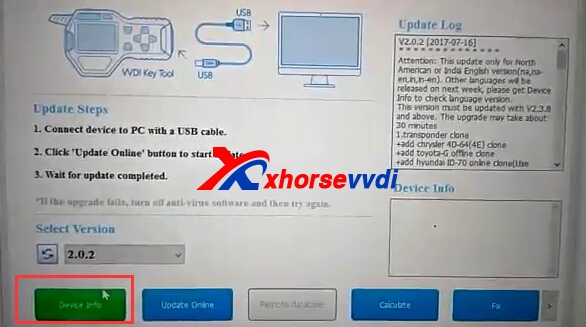
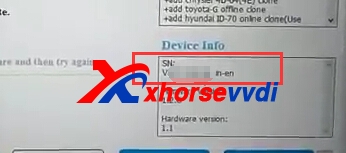
Run VVDI Key Tool V2.3.9 En update tool software,then click "Device Info"

Then it shows the device info,if not (na,na-en,in,in-en) these four,please do not use this update tool software to update your VVDI Key Tool,or it will get error.
vvdi key tool update

2017年7月27日星期四

Comment installer BMW ISTA-P Native pour le câble K + DCAN

Cela a été disponible depuis quelques mois maintenant, mais j'ai pensé que je partagerais l'information ici.
Il est maintenant facile d'avoir ISTA-P et ISTA-D en mode natif sur un ordinateur portable modeste sans plusieurs machines virtuelles.
Bien que légèrement dépassé, le logiciel est maintenant à l'adresse  ISTA-P 3.61.4.002 Je crois que c'est très puissant. J'utilise toujours les outils standard pour la plupart des choses, mais ISTA-D est un excellent outil de diagnostic. L'installation natif peut être mise à jour en remplaçant simplement le dossier ISTAP par une version plus récente. WSM ne sera pas mis à jour évidemment et ISPI NEXT va bientôt prendre en charge de toute façon.
Le meilleur de tous, tous deux fonctionnent avec un K+DCAN cable de 20 $ . Bien que ISTA-P nécessite un émulateur ICOM gratuit.
J'ai testé ceci sur un ordinateur portable RAM de 500gb de 8gb RAM exécutant win7 x64. Les résultats sont très bons. Ne vous inquiétez pas pour l'exigence ISTA-P MOST. En mode expert, vous pouvez sélectionner les modules que vous programmez.
Le téléchargement est via torrent:
Enregistrement d'émulateur ICOM XMLS: 
lien
Lien magnétique pour l'émulateur ICOM: 
aimant: xt = urn: btih408C34EB285E48CB3AB61C1448911 9C836BC50C & dn = BMW% 20ICOM% 20emulateur% 20v3.1% 20Rev% 2 8b% 29 & tr = http% 3a% 2f% 2fbt3.rutracker.org% 2fann% 3fuk% 3dTsC40pcY55 & tr = Http% 3a% 2f% 2fretracker.local% 2fan nounce
Ci-dessous est copié à partir d'un autre forum, je ne prends aucun crédit pour cela, mais contente de répondre aux questions.
Instructions:
Compatible avec l'chinois ICOM A1 et ICOM A2 , ICOM et Emulator doivent être enregistrés
Fonctionne sur XP, Windows 7, Windows 8, Windows 8.1 et Windows 10 
(32 bits / 64 bits)
Remarques:
Débloquez l'archive rar avant d'extraire, c'est-à-dire cliquez avec le bouton droit sur> propriétés> cliquez sur "débloquer". 
Utilisez WinRAR V5 pour extraire. 
Ediabas 7.3 doit être installé 
Désactiver le pare-feu pour éviter de bloquer les problèmes - Ceci n'est pas nécessaire car vous pouvez autoriser l'accès à toutes les demandes de service lorsque le popup apparaît. 
La constante de tension a été ajoutée - pour supprimer ce formulaire Emulateur:
---
Supprimez IFS.ServicesImplementation.dll dans:
\ Apps \ ISTA-P \ Taurus \ ISOM \ bin \
Puis renommez _orig_IFS.ServicesImplementation.dll à IFS.ServicesImplementation.dll
Instructions de base:
*** Installez votre disque dur dans 3 partitions C - D - E ***
C ou D peut être utilisé comme emplacement d'installation principal. 
Si vous choisissez C pour l'installation principale, D et E doivent seulement être des partitions de 2 Go.
1. Placez le dossier "applications" grand dans le répertoire racine du disque C:
C: \ apps
2. Copiez le fichier "WindowCleaner.exe" sur C: \ Windows \ System32 \
3. Copiez le dossier "ISIS" dans C: \ ProgramData \
Remarque: Le dossier ProgramData peut être caché. Si c'est le cas, allez dans les options de dossier dans le panneau de contrôle pour afficher.
4. Copiez le dossier "WorkUser" dans C: \ Users \
5. Copiez les fichiers START-ISTA.exe et STOP-ISTA.exe sur votre ordinateur de bureau
6. Renommez votre carte réseau à "Eth0"
7. Notez l'adresse MAC de votre carte réseau PC et dans le fichier:
D: \ apps \ WSM \ apps \ agent \ data \ DeviceInventory-ISTA_P_53_5_000.xml
Modifiez l'adresse MAC pour correspondre à la vôtre
8. Exécutez "Setup.exe" en tant qu'administrateur (désactivez également votre pare-feu / désactivez temporairement l'antivirus)
9. Redémarrez votre ordinateur
Remarques:
Enregistrez votre ICOM si nécessaire (ICOM A1 clone est déjà configuré).
Commencez l'utilisation de l'icône ISTA sur le bureau.
** VOUS UTILISEZ "STOP-ISTA.EXE" après la fermeture de l'application.
Comment exécuter ISTAP native avec K+DCAN interface aide de BMW ICOM:
  1. Désactiver le pare-feu. 
    2. Retirer la tension constante. 
    3. Extrayez et copiez les fichiers xml de l'émulateur ICOM vers: *: \ apps \ wsm \ apps \ agent \ data \
    4. Dans l'éditeur de réseau VMware, assurez-vous que "VMnet0" est défini sur "ponté" et que votre carte réseau LAN est sélectionnée dans le menu déroulant.
    5. Dans l'éditeur de réseau VMware, ajoutez un nouveau réseau appelé "VMnet3" et configurez-le comme indiqué dans l'image ci-dessous:
    Remarque: Cliquez sur "appliquer" et "ok" et fermez VMware.
    6. Ouvrez VMware à nouveau et démarrez l'émulateur à l'aide de l'instantané k + dcan. Une fois chargé, accédez aux paramètres vm et changez l'adaptateur réseau 1 à "VMnet3 (hôte uniquement)". Cliquez sur "ok" puis attendez 30 secondes pour que le réseau puisse réinitialiser.
    Note: vous pouvez maintenant créer un nouvel instantané si vous le souhaitez.
    7. Connectez le câble K + DCAN à l'émulateur et à la voiture et exécutez "ifhsrv32" à l'aide de l'icône sur le bureau émulateur.
    Note: assurez-vous que k + dcan cable usb icon est actif dans la vm.
    8. Démarrez ISTAP native, démarrez une session et choisissez "émulateur ICOM" dans l'écran du gestionnaire de connexion.
    Note: si tout va bien, la led de votre câble devrait commencer à clignoter après une minute ou deux. Sinon, vérifiez les paramètres de l'émulateur (c.-à-d. Com9, temporisation de latence réglée sur 1, etc.).

2017年7月26日星期三

How to use VVDI MB BGA to add W246 BGA (79) key?

VVDI MB BGA Tool newest version is updated to V1.2.7,newly add lost all key W216, W164 2009-.And XhorseVVDI.com will show example of W246 EIS with BGA (79) keys, add new key via OBD with VVDI MB BGA Tool.
1. Insert working key to device IR reader, Press “Identification key”, check working key version.
If key with BE version, you can read password via IR.If key with v51, v57 version, you can read password via NEC adaptor, or you can use password calculation
Here key version is 79, belong to BGA key. We use password calculation for key password.
vvdi mb w264
2. Connect device OBD line to car. Select OBD mode, chassis select AutoDetect (CAN)
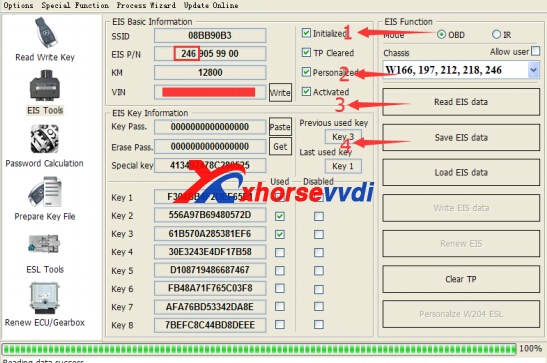
Press Read EIS data. Chassis will turn to specify item after success read.Follow steps 1->2->3->4 in picture and save EIS data. It will save 2 files, VVDI-MB type and HC05 type. There’s default file name when save EIS data. You’d better keep it.
vvdi benz
3. Enter Password Calculation, calculate key password
Select OBD mode, chassis select W166, 197, 212, 218, 246. Press Data Acquisition.
Insert “working key” to “EIS” before press OK; only insert working key to EIS, don’t switch ignition ON
Waiting 15 seconds .Insert “working key” to “Device IR Reader” before press OK; take off working key from EIS and insert to device IR Reader, then press OK
Data acquisition progress, just wait it finish. The left time will show on the bottom
After 100%, Insert “working key” to “EIS” before press OK; only insert working key to EIS, don’t switch ignition ON
Insert “working key” to “Device IR Reader” before press OK; take off working key from EIS and insert to device IR Reader, then press OK
After save acquisition data you will get next window. Please keep the default file name when save acquisition data
Press Upload Data to upload saved acquisition data to server
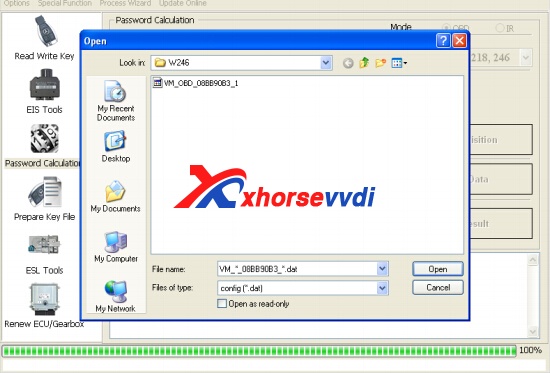
vvdi-mb-w264-3
After calculate success, key password will display at key password area automatically, press “Copy” copy the password to clipboard
4. Save EIS data with password: Enter EIS Tools again >> Read EIS data >>Use “Paste” paste the password to key password area >>Then save EIS data again >>Steps: 1->2->3
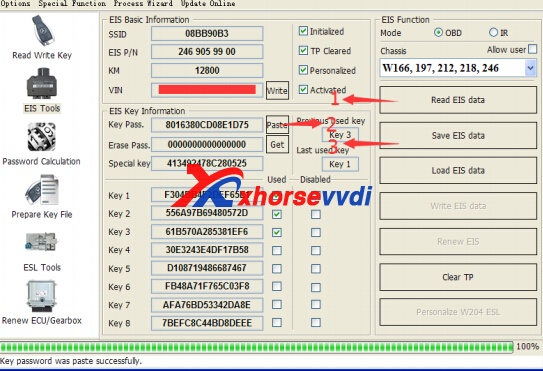
vvdi-mb-w264-4
5. Enter Prepare Key File
Press Load EIS file load EIS data with password .The file path will be shown at bottom.VVDI-MB TOOL will auto detect load file type, here is VVDI-MB type.SSID and key password was shown.
Select key position and format for key file, Press Prepare Key File (online).After server find success, select where you want to save the key file, press save directly.
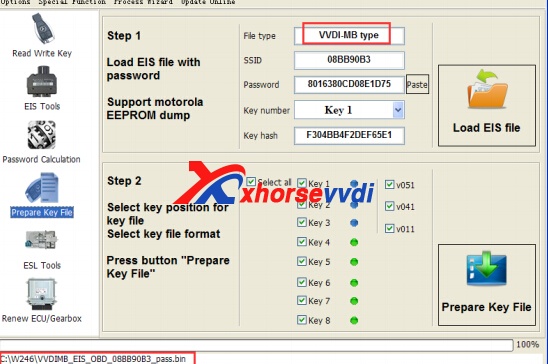
vvdi-mb-w264-5
6. Enter Read Write Key. If you want Keyless Go, please select NEC adaptor
We make a BE key. Input BE key to device IR reader, select IR mode and BE key.Press Identification key .Load Key file, we load key 4 .Press Write.Steps:1->2->3->4->5
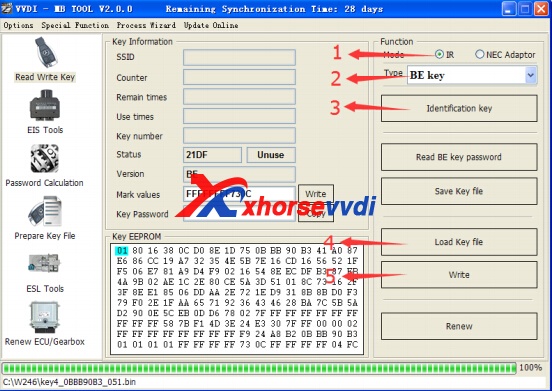
vvdi-mb-w264-6
Press Identification key again after write key file. You can see key is prepared success
7. Insert new key to EIS, the EIS will learn the new key
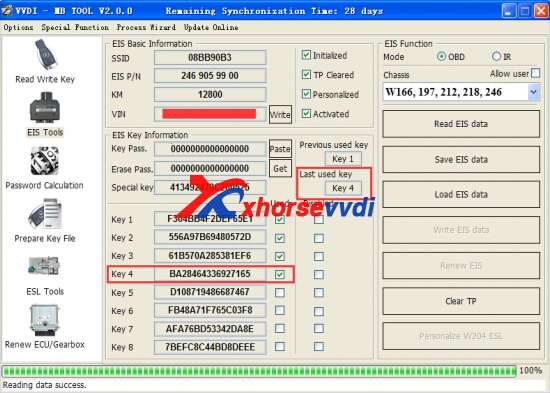
First the red light will ON , then OFF, means key learn success .Read EIS data once more, you can find key 4 was selected.
vvdi-mb-w264-7
8.Finish.