显示标签为“VVDI2 Programmer”的博文。显示所有博文

2019年2月22日星期五

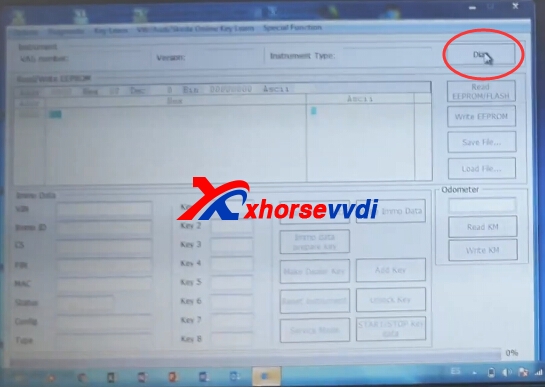
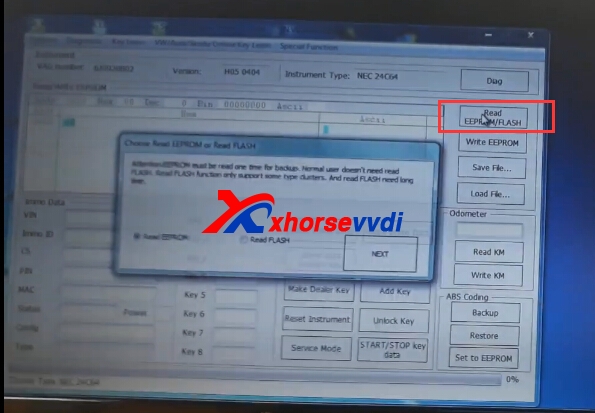
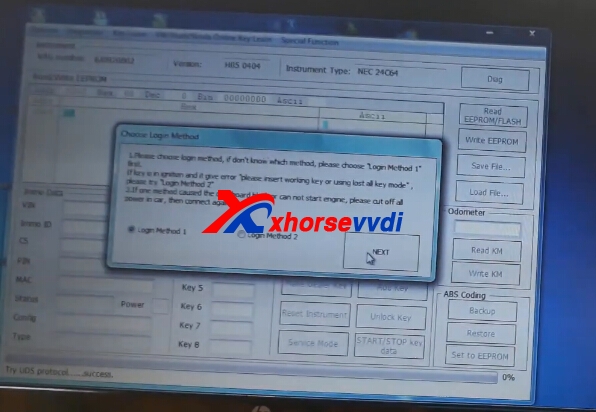
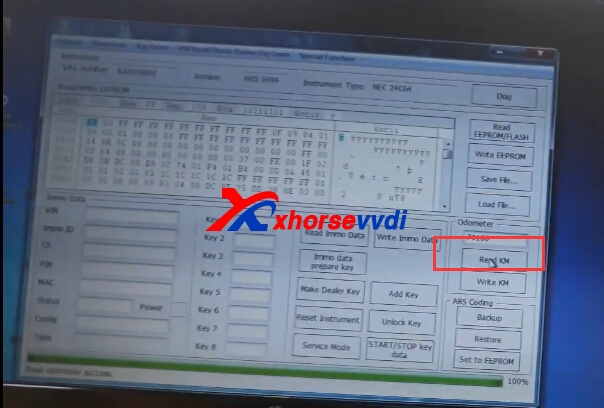
VVDI2 Key Programmer Seat NEC24C64 KM Change OK

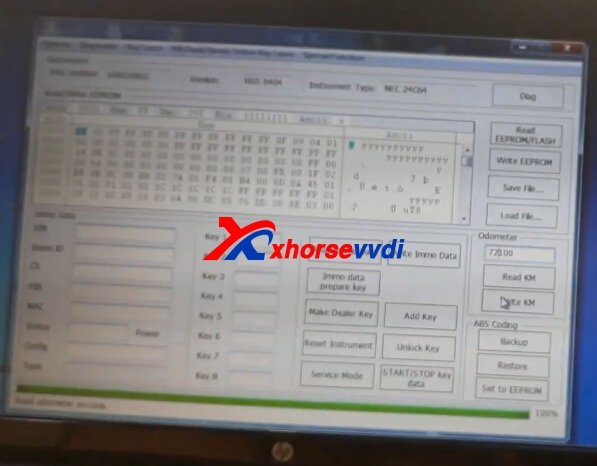
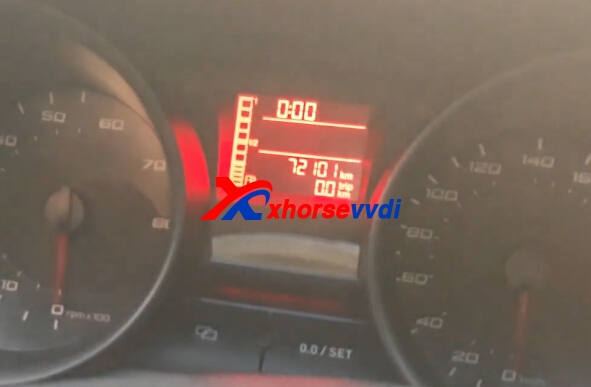
VVDI2 change turan 2015 read immo data km sucessfully. And seat NEC24C64 intrument km change OK too.
vvdi2 seat
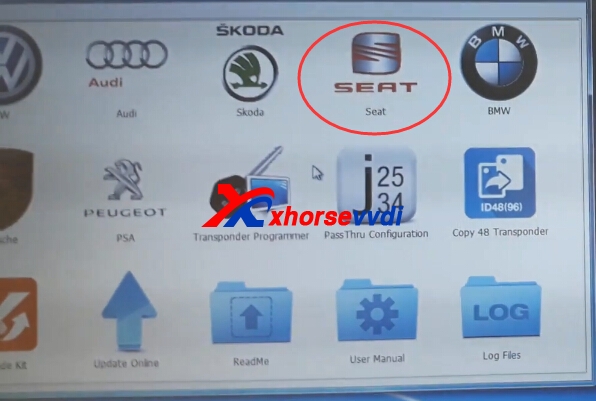
1.Start Xhorse VVDI2 seat software

2.Connect VVDI2 with your car and computer.Then click diag.
vvdi2 seat
3.Diag OK,try read eeprom function.
vvdi2 km change
vvdi2 km change
4.Click Read KM.
vvdi2 km change
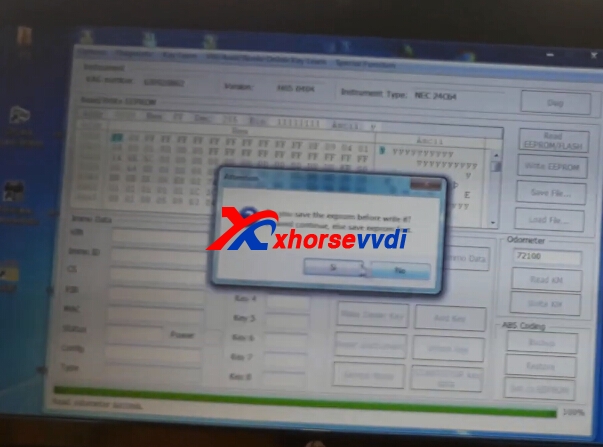
5.Input the new key,click write KM.
vvdi2 km change
6.Click OK to continue.Then click reset instrument.
vvdi2 km change
7.Finish.
vvdi2 km change

2018年11月28日星期三

How to use VVDI2 Program BMW E60 2005 CAS2 Remote Key

VVDI2 can support BMW CAS1-3 via OBD way,and here we will display BMW E60 2005 CAS2,BMW E60 key is with 315 mhz.VVDI2 full is on promotion,contact us to get sale price!Or if you only VVDI2 BMW,you can choose VVDI2 BMW one.
vvdi2 bmw
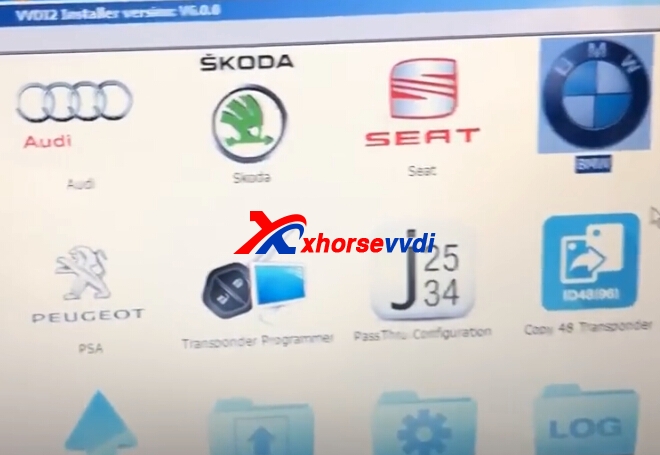
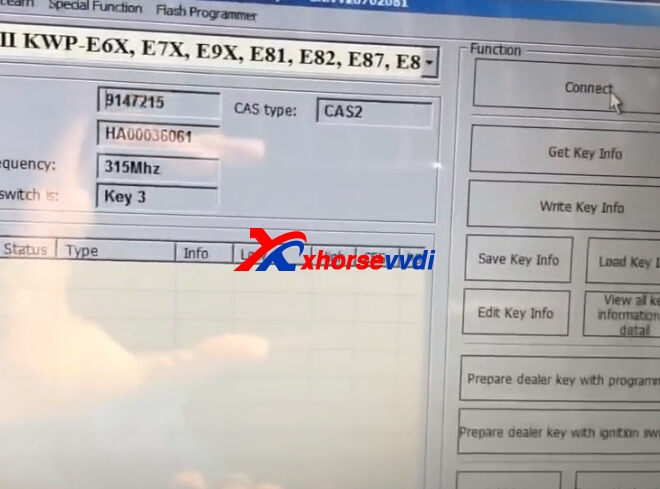
1.Start VVDI2 BMW software,click connect,insert original key to car,and switch one.
vvdi2 bmw vvdi2 bmw
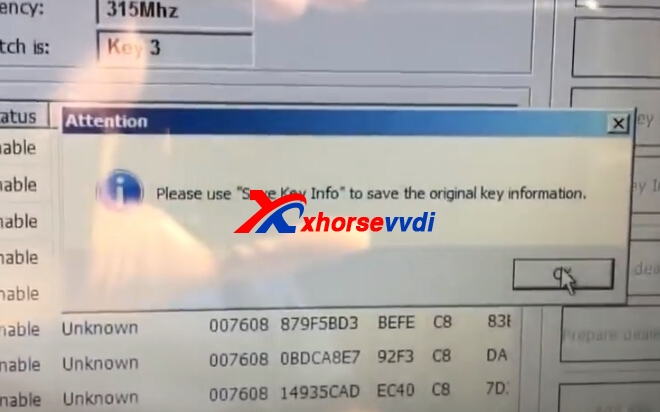
2.Press get key info.

Choose method.

3.Press next to continue.
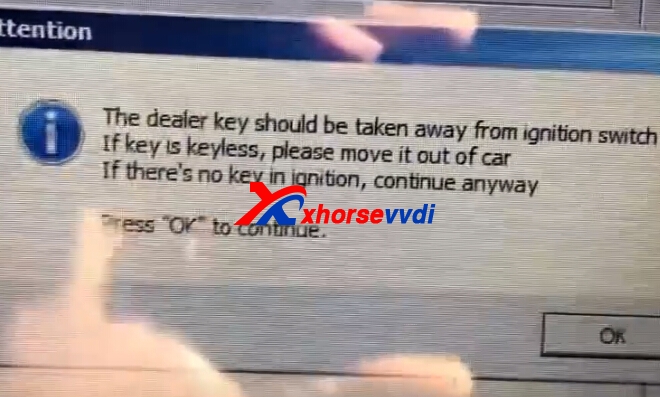
Take away the original key from ignition ,press OK.

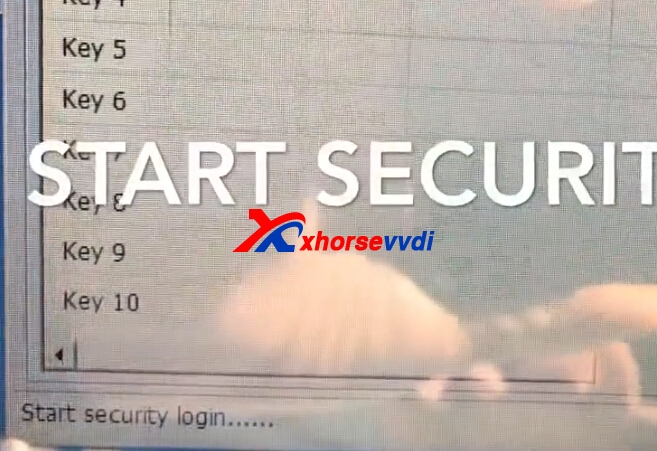
4.Start security login.Read data success.
vvdi2 bmw cas2
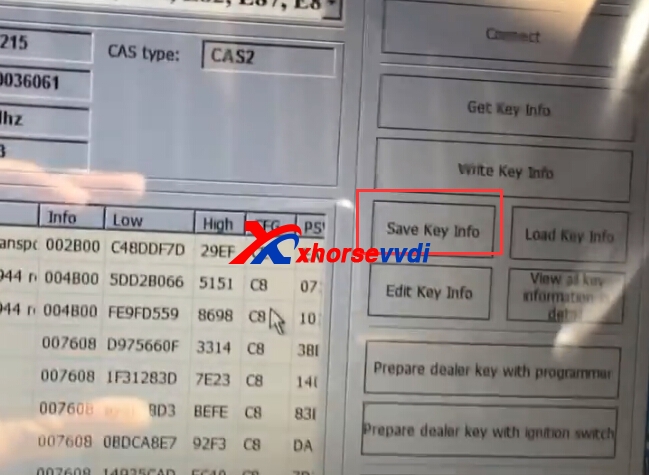
5.Save key file.
vvdi2 bmw cas2
vvdi2 bmw cas2
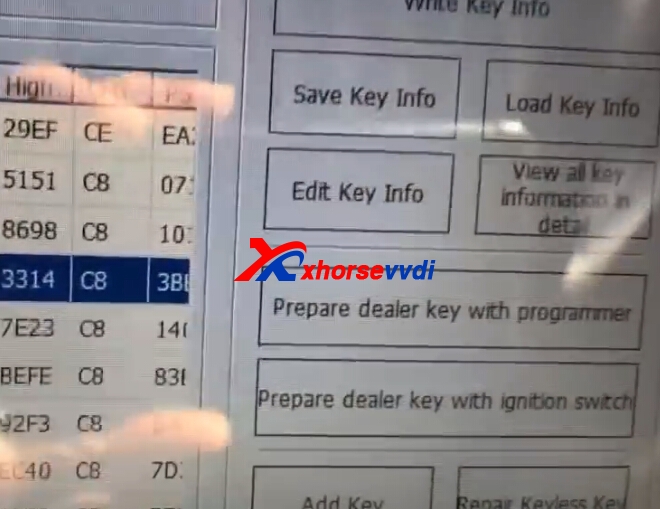
6.Choose key number,and click prepare dealer key with programmer.
vvdi2 bmw cas2
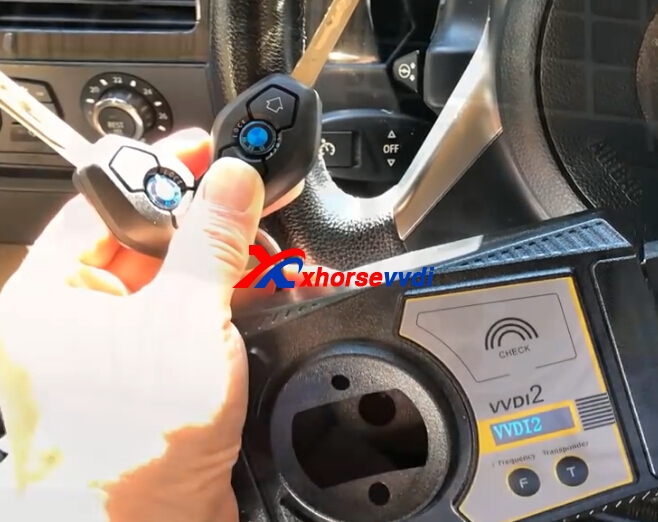
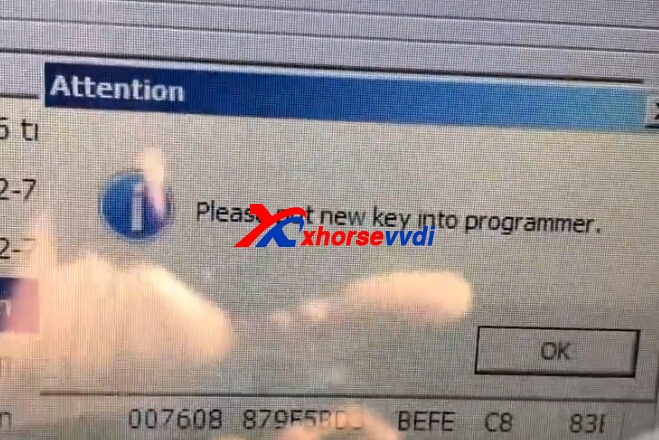
7.Put new key into VVDI2 programmer.Press OK.
vvdi2 bmw cas2
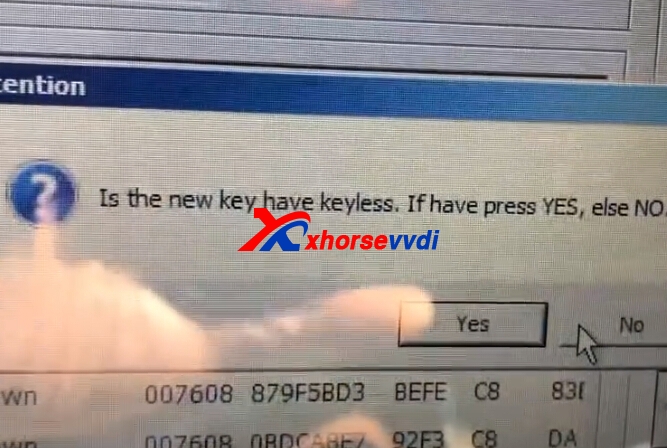
8.Choose keylessgo or not.New key is without,press NO.
vvdi2 bmw cas2
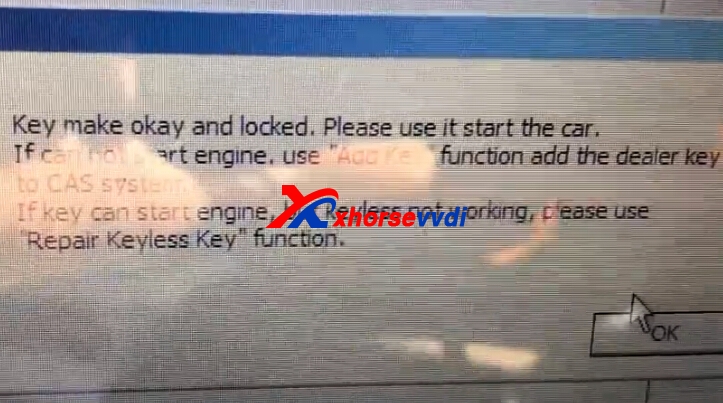
9.Key make OK and locked,try to start engine.
vvdi2 bmw cas2
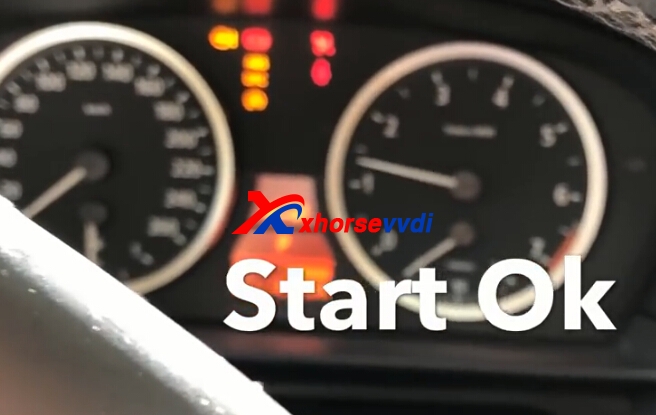
10.Test key.
vvdi2 bmw cas2 Original:How to use VVDI2 Program BMW E60 2005 CAS2 Remote Key

2017年12月13日星期三

Tango or Xhorse VVDI2 or VVDI PRO

Part 1: Tango Pros and Xhorse VVDI2 Pros
Tango Pros:
  1. If you are going to make keys from dump and readingwith a programmer buy tango.
  2. Tango good support and more features.
  3. Most makes/models have guides with pics
  4. Many makers are free with standard tool and you can just add when you need
Xhorse VVDI2 Pros:
  1. If you are looking to make keys over OBD buy VVDI2 is a good tool for BMW CAS/MB EZS.
    If you buy VVDI2 I also recommend complement with VVDI programmer.
So, what about buy both original Tango and Xhorse VVDI2?
Of course you can, but there are a lot of cars that you will need to remove BCM's, immo's...etc because vvdi2 and tango makes keys from dunmp except vvdi2 makes bmw and vag over obd2. skp900 and obdstar make keys via obd2  and  don't work on fiat, opel, renault and some few brands.
Part 2: VVDI 2 VS VVDI PRO
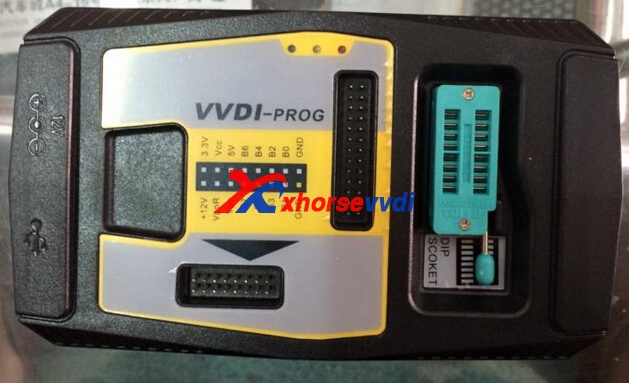
VVDI Pro is used for Chip bottom communication, read erase write eeprom flash data. VVDI2 is for OBD key programming, KM reset and repair and more functions. Better refer to the user manual.
Newest VVDI PRO V4.6.5 free download (with user manual)
https://mega.nz/#!DpJRGZJC!3jrjbFDLpiOB-IgO5wCna8Nzt6A3twmh9oJgMMmc6U8
VVDI 2 V4.8.0 free download (with user manual)
https://mega.nz/#!ugBDgIRS!MagooB4Th7oysyK4FVkphMahlFLCngZwKRzjpQeJhaI
www.xhorsevvdi.com
Original:Tango or Xhorse VVDI2 or VVDI PRO

2017年6月1日星期四

How to use VVDI2 Read Audi EZS EEPROM(J518) via OBD?

VVDI2 commander Programmer is professional key programmer,especially for BMW,VAG car models.VVDI2 newest version V4.2.1 add Audi A6L, A7, A8L, Touareg lost all key function.
Here we will introduce some simple steps about Xhorse VVDI2 Key Programmer Read Audi EZS EEPROM(J518) and Read VIN via OBD.
vvdi2
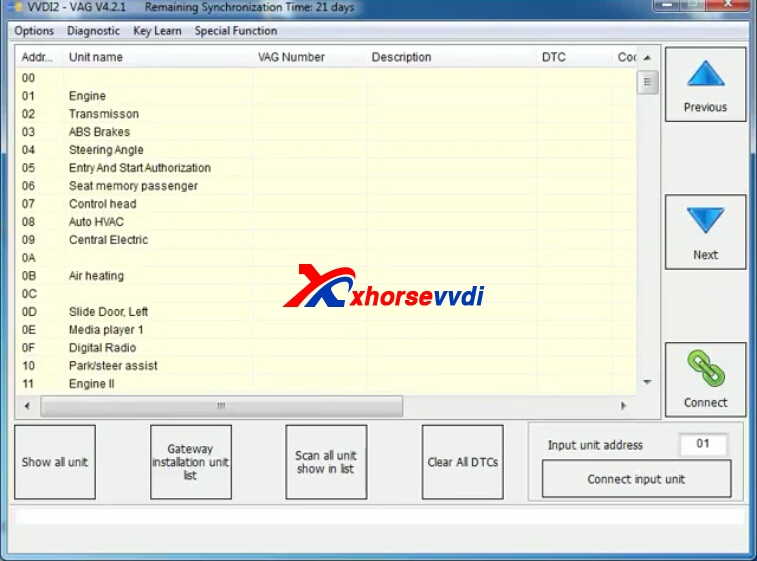
1.Run VVDI2 VAG software,or Run VVDI2 Quick Start,then Choose VW icon.
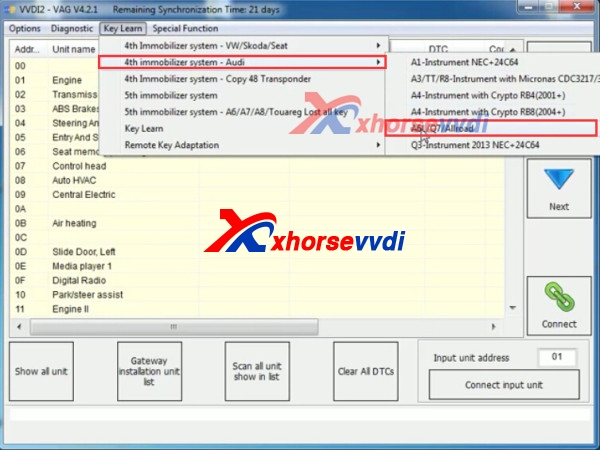
2.Choose "Key Learn">>"4th IMMO System">>"A6L/Q7/Allroad"
vvdi2 audi
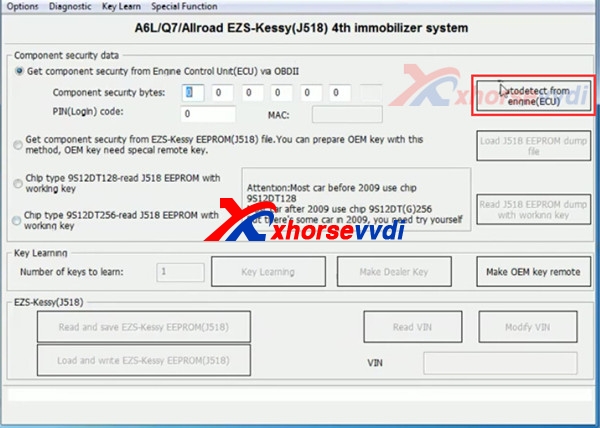
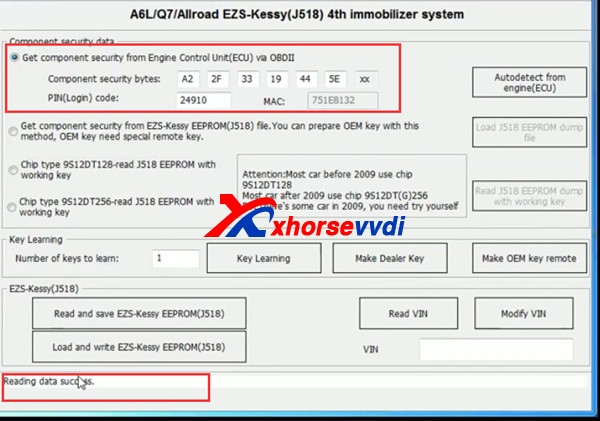
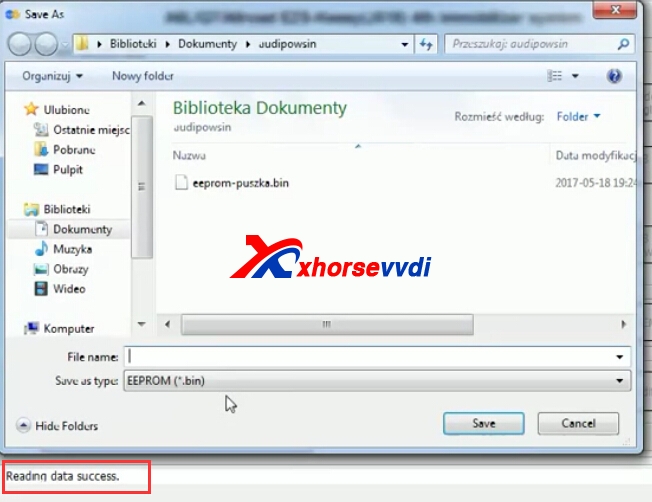
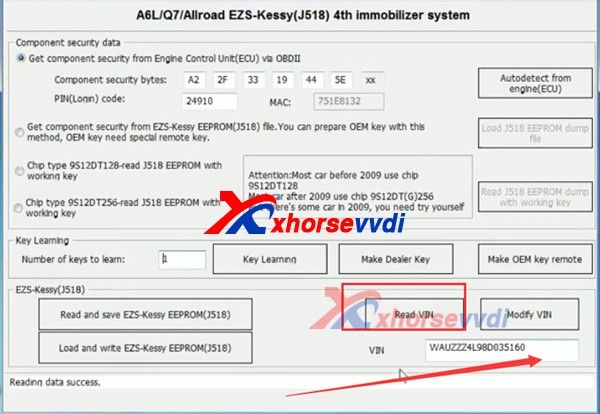
3.Click "Autodetect From ECU(Engine)".Then reading data.
vvdi2 read audi ezs
Read data success.
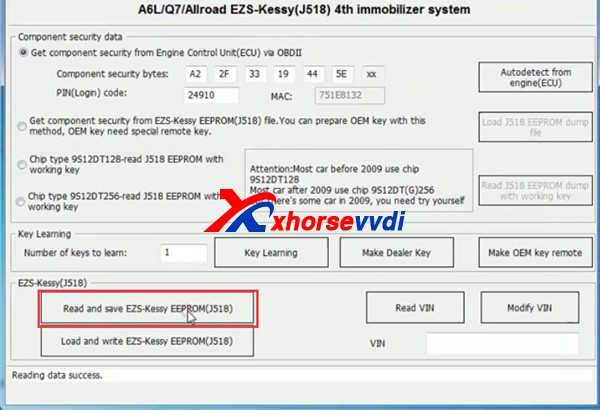
4.Click "Read and save EZS-Kessy EEPROM(J518)".
VVDI2
5.Read successfully and save data.
vvdi2 audi
6.You can also read VIN.

www.xhorsevvdi.com all rights reserved, Original Article url:How to use VVDI2 Read Audi EZS EEPROM(J518) via OBD?

2017年5月17日星期三

How to use VVDI2 Programmer on 2016 New VW All Key Lost

VVDI2 key programmer V1.2.6 supports copy 48 transponder, without binding condor(Menu->Key Learn->4th Immobilizer system – Copy 48 Transponder).And here we will display some details about 2016 New VW All Key Lost with VVDI2 Commander.
For VVDI2,you can check VVDI2 full version or VVDI2 Vag to do VW-VAG group car models,VVDI2 VAG will be much more economical for VAG cars’ customers.
vvdi2-vw-6
Procedure 12:
Johnson Controls with 95320-UDS
Generally,this type instrument use 95320 EEPROM. There are two methods NEC+95320(Johnson Controls),NEC+95320(JCI 2013 Bora/Jetta)
There’s special procedure prepare dealer key:Menu>>Key Learn>>4th immobilizer system-VW/Skoda/Seat choose specific type accord to car.
Lost all key-OBD prepare key:
This function will read PIN/CS from ecu(or input pinc/cs)and prepare dealer key.The dealer key can learn to car.After run this function,it changed 6 bytes of all 12 bytes cs in immoblizer system,so the old key can’t be used any more,and don’t accept any key come from dealer.
vvdi2 vw vvdi2-vw-4 vvdi2-vw-5

2017年5月16日星期二

VVDI2 and VVDI Prog to Program BMW 745 2011 Key

VVDI2 Commander plus VVDI Prog Programmer can support to BMW CAS4 5M48H. Here is some details about VVDI2 and VVDI Prog to Program BMW 745 2011 Key.This process will includes VVDI Prog to read BMW 5M48H data and Xhorse VVDI2 Write Key.
vvdi2 and vvdi prog
1.VVDI Prog to read BMW 5M48H
BMW 5M48H Photo:
vvdi-prog-bmw-1
vvdi prog
VVDI Prog software,choose BMW-CAS4 5M48H Backup.
vvdi prog
Click “Connection Diagram”,and according to the diagram,please do:Remove these components,soldering back after all operation completed.
Use the MC9S12 Reflash Cable connect and do the soldering.
vvdi-prog-bmw-4
Click read to read the data.Then save it.
2.VVDI2 Write Key
Start VVDI2 software,choose BMW brand.Clcik “Key Learn”>”File Make Key”
vvdi2 bmw
Select CAS4(5M48H),click “Load EERPOM dumo file”
vvdi2-bmw-program-new-key-2
Click KeyID7,then click “make dealer key”.Input new key to programmer then continue.Finish.
vvdi2

www.xhorsevvdi.com all rights reserved, Original Article url:VVDI2 and VVDI Prog to Program BMW 745 2011 Key

2017年5月4日星期四

VVDI2 and VVDI Prog Work on BMW CAS4+ All Key Lost

Xhorse VVDI2 Key Programmer can do BMW CAS1-CAS4+,but for some CAS,needs use VVDI Prog to read eeprom data,then use VVDI2 to program keys.Here we will display VVDI2 and Xhorse VVDI Prog Work on BMW CAS4+ All Key Lost.
vvdi prog
1.Use VVDI Prog to read CAD4+ data.
Please Note:If you bought VVDI2 BMW,for BMW CAS4,CAS4+,you need to purchase BMW CAS4 authorization,it does not includes in SV86-D VVDI2 BMW.
1.1.Remove the CAS4+ and ECU.
1.2.Take out the circuit board from CAS4+.
1.3.Start VVDI Prog software and choose related ECU type,check wiring diagram to connect the cables with circuit board.
1.4.Remove 4 components on CAS4 (solder them when finish operation ) and begin wiring connectors.
vvdi prog cas4+
1.5.Read out the data and save it.
2.Read BMW ECU.
2.1.Check wiring diagram to connect the cables with ECU.
2.2.Point the boot. Point contact and press it for a while.
2.3.Go to the software and select EEPROM.Then read the data,and save the ECU data.
3.Write key with VVDI 2
3.1.Begin to write the key.
3.2.Insert the new key in VVDI2.
3.3.Start VVDI2 software, Quick Start,choose BMW software.
3.4.Select File Make Key>>5M48H,then click OK.
3.5.Load the data, select the folder 000000000.First load BMW CAS4+ data. Click to open.Select Key3 and click Generate Dealer Key.
3.6.Click I have the engine data, click Next to load it, and click Next.
3.7.Load the ECU data, baoma 525ecu.bin, and click Open.You will prompt that it will take 30 seconds. Click OK.
3.8.It is generating a key. Wait! Write key success.
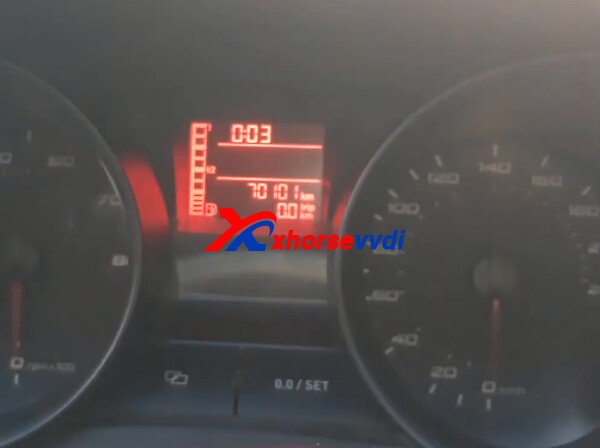
www.xhorsevvdi.com all rights reserved, Original Article url:VVDI2 and VVDI Prog Work on BMW CAS4+ All Key Lost

2017年4月20日星期四

How to use VVDI2 and VVDI Prog to Program Porsche Paramera Key?

VVDI2 Porsche software can support Key Learn,diagnostic,and special function.Xhorse VVDI display to use VVDI Prog and Xhorse VVDI2 Program Porsche Paramera new key.
It will be three main steps to program new keys for Porsche Paramer: Read BCM Data, Program a deal key, Write a new key.

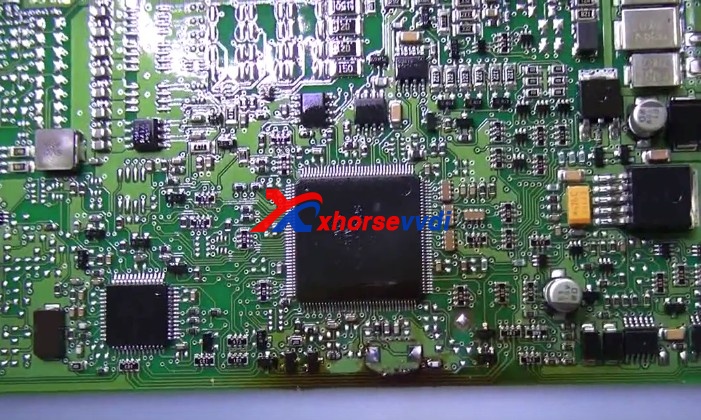
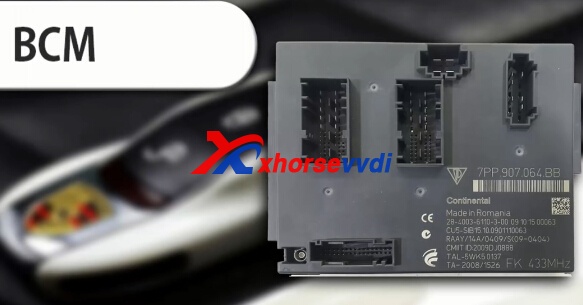
1.Here is the Porsche BCM Photo
vvdi2 prosche

2.Use VVDI Prog to read Porsche BCM.
porsche-bcm-1
vvdi prog porsche

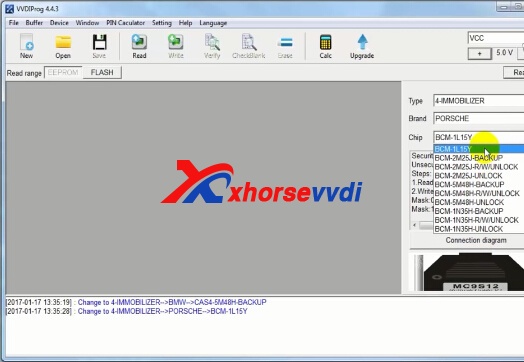
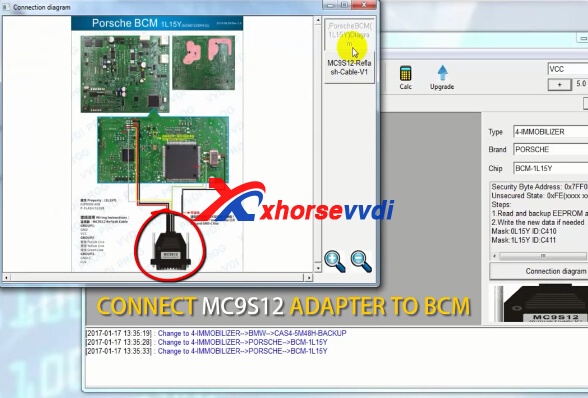
Start VVDI Prog software, and choose type: 4-immobilizer, brand: porsche, type: BCM-1L15Y
vvdi prog porsche

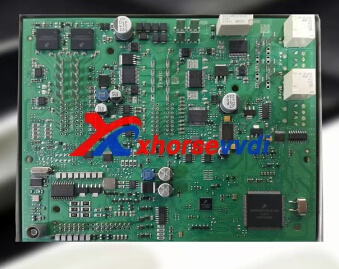
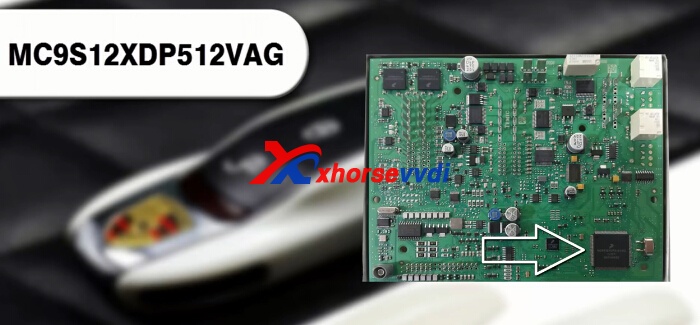
Click Connection diagram,check the photo and connect MC9S12 adapter to the BCM
vvdi prog porsche
Remove the component and solder back after the operation is completed.
vvdi prog porseche bcm
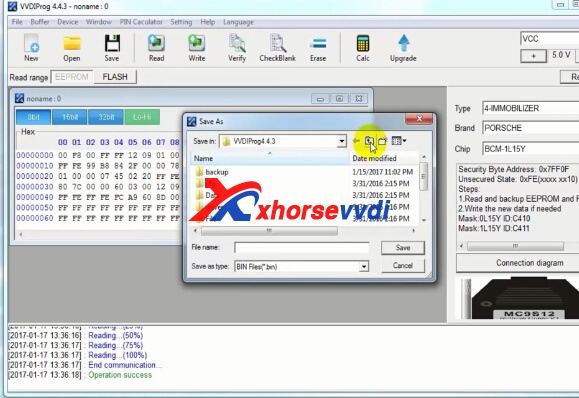
Click Read on the VVDI Prog software,after read out the data,click save.
vvdi-prog-porsche-bcm-4
3.Open VVDI2 Quick Tool icon on the desktop.Choose Porsche software.
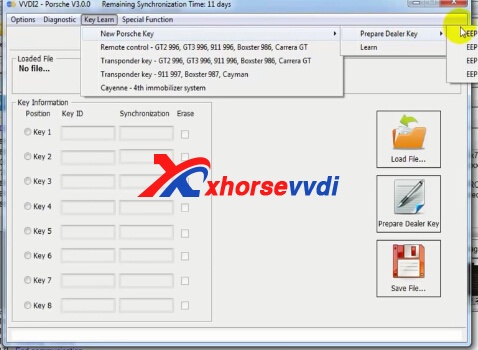
Choose "Key Learn-> new porsche key->prepare dealer key-> EEPROM 01L15Y"
vvdi2 porsche 2010
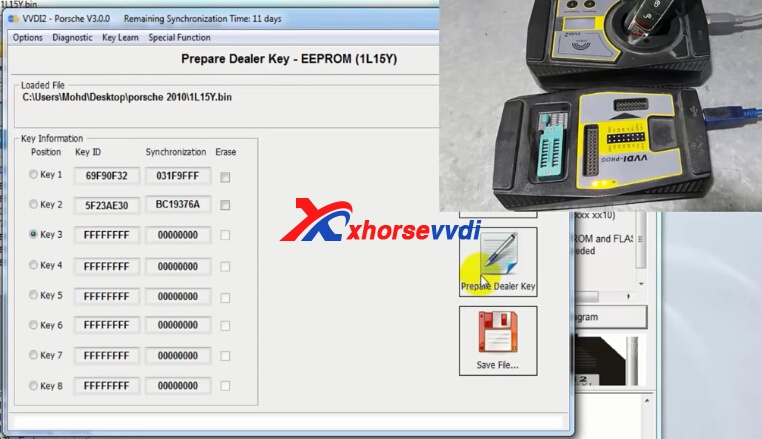
Click "Load File",load the file you have saved from VVDI Prog.
vvdi2-porseche-program-new-key-3
Then choose key 3.And click Prepare dealer key.
vvdi-prog-porsche-bcm-5
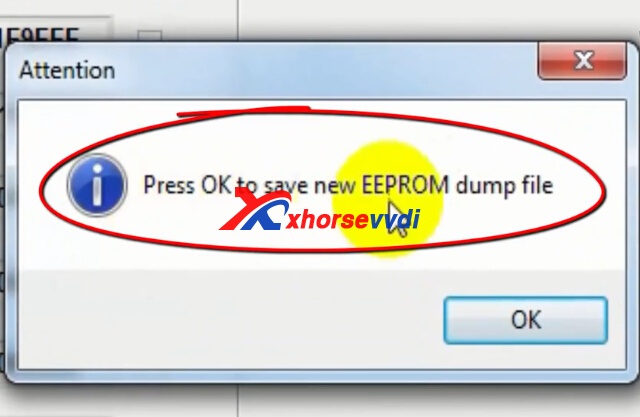
Save the new EEPROM dump file,click OK.
vvdi2-porseche-program-new-key-5
Add dealer key successfully! Please learn the new dealer key via OBDII or flash the new file to the car. If you want to add a new key, please use the new save file!
3.Write new key with VVDI Prog.
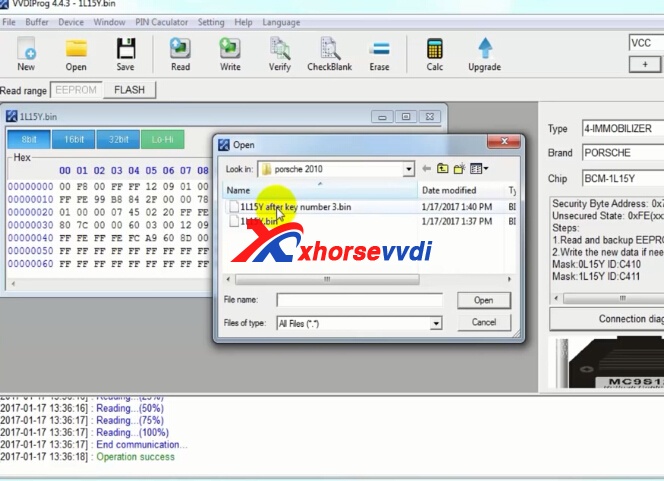
Close the VVDI2 software, back to VVDI Prog software again.And open new bin file you saved from VVDI2.
vvdi prog porsche
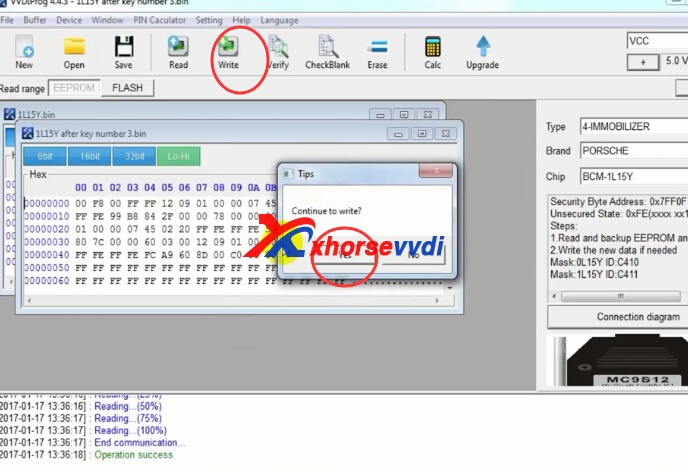
Then click "Write"
vvdi-prog-porsche-bcm-7
Operate finish.