显示标签为“vvdi2”的博文。显示所有博文

2019年2月22日星期五

VVDI2 Key Programmer Seat NEC24C64 KM Change OK

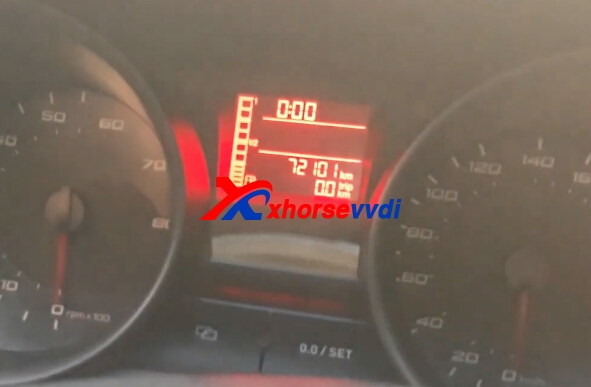
VVDI2 change turan 2015 read immo data km sucessfully. And seat NEC24C64 intrument km change OK too.
vvdi2 seat
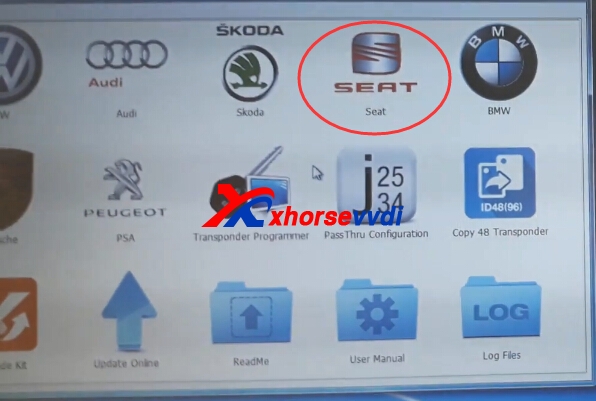
1.Start Xhorse VVDI2 seat software

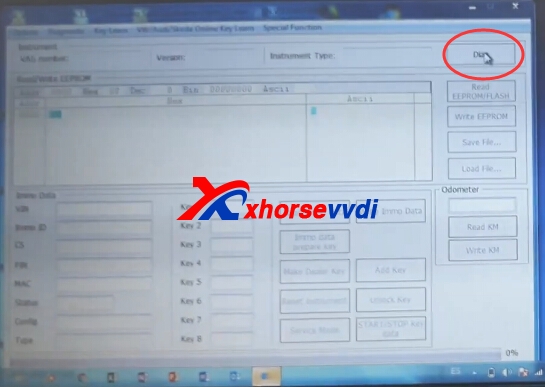
2.Connect VVDI2 with your car and computer.Then click diag.
vvdi2 seat
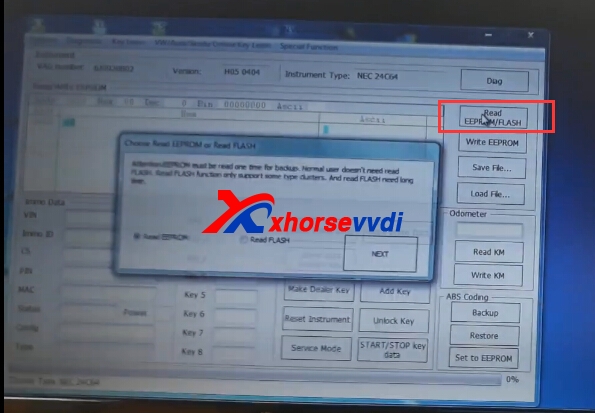
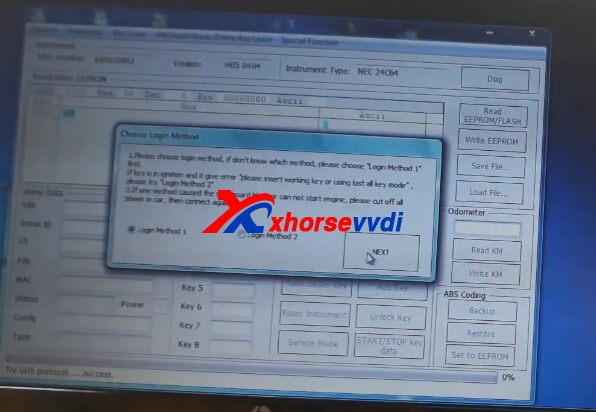
3.Diag OK,try read eeprom function.
vvdi2 km change
vvdi2 km change
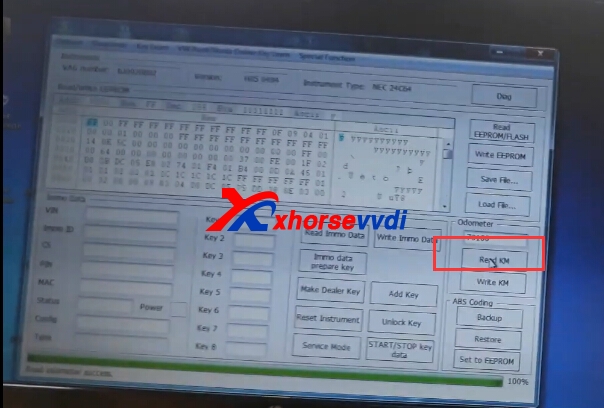
4.Click Read KM.
vvdi2 km change
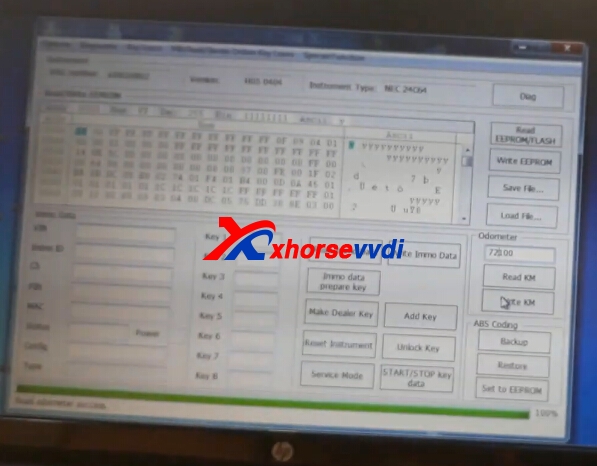
5.Input the new key,click write KM.
vvdi2 km change
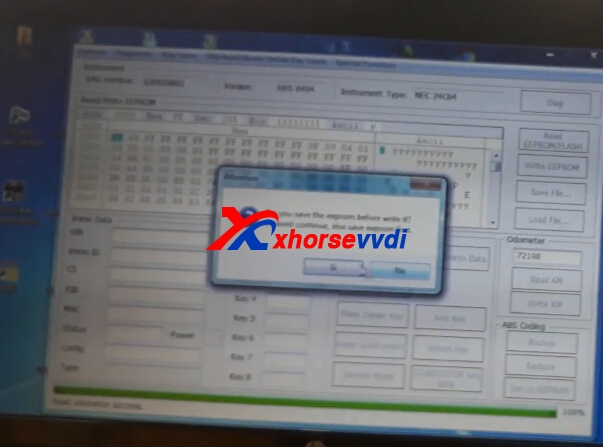
6.Click OK to continue.Then click reset instrument.
vvdi2 km change
7.Finish.
vvdi2 km change

2019年1月25日星期五

Free Download V6.1.1 VVDI2 Key Programmer Software

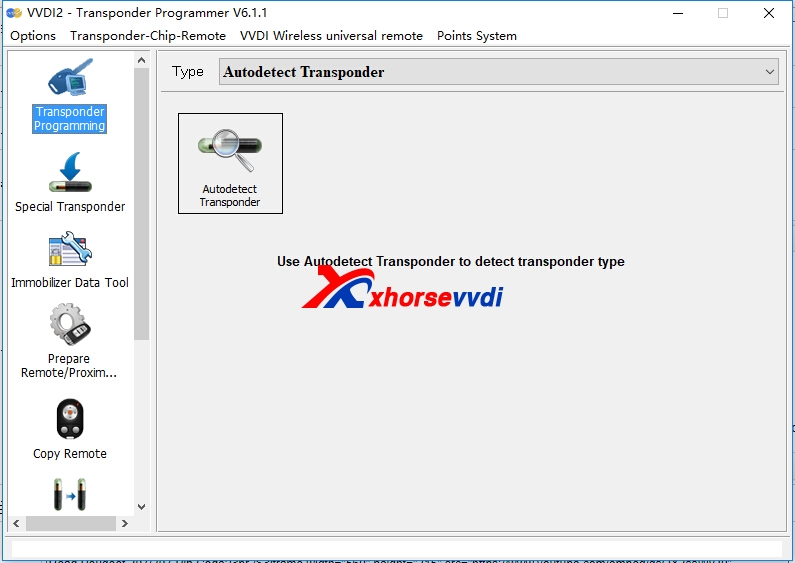
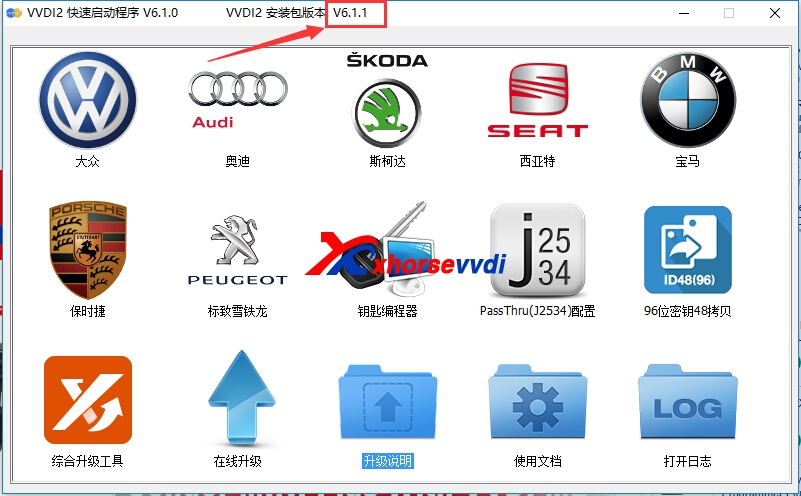
VVDI2 Transponder Programmer software newest version is V6.1.1. Get VVDI2 V6.1.1 software download link from us.
1.Free Download V6.1.1 VVDI2 software
https://mega.nz/#!H8RUUCbD!LhmOKX_rrg2t4orxCloRtq2z7If5BV5uUZRNb8pvBd4

Q:Vvdi2 upgraded from 6.1.0 to 6.1.1, the middle stuck for about 4 hours, then he restarted the computer and then upgraded, the upgrade passed, but when he wants to use, there is no communication, check the version is still 6.1.0
A:1.Download and install vvdi2 V6.1.1 software. 2.update it by xhorse update kit !!!

2.V6.1.1 VVDI2 Transponder Programmer Software
v6.1.1 vvdi2 update
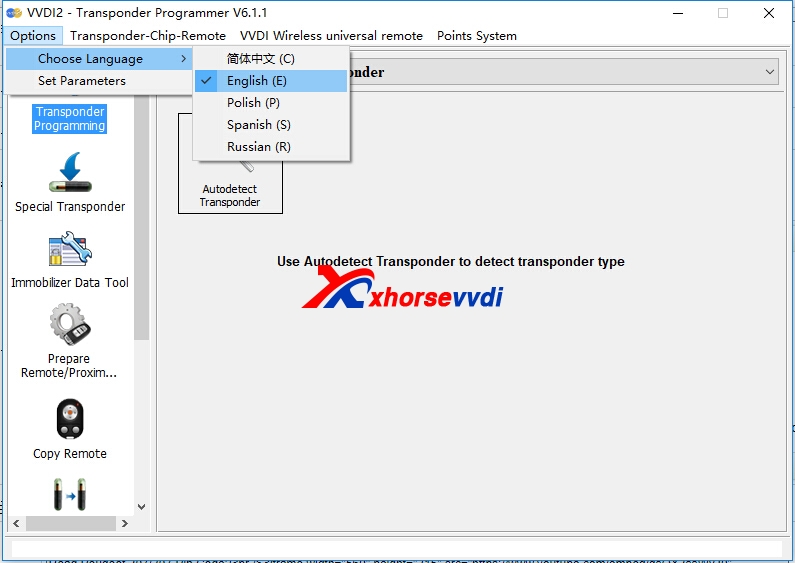
Transponder Programmer Software Language:English,Spanish,Polish,Russian
v6.1.1 vvdi2 update
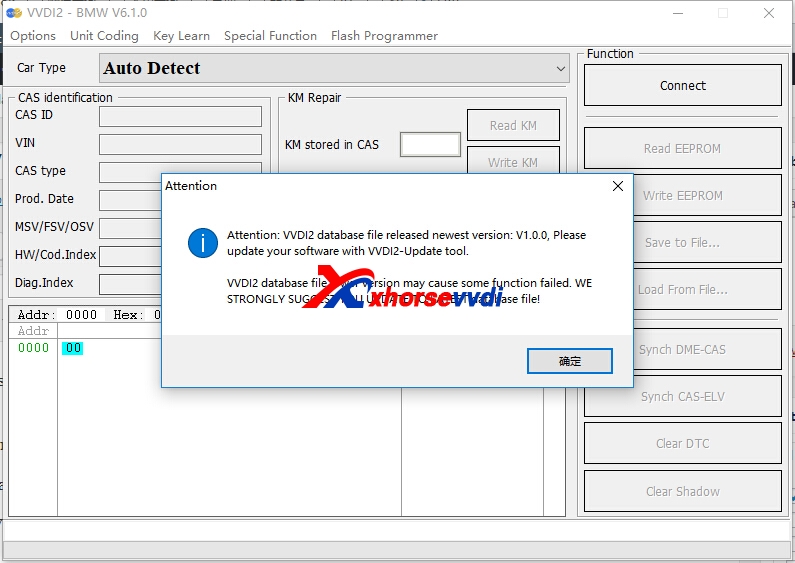
3.Xhorse VVDI2 BMW Database File Update
Newest version is V1.0.0

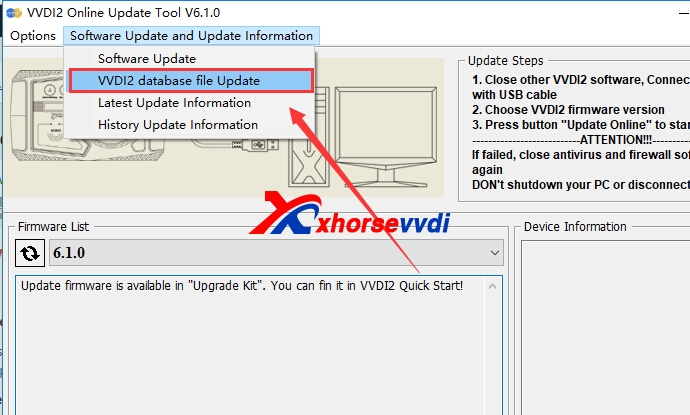
Click update one in Quick start tool,click software update and update information,then choose VVDI2 Database file update.
v6.1.1 vvdi2 update
v6.1.1 vvdi2 update
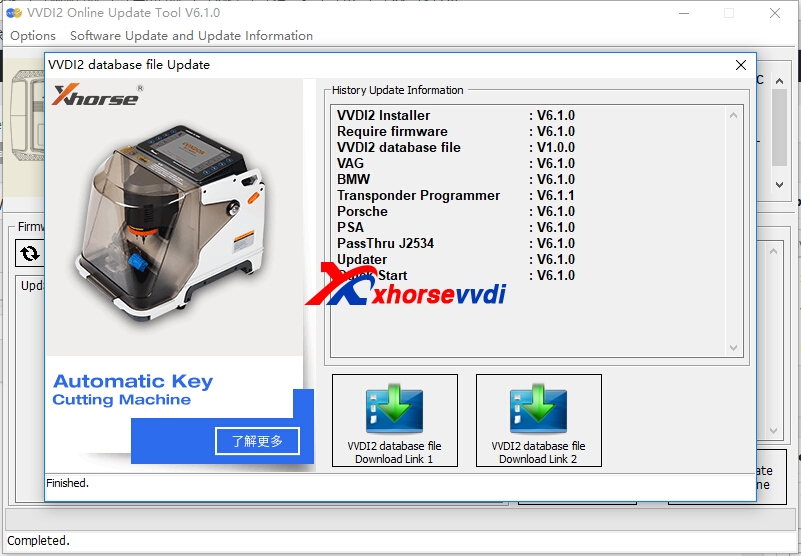
Click download link,download it,then install.
v6.1.1 vvdi2 update
4.VVDI2 V6.1.1 update(2018-01-08)
Require firmware V6.1.0 
VAG V6.1.0
1. Immoprovement for MQB prepare dealer key
a). Support change MQB key ID(support GEKO online),require use VVDI proximity remote
b). Support save synchronize data when make key with working key
c). Support make dealer key with immo data and synchronize data while all key lost
2. VW MQB add new type: Dashboard version 0555, 0556
3. Immoprovement for autodetect VAG immobilizer system
4. Support some NEC24C32 TFT dashboard
5. Bugfix
BMW V6.1.0 
1. ECU /CAS ISN: Bugfix for change ISN for F series
2. FEM/BDC make key: Add new version, support car until 2018.11
3. FEM/BDC backup coding: Add new version, support car until 2018.11
4. Bugfix for MSV70 read ECU synchronize code(2 Bytes)
5. Bugfix
Transponder Programmer V6.1.1
1. Support generate MQB proximity remote: require use vvdi proximity remote and download latest remote database
2. Improvement for vvdi special transponder
3. Immobilizer data tool: Euro->BMW->motorcycle add new type
4. Immobilizer data tool: Euro->Iveco->Daily 93C56 bugfix
5. Immobilizer data tool: Asia->Isuzu->SX4 TC1762 bugfix
6. Immobilizer data tool: Asia->SAIC->Roewe750 add new type
7. Bugfix for VVDI proximity remote
8. Bugfix

This is from xhorsevvdi.com:Free Download V6.1.1 VVDI2 Key Programmer Software
2018年12月28日星期五

Xhorse bonus points,what is the use & How to collect?

For some customers' questions about xhorse bonus points, xhorsevvdi.com give an explanation:
 
How to collect xhorse bonus points?
 
1.Buy Xhorse VVDI remote (Collecting points for the first time using a VVDI REMOTE device)
 
Notice:Need to plugged the key into the device, then click on the collection to have points.
 
wire remote/ 25bonus points
 
wireless remote/ 40 bonus points
 
 
2. By purchasing/transfering the points collected by others, it is the point transaction (popular)
 
What is the use of xhorse bonus points?
 
These points can be used to calculate online redemption features/items (see Xhorse APP's points store)
 
There is also one VVDI BE key Pro that can earn 200 points per use, but this 200-point is a non-exchangeable item that can only be used for Mercedes-Benz online calculations.
 
How to check the Xhorse Points?
 
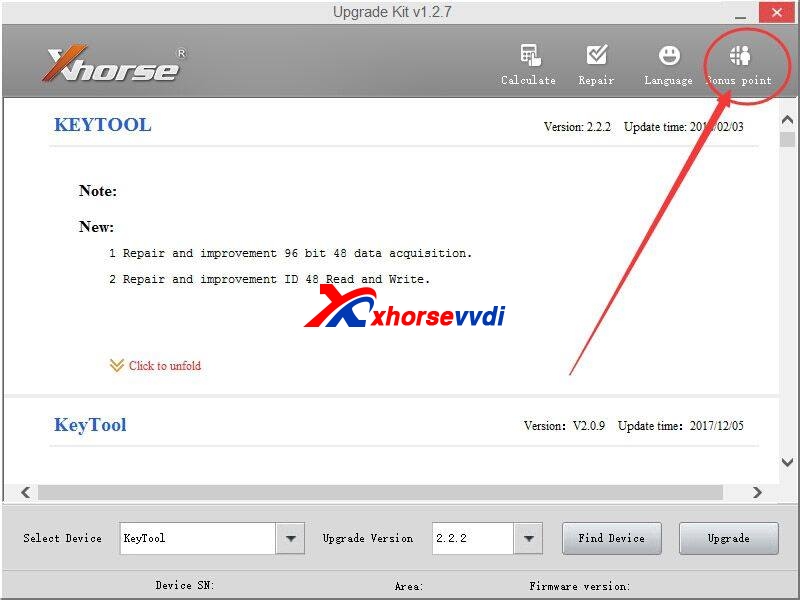
The bonus points can be stored on the Xhorse points server by using Xhorse Upgrade Kit software.
 
Xhorse Upgrade Kit Software download:
 
 
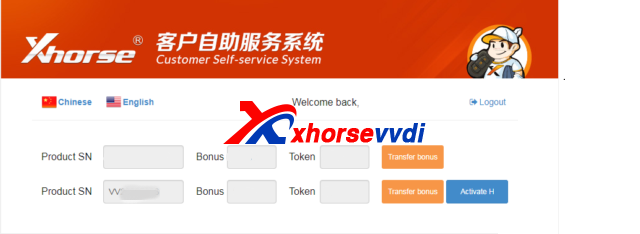
The bonus points can be easily checked from the Xhorse Customer self-service syste
 
More details contact:
 

2018年12月19日星期三

Free Download VAG OBD Helper Software and Install Guide
VAG OBD Helper is good tool to work with Xhorse VVDI2. And VAG OBD Helper cable is without CD, please download software online from us. And the software is easy to use,we will display some simple steps.
1.Free Download VAG OBD Helper Software:
https://mega.nz/#!gZJzTKTC!BTVJqa-SmWgrwbd-n0vV8r2glx23d3l2OpN3ZRu1gXU
2.VAG OBD Helper Software Install
Download the software from previous link. Extract the .zip file.
Install the driver, then use USB cablle to connect the device with computer.
After install well,run VAGOBD.exe application.
vag obd helper
vag obd helper
Change language
vag obd helper
Free with one token
And each time online calculate will cost one token,you can buy tokens from us:http://www.xhorsevvdi.com/wholesale/token-for-vag-obd-helper.html 
Provide us serial number is OK,we will add online soon.
vag obd helper
There are some pdf files in Chinese on how to use VAG OBD helper to read out the 4th IMMO
data and then use the key programmer to program key.
vag obd helper
For VVDI2 MQB with VAG OBD Helper English guide,you can check from this file
http://www.xhorsevvdi.com/upload/pro/how-to-use-vvdi2-program-mqb-key-with-vag-obd-helper-data.pdf

 Original:Free Download VAG OBD Helper Software and Install Guide
2018年12月17日星期一

How to Activate (VT-01) Prepare Toyota H Chip Authorization?

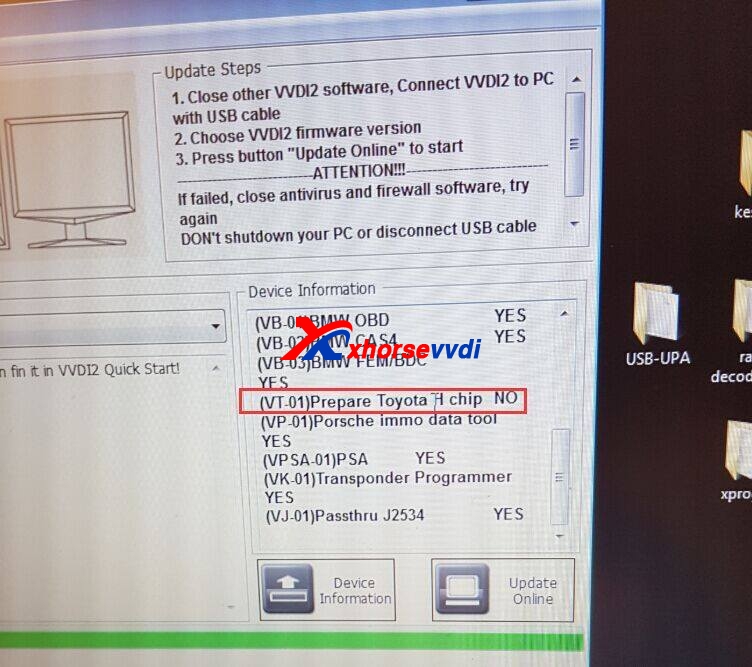
VVDI2 (VT-01) Prepare Toyota H Chip Authorization is released now!If you have VVDI2 full version,you can get (VT-01)Prepare Toyota H chip free.Activate H in xhorse update kit software self service system.If your vvdi2 is not full version,buy  (VT-01) Prepare Toyota H Chip Authorization from us.This blog displays VVDI2 Full customer how to activate H chip authorization free.
How to know your VVDI2 is Full version or not?
Please check device information,if your VVDI2 has the four following authorization,it is Full version.
VB-01 (VVDI2 BMW OBD)
VB-02 (VVDI2 BMW CAS4)
VV-01(VAG 4TH )
VV-02(VAG 5th)
vvdi2 prepare toyota h chip
How to Activate (VT-01) Prepare Toyota H Chip Authorization?
1.Please connect VVDI2 with computer well.
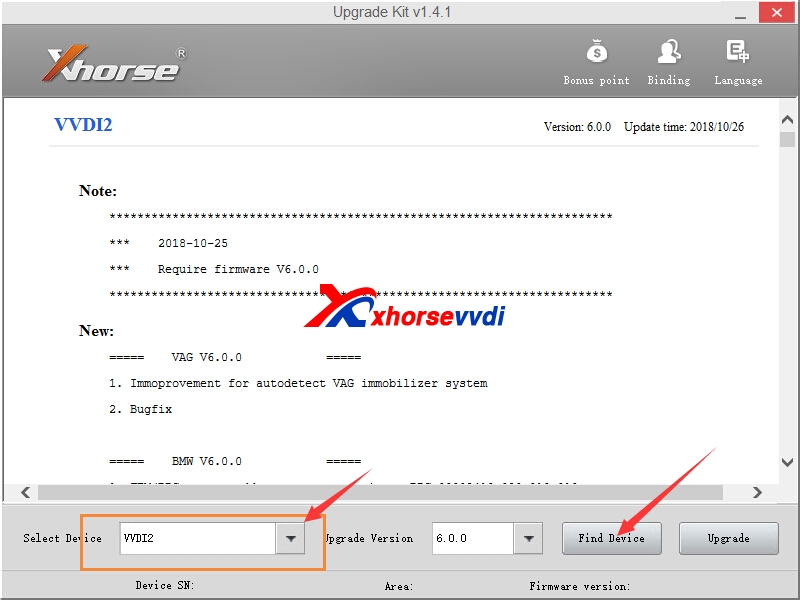
2.Start Xhorse Upgrate kit software, select VVDI2,and click find device.

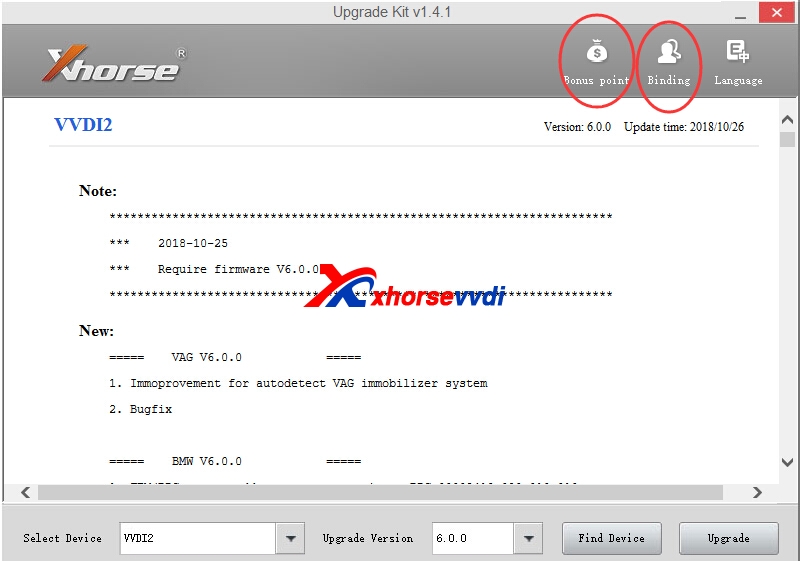
3.You can  Click System Point >>View My bonus Points  or Binding,then go to self service system.
vvdi2 prepare toyota h chip
4.Login your account on Customer Self Service website.If not use before,register firstly.
5.Select Activate H
vvdi2 prepare toyota h chip
6.After process activate,please wait 30 minutes,update vvdi2 firmware in xhorse update kit software.
7.Prepare Toyota H chip authorization is OK.
This is from xhorsevvdi.com:How to Activate (VT-01) Prepare Toyota H Chip Authorization?
2018年12月9日星期日

How to use VVDI2 Program MQB Key with VAG OBD Helper Data?
VAG OBD helper support VAG vehicle (VW, Audi, Skoda with 4th IMMO) get immo data within 3-5 minutes .The 4th generation immo data and MQB data support most current popular VAG key programmer in the market. Here we will display How to use VVDI2 add VW MQB key.
vag obd helper
1.How to read eeprom data via VAG OBD Helper,you can check blog

[embed]http://blog.xhorsevvdi.com/vvdi2-and-vag-obd-helper-program-vw-4th-immo-key-via-obd-way/[/embed]

2.How to use VVDI2 Program MQB Key
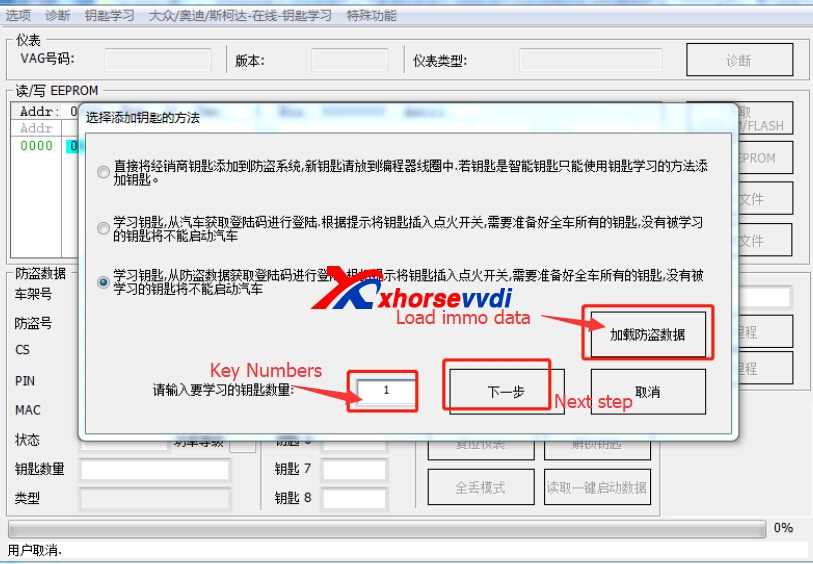
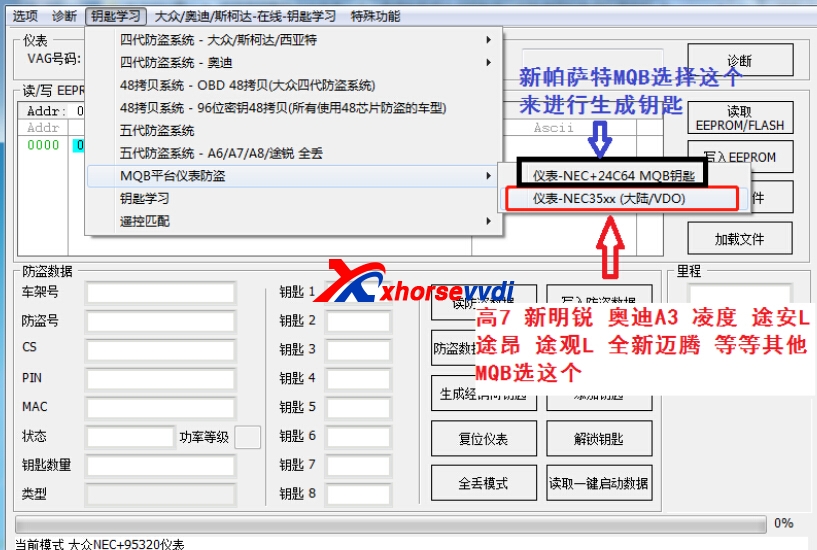
2.1.Start VVDI2 software,choose VW,then Key Learn>>MQB Platform instrument immobilizer
vvdi2 vag
2.2. Then if Golf 7,New Octavia,Audi A3,Lamando.etc choose NEC35XX. If new Passat MQB,choose NEC+24C64 MQB.

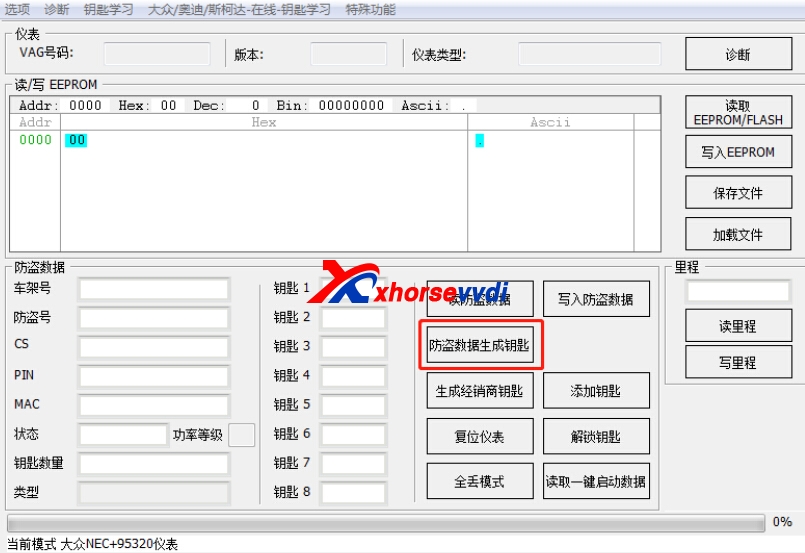
2.3.Click "IMMO Data Prepare Key"

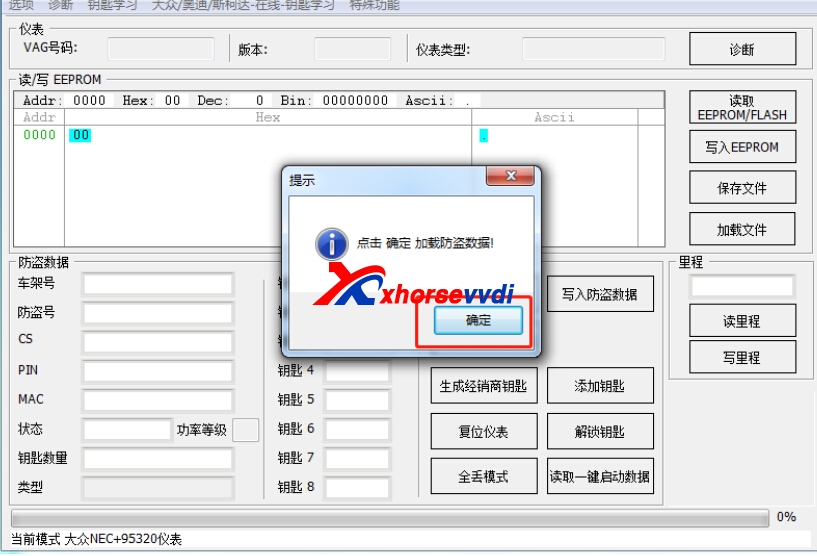
2.4.Click OK to Load EIS data.
vvdi2 mqb
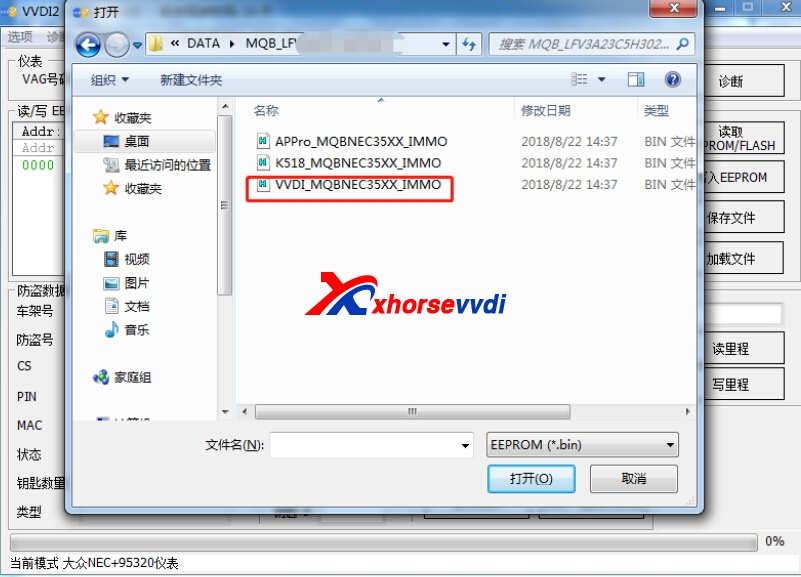
Choose the data you read via VAG OBD Helper.

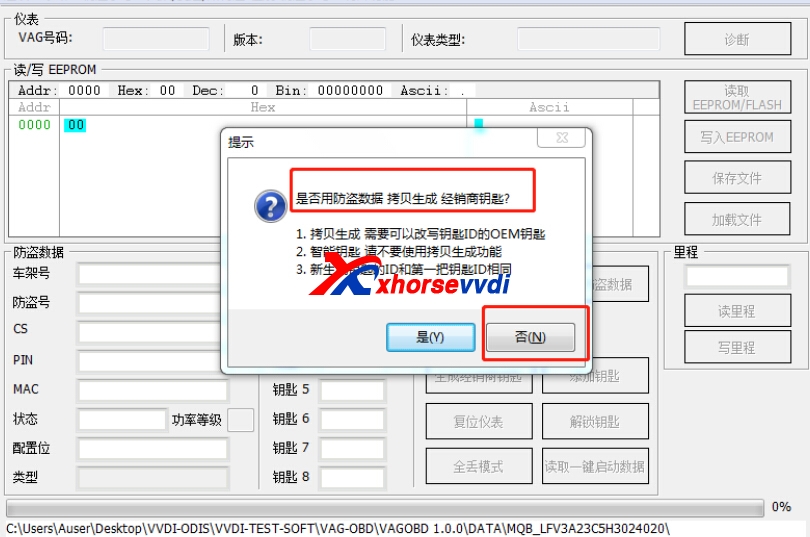
2.5.Click NO to continue.
Whether use the IMMO data to clone to make dealer key?
VVDI2 MQB
2.6.Choose dealer key type. Audi type is MQB defaulted one.
Prepare normal dealer key.
Get message "Warning: If you make dealer key with normal key, it doesn't support online change immobilizer."

2.7.Click OK to continue.

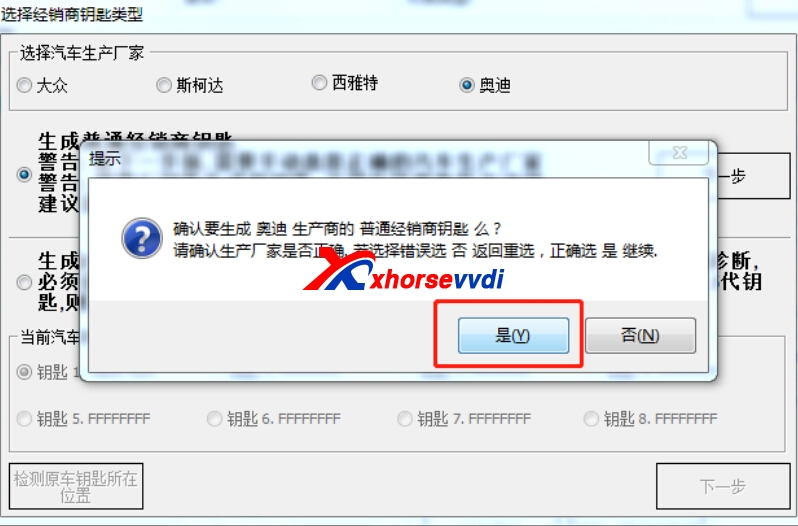
Are you sure you want to generate Audi normal dealer key?
Please make sure the make is correct, if you choose wrong, please return back to choose again.
Click on “Yes”

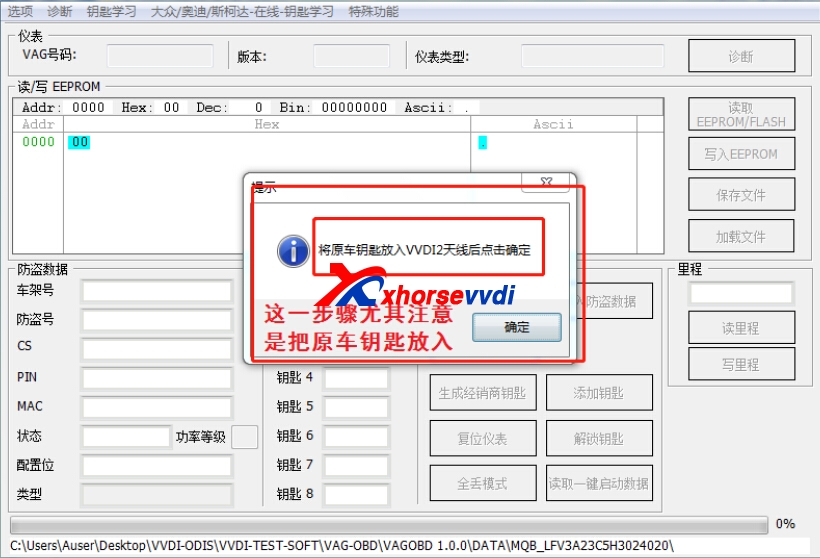
2.8.Put the original key to the coil,then press OK.Please note it is the original key.

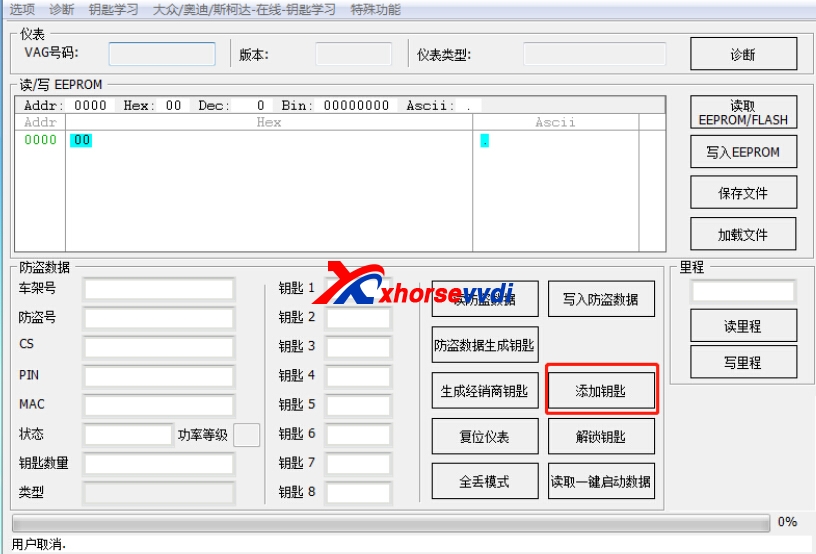
2.9.Click "Add key"

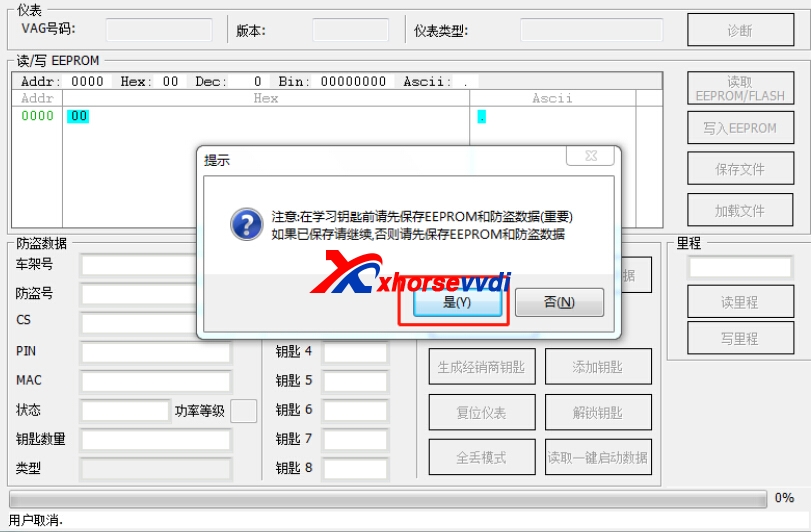
2.10.Note: before learning the key, please firstly save EEPROM and IMMO data (Important), If you have already backup you can continue, otherwise please backup EEPROM and IMMO data first.
vvdi2 mqb
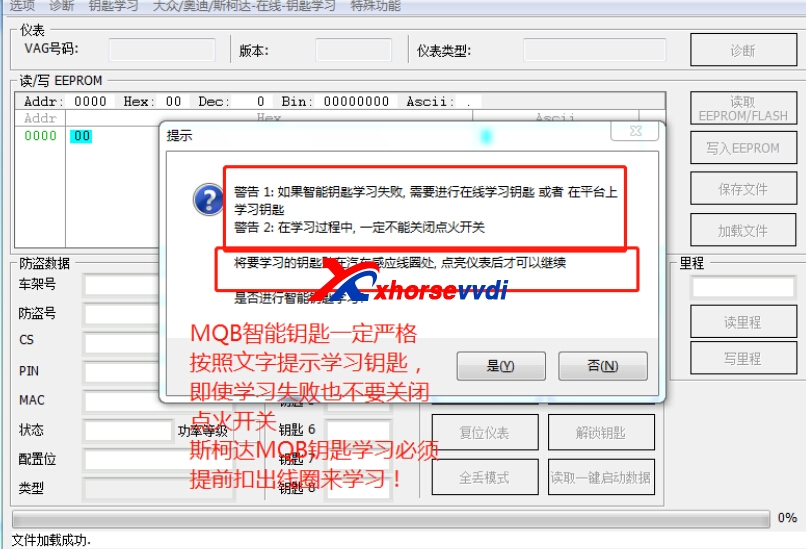
2.11.Learn key,login with security code from immo data,put the key into ignition switch on following tips,you must prepare all the working key,if the key not learned,it can not start the engine after learaned

2.12.
MQB key learn please do accroding to the tips in software. Even key learn is failed,please do not turn off ignition. And SKODA MQB Key Learn must take off the coil before key learning process.
This is from xhorsevvdi.com:MQB Key Learn, vag obd helper, vvdi2, vvdi2 mqb, VVDI2 VAG, vvdi2 vag key programmer
2018年11月28日星期三

How to use VVDI2 Program BMW E60 2005 CAS2 Remote Key

VVDI2 can support BMW CAS1-3 via OBD way,and here we will display BMW E60 2005 CAS2,BMW E60 key is with 315 mhz.VVDI2 full is on promotion,contact us to get sale price!Or if you only VVDI2 BMW,you can choose VVDI2 BMW one.
vvdi2 bmw
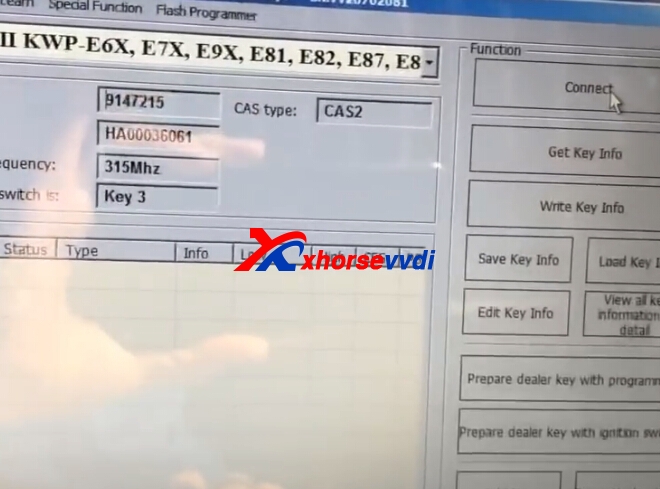
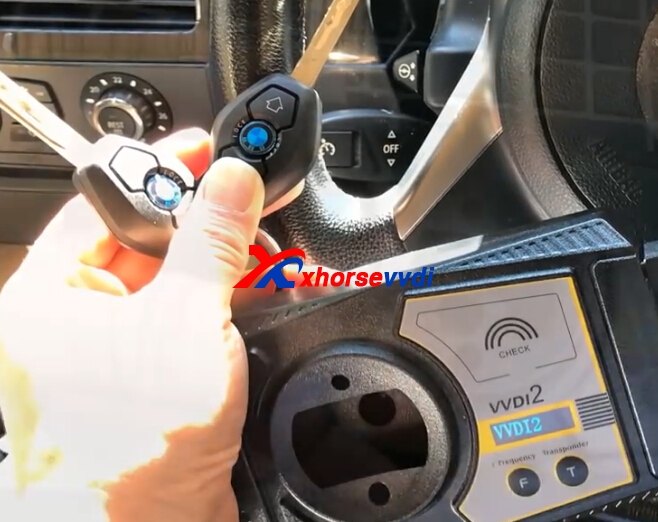
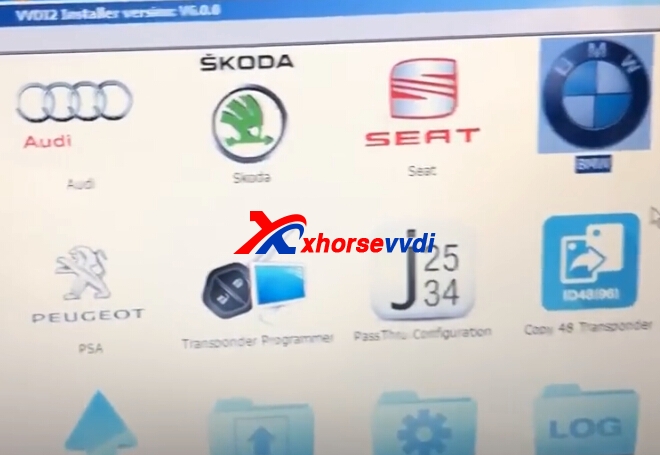
1.Start VVDI2 BMW software,click connect,insert original key to car,and switch one.
vvdi2 bmw vvdi2 bmw
2.Press get key info.

Choose method.

3.Press next to continue.
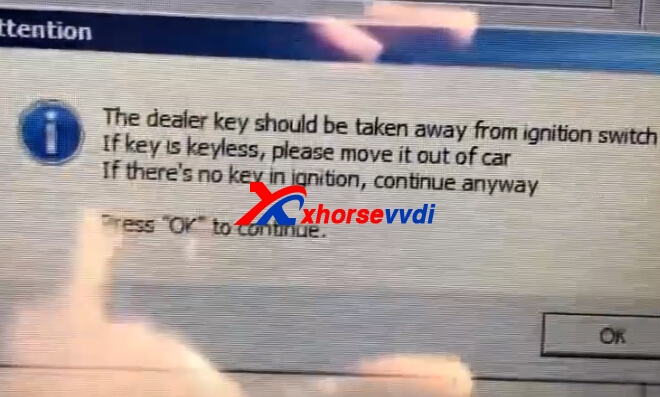
Take away the original key from ignition ,press OK.

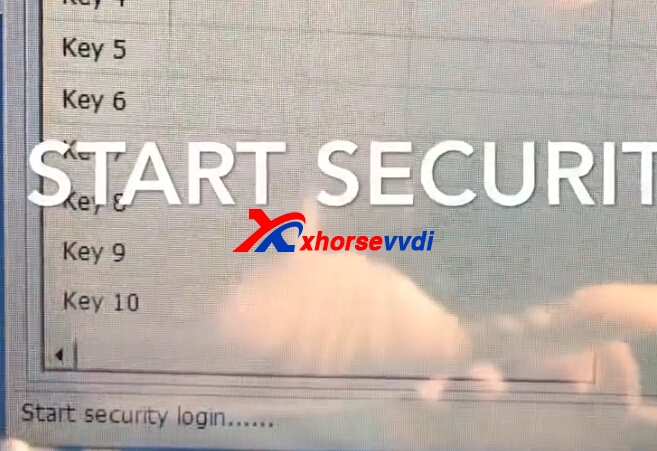
4.Start security login.Read data success.
vvdi2 bmw cas2
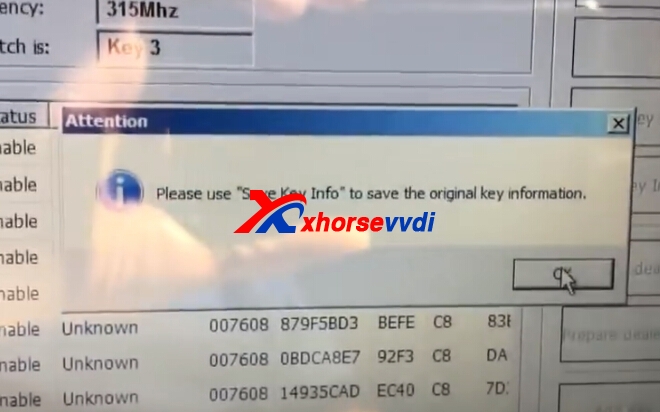
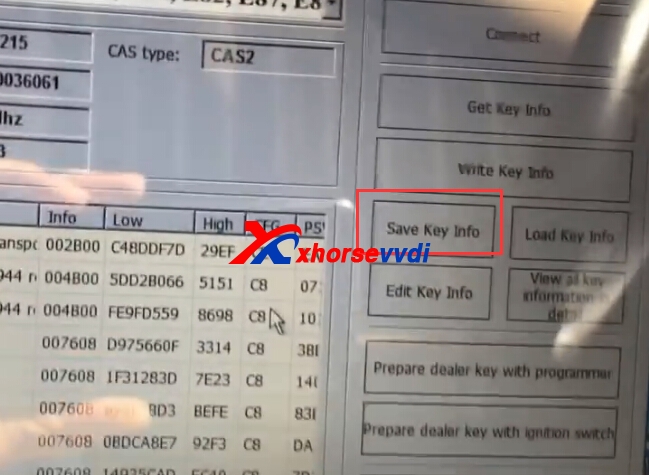
5.Save key file.
vvdi2 bmw cas2
vvdi2 bmw cas2
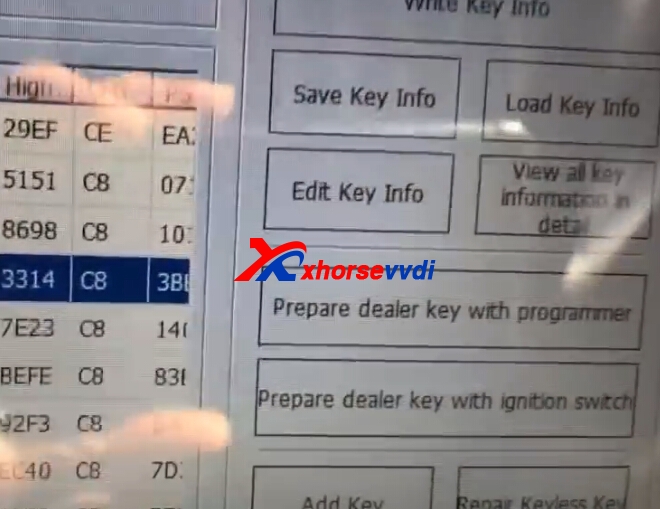
6.Choose key number,and click prepare dealer key with programmer.
vvdi2 bmw cas2
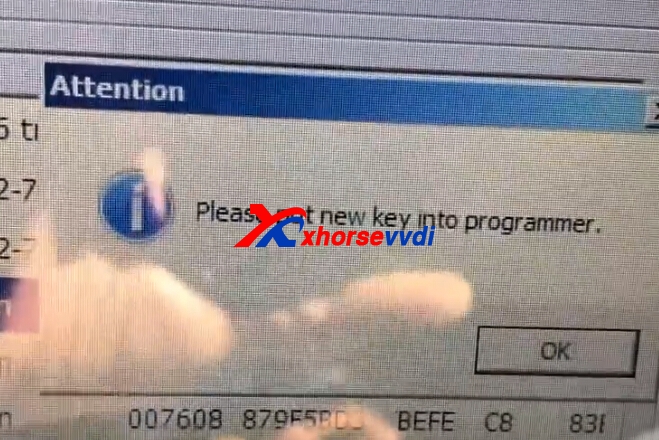
7.Put new key into VVDI2 programmer.Press OK.
vvdi2 bmw cas2
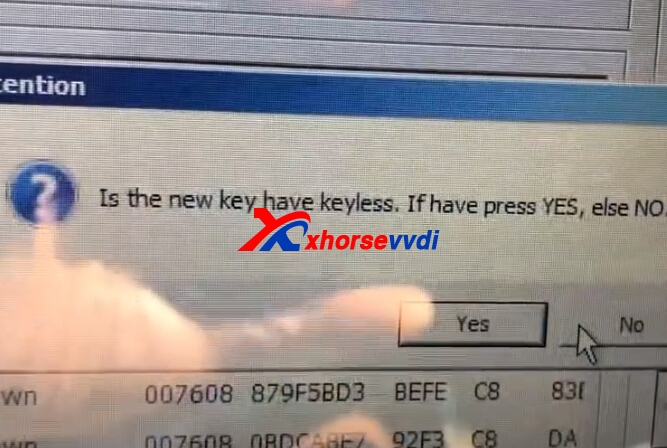
8.Choose keylessgo or not.New key is without,press NO.
vvdi2 bmw cas2
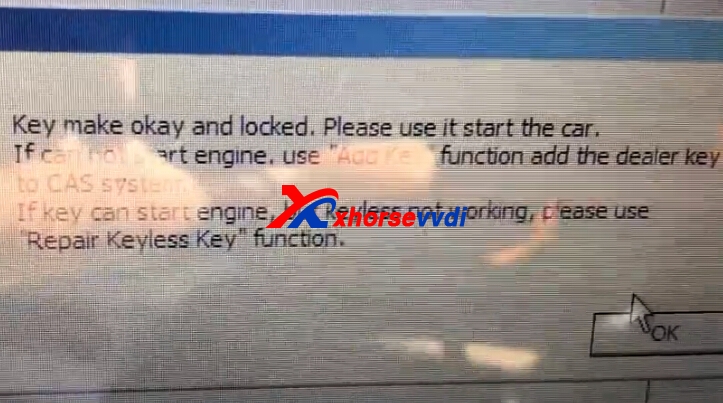
9.Key make OK and locked,try to start engine.
vvdi2 bmw cas2
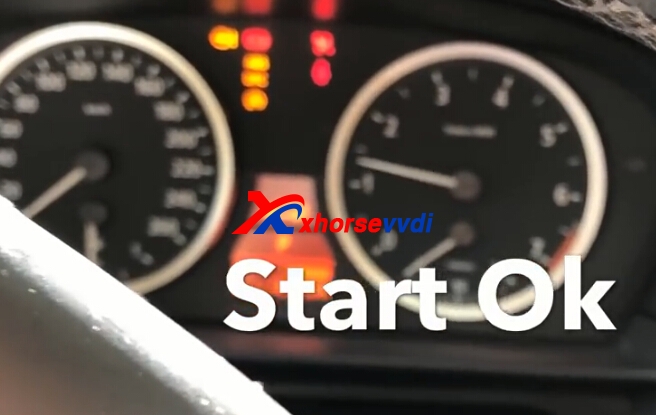
10.Test key.
vvdi2 bmw cas2 Original:How to use VVDI2 Program BMW E60 2005 CAS2 Remote Key