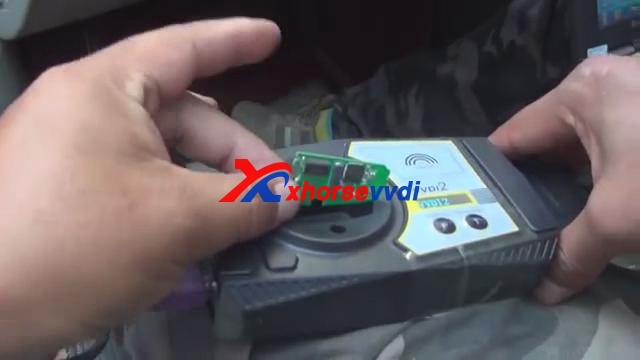
显示标签为“vvdi2 full”的博文。显示所有博文

2019年1月3日星期四

Why choose VVDI2 full authorization instead of VVDI2 basic?

This post begins with a user's complaint with the Xhorse VVDI2 Promotion Activity 4th and 5th for Christmas and New Year was stopped and had no chance to buy one. In the next paragraph, he is advised to have one VVDI2 full authorization Version which cost much less than before.
A user's complaint story......
See that Xhorse team still have it there but nobody sells this anymore. They say it`s valid until 25 February but don`t know what to say. I have ordered from xxx.com but they said it was in stock vvdi2 at 1219 usd, made payment, sent proof of payment, after that they say it`s no problem, they have it in stock, after two days I receive a message from them saying that it`s not in stock anymore. Did not get my money back yet. After that I think, ok, I'm going to order vvdi2 basic from my country and activate it a few days later when vvdi2 comes with the courier and my money back from xxx.
He can have a better choice:
today better is to buy 1,834.56€ full Authorization VVDI
http://www.xhorsevvdi.com/wholesale/xhorse-vvdi2-full-authorization.html
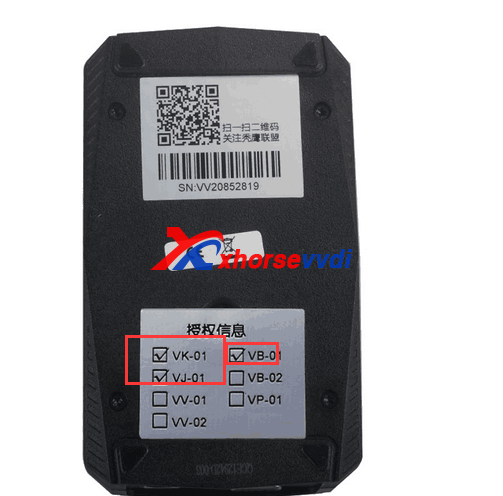
VVDI2 full version contains all of the following authorizations:
VV-01 VAG 4th immobilizer
VV-02 VAG 5th immobilizer
VV-03 VAG Copy 48 transponder by OBDII
VV-04 ID48 96Bit Copy
VV-05 VAG MQB Immobilizer
VB-01 BMW OBD
VB-02 BMW CAS4
VB-03 FEM/BDC Function
VP-01 Porsche immo data tool
VPSA-01 PSA
VK-01 Transponder Programmer
VJ-01 Passthru J2534
V7-01 Prepare Toyota H Chip
extra pay 800€ but full function activated
$300 fvdi 2018 , $145 Super Vag 2016.3 ( clone ) , ImmoPlusLoader 13.6 + $99 FVDI
VW 4th & 5th vvdi2 is TO MUCH expensive , NOW better choice FULL Authorization now.

Hope it helps.
Edit by xhorsevvdi.com:Why choose VVDI2 full authorization instead of VVDI2 basic?

2018年12月24日星期一

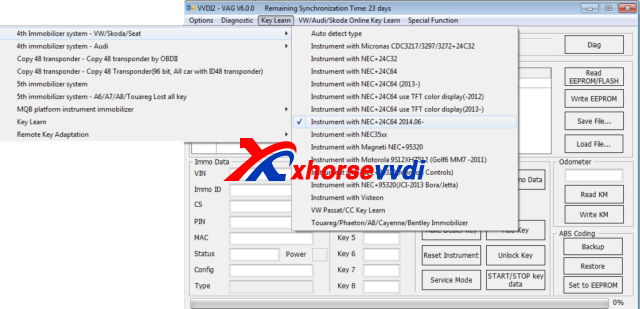
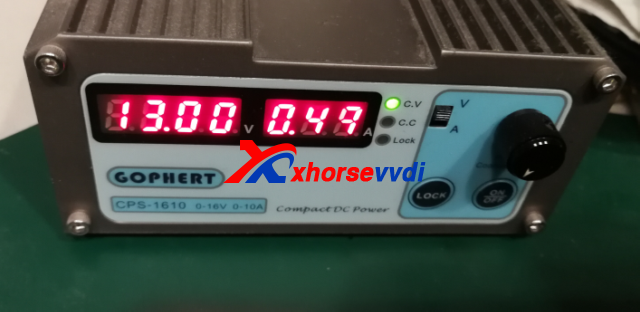
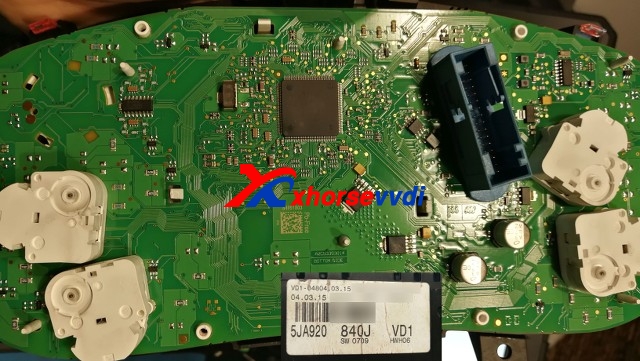
(Quoted) 5JA920840J SW0709 NEC+24C64 Login with RESET PIN

By following the below parts, your VVDI2 can login cluster.
Skoda Fabia, after 2015 PQ25 5JA920840J SW0709 , VW Amarok 2H0920871A SW0805

Please know, we always recommend to read & save EPP before you start.
RESET PIN is a GND signal , no need any rezistors or special line
With RESET PIN no need prepare EPP to Service Mode to login cluster if "all key lost"
1) Switch OFF power (Kl15 & KL30) , with KL15 OFF it will not work
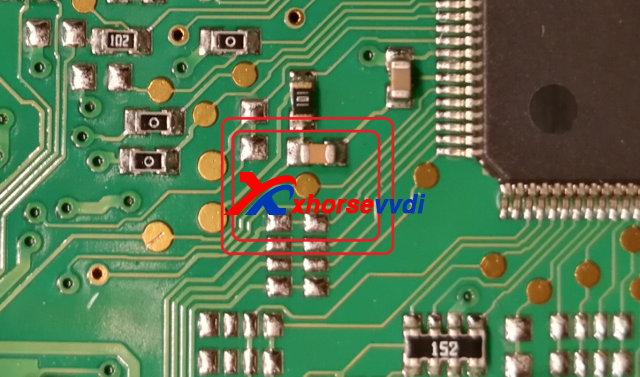
2) Find a RESET PIN near CPU

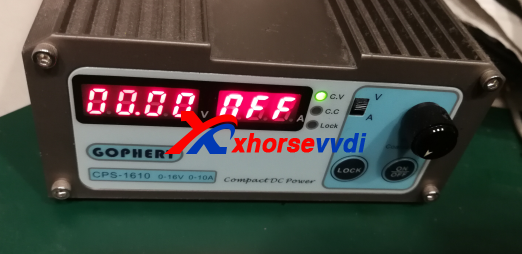
3) Switch OFF Power Supply (KL30 & Kl15)

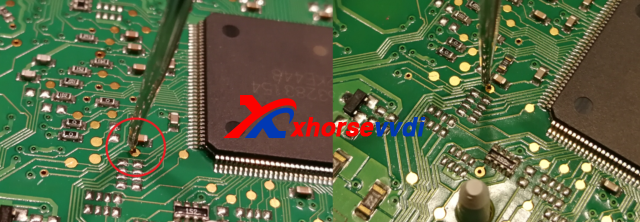
4) Connect GND to RESET PIN and hold

5) Select proper cluster type in VVDI

6) Switch ON power supply (KL15 & KL30)

7) Remove RESET PIN (you can remove RESET PIN after few second when you switch ON Power
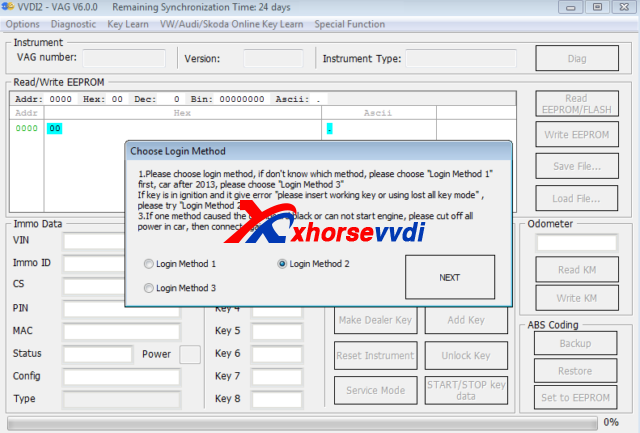
8) Select READ IMMO or EPP and Select LOGIN METODE 2 (you can also try with other metode if this one faile)

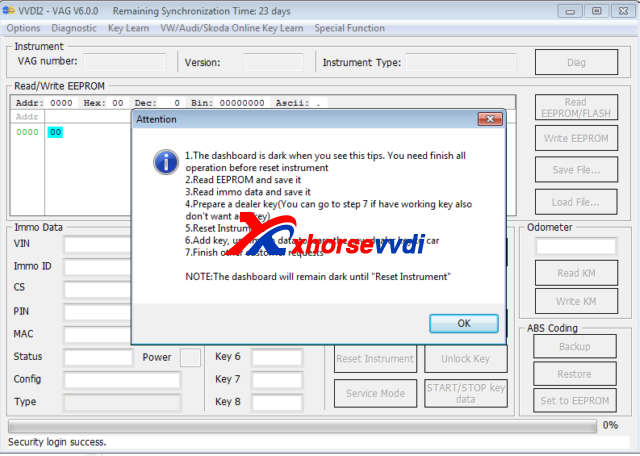
9) VVDI2 can login cluster now
this is from xhorsevvdi.com:(Quoted) 5JA920840J SW0709 NEC+24C64 Login with RESET PIN

2018年12月17日星期一

How to Activate (VT-01) Prepare Toyota H Chip Authorization?

VVDI2 (VT-01) Prepare Toyota H Chip Authorization is released now!If you have VVDI2 full version,you can get (VT-01)Prepare Toyota H chip free.Activate H in xhorse update kit software self service system.If your vvdi2 is not full version,buy  (VT-01) Prepare Toyota H Chip Authorization from us.This blog displays VVDI2 Full customer how to activate H chip authorization free.
How to know your VVDI2 is Full version or not?
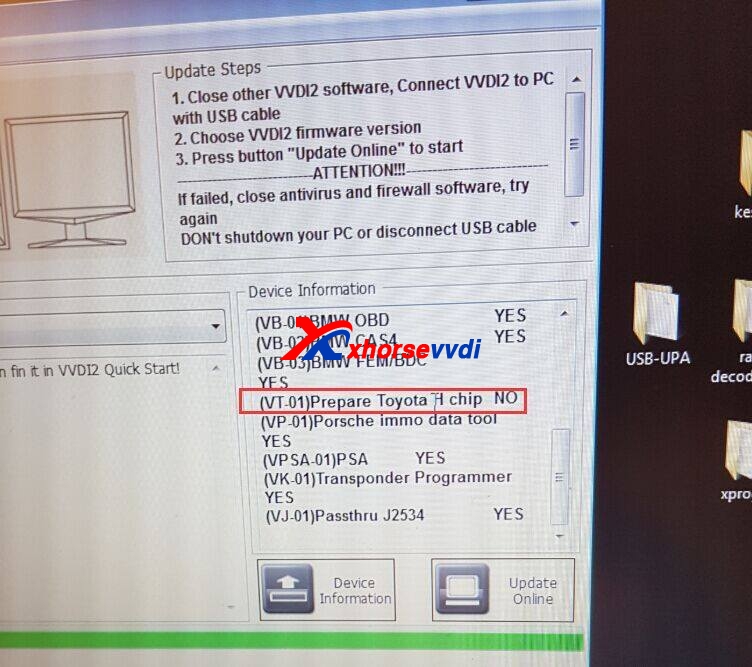
Please check device information,if your VVDI2 has the four following authorization,it is Full version.
VB-01 (VVDI2 BMW OBD)
VB-02 (VVDI2 BMW CAS4)
VV-01(VAG 4TH )
VV-02(VAG 5th)
vvdi2 prepare toyota h chip
How to Activate (VT-01) Prepare Toyota H Chip Authorization?
1.Please connect VVDI2 with computer well.
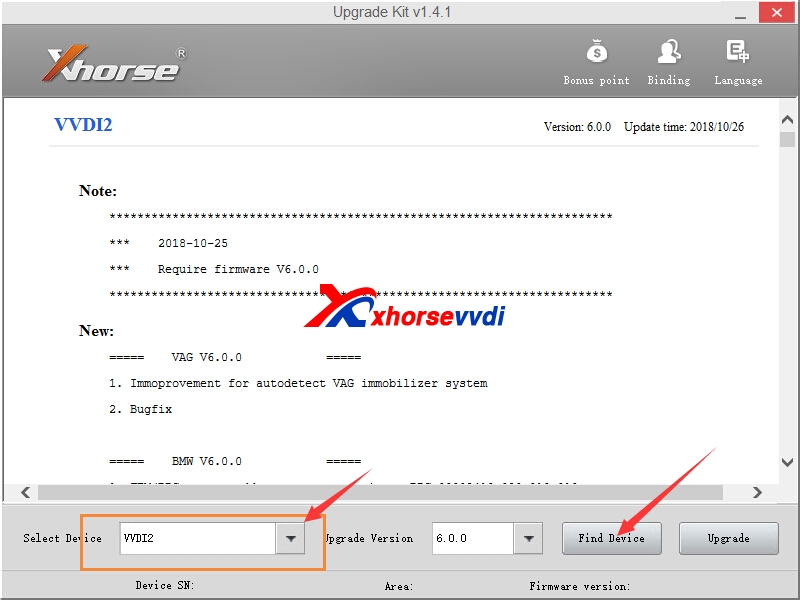
2.Start Xhorse Upgrate kit software, select VVDI2,and click find device.

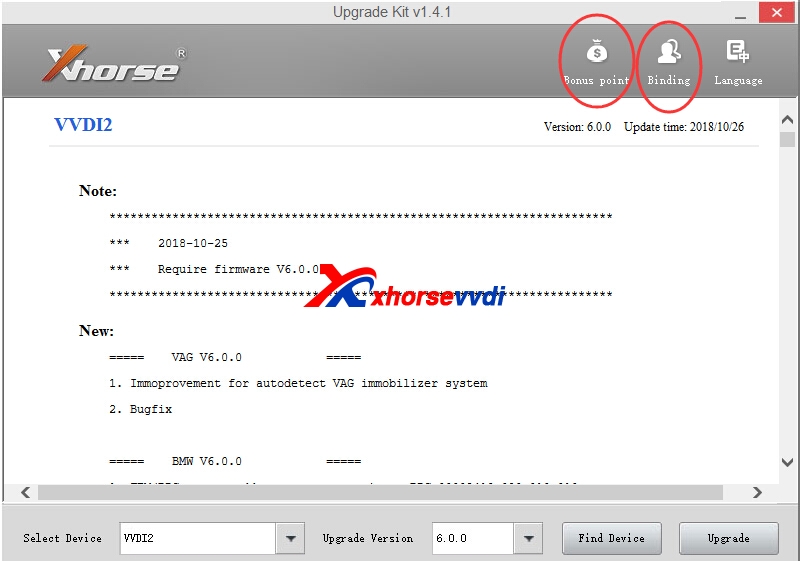
3.You can  Click System Point >>View My bonus Points  or Binding,then go to self service system.
vvdi2 prepare toyota h chip
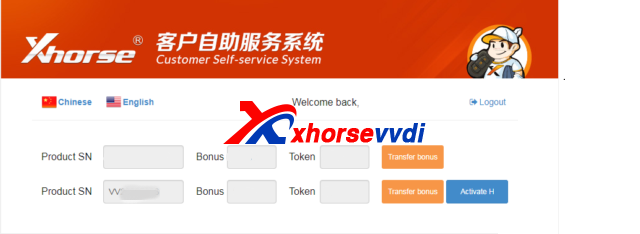
4.Login your account on Customer Self Service website.If not use before,register firstly.
5.Select Activate H
vvdi2 prepare toyota h chip
6.After process activate,please wait 30 minutes,update vvdi2 firmware in xhorse update kit software.
7.Prepare Toyota H chip authorization is OK.

This is from xhorsevvdi.com:How to Activate (VT-01) Prepare Toyota H Chip Authorization?

2018年10月9日星期二

How to install VVDI2 Commander Key Programmer Software and Driver?

Xhorse VVDI2 Commander Key Programmer covers all  the VVDI functions. More vehicle coverage, multi Immo functions.New added plug-in function and reserved connectors.Now VVDI2 update to V1.1.6 software version.It support update online.XhorseVVDI.com shares how to install VVDI2 software and driver.
1.VVDI2 Commander Software Installation:
1)Start VVDI2-Installer.exe
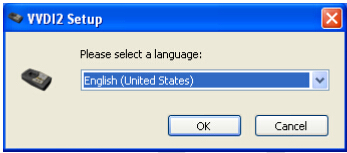
2)Choose the language you need
vvdi2 install
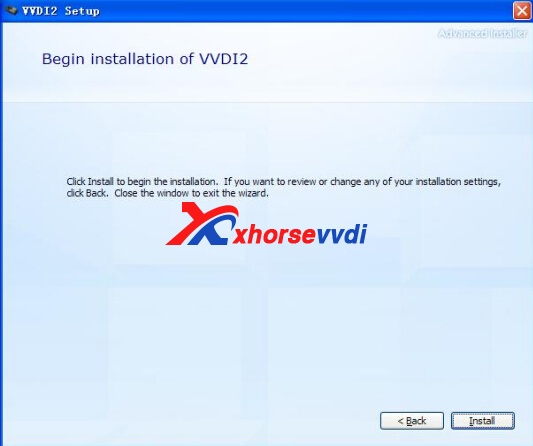
3)Click Next to continue
vvdi2 installation
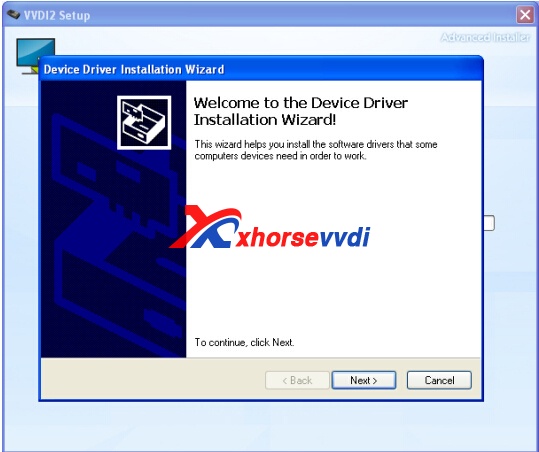
4)Attention: If you are install VVDI2 software (any version) for first time, you need choose NEXT, else you can choose CANCEL
vvdi2 vvdi-2-install-5
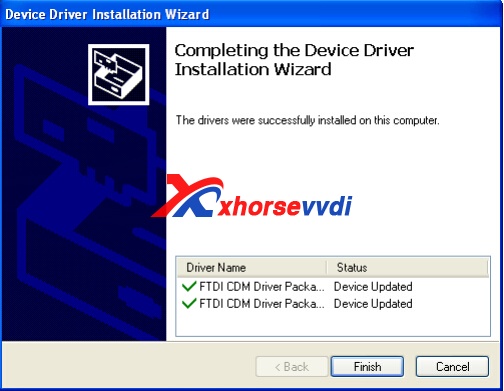
5)Installation finished. There will be a quick start on your desktop.
2.How to Install VVDI2 Commander Driver
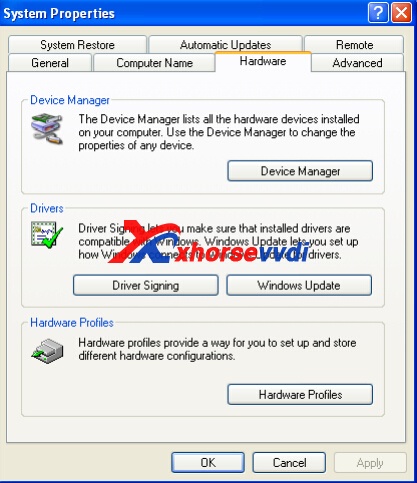
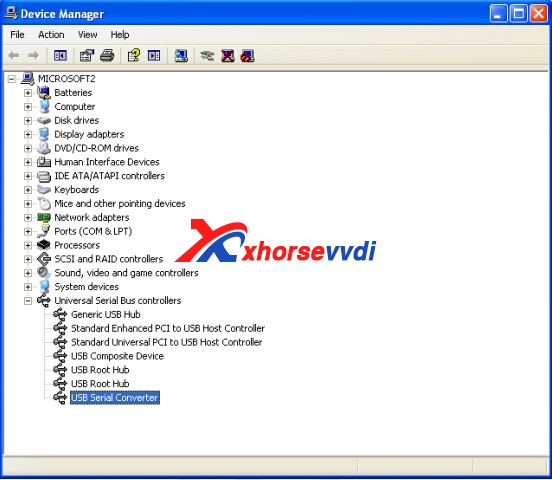
1)Open Device Manager: Open windows explorer, right click 'My computer' and select 'Properties', open 'System properties', select 'Hardware' -> 'Device Manager', Open Device Manager
vvdi2 driver
vvdi2 driver install
Install bus driver: Disconnect other USB cable from PC(Mouse and keyboard
should keep connect)
VVDI2 install with other version drivers: Select 'Universal Serial Bus controllers' -> 'USB Serial Converter', double click on it, get properties window
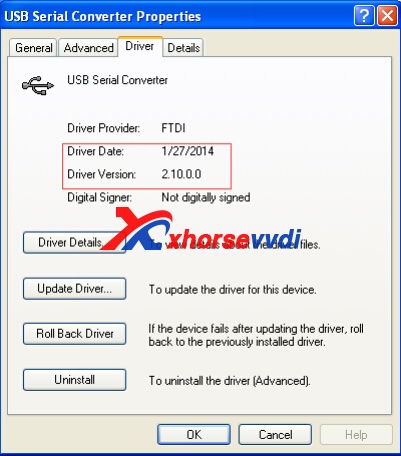
View 'Driver' page: 'Driver Date” should be: 3/18/2011, 'Driver Version' should be: 2.8.14.0. If all right, don't install driver again. If not shown as before, you need install driver with following steps:
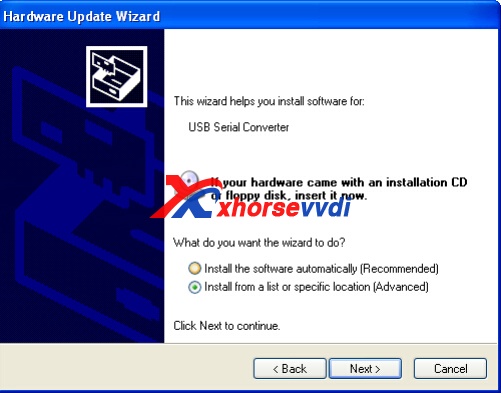
1) Select 'Driver' -> 'Update Driver'. Open 'Hardware Update Wizard'
2) Select 'Install from a list or specific location (Advanced)', next to get window
3) Select 'Don't search. I will choose the driver to install.'next to get window. Sometimes you will get  directly, at this situation, go to step 5)
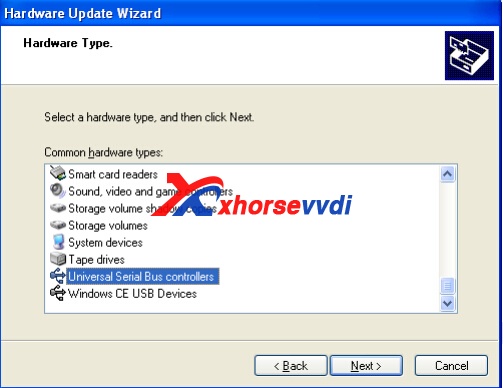
4) Select 'Universal Serial Bus controllers', next to get window
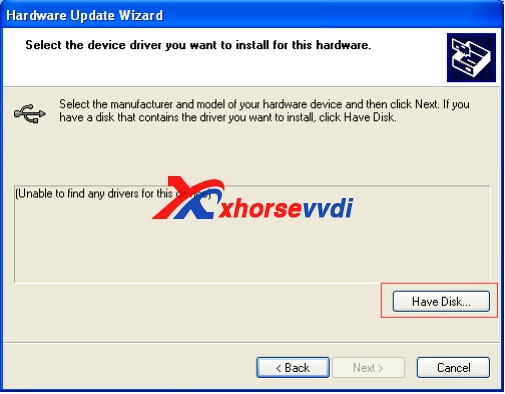
5) Select 'Have Disk…', get install from disk window
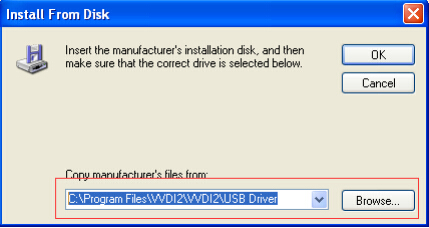
6) Input absolute path for USB Driver folder in install directory (Browse and choose install directory, or you can find the path from Start->Programs->VVDI2->USB Drivers). Press OK and wait complete. Sometimes system will ask again for Are you sure to install this driver? Continue is need
vvdi2 driver vvdi2-dirver-install-4 vvdi2-dirver-install-5 vvdi2-dirver-install-6 vvdi2-dirver-install-7
Please check whether VVDI2 is in the driver list.
Verify Bus Driver: Open properties window after install driver, view Driver page: 'Driver Date' should be: 3/18/2011, 'Driver Version' should be: 2.8.14.0

Edit by http://www.xhorsevvdi.com/:How to install VVDI2 Commander Key Programmer Software and Driver?

2018年7月13日星期五

How to choose VVDI2 Commander Full,VVDI2 BMW,VVDI2 Basic?
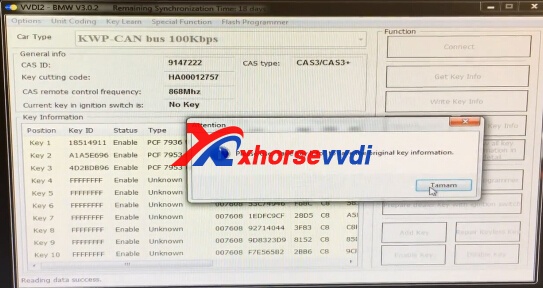
VVDI2 can do like vvdi, such as BMW, Porsche.And VVDI2 covers functions of VVDI, VVDI 5th IMMO Adapter, BMW Multi Tool, CAS Plus, CAS4 Adapter, Tango, J2534.XhorseVVDI.com is original Xhorse authorized supplier,sell VVDI2 Full,VVDI2 BMW,VVDI2 Basic,and VVDI2 authorization.But how to choose these VVDI2 commander?
vvdi2
1.VVDI2 Key Programmer Comparsion:
Item numberVVDI2 Full versionBasic+VAG(SV86-B)Basic(SV86-C)
Stops producing
Basic+BMW(SV86-D)
Price2299USD1550USD499USD1079USD
Basic Functions
VW
BMW
Porsche
5th AUDI Authorization+320USD (SV86-2)
BMW OBD Authorization+720USD (SV86-3)+720USD (SV86-3)
BMW CAS4 + Authorization+260USD (SV86-4)+260USD (SV86-4)+260USD (SV86-4)
2.How to Choose the suitable VVDI2?
Please confirm the function you want to do and the car brands.If you need BMW key programmer,suggest you buy VVDI2 BMW,it can support BMW and J2534 protocol cars.
And VVDI2 basic version now is stop producing.
If you buy VVDI BMW,it support BMW CAS1-4 just like V7.7 BMW MULTI TOOL,but for BMW CAS4+,you need pay for the authorization fee about 260USD,then you can do CAS4.

vvdi2 bmw 

http://blog.xhorsevvdi.com/how-to-choose-vvdi2-commander-fullvvdi2-bmwvvdi2-basic/

2018年3月9日星期五

MQB VW is ready with VVDI2 xhorse? Is it true?

NEWS! the first and the lonely in the world, MQB VW is ready, VVDI 2 Xhorse
Really wanna try that?
When it will be???
Xhorse support answer: First we will update the mileage correction function. For the security reason maybe we will produce Xhorse keys support new function, thinking about this currently.
Question: What is that? MQB ?

Answer: Golf 7 for example has the new system called MQB.
After hearing this news, what the locksmiths react?
this will be biggest news to hit the key side if true in a long time
if does the keys that is
not just mileage
1.Full Set Lock with Keys of VW MQB
2.Full Set Lock with Keys of Skoda MQB
Any new update, www.xhorsevvdi.com will notice. Please wait.

2018年2月7日星期三

VVDI2 full version got error when update BMW(Solved)

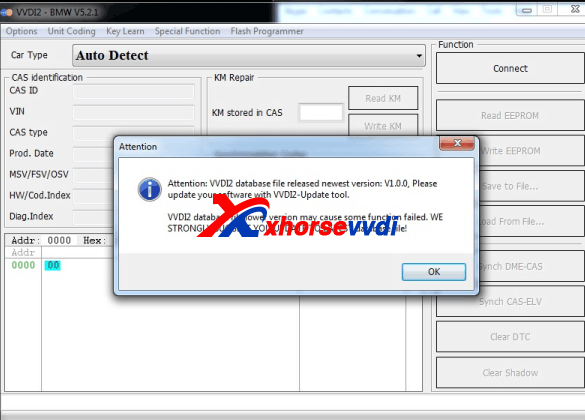
VVDI2 full version got error when update BMW shown as below.

Attention: VVDI2 database file released newest version V1.0.0. Please update your software with VVDI2 update tool.
VVDI2 database file lower version may cause some function failed. We strongly suggest you update to latest database file!
Here xhorsevvdi offer solution.
Download BMW configuration file on Mega
https://mega.nz/#!yp5V0LgC!Jmne3SOWP01UgzGmuUMKMWHeiy1uGFBq83T50k2-LhU
Install it.
The problem will be solved.
Good luck!
If you have any more question, welcome contact:
email: sales@xhorsevvdi.com
Skype: xhorsevvdi.com
Whatsapp: 0086-13983756354

2017年11月13日星期一

VVDI 2 has problem connection to CAS2 (Solved)

Question:
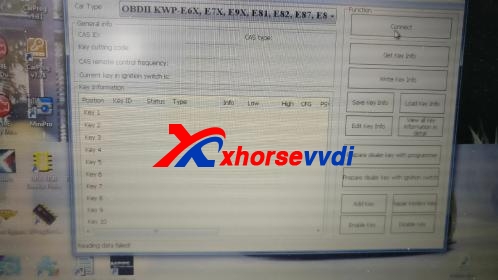
I have a problem with my brand new VVDI2. Today I wanted to add a key to a 2006, 1 series, E87, with CAS2. Nothing complicated, I taught, let's get my mew VVDI2 tool and do this verry simple job. So, I connected the VVDI2 to the OBD2 port, inserted the allready existing key into the key slot, turned ignition on and clicked Connect on my VVDI2 4.7.0 app. I vas surprised to get "AutoDetect Failed!" error so I checked connections and clicked Connect again, same error. Than I taught maybe it is not able to detect the CAS, no big deal, so I selected the "OBD2 KWP-E6X,E9X........" and clicked Connect again, this time it was "Readin Data Failed!", and so on for every protocol taht I've selected. Than I went ahead and undated the software and firmware to version 4.7.5 that is the last version, but no change. Long story short my VVDI2 can't connect to CAS2, did anyone have this problem and can help me resolve it? I'm adding 2 photos of what is happening! Thank you verry much!!!

Check ftdi drivers and correct, installed manually from VVDI2 folder!
Answer:
Cs calculation on edc17 working again. I made today a cady 2011 key. Spare key.And it worked just perfect. So. try again.
recommend 2011 driver version 2.8.14.0.
Question:
I think the prob is micronas 2007 dash, can someone test?
Answer:
Micronas dash make Dealer key, add key direct to Immo block, ,key has to be in programmer do add it to immo block , when it done put key in car , turn ignition on and reset dash , , never had problem with it, just did one 2 days ago.
Question:
Thank you!!!What about a3 2004 (8p), how to prepare key? Because is not by Audi 4th immobilizer system and in key learn if you use the option of prepare all keys lost...
Answer: 
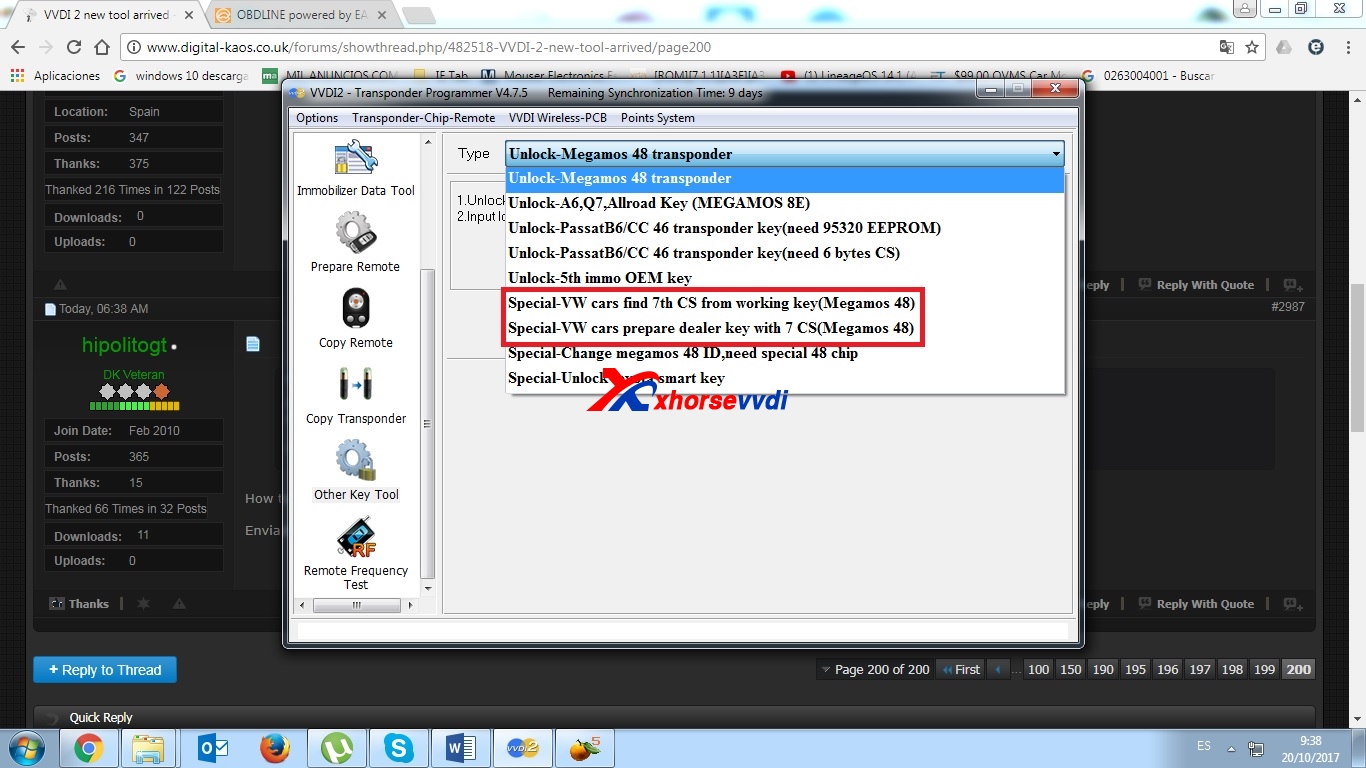
you will need to prepare an iD48 with AUDI CAN and prepare with 7th byte, everything you can do with VVDI2.
And then with the PINCODe just go to KEY LEARN - KEY LEARN and all good.
Question:
How to prepare it by 7th byte? I don't find chance...
Answer:
Other Key Tool

2017年8月8日星期二

How to use VVDI2 Full for BMW key programming

FYI: How to do VVDI2 BMW key programming (when all keys are lost)
VVDI2 BMW:

VVDI2 FULL kit:

VVDI2 Price:
Best price at xhorsevvdi.com. You will get what you pay for.
VVDI2 software download: vvdi2 v4.1.0
https://mega.nz/#!SgJBDaAK!0LZHIrnnUoPKspT680Vh3YGFF_sGBIf378yU8RZ r0VA
VVDI2 BMW Abilities:
EEPROM/KM/Synchronization Codes (OBD)
Read EEPROM / Write EEPROM
Read KM / Write KM
Synchronize DME-CAS, CAS-ELV
Key Learn
Get Key Info
Write Key Info
Load Key Info / Save Key Info
Prepare dealer key with programmer
Prepare dealer key with ignition switch
Add key
Program Key Info
Repair Keyless Key
Enable Key / Disable Key
Clear DTC / Clear Shadow
File Make Key
EWS1/EWS2/EWS3/EWS4
CAS1/CAS2/CAS3/CAS3+/CAS4
Unlock Key
Unlock with key info file
Unlock with CAS1/CAS2/CAS3/CAS3+ EEPROM
File Change KM
EWS3/EWS4
CAS1/CAS2/CAS3/CAS3+ CAS4
Cluster (E Series): M35080 EEPROM dump
Cluster (F Series)
CAS Repair
CAS1(0K50E) OBDII Repair
ISTAP4* Version OBDII Repair
Case: VVDI2 BMW Key Programming:
1.Start VVDI2 Softwareand choose BMW brand.Connect well VVDI2 BMW with your car and computer.
2.Choose the detailed car type,click on“Get Key Info”.

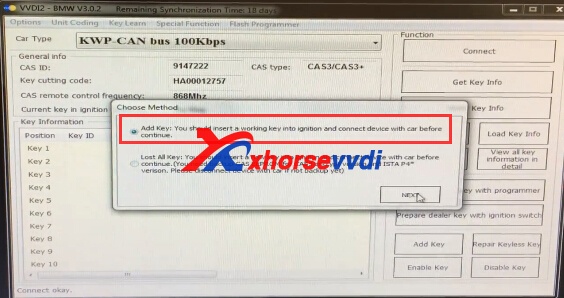
3.Then it shows:Add key:You should insert a working key into ignition,and connect device with car before continue.Click on “Next”.

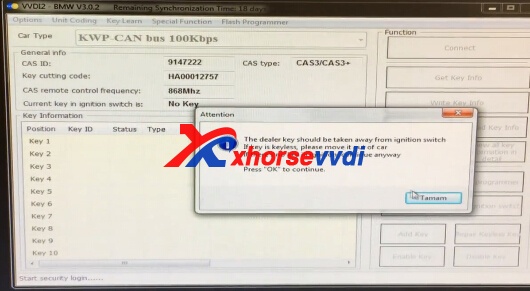
4.The dealer key should be taken away from ignition switch.If key is keyless,pleae move it out of car.
If there is not key in ignition,continue anyway.Press OK to continue.

5.Please use “Save Key info” to save save the original key informaiton.

6.Choose Key 4,put the key into VVDI2.

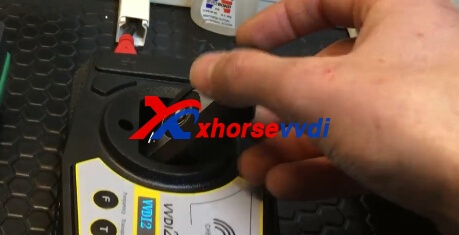
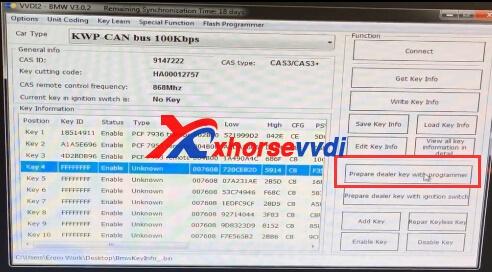
7.Click on “Prepare dealer key with programmer”

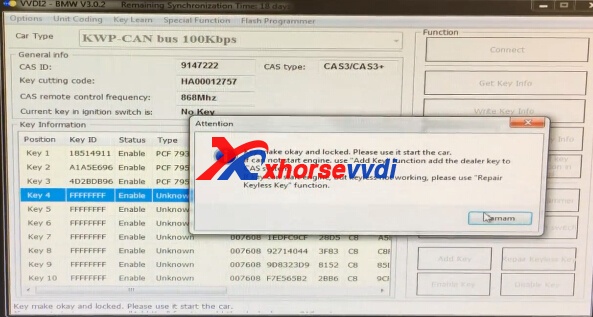
8.Click on OK to continue.

9.Please choose “Add Key”,please put new key into VVDI2 key Prorammer.
Is the new key keyless.If have press yes,els NO.

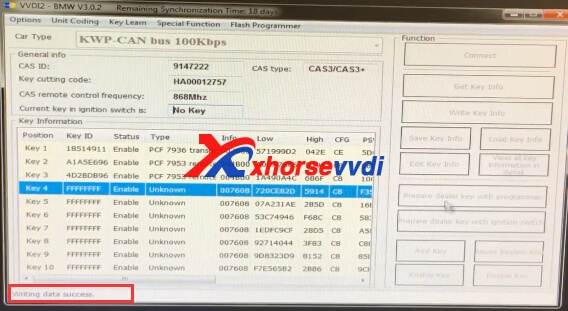
10.Writing data success.

Done!
VVDI2 BMW Review:
2005 BMW E87 CAS3: success
2006 BMW E90 CAS3: success
2003 BMW E60 CAS2: success
2008 bmw m6: success
I tested my vvdi2 on 2008 bmw m6 today. It worked flawlessly and was a bit quicker than multitool.
2010 bmw X5: success
I did a perfect job on 2010 bmw X5 with ISTAP today. I downgraded CAS ( I backed up eeprom with xprog first) and then retrieved key info OK. Adding key was a brieze after that. Cleard all errors, sinchronized ELV. DONE
2012 bmw f10: success
Hi i yesterday have bmw f10 2012 year ,read cas4+, change, write back all ok work .happy 100%

2017年6月13日星期二

How to use VVDI2 PSA Tool read pin code & add key for CAN line

VVDI2 Full package came with PSA Programmer and pin reader for a few days. And today, technicians in xhorsevvdi.com verified vvdi2 psa tool can read pin codes and do key learning with working keys on CAN based PSA- tested no issues.

1.VVDI2 PSA function:
VVDI2 PSA function only support CAN line protocol to add keys, learn keys and read pincode (with working key)
note: PSA change KM function will be added maybe in the near future.
PSA cars under PSA option, years, models, etc.:
CAN line protocol based Peugeot, Citroën and DS cars

2.How can i get VVDI2 PSA Software?Which VVDI2 includes PSA Software?
All VVDI2,includes VVDI2 full,VVDI2 VAG,VVDI2 BMW,even VVDI2 Basic,all has PSA software.
Start PSA icon in VVDI2 quick start software,then you can use PSA software function.

3.How to use xhorse vvdi2 for PSA key learning:
Just read the pin and cs from ecu.
Make backup from cluster, and the cluster configuration.
Then you make a dealer key, and learn it with pin.
tested model: Peugeot 308 2008 BSI JC pin extracted OK. Key learn OK.
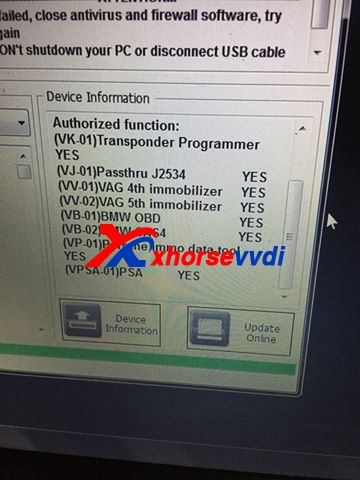
So, now vvdi2 full version authorized functions includes:
(VK-01)Transponder Programmer YES
(VJ-01)Passthru J2534 YES
(VV-01)VAG 4th immobilizer NO
(VV-02)VAG 5th immobilizer NO
(VB-01)BMW OBD YES
(VB-02)BMW CAS4 YES
(VP-01)Porsche immo data tool YES
(VPSA-01)PSA YES

2017年5月23日星期二

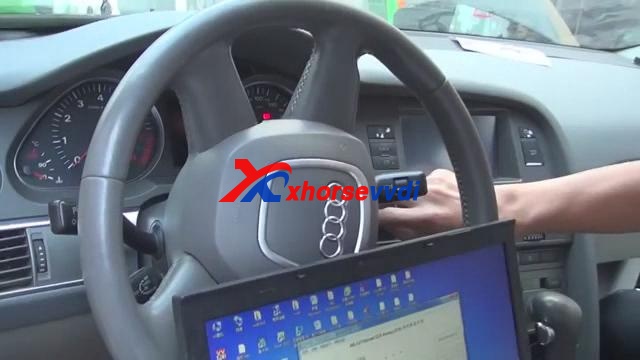
How to use Xhorse VVDI2 and VVDI Prog to make Audi A6l 2.4 Key

VVDI2 and VVDI PROG both of them are xhorse original tools,VVDI PROG can read BMW ISN and eeprom.etc,vvdi2 key programmer is univeral tool.Here XhorseVVDI.com will take Audi A6l 2.4 all key lost as a example to the detailed steps how to use Xhorse VVDI2 and VVDI Prog to make key.
vvdi prog programmervvdi2
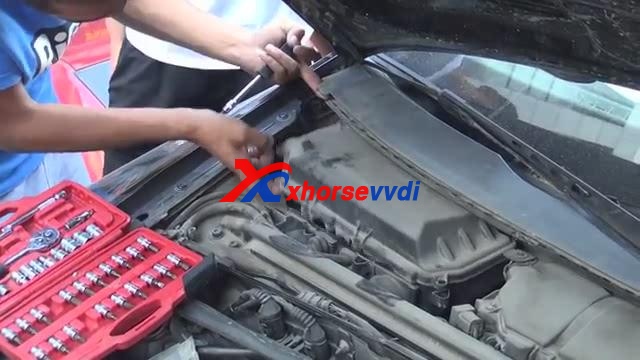
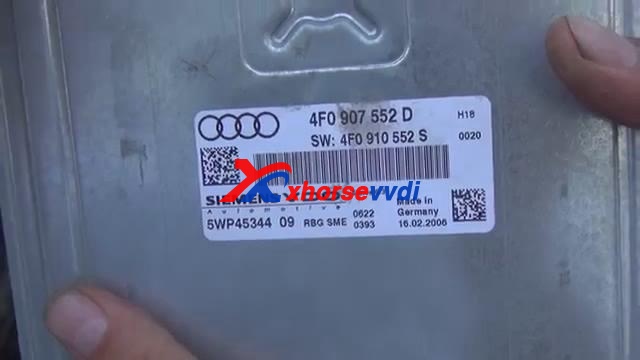
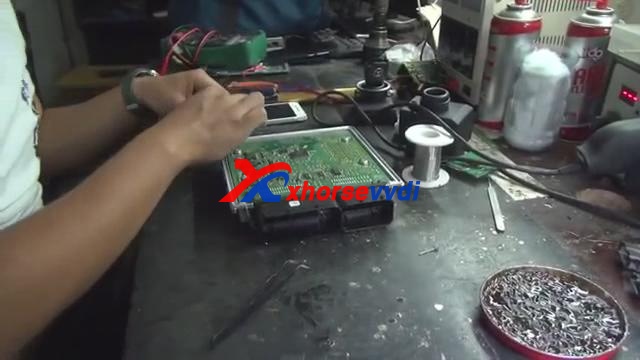
1.Open Engine cover, find out the Engine position, remove the engine ECU.
xhorse vvdi2xhorse-vvdi2-vvdi-prog-2
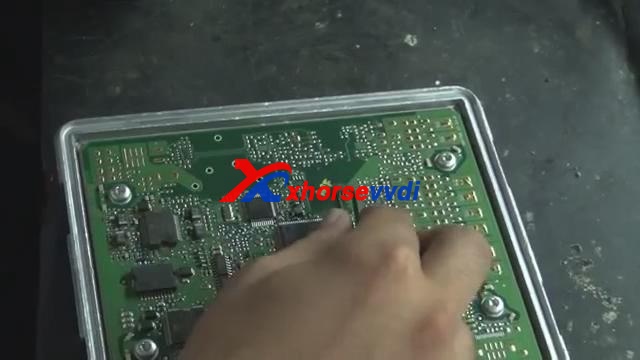
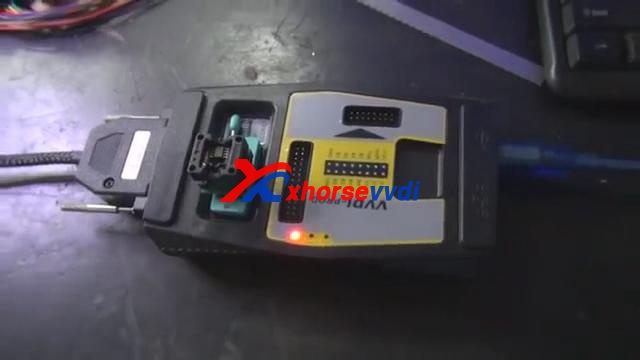
2.Read 95320 chip.Use VVDI prog to read 95320 chip,please remove the chip and put it on the VVDI Programmer.
vvdi progxhorse-vvdi2-vvdi-prog-4
Start VVDI Prog software,choose the chip type,read out the data,and save it.
3.Remove the 95320 chip,solder chip back on engine.
vvdi programmer
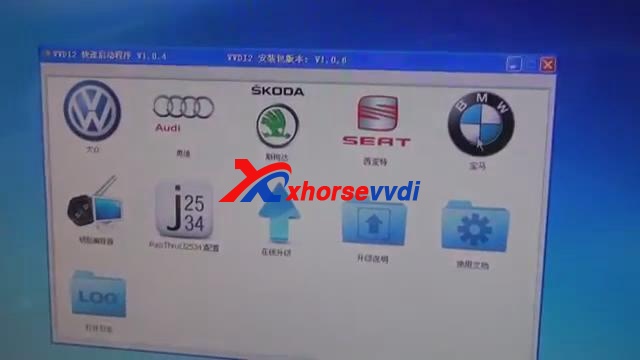
4.Start VVDI2 software and choose Audi car brand.
vvdi2 key programmer
5.Click speical function,then select” EEPROM data processing tool”
vvdi2
6.Calculate the CS Code.
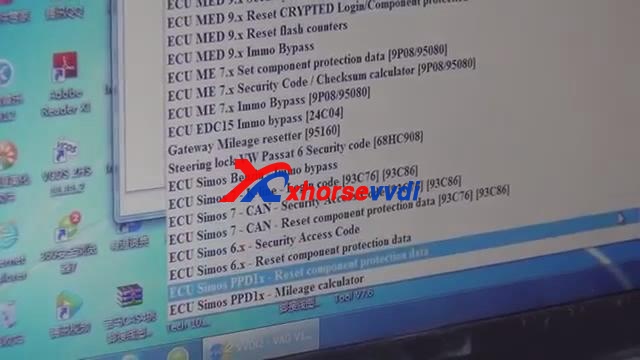
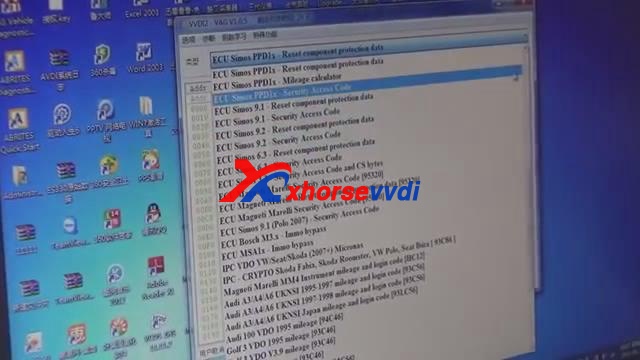
Choose ECU Simons PPDIX – Reset component protection data.Open VVDI2 and click Audi option,and Load the data that read out by VVDI Prog.Then click open.
vvdi prog
Record the CS code.
vvdi2 key programmer
7.Calculate PIN Code
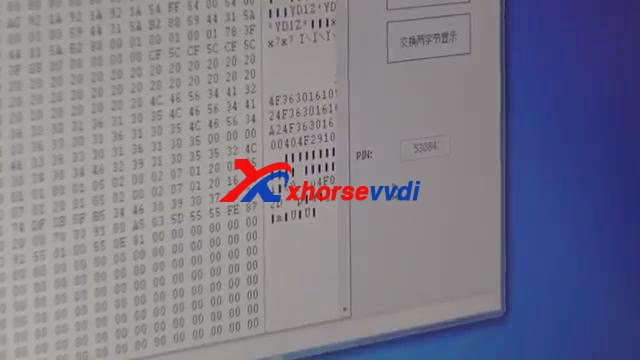
Select ECU Simons PPDIX – Security Access Code,load again the file,and record the PIN CODE.
vvdi2xhorse-vvdi2-vvdi-prog-10
8.Start VVDI2 software, click Learning Key- Audi A6/Q7.
Input the CS and PIN code ,then the button Learning Key and Generate dealer key will be OK to click.Put OEM chip and 8E chip into VVDI2 key programmer.Then click generate dealer key.
9.Learning key.
Disconnect the short insurance line and connect back.
Take out the key from VVDI2 and put it into ignition data coil.Click Learning Key .Open and close car door, turn on ignition, press down brake.
vvdi2
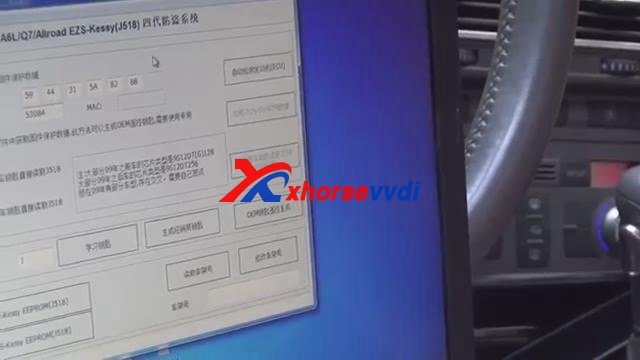
10.Read out EZS-KESSY(J518)EEPROM.
Click ok, select Chip type 9S1201128, read EZS-KESSY(J518)EEPROM is to generate OEM remote control.Save EZS-KESSY(J518)EEPROM.Generate OEM remote control.
Please confirm that remote controller is on the coil of VVDI2.
vvdi2
11.Test