显示标签为“vvdi benz w203”的博文。显示所有博文

2018年8月31日星期五

VVDI MB Tool and VVDI Prog 2002 Mercedes C240 W203 Feedback

VVDI Prog can support to read IMMO Benz W203 1J35D/1J74Y/2J74Y/3J74Y/4J74Y,their wiring diagrams are the same one.If you do not want to do wiring, VVDI PROG BENZ EZS Adapter includes W203 one, it will help you do easier.
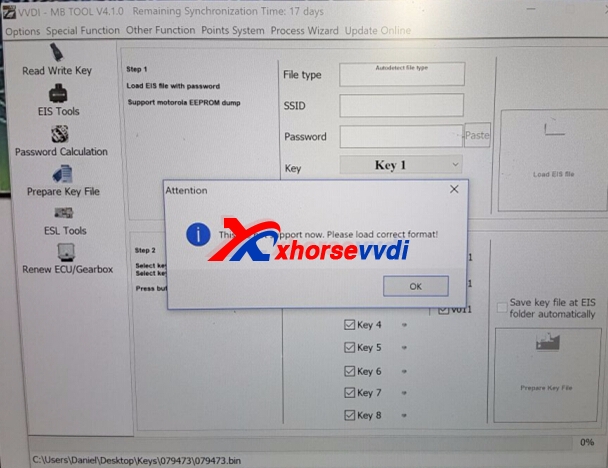
Recently,we recevied feedback that after read 2002 Mercedes C240 W203 successfully,use VVDI MB Tool load EIS data,but vvdi mb tool got error:file is not right .
vvdi benz w203
Solution:
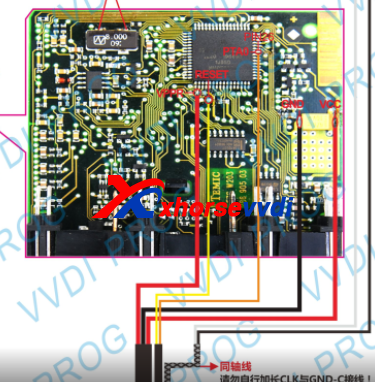
Please check the wiring diagram,check the EIS is same with pic one ,and all wiring are done well, the conenction are the same,read the data again,right one will be about 4kb.
From the customer feedback,the wiring is not completed yet,and after do all wiring,customers read new data,the problem is solved.
VVDI PROG Wiring Diagram Pic:
vvdi prog benz w203
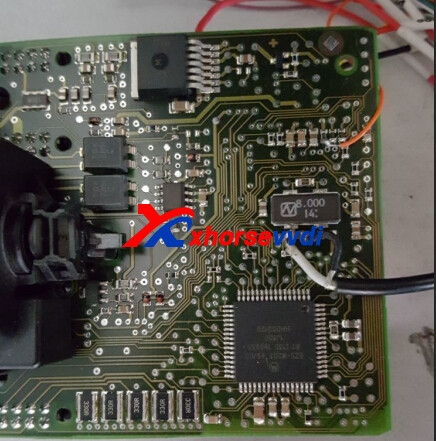
The following pic is not completed one.
vvdi prog benz w203
So we need emphasis:VVDI PROG Most important is making a good wires connection just like wiring diagram.

 Edit by http://www.xhorsevvdi.com/ :VVDI MB Tool and VVDI Prog 2002 Mercedes C240 W203 Feedback

2017年5月18日星期四

How to use VVDI MB BGA Tool to read W203 Password via IR mode?

VVDI MB BGA Tool is benz professional key programmer,and it can support to do key reading and writing,EIS tools,password calculation,key file preparing,ESL tools,ECU/Gearbox renew and many special functions.And here we will share VVDI Benz read W203 Password via IR mode.
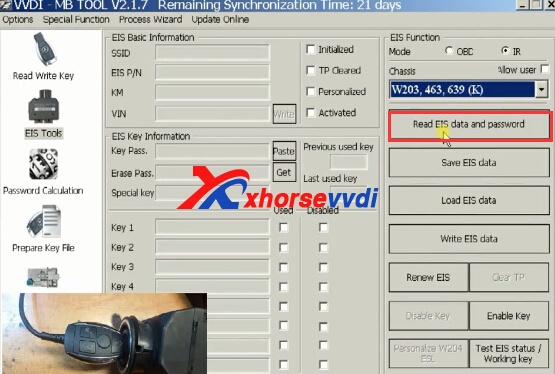
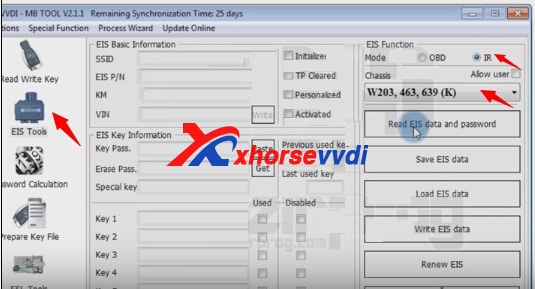
1.Start VVDI MB Tool sotware,EIS Tools and choose IR Mode,then choose W203.
vvdi mb bga tool
2.Click Read EIS data and password.
vvdi benz w203
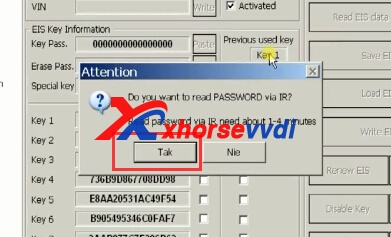
3.Read password via IR will take about 1-4 minutes.Click Yes.
vvdi benz w203
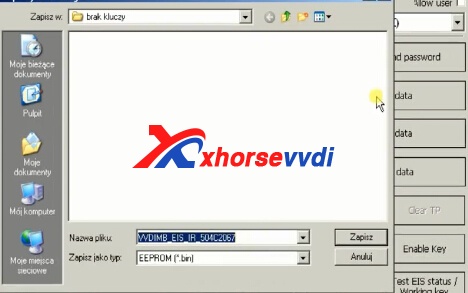
4.Read password successfully,then click "Save EIS Data".
vvdi mb tool
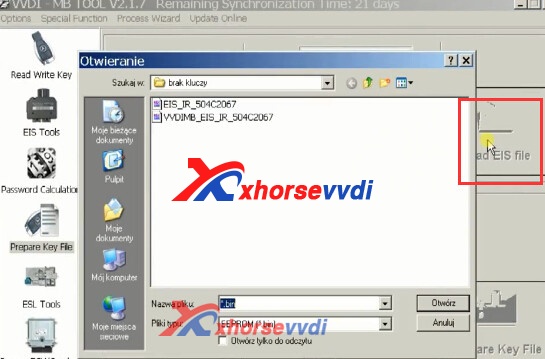
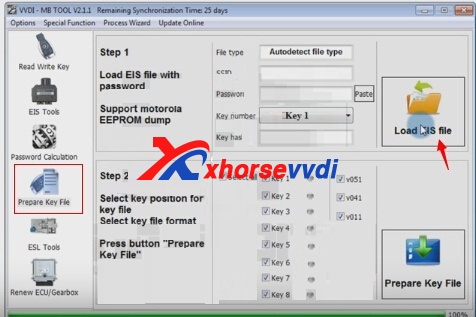
5.Click "Prepare key file"in the vvdi mb software main menu.Click "Load EIS File".
vvdi benz
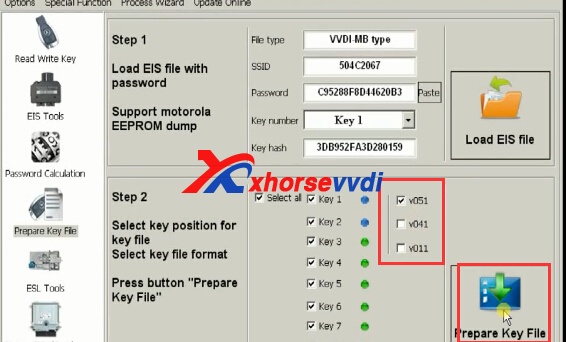
6.It is V051,tick off v041,v011,and click "Prepare Key File".
vvdi benz
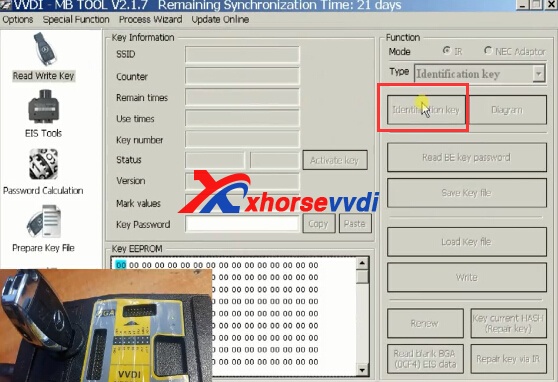
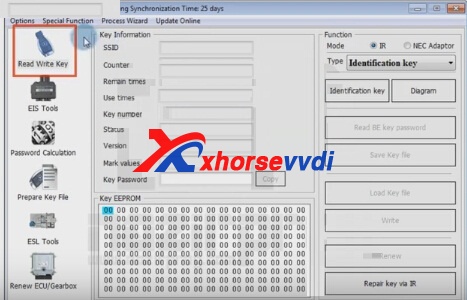
7.Click read/write key,and then click Identification key.
vvdi w203
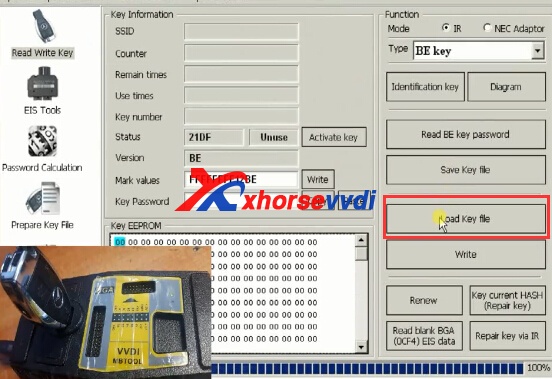
8.Load Key file.Then click "Write",waiting for the writing process.
vvdi mb

2017年4月10日星期一

How to use VVDI MB BGA Program Benz W203 All Keys Lost

VVDI MB TOOL V2.1.4 can support Benz W203 EIS all keys lost.And v2.1.4 newly add support get password from w204, w207 EIS while lost all key.Here we will display How to use VVDI MB BGA Program Benz W203 All Keys Lost?
1.Read EIS Key Password
1.1. Please connect VVDI MB Tool with your computer,and start VVDI Benz software.
1.2. Click "EIS tools" on the left.
1.3. Select IR,then choose "Chassis W203,463,639 (K)"
1.4. Click "Read EIS data and password"
vvdi mb
1.5. Please insert IR adapter to your car. Remove and insert again if already inserted. And keep 28 seconds.
1.6. Check status of VVDI BGA Tool button. Reading data success. EIS is normal.
1.7. If the software shows "Do you want to read password via IR". Press Yes to continue.
1.8. Read password via IR will take about 1-4 minutes.
1.9. Save EIS data "HC05 format file".

2.Prepare Key File
Click "Prepare key file" on the left of software.
Choose "Load EIS File"
Upload EIS data just saved
Tick one used key option: Key 4 and v51
vvdii mb tool
Select Prepare Key File
Save key file
3. Read Write Key
Select Read Write Key.Put smart key on VVDI MB Tool
Click on Identification key on software
Check unused key status.
Select Load Key file
Open key file just saved.
vvdi benz
Show Key eeprom data
Click on Write
writing data successClick on Identification key again
Chekc key numberRemove both keys form VVDI Benz and EISInsert IR key into EISSwitch on and off to checkSelect EIS Tools in softwareSelect IR
Select Chassis
Select Read EIS data and passwordInsert IR adapter to car. Take out and insert again if already inserted. Remain 28 seconds.Select no to read password this timeNew key has been program successfully.