2017年4月20日星期四

How to use VVDI2 and VVDI Prog to Program Porsche Paramera Key?

VVDI2 Porsche software can support Key Learn,diagnostic,and special function.Xhorse VVDI display to use VVDI Prog and Xhorse VVDI2 Program Porsche Paramera new key.
It will be three main steps to program new keys for Porsche Paramer: Read BCM Data, Program a deal key, Write a new key.

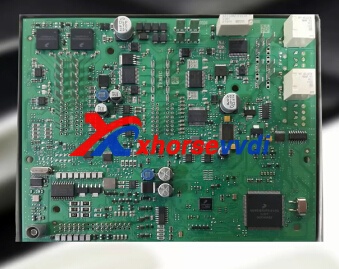
1.Here is the Porsche BCM Photo
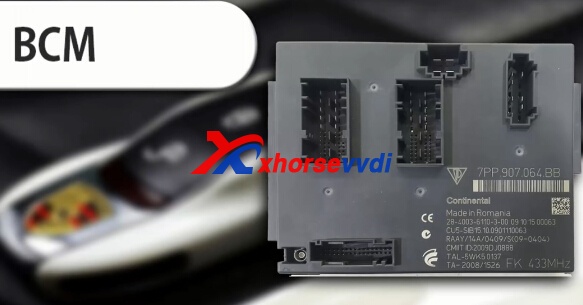
vvdi2 prosche

2.Use VVDI Prog to read Porsche BCM.
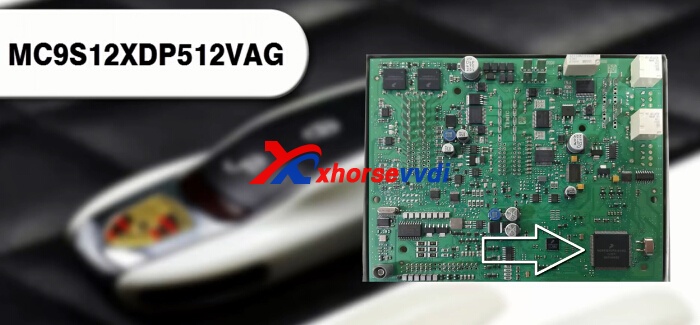
porsche-bcm-1
vvdi prog porsche

Start VVDI Prog software, and choose type: 4-immobilizer, brand: porsche, type: BCM-1L15Y
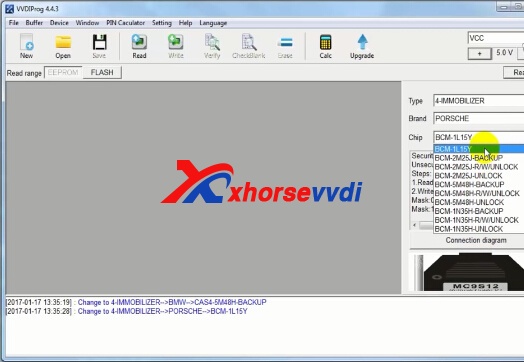
vvdi prog porsche

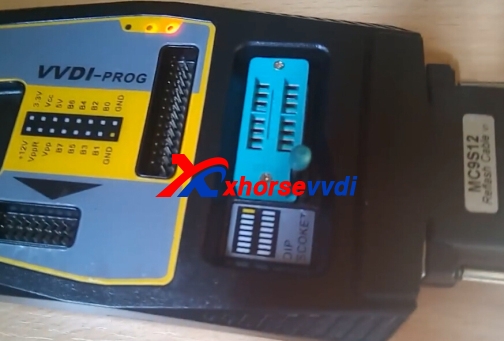
Click Connection diagram,check the photo and connect MC9S12 adapter to the BCM
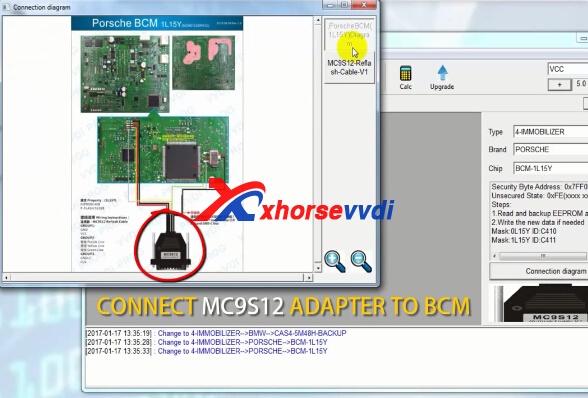
vvdi prog porsche
Remove the component and solder back after the operation is completed.
vvdi prog porseche bcm
Click Read on the VVDI Prog software,after read out the data,click save.
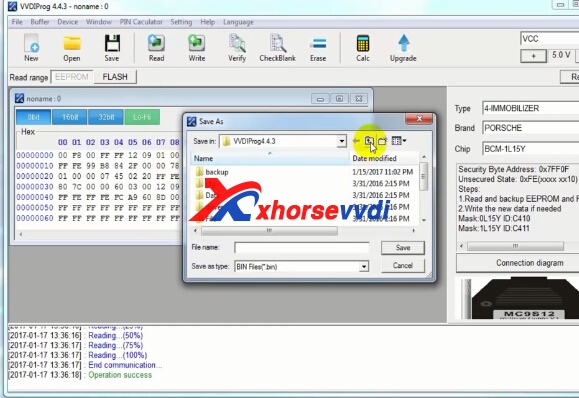
vvdi-prog-porsche-bcm-4
3.Open VVDI2 Quick Tool icon on the desktop.Choose Porsche software.
Choose "Key Learn-> new porsche key->prepare dealer key-> EEPROM 01L15Y"
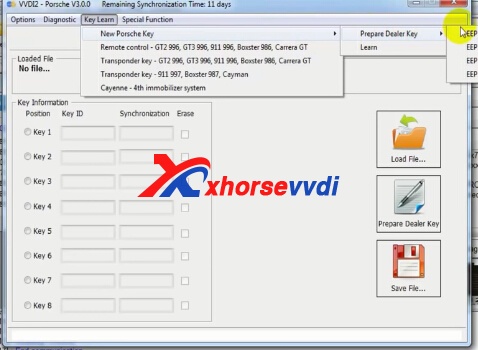
vvdi2 porsche 2010
Click "Load File",load the file you have saved from VVDI Prog.
vvdi2-porseche-program-new-key-3
Then choose key 3.And click Prepare dealer key.
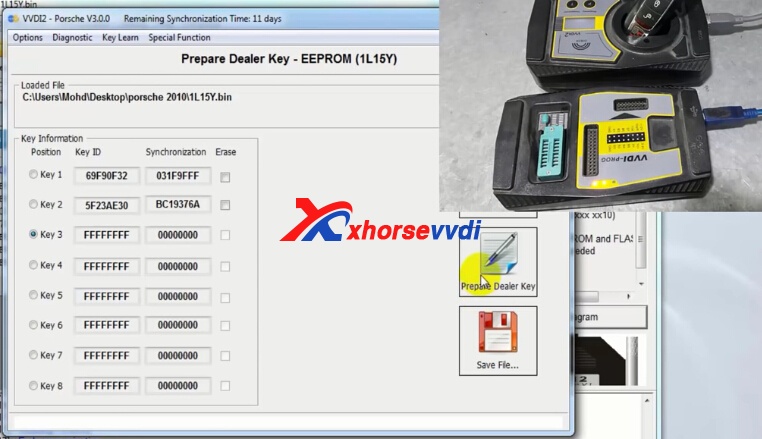
vvdi-prog-porsche-bcm-5
Save the new EEPROM dump file,click OK.
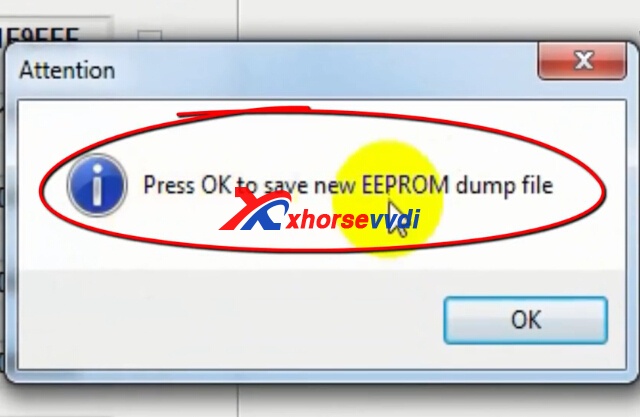
vvdi2-porseche-program-new-key-5
Add dealer key successfully! Please learn the new dealer key via OBDII or flash the new file to the car. If you want to add a new key, please use the new save file!
3.Write new key with VVDI Prog.
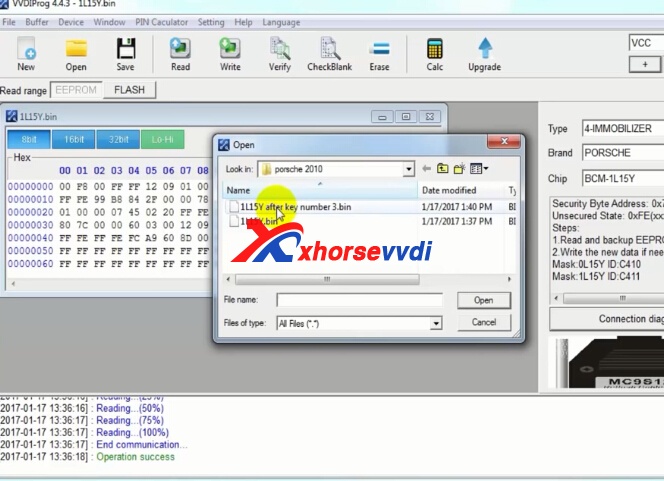
Close the VVDI2 software, back to VVDI Prog software again.And open new bin file you saved from VVDI2.
vvdi prog porsche
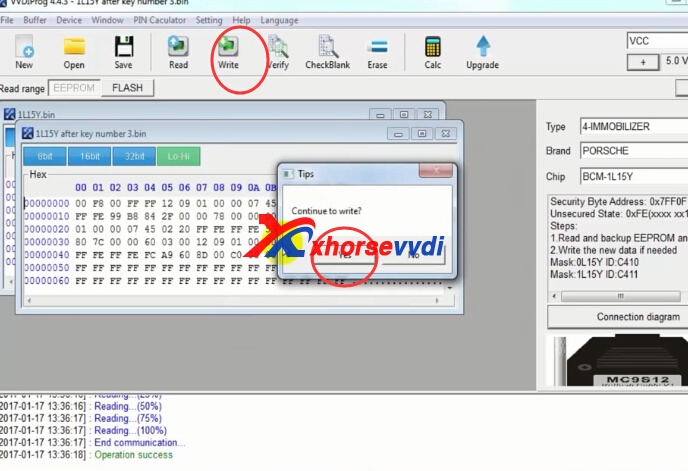
Then click "Write"
vvdi-prog-porsche-bcm-7
Operate finish.

How to use VVDI Prog Read BMW CAS3+ 0M23S?

VVDI Prog is universal programmer,which is also perfect tool to work with Xhrose VVDI MB BGA Tool and VVDI2 key programmer.And we have several vvdi prog instruction blog,here we will add one more about BMW CAS3+ 0M23S.
vvdi prog
How to use VVDI Prog Programmer Read BMW CAS3+ oM23S?
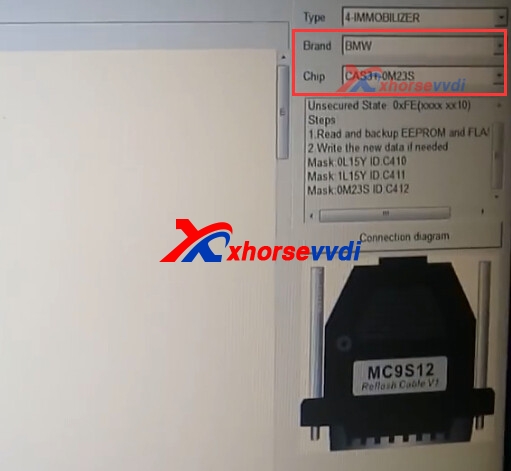
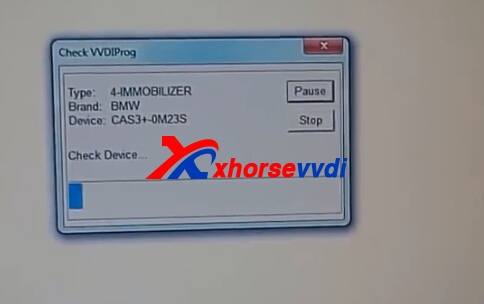
1.Open VVDI Prog software,choose BMW CAS3+ 0M23S type.
vvdi prog bmw cas3+
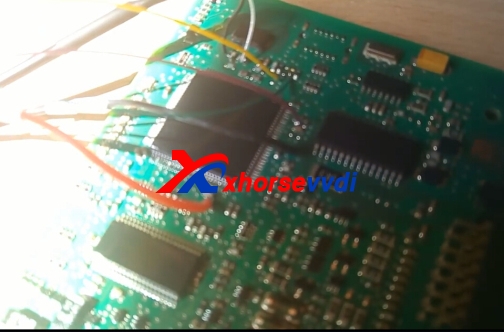
2.Click "Connection Diagram",and then do the wiring like it shows.
vvdi prog diagram
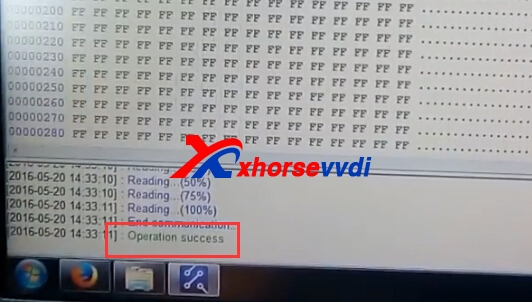
3.For EEPROM,click "Read".If read successfully,it will display in the software "Operation Success ".
vvdi prog bmw 
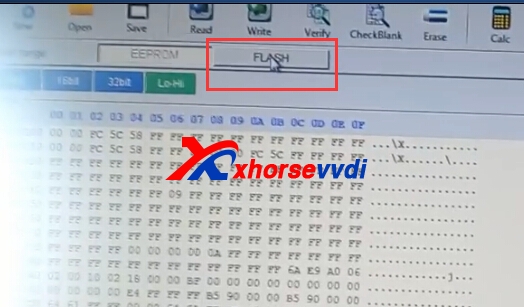
4.For "Falsh",and click read again.
vvdi prog 
5.It will take several minutes for the reading process. Finish.

2017年4月17日星期一

How to Solve VVDI PROG Read D70F3624 Try Frequency Failed Error

VVDI Prog V4.5.2 try to read D70F3624,but get the error that "Try Frequency Failed Error" just like the picture shows:
vvdi prog
Here is the probable solution:
I tried with and without external +12V supply.
Also tried manual frequency 8MHz and 4MHz. (I saw it was tested automatically but tried anyway.)
Tried with and without FLMD1 connected. (Not used by other programmers)
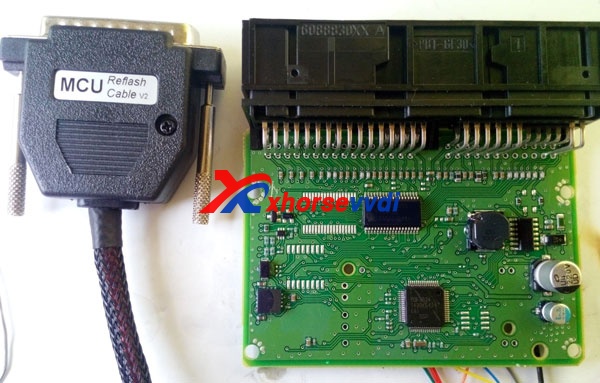
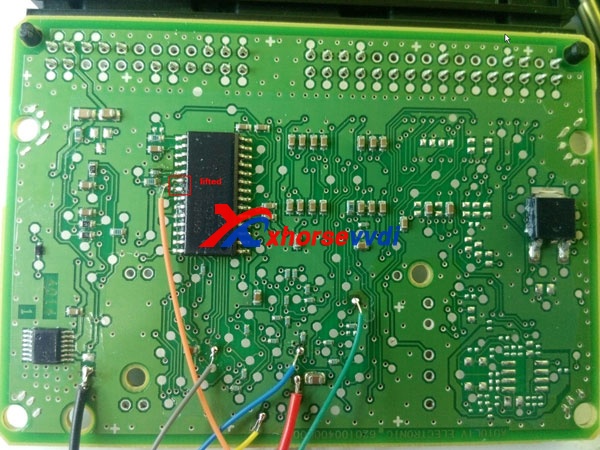
Also lifted 2 pins that you can see on pictures that were connected to RXD and TXD lines.
Using MCU Reflash Cable V2 (verified connections inside, yellow wire on correct location, also did continuity test on the other wires)
I tested myself the test points where I’m soldering against the MCU pins.
vvdi prog vvdi-prog-read-d70f362-error-solution-2 vvdi-prog-read-d70f362-error-solution-3
Some technical stuff:
VCC is set to 4.5V as default and measured 4.55V on pcb.
FLMD1 always at 0V.
FLMD0 pulled up to 3.5V.
RESET when goes up reaches 4.5V.
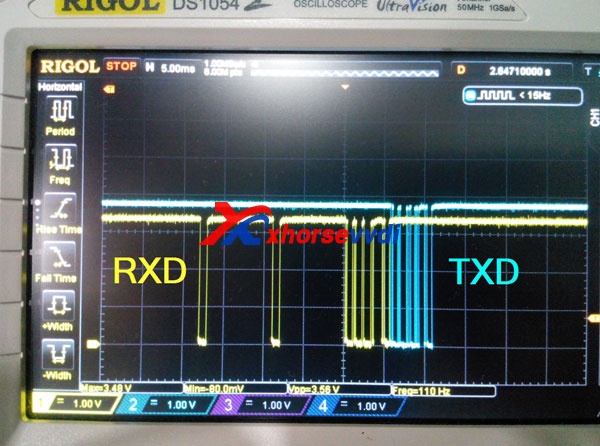
TXD when goes up reaches 3.9V, RXD 3.3V, bit timing of both RXD and TXD at any frequency set is always 104us (9600 baudrate).
Oscillator on board is 8MHz.
There are messages on both RXD and TXD.
Having asked the experienced Samic, for help. They said the connection to chip is ok, should be software bug.
And they thought currently the point is communication with chip. And i was advised to try to read the chip ID with other programmers
also require you to grab the signal of RXD and TXD line about 500ms.will find the caused reason and solve it.
So i used another programmer that reads it fine.
Device id:
10 7F 04 61 7F 7F 7F 8F 80 80 80 80 02 7F 7F 01 02 C4 37 B0 46 B3 B3 37 31 20 20 7F FF 00 00 00
VVDI-Prog doesn’t even reach that part, it stops after the first reply of the mcu.
I recorded my other programmer reading it with Saleae Logic (v1.25), attached session and dump.
f3624 read logged.rar (502.2 KB)
620595200_9805630180_upd70f3624_dflash_crash.rar (2.4 KB)
Samic helped to checked dump, saying this programmer use the default low baudrate 9600bps to read data.
VVDI PROG changed baudrate to 153600bps to decrease read time
baudrate change steps:
1.Use low baudrate 9600 wakeup the chip, if get the correct response,go to step2
2.Start change baudrate, due to the d70f3624 doesn’t know own osc frequency,programmer need send it the accurate value
(VVDI-PROG put some common-used osc value,so you can see try frequency xxxxhz info)
3.Programmer send the new baudrate value to d70f3624, vvdi prog use 153600bps
the d70f3624 can calculate the new baudrate with the osc value, but if the osc value is incorrect,you will get a wrong baudrate
(eg: the actual osc is 4Mhz, if you set a 8Mhz osc value and change the baudrate to 153600bps the chip will set a 76800bps)
4.Use the new baudrate to communicate
Maybe the osc frequency is not in VVDI PROG osc value list
Please grab a new dump with vvdiprog,need to further analyze of the problem.

2017年4月13日星期四

How to renew W204 Blocked ESL by VVDI MB BGA Tool

ESL easily get broken and a new ESL cost a lot, here we will display the detailed steps about How to renew W204 Blocked ESL by VVDI MB Tool.
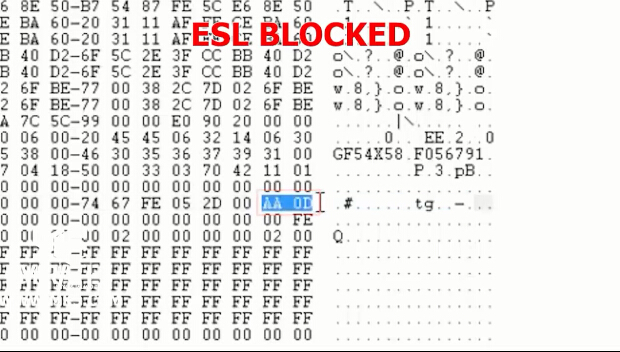
1.Check the ESL data is locked.
esl-locked
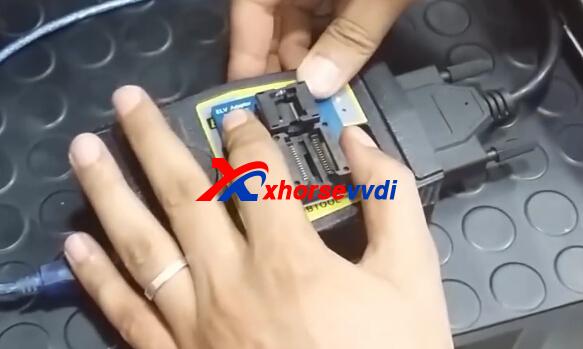
2.Use the tool to open ESL emulator and take out the PCB. Desolder the IC chip form PCB and solder it to xhorse vvdi mb bga tool ELV adaptor.
vvdi-mb-renew-w204-esl-1
vvdi mb
vvdi-mb-renew-w204-esl-3
3.Put ELV adaptor with VVDI MB Tool.
vvdi benz
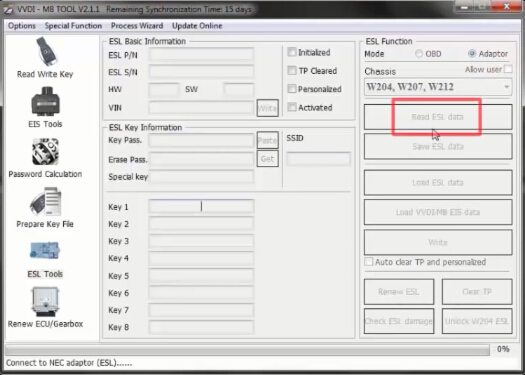
4.Start VVDI MB Tool software,  choose Adaptor Mode and Chassis: W204, W207, W212 and then click Read ESL data.
vvdi benz
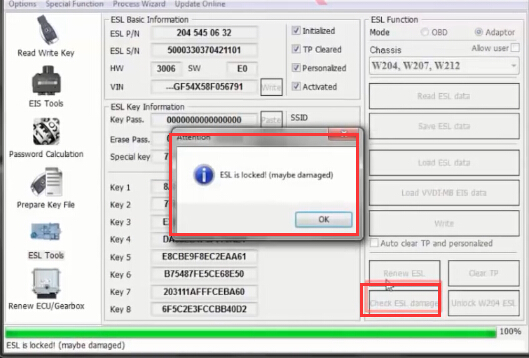
Then click Check ESL damage,it will display it is locked.
vvdi-mb-renew-w204-esl-6
5.Click Unlock W204 ESL. VVDI MB Tool with NEC ELV adaptor is trying to unlock ESL. (This process may cost about 2~3 hours)
vvdi benz
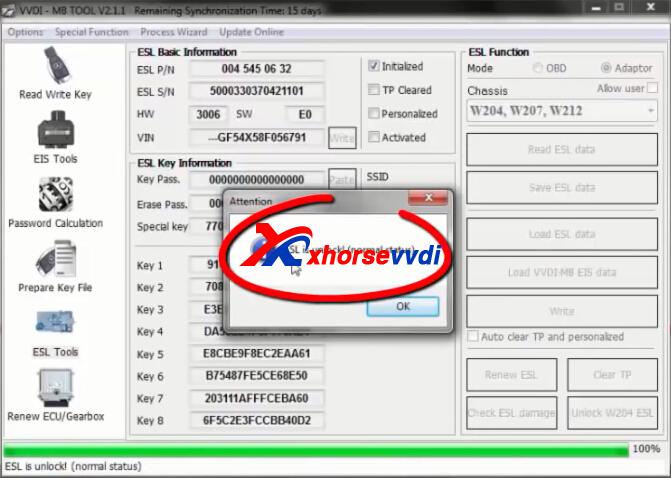
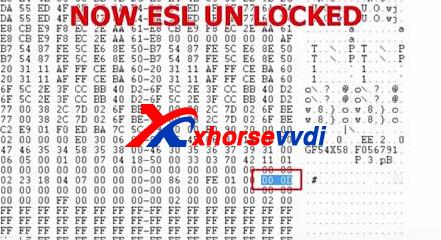
6.After step 5,click Read ESL data then click Check ESL damage again.It will show ESL is unlocked (normal status), click OK and Save ESL data. Save this new bin file and rename it.
vvdi mb
7.Check ESL status, you can see ESL is renewed to normal status successfully!
vvdi-mb-renew-w204-esl-9
www.xhorsevvdi.com all rights reservedOriginal Article url:How to renew W204 Blocked ESL by VVDI MB BGA Tool

How to use VVDI Prog Unlock BMW E90 PCF7945 Remote Key?

VVDI Prog Programmer can support CAS4-5M48H-UNLOCK,  CAS4-1N35H-UNLOCK options  in <4-IMMOBILIZER>->  , BCM-2M25J-UNLOCK,  BCM-5M48H-UNLOCK,  BCM-1N35H-UNLOCK options  in <4-IMMOBILIZER.etc,you can check the support in VVDI Prog update information history.
How to use Xhorse VVDI Prog Unlock BMW E90 PCF7945 868MHZ
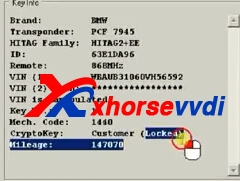
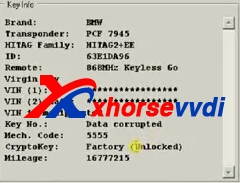
1.Use tool to read BMW E90 Key transponder information,it shows "Locked"
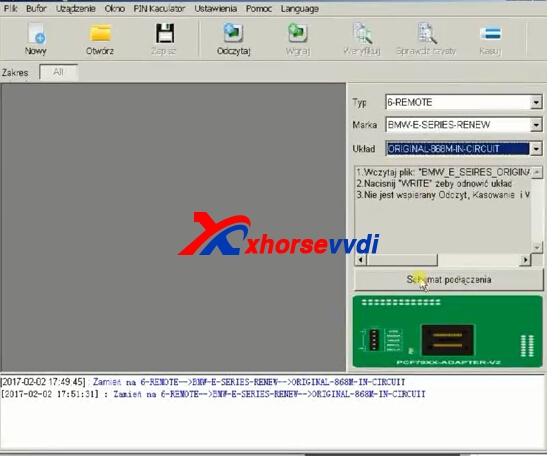
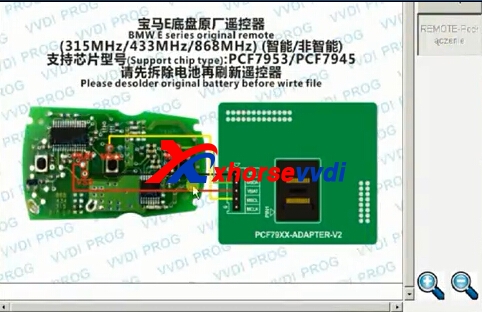
2.Start VVDI Prog software,choose the detailed type,then click connection diagram.
vvdi prog bmw  
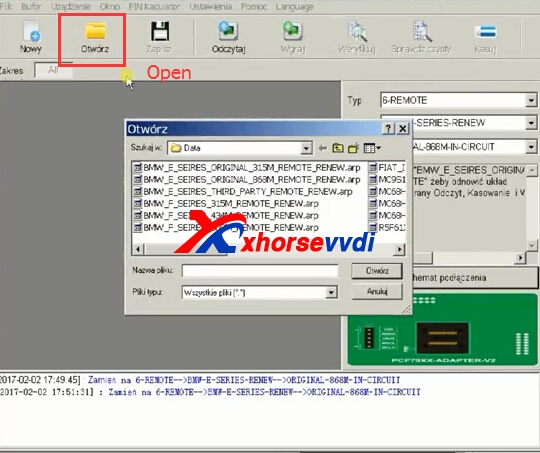
3.Click "Add".
vvdi prog unlock
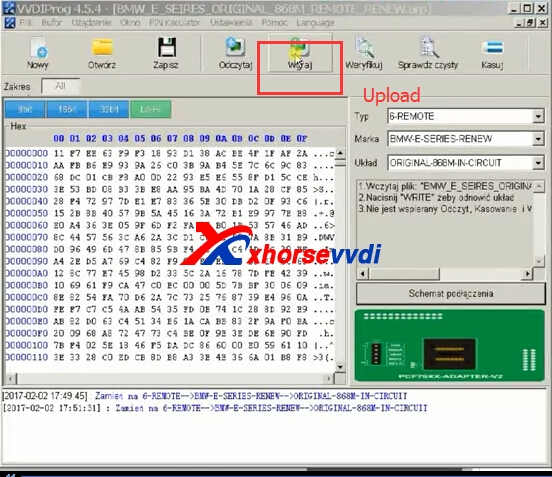
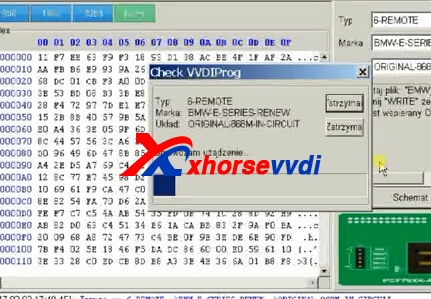
4.Upload.
vvdi prog bmw
vvdi prog
5.After the previous steps,check the BMW E90 key again.It shows "Unlock".

2017年4月12日星期三

VVDI Prog Programmer and Xhorse VVDI2 Key Programmer Comparison

VVDI2 is a comprehensive diagnose and programming tool (programming ECU and programming remote keys). VVDI Prog is like ecu programmer.For these two original Xhorse tools,XhorseVVDI.com will shware the comparsion about them.
vvdi2
1.VVDI Prog and VVDI2 Key Programmer Functions
VVDI2 is the update version for VVDI VAG Diagnostic, it inherited VVDI all features, mainly used to diagnose, programming ECU and keys and so on.
VVDI2 =VVDI options + BMW Multi Tool options + Porsche options + J2534(free)+ Tango(free) + Remote control generation(free)…..more other function will be added, the hardware and software can be updated by offical website (internet).
VVDI Prog programmer is famous Auto EEPROM MCU ECU programmer,VVDI PROG=(BMW ISN READ)+(EERPOM read)+(mcu read MOTO 9S12,5M48****)+PIN Code Calculation(more pin coder Algorithm ,than 40 type)
In short:
VVDI2 main function: vehicle diagnosis, odometer correction, ecu programming, remote key programming, key matching. etc.
VVDI pro: auto EEprom / MCU / ECU programming, pin code calcultion.etc.
2.VVDI PROG Programmer and VVDI2 Commander Comparison Table
ItemVVDI2VVDI PROG
Newest VersionV1.1.6V4.4.6
UpdateUpdate onlineUpdate online
LanguageEnglishEnglish
FunctionDiagnosis, odometer correction, ecu programming,
remote key programming, key matching. etc.
EEprom / MCU / ECU programming,
pin code calcultion.etc.
OSXP/WIN7XP/WIN7
xhorse-vvdi2-vvdi-prog-4

Free Download Ford KM Tool Can Bus V2.0 software

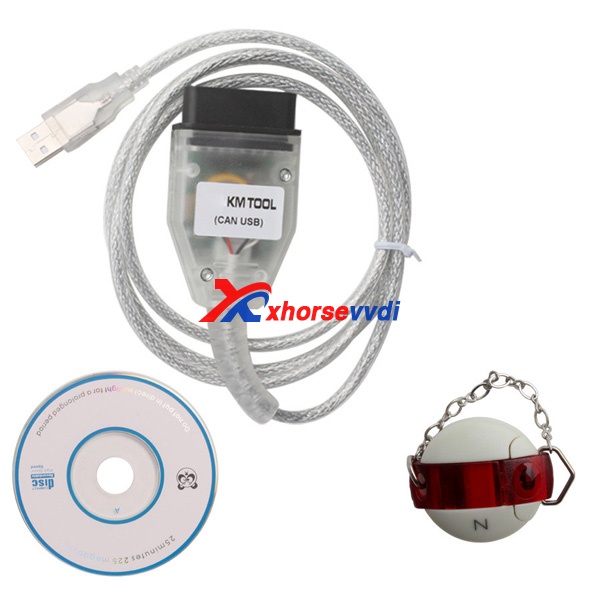
Xhorse Ford KM Tool Mileage Correction Kit CAN BUS V2.0 can support to read KM from car,write new KM into car.Which is a mileage tool especially for ford car models, support can bus protocols.
ford can bus km tool
1.Free Download Ford KM Tool Can Bus V2.0 software
Ford KM Tool Can Bus V2.0 software,if the update process is failed,you can get the software from download link to install:Ford KM Tool Can Bus V2.0 software
2.Ford KM Tool Supported car models:
CMAX Diag
EACAPE 2007-
FIESTA 2001-2007
FIESTA 2008-
FOCUS 2004-
GALAXY 2006-
KUGA DIAG
MAVERICK 2007-
MONDEO 2008-
MUSTANG 2007-
SMAX DIAG
3.Ford KM Tool CAN BUS FAQs
Q1: How can I update it?
A1: after you buy it, in its software, you will see “about”, press it, it has update button. It can be update on internet.
Q2: Can your ford km tool do all ford car from 1998-2010?
A2: No ,it can not do all car, it can do most ford car, also, It can not do FORD truck.
Q3: “Device not Connected” Error, how to do?
A3: Reason: Hardware not connected to pc with USB Port, please Plug Device to USB Solution.
Q4: GALAXY 12/2006 -not connect ,It only works for galaxy after 2006. It change mileage on dashboard, not on ECU.
A4: that’s For mondeo, smax, galaxy cars. you need to change the PIN connect manually:
The rule is:
Ford KM Tool ————> Car
PIN 6 (High) ————> PIN 3 (High)
PIN 14 (LOW) ————> PIN 11 (LOW)
PIN 4 (GND) ————> PIN 4 (GND)
PIN 5 (GND) ————> PIN 5 (GND)
PIN 16 (ACC) ————> PIN 16 (ACC)
Pay attention to the car OBD, it’s opposite of our device.
www.xhorsevvdi.com all rights reservedOriginal Article url:Free Download Ford KM Tool Can Bus V2.0 software