显示标签为“Condor XC-MINI update”的博文。显示所有博文

2018年8月17日星期五

Condor XC-MINI Key Cutting Machine Support Russian Language

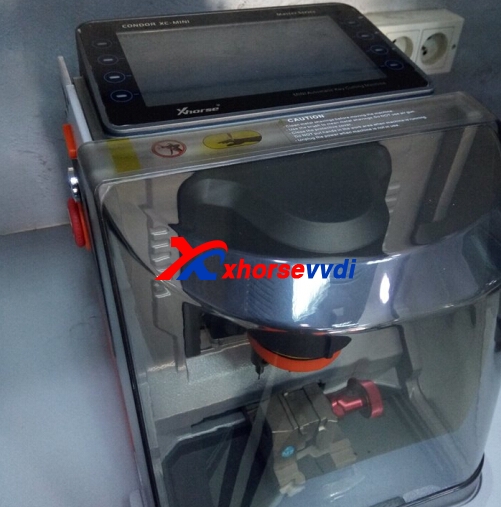
Condor MINI supports multi-language,and it is OK to change to Russinal language.The one you received is default English language.If you want to change language,please send us your serial number,factory will change it for you,then update your machine.

Condor XC-MINI Language:
Portuguese/Spanish/French/Germany/Czech/Arabic/Turkish/Dutch/Polish/Bulgarian/Norway/Slovakia/Italian/English/Russian/Chinese
Condor XC-MINI Promotion:Free with M4 clamp.

Condor XC-MINI Newest Version is V5.1.5:
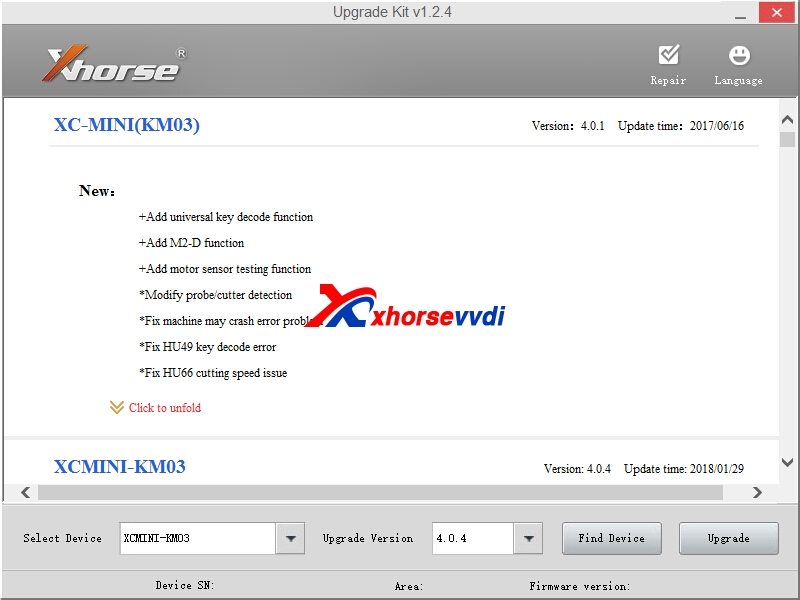
Please use xhorse update kit software to update your Condor mini key cutting machine.
condor mini update 

Edit by http://www.xhorsevvdi.com/ :Condor XC-MINI Key Cutting Machine Support Russian Language 

relate article:
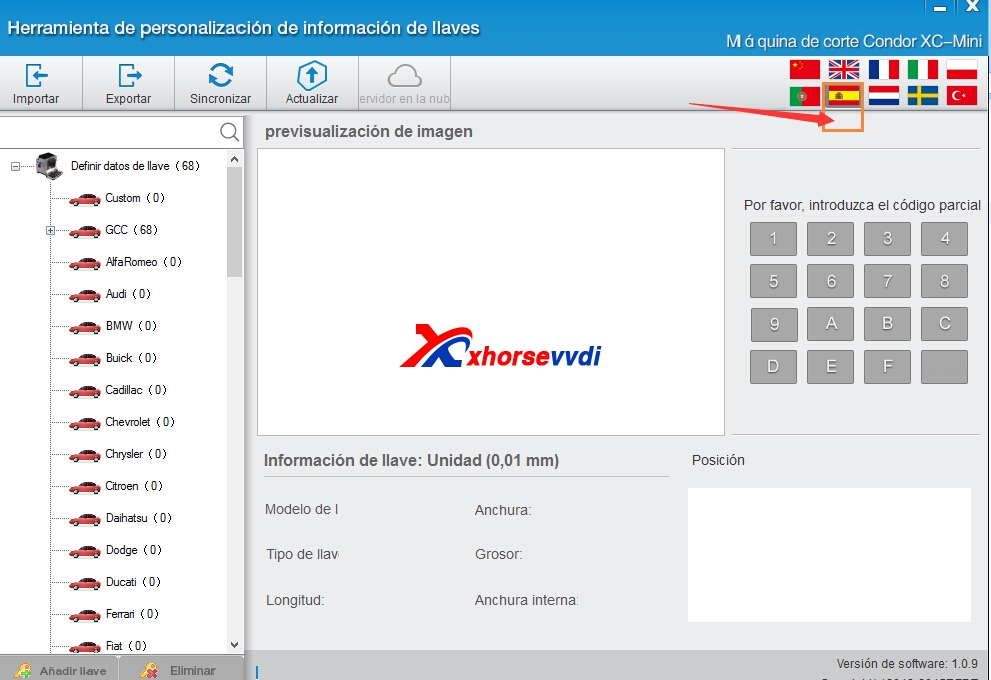
Condor XC-MINI Key Cutting Machine Spanish Language Setting

2018年4月26日星期四

V5.0.4 Condor XC-MINI Key Cutting Machine New Version

V5.0.4 Condor XC-MINI version is relased on Apr 19th,and use Xhorse update kit software to update your condor mini key cutting machine.And we received some feedback that when update,it occurs some server or failed error,please try again later and update.
condor mini update
V5.0.4 Condor XC-MINI Update(2018.04.19)
bug fix:HU43,HU56R,HU64,HU101
modify:HU43,HU56R use clamp M2-D
V5.0.3
add key:HU162T-9,HU162T-10
fix some bug
modify(for India version)
HondaCycles(India)/activa 3G
Modify (for India version)
Mahindra(India)/Bolero Mahindra(India)/XYLO&SCORP10 HondaCycles(India)/activa 3G Hero(India)/Splendor
Condor XC-MINI or Xhorse Tools Update Tips When use Xhorse Update Kit Software
After you connect device with computer,and use xhorse upgrade kit software to update your xhorse tool,please click "find device" firstly,confirm software can recogize your device firstly,then process updating.Thanks.
If any questions,please feel free to contact us:
Skype: xhorsevvdi.com
Whatsapp:+86-13983756354

2018年3月11日星期日

Condor XC-MINI Key Cutting Machine Spanish Language Setting

Condor XC-MINI key cutting machine can support the following languages:Portuguese/Spanish/French/ Germany/Russian/Czech/Arabic/Turkish/Dutch/Polish/Bulgarian/Norway/Slovakia/Italian/English/Chinese.And all the machine when you receive is with English language.If you want to use Spanish language,how can you get it?
mini condor
Condor XC-MINI Key Cutting Machine Spanish Language Setting
1.Provide MINI Condor serial number to us.
There will be two ways to find your condor mini serial number.[Please do not leave the serial number in public.As VVDI MB can bind with condor xc-mini to get one token free everyday,from some feedback,some customers condor key cutting machine serial number is used by some other unknown one.]
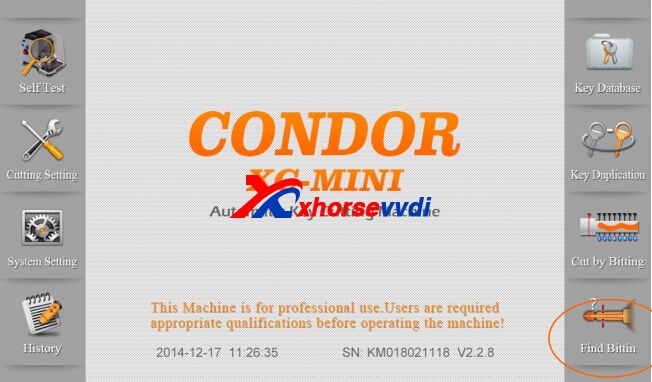
First,you can get from the condor xc-mini main menu,after you start your machine,it will display "SN":
condor xc-mini
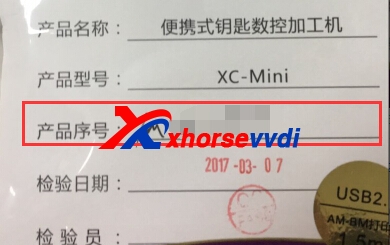
Second,you can check on the user manual.
mini condor
2.After we inform you condor xc-mini language change is OK.Please use the update tool software to update your mini condor machine.
2.1.Download the update tool software,newest one is V111.Here is the download link:http://www.xhorsevvdi.com/upload/service/v1.1.1-condor-xc-mini-update-tool-km02km03.rar
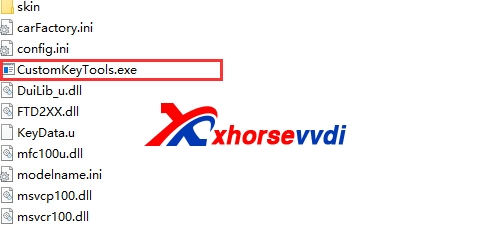
2.2.Run "CustomKeyTool.exe0" in the update tool software,and please choose Spanish language.
condor xc-mini
mini condor Spanish
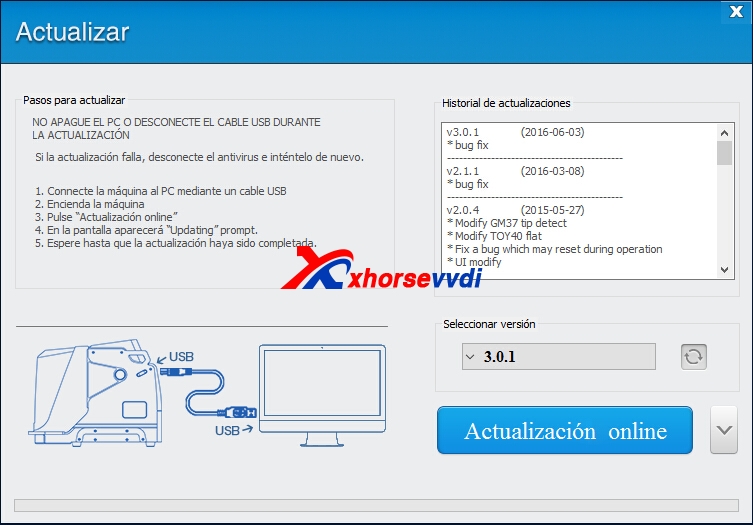
2.3.Connect Condor MINI with your computer,start update to V4.0.1.Here is detailed steps:
Do NOT turn off or unplug usb cable during updating.If the upgrade fails, trun off anti-virus software and then try again.
1.Connect Key Machine to PC with a USB cable,
2.Turn on the KeyMachine.
3.Click "Update Online" to start update.
4.The screen will appear "Update" prompt.
5.Wait for update completed.
condor mini update
2.4.After finish updating.Check your Condor MINI language.


2018年3月4日星期日

V4.0.4 Condor XC-MINI Key Cutting Machine Update

V4.0.4 Condor XC-MINI Key Cutting Machine newest version is released,please use Xhorse Update Kit software to update your Condor MINI key cutting machine V4.0.4 Version.
condor mini update
1.Free Download Xhorse Update Kit Software
https://mega.nz/#!QTx3yYKb!OW3Mc4sBaMqUSCUfWtPM4__Od-OPkemRe2j4EfPHRLo
If it is in Chinese,please change language from right cornor.
2.Condor MINI V4.0.4 Update Info(2018.01.29)
Add new screen compatible
Increase the civilian key holder M4
Universal key copy:Bug Fixes
India:Honda activa database
FO21 modified
Modify the depot,car search method
Limit cutting speed
Modify GM45 to position M2-C
3.Condor XC-MINI Key Cutting Machine is on Chinese New Year Promotion now with 2799USD free shipping.
condor xc-mini
Edit by Xhorse vvdi

2017年12月15日星期五

How to Update Condor XC-MINI V4.0.2 Version?

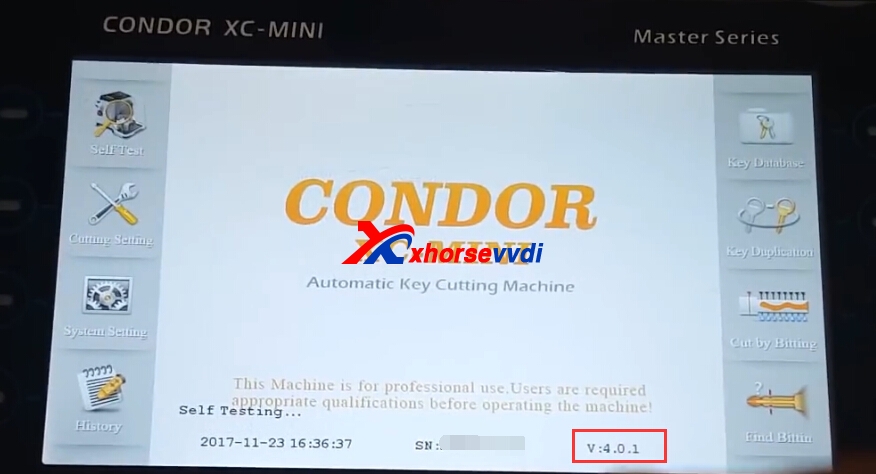
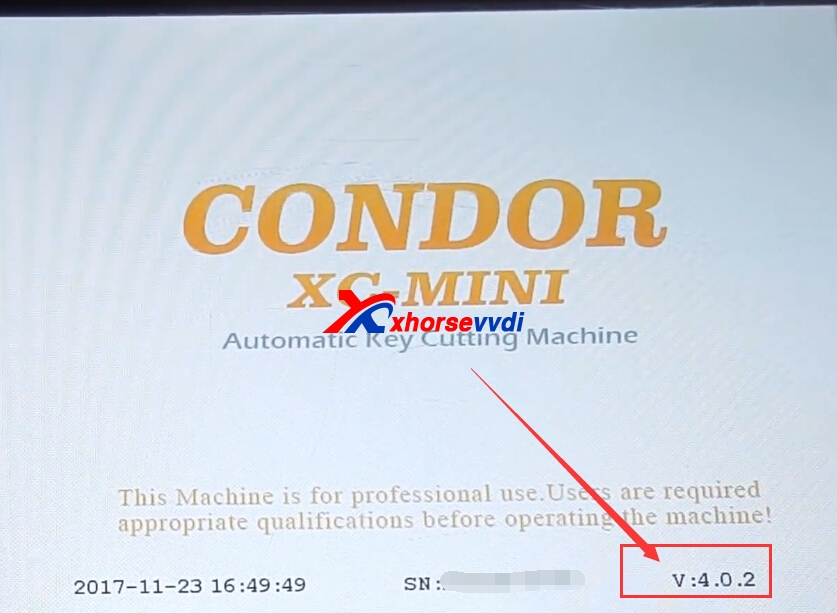
V4.0.2 Condor XC-MINI can be updated via Xhorse upgrader kit software.Here is Condor MINI update steps.The following pic is V4.0.1 now,we will update it to V4.0.2.

1.Connect MINI Condor with computer.
condor xc-mini update
2.Download newest Xhorse upgrader kit software.Run Xhorse update kit application.
Here is the link:https://mega.nz/#!QTx3yYKb!OW3Mc4sBaMqUSCUfWtPM4__Od-OPkemRe2j4EfPHRLo
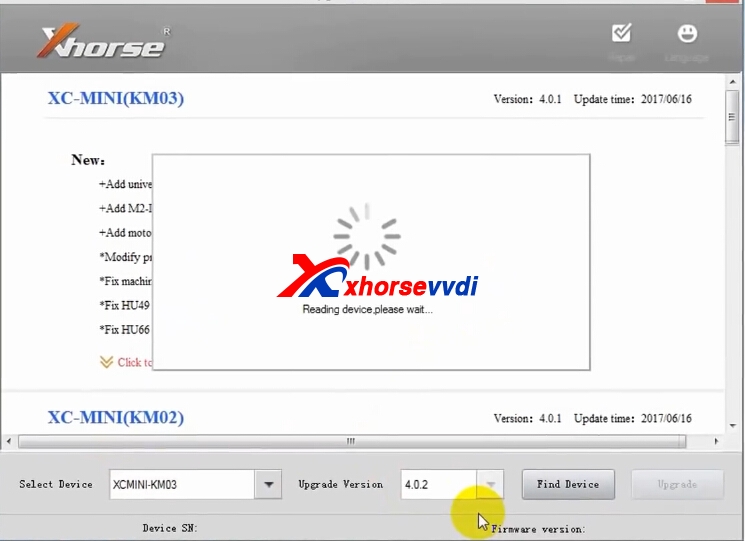
3.Start update software,choose Condor mini part.
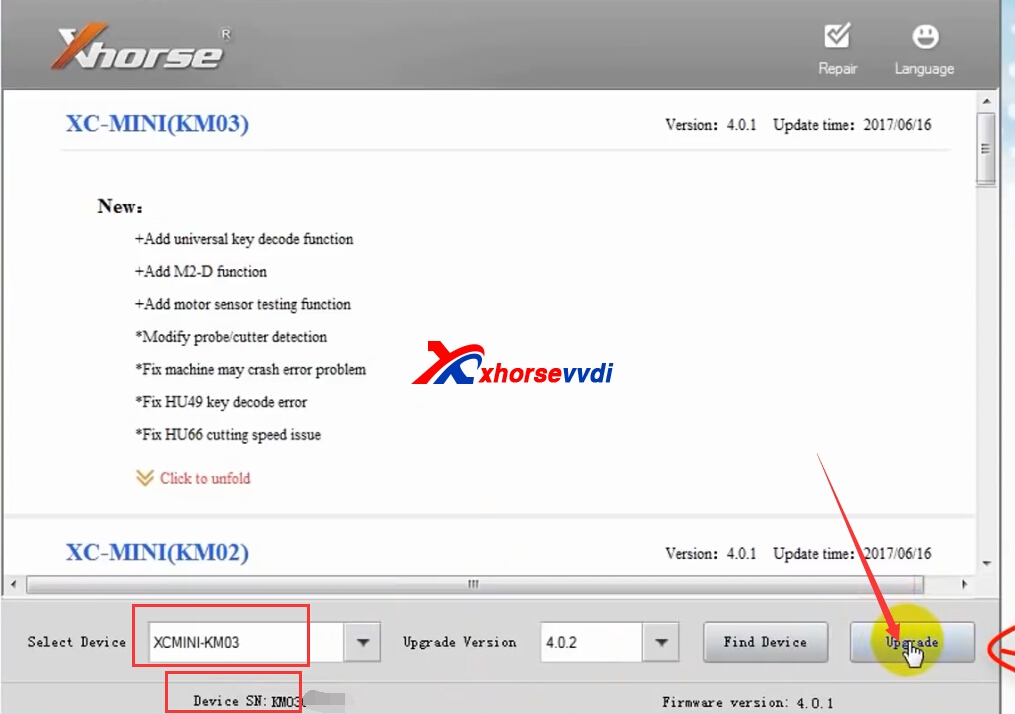
And some customers may confused KM03 or KM02 which one you need to choose,pleae check your serial number firstly.If KM03******,choose KM03 is OK.
condor mini update
4.Click "check device".After recognise the device,please click upgrade.
condor xc-mini
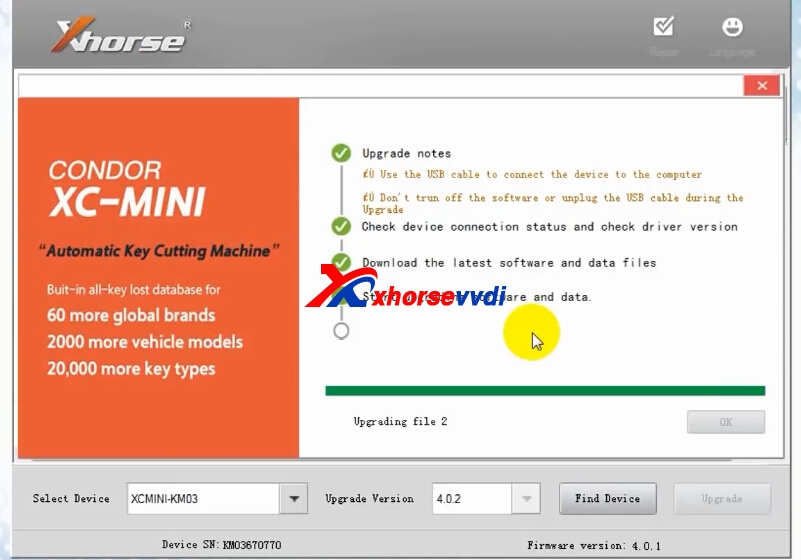
5.Update processing.
Use the USB cable to connect the device to computer.
Don't turn off the software or upplug the USB cable during the upgrade.
Check device connection status and check driver version.
Download the latest software and data files.
Start update software and data.
Update completed.
condor mini update
6.Update successfully.
mini condor update
Original:How to Update Condor XC-MINI V4.0.2 Version?

2017年7月2日星期日

V4.0.1 Condor XC-MINI Key Cutting Update Detailed Steps

V4.1.0 mini condor key machine Key Cutting Machine works well for KM02 KM03 key cutting machine.Step by step,we will display pics to help you operate condor xc-mini updating.
mini condor update
1.Download V1.1.1 Condor MINI Update Tool Software
http://www.xhorsevvdi.com/upload/service/v1.1.1-condor-xc-mini-update-tool-km02km03.rar
2.How to Update V4.0.1 Condor XC-MINI Key Cutting Machine?
Run Condor Update Tool,connect condor key cutting machine with computer.
condor xc-mini update
Click Update,and choose serial number type.KM02 or KM03.
condor xc-mini
CONDOR MINII UPDATE
Choose version "4.0.1".And then click Update Online.

Wait for update process.
condor xc-mini update
Update successfully.
MINI CONDOR UPDATE 

www.xhorsevvdi.com all rights reserved, Original Article url:V4.0.1 Condor XC-MINI Key Cutting Update Detailed Steps

2017年6月18日星期日

V4.0.1 Condor XC-MINI Key Cutting Machine Latest Update [2017.06.16]

V4.0.1 Condor XC-MINI newest update tool software we posted in previous blog and now V4.0.1 Condor XC-MINI update,V1.1.1 update tool software is OK for all condor key cutting machine customer now.Update your condor xc-mini to newest V4.0.1 version,please check your ikeycutter condor xc mini serial number,KM02 or KM03,then choose the right type.
condor xc-mini update
1.Free Download  Condor XC-MINI Update Tool Software V1.1.1
https://mega.nz/#!LghkGQoT!nhs6ucmeVwPj5sov3iI5WK2pVsuTe1PziwASvMbOYtI
2.V4.0.1 Condor XC-MINI newest update information
V4.0.1(2017.06.16)
------------------------------------------
+Add universal key decode function
+Add M2-D function
+Add motor sensor testing function
*Modify probe/cutter detection
*Fix machine may crash error problem
*Fix HU49 key decode error
*Fix HU66 cutting speed issue
*Fix BW6 cutting error
*Fix TBE1 cutting error
Notes:
1.New update for both SN KM02/KM03 machines
2.New function:Main Interface-Key Duplication-Universal Type
3.Universal Type support decode/cutting parts of home & vehicle keys
4.Please keep the whole key clean and conductivity good(ensure without dust/oil)
5.For one side key(thickness of whole key usually 1.5mm or 2.00mm) please add a shimsiness card under the key,ensure the whole key thickness should more than 3mm
condor xc-mini v4.0.1
3.KM02 Serial number update V4.0.1 test OK feedback

mini condor update 

www.xhorsevvdi.com all rights reserved, Original Article url:V4.0.1 Condor XC-MINI Key Cutting Machine Latest Update [2017.06.16]

2017年5月21日星期日

Free Download V1.1.1 Condor XC-MINI Update Tool Software [Update V4.0.1]

Condor XC-MINI key cutting tool newest update to V4.0.1 version.In previous post,update 4.0.1 will get error,just use V3.0.1 update is OK.You can download the latest V1.1.1 Condor XC-MINI Update Tool Software now.
condor xc-mini update
1.Free Download V1.1.1 Condor XC-MINI Update Tool Software
2.V1.1.1 Condor XC-MINI Update Tool
If your Condor XC-Mini serial number is KM03xxx ,you can run upgrade via the Update Tool directly. But if your Condor is with S/N KM02xxx, please wait several days to run update using the same update tool.In update tool software,it shows KM02,KM03 choice,but at present only KM03 is OK.
condor xc-mini update
3.Condor XC-MINI Update Steps
condor xc-min update
Notes:
Do NOT turn off PC or unplug USB cable during updating.
Data downloading and firmware upgrading may take a while, please be patient.
If the update fails, turn off anti-virus software and then try again.

2017年5月4日星期四

Condor XC-MINI Update V4.0.1 Got Communication with server failed(5) Error

iKeycutter CONDOR XC-MINI Key Cutting Machine is powerful cutting tool for large arrange of car models,and most importantly,condor key cutting machine is with 3 years warranty,engineer online can help you solve problem.
condor xc-mini
Condor XC MINI support online updating,and recently we received feedback that when tried to update to V4.0.1 version,got error “communication with server failed(5) “,but update to 3.0.1 version is OK.
condor mini
Here is the explanation:
Mini Condor v4.0.1 version is not not available at present,it is future updating plan.Please not update condor xc-mini to V4.0.1.Nowadays,V3.0.1 is already newest.When V4.0.1 version is released,you can update at that time.
1.Please confirm Condor MINI update tool software is V109 one:
http://www.xhorsevvdi.com/upload/pro/condor-xc-mini-update-tool-v109.zip
2.Mini Condor Reviews and Feedback:
1.Cut New GM, Coverlet, HU100, PSA Peugeot, Citroen VAT2 key, XC-MINI makes job easier
2.Do Toyota TOY43 all key lost, save you a lot of time
3.Cut Suzuki, Mazda (key tooth in ignition lock more than door lock) all key lost, simply by enter the key code
4.Do Hyundai, Kia, Peugeot, and Citroen all key lost, directly program keys
5.HU101 works fine, HU92 works fine.
6.HU66 OK, have to do two passes on each side to get the key to work, same with hu100.
7.Fix the problem that other key cutting machines cut domestic Honda key not accurately
8.Clio 2 series with m1 clamp all is ok perfect..
9.Panda mj year 2005 cut key ok .
10.Ford FO21 support cut by key bitting way.

3.Condor Key Cutting Machine Bundle Package Save More
VVDI MB BGA Tool Plus Condor MINI[One Token Free Everyday] 3869USD Free Shipping by DHL
VVDI2 Plus Condor XC-MINI [Free Get ECU mac Pin and CS Function] 4699USD DHL Free
condor xc-mini plus vvdi mb

2017年4月5日星期三

How to Update Xhorse Condor XC-MINI Key Cutting Tool?

CONDOR XC MINI automatic key cutting machine update method is online updating,but it is not like before to use update tool v2.0.2 to update,it is new update now.If you use old software,the update process may be failed.And here XhorseVVDI.com will display update steps.
xc-mini key cutting
How to Update condor xc mini master?
1.Connect you Condor Mini machine to PC,and turn on the machine.
2.After Install “driver file”,open the update software.
Mini condor
xc-mini condor
3.Select preferred language by yourself,Then click on “Update”.
condor mini
4.Select update version,click on “Update Online” wait until disply Update Success,wait for a while(30seconds),Restart machine.