显示标签为“ELV Emulator”的博文。显示所有博文

2019年1月20日星期日

How to Repair Mercedes-Benz ELV with VVDI MB Tool and NEC ELV Adapter?

The Mercedes-Benz 204, 207, and 212 lock (ELV/ESL) sometimes may be damaged, and the malfunction can be like following faults:the remote control works but the key cannot be turned on dashboard, the ELV is not unlocked, and the car cannot be started.etc Here we will introduce ways to repair the ELV error with Xhorse VVDI MB Tool.
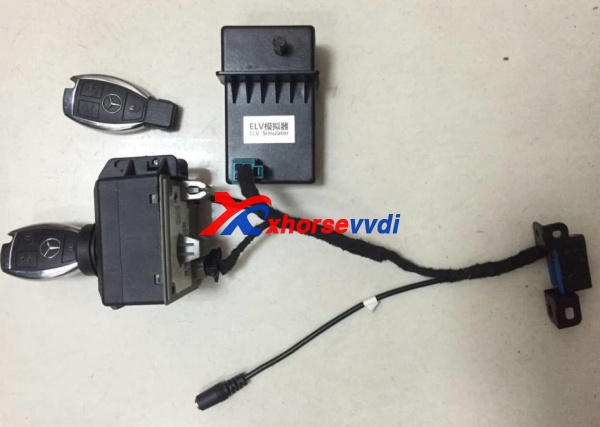
Xhorse ELV Emulator
Firstly,we need to know whether the internal motor is damaged or the NEC chip is locked. Use the VVDI MB TOOl to connect the vehicle via OBD way, click "Check ESL damage" and you will get any of following display:
ESL is working: means the motor is damaged and you need a new full set of ESL motor.
ESL is damaged: need to replace new ESL,or repair NEC chip.
1.VVDI MB Tool and ELV Emulator and ESL/ELV Motor Steering Lock Wheel Motor
Remove assembly. Since the direction lock is in the locked state in most cases, the direction lock ELV cannot be removed when the screws are removed!
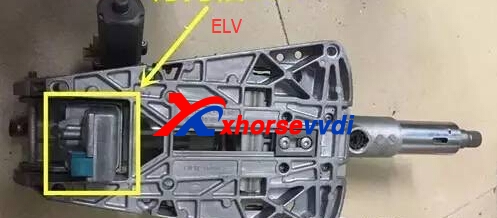
There are four screws on the direction lock. We can remove them then open them carefully.
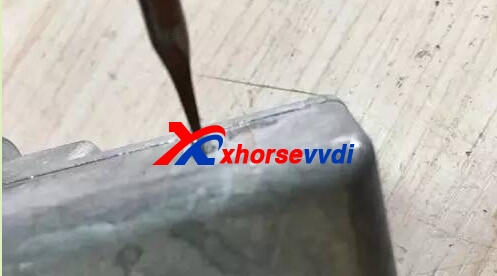
After opening, reomove the circuit board, you can see the motor, replace it with the new motor.Then put all back to the right position.

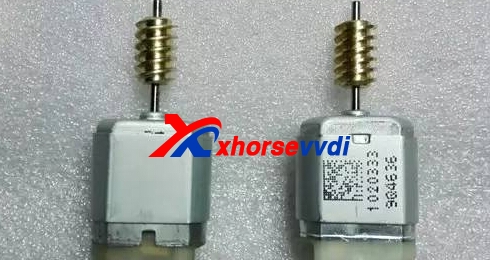
2.NEC Chip is locked.
Disassemble the direction lock ELV and remove the NEC chip from the board.
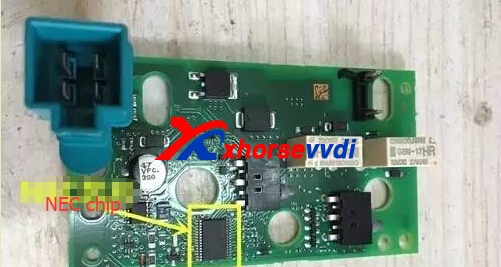
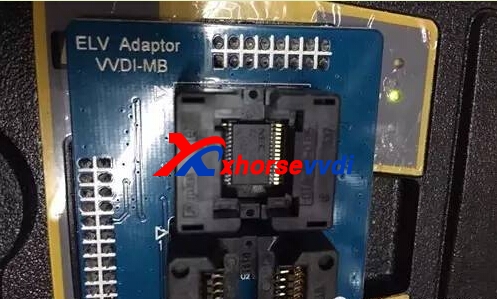
Use VVDI MB Tool and VVDI MB NEC ELV Adaptor for Benz W202/W204/W212 (Support Ship From US/UK)
Repair the chip,and put the chip back after fix well.
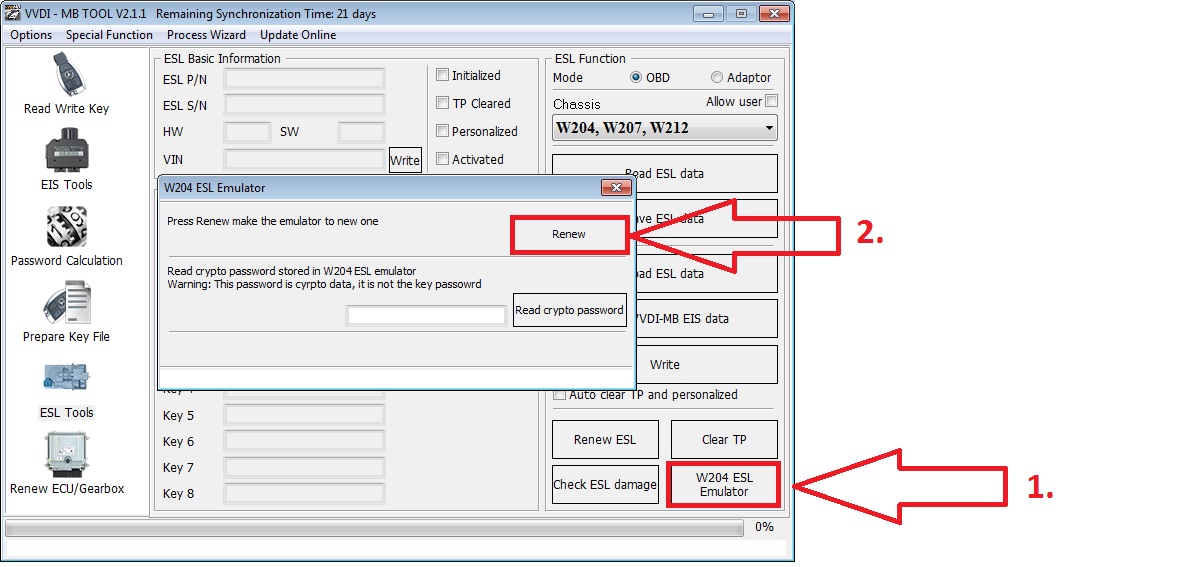
3.Xhorse ELV Emulator for Benz 204 207 212
Perfectly substitute original ELV/ESL.
Can emulate primary sound.
Great compatibility,support all benz vehicle with w204 w207 w212 directional lock.
Can substitute at the original place,will not impact the appearance more table and safety.
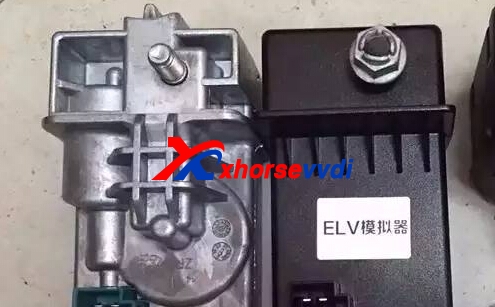
And you can check the detailed operate video of ELV Emulator Replace
[embed]https://youtu.be/i0fucH3okgg[/embed]

original:How to Repair Mercedes-Benz ELV with VVDI MB Tool and NEC ELV Adapter?

2017年5月18日星期四

Xhorse ELV Emulator Test on W204 Feedback

Xhorse ELV Emulator for Benz 204 207 212 Work with VVDI MB BGA Tool (Support Ship From US/UK),and here is test result.
1.Success used ELV emulator/simulator in W204:
1). EIS: read data by OBD from EIS/EZS …… OK
2). EIS: get erase password ……. OK
3). password calc.: get key password through calc. process and 1 token used ……OK
4). EIS: save all data of EIS ……. OK
5). EIS: renew EIS/EZS through IR ……. OK
6). EIS: load back saved data …….. OK
7). EIS: write data to EIS/EZS …… OK
8). EIS: personalize ELV emulator in EIS/EZS unit – success….. OK
9). EIS and ELV now working and car start
10). ELV emulator/simulator from Xhorse have sound (unlock and lock job) almost as original ELV
After all this steps still missed VIN in EIS/EZS, and fault in ESP because not see VIN from EIS,
then finished with XENTRY and write VIN to EIS/EZS in EIS/EZS unit finished…. OK
erase all faults ….. OK
I renew W204 ELV Xhorse emulator only through 2x click…no need any data or passwords.
W204-renew-ELV-emulator
Original metalic W204 ELS/ELV unit renew is different process and steps…there you need erase passwords to have.
I unlock NEC from 3x blocked W204 ELV, i think it take 3-5 attempts, each delay 100-1000 times cca, don’t know exactly now…
only try….failed…try….failed….try….success.
2.The process to renew EIS for ESL/ELV personalizes described in VVDI MB BGA manual:
ESL Tools
Support read ESL data via OBD (K-Line) …… tested OK
Support renew ESL, make 2nd hand ESL to new one (online) ……. tested OK ( online get only erase pass )
Support replace ESL, you can write original ESL or EIS data to new ESL …… tested OK ( but key password is needed to have too )
Support write new VIN …… tested OK ( i write there 999999 and OK )
Support clear TP
Support auto personalized ESL, no need renew EIS ……not tested yet
Support check ESL damage status …… tested OK
Support repair W204 ESL NEC chip(fatal error: 0xAA) and Motorola ESL chip …… tested OK ( NEC chip only yet )
Support renew VVDI-MB W204 emulator …… tested OK
and on next page is:
Special Instructions (2016.05.29)
The newest cars after 2015 with FBS4 EIS don’t support read data and password, we are researching it
Renew EIS and renew ESL require erase password.
We are building a new server for erase password. It will support all erase password after new server finished
Auto personalized ESL: Now only support auto personalized ESL with key password all 00,
we will support all the passwords in future (You can use “Personalize W204 ESL” instead before we publish new version).
In ESL window, you can input crypto password for auto personalize (no need renew EIS).
Crypto password need calculate with other tools

2017年4月20日星期四

How to install ELV Emulator by VVDI MB Tool

Most W204 W207 W212 ESL will damage with EIS,then you need to confirm ESL is working or not,if not working,need to replace new ESL.Here XhorseVVDI.com will share how to install ELV Emulator by VVDI MB Tool.
Xhorse ELV Emulator
1.Connect EIS,Xhorse ELV Emulator.
2.Start VVDI MB Tool Software.
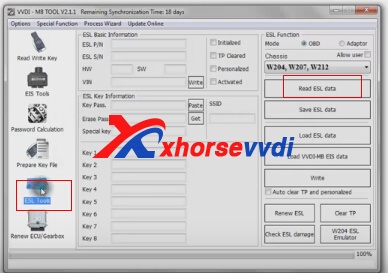
3.Clikc “ESL Tool”,choose chasis,and OBD way,then press “Read ESL Data”.
elv emulator
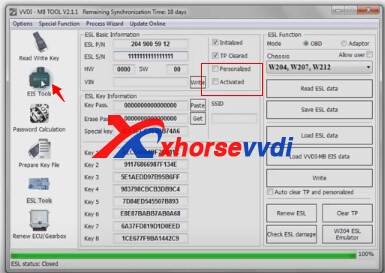
4.After read esl data,tick off Personalized and Activated option.
elv emulator
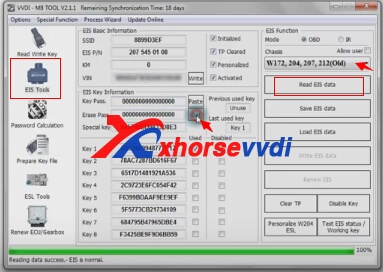
5.Click “EIS Tools” on the left,choose OBD way,and Chasis type to read EIS Data.

6.Click Get to erase EIS key password
elv emulator
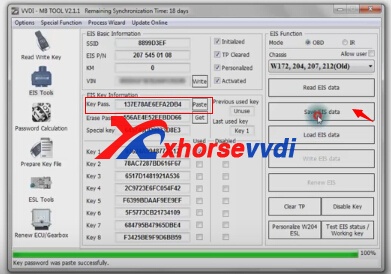
7.Paste key password,then save EIS data.
xhorse emulator
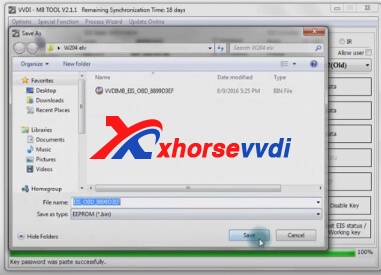
8.Press OK to save HC05 format file
xhorse emulator
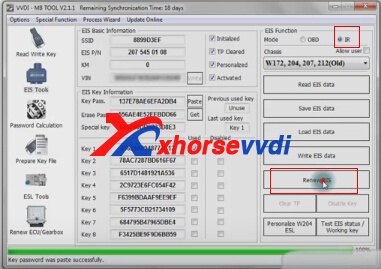
9.”EIS Tools” page,choose IR mode,and click “Renew EIS”,then insert IR key to EIS.

w204 elv
10.Insert IR adapter to car. Take out and insert again if it is already inserted. Wait about 28 seconds until erasing EIS success
11.Select OBD mode,click “Read EIS data”.Reading data success, EIS is normal.
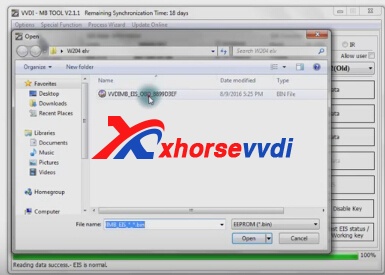
12.Click Load EIS data,and please open EIS data saved previously.
elv emulator
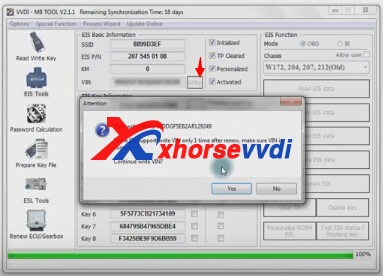
13.Click Write VIN.Please confirm VIN and click Yes to continue.
Xhorse ELV Emulator
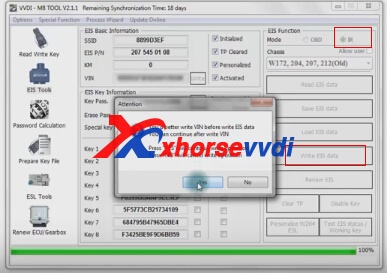
14.After write VIN success.Choose IR model,select Write EIS data,then click YES.
benz elv emulator
15.Please wait until Writing data success.Select OBD mode,and click Personalize W204 ESL.
16.ELV is personalized.
www.xhorsevvdi.com all rights reservedOriginal Article url:How to install ELV Emulator by VVDI MB Tool